When planning an ergonomic workspace in a shared area, communicate your needs clearly with colleagues to find flexible solutions. Use adjustable accessories like monitor risers and keyboard stands to customize your setup without impacting others. Position your desk and monitor at proper heights to prevent strain and encourage good posture. Incorporate privacy screens or dividers to create personal zones while respecting shared space. Keep exploring these strategies to create a comfortable, collaborative environment that benefits everyone involved.
Key Takeaways
- Communicate ergonomic needs with colleagues to personalize workspace adjustments effectively.
- Use portable or adjustable accessories to accommodate individual preferences without permanent changes.
- Incorporate privacy screens or dividers to create designated ergonomic zones for each person.
- Ensure shared furniture and equipment can be adjusted to fit different ergonomic requirements.
- Regularly review and update workspace setups to maintain comfort and accommodate evolving needs.
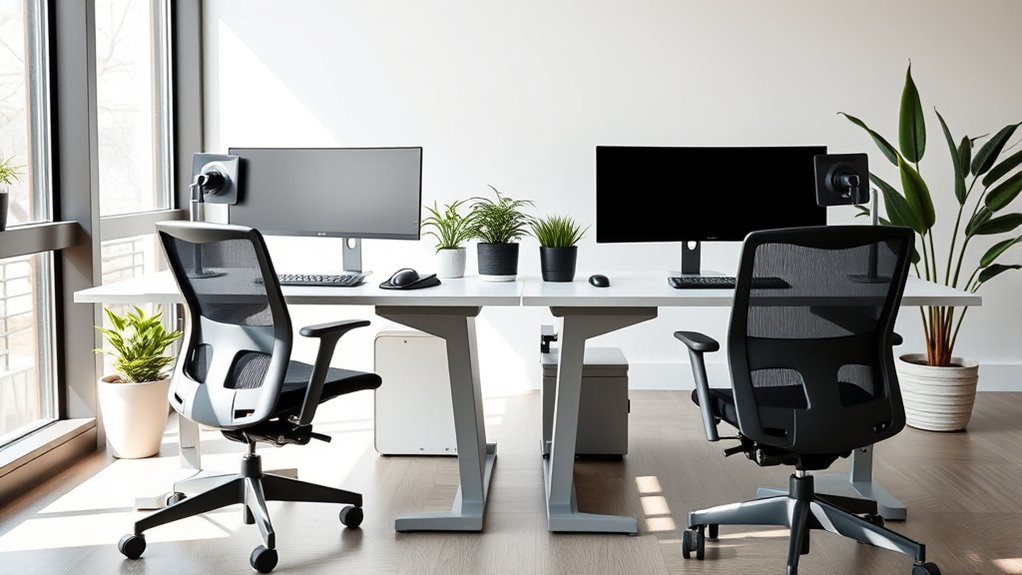
Have you ever wondered how your workspace layout can impact your comfort and productivity? When sharing a workspace, it’s essential to consider how your setup influences both your efficiency and your well-being. A key component is adjusting your desk height and monitor placement to fit your body and work habits. These small but significant tweaks can prevent discomfort and improve focus, even in a shared environment.
First, think about your desk height. If it’s too high, your shoulders may tense up, and if it’s too low, you might strain your neck and back. Ideally, your desk should allow your elbows to stay close to your body and form roughly a 90-degree angle when you’re typing or writing. When sharing space, you may need to find a compromise that accommodates your ergonomic needs without infringing on your coworker’s setup. Adjustable desks or risers can help you fine-tune your height, ensuring your wrists remain straight and your back stays supported. This minimizes fatigue and reduces the risk of repetitive strain injuries. Remember, your comfort shouldn’t be sacrificed just because you share your workspace; small adjustments go a long way.
Adjust your desk height to keep elbows close and wrists straight, ensuring comfort and reducing strain in shared workspaces.
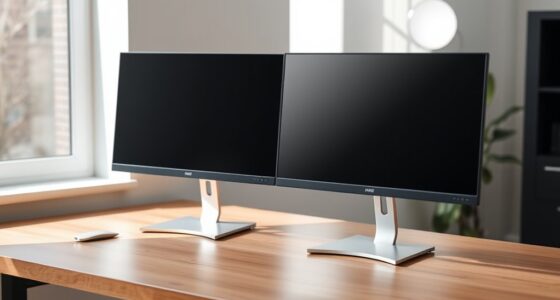
Monitor placement is equally crucial. Your screen should be positioned so that the top of the display is at or just below eye level. This prevents you from tilting your head up or down, which can cause neck strain over time. If you’re sharing a desk, you might need to use monitor risers or adjustable stands to elevate your screen without encroaching on your coworker’s space. Keep the monitor about an arm’s length away, ensuring you can view it comfortably without leaning forward or squinting. Proper monitor placement not only reduces eye strain but also promotes better posture, helping you stay focused and alert throughout the day. Additionally, selecting ergonomic accessories made from lightweight materials can make adjustments easier and more frequent, supporting your comfort on a daily basis.
In shared environments, clear communication about your ergonomic setup is vital. Discuss your preferences with your coworker, and consider investing in portable or adjustable accessories that can be easily moved or modified. Using privacy screens or dividers can help create a personal zone, giving you space to optimize your setup without interfering with someone else’s. Remember, a well-organized and ergonomic workspace benefits everyone—it minimizes discomfort, boosts productivity, and fosters a respectful, collaborative atmosphere.
Ultimately, paying attention to your desk height and monitor placement is a simple yet effective way to enhance your comfort when sharing a workspace. Small, thoughtful adjustments ensure you maintain good posture, prevent strain, and stay productive. By communicating openly and investing in adaptable accessories, you can create a workspace that supports your needs without compromising your coworker’s. Your comfort and efficiency are worth the effort, and a thoughtfully planned ergonomic setup makes all the difference.

WALI Computer Monitor Stand for Desk, Adjustable Laptop Riser, Desk Monitor Stand Underneath Storage for Office, Home, School Supplies (STT003), 1 Pack, Black
Design: The monitor stand for the desk has a large 14.6 x 9.3 inches metal shelf that fits…
As an affiliate, we earn on qualifying purchases.
As an affiliate, we earn on qualifying purchases.
Frequently Asked Questions
How Can I Personalize My Ergonomic Setup in a Shared Space?
To personalize your ergonomic setup, explore various personalization options like adjustable accessories that fit your needs. Use ergonomic accessories such as a supportive chair cushion, wrist rests, or a monitor stand to enhance comfort. You can also add personal touches like a small plant or photos, ensuring they don’t interfere with shared space. These small adjustments help you create a more comfortable, personalized workspace within shared environments.
What Privacy Solutions Support Ergonomic Work in Shared Environments?
You can enhance your ergonomic work in shared environments by using privacy screens to create visual boundaries, reducing distractions and promoting focus. Sound masking systems also help by dampening ambient noise, allowing you to concentrate better and maintain privacy. These solutions support ergonomic efficiency by minimizing interruptions and helping you feel more comfortable and secure, even in open or shared workspaces. Combining privacy screens with sound masking creates a more private, focused, and ergonomic environment.
How Do I Address Noise and Distractions in Shared Workspaces?
Did you know that distractions can reduce productivity by up to 40%? To address noise and distractions, implement sound masking systems that gently cover disruptive sounds. Use distraction management strategies like designated quiet zones and noise-canceling headphones. These solutions help you stay focused, even in shared workspaces, by creating an environment conducive to concentration and reducing the impact of ambient noise.
Are There Specific Ergonomic Tools Suitable for Shared Desk Setups?
You can improve your shared desk setup with ergonomic tools like adjustable monitor arms and keyboard trays. Monitor arms let you position screens at eye level, reducing neck strain, while keyboard trays help maintain proper wrist posture. These tools allow you to customize your workspace comfortably without interfering with others. By using them, you create a more ergonomic environment that supports your health and productivity even in shared spaces.
How Can I Coordinate Ergonomic Adjustments With Multiple Users?
When coordinating ergonomic adjustments, you should communicate openly with all users. Encourage everyone to customize their desk height and chair adjustments to fit their needs. Consider using adjustable furniture that easily accommodates different preferences. Establish shared guidelines for workspace ergonomics, ensuring each person can maintain proper posture. Regularly check in to make sure adjustments remain suitable, promoting comfort and productivity for everyone sharing the space.

Vaydeer Wrist Rest with Keyboard Stand, Computer Wrist Support Pad, Ergonomic Keyboard Riser Holder Lifter Tray with Wrist Pad, Soft Memory Foam Desk Cushion, Palm Hand Typing for Office Home School
【2-in-1 Keyboard Stand with Wrist West】Tired of constantly adjusting a misaligned wrist rest that slides out of place?…
As an affiliate, we earn on qualifying purchases.
As an affiliate, we earn on qualifying purchases.
Conclusion
By now, you see how essential thoughtful planning is to create an ergonomic shared workspace. With the right setup, you’ll boost comfort, productivity, and well-being for everyone involved. Are you ready to take these simple steps and transform your shared space into a healthier, more efficient environment? Remember, a well-designed workspace isn’t just about individual comfort—it’s about fostering collaboration and success for all. So, why wait to make your shared space the best it can be?

ZYINOZOC 2 Pack Desk Dividers for Students,3-Fold Privacy Screens,Testing Dividers for Classroom Waterproof,Plastic Easy Clean Privacy Shields for Student Includes Extra Labels
EASY TO STORE- With a trifold design, these table folders can sit easily and steadily on tables; for…
As an affiliate, we earn on qualifying purchases.
As an affiliate, we earn on qualifying purchases.

ErGear Height Adjustable Electric Standing Desk, 47.2 x 23.6 Inches Sit Stand up Desk, Memory Computer Home Office Desk (Black)
Outstanding Stability: This electric standing desk has a sturdy solid steel frame with aerospace-grade lifting column connectors (still…
As an affiliate, we earn on qualifying purchases.
As an affiliate, we earn on qualifying purchases.