
If you’re a short user, the first chair fix to focus on is adjusting your lumbar support. Proper lumbar support fits the natural curve of your lower back, helping you maintain good posture and prevent strain. If the support isn’t positioned correctly, it can cause discomfort and long-term back issues. Ensuring your lumbar support is properly aligned is essential. Keep going, and you’ll discover more tips to make your workspace even more comfortable.

Get comfort and recovery gear delivered free with Prime
- Fast, free delivery on millions of items
- Prime Video, Amazon Music and more included
- Member-only deals all year
Key Takeaways
- Adjust chair height so feet rest flat on the floor and thighs are parallel to ground.
- Ensure the lumbar support aligns with the lower back’s natural curve for proper spinal support.
- Use cushions or lumbar rolls if the built-in support is too high or low for your stature.
- Set the monitor at eye level to prevent neck strain, especially important for shorter users.
- Verify desk height allows elbows to be at a comfortable 90-degree angle during work.

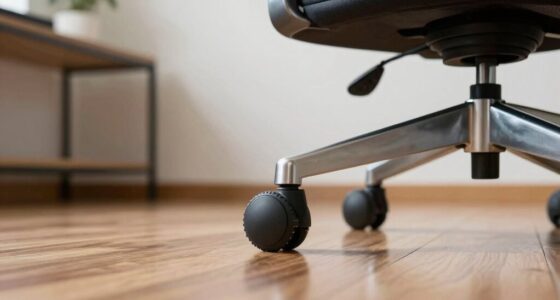
If you’re shorter than most users, the first thing you should address is your chair’s height. Your desk and monitor need to be at a comfortable level to avoid strain on your neck and shoulders. An ergonomic adjustment to your chair’s height ensures your feet rest flat on the floor, your knees stay at a 90-degree angle, and your hips are level with your knees. This setup promotes good posture and reduces fatigue throughout the day. Many chairs have a gas lift mechanism, so take a moment to adjust it until your thighs are parallel to the ground. This simple change makes a significant difference in overall comfort and helps prevent long-term musculoskeletal issues. Additionally, ensuring your workspace is set up with ergonomic principles can further enhance comfort and prevent strain. Proper workspace setup can help maintain the correct posture and reduce the risk of discomfort.
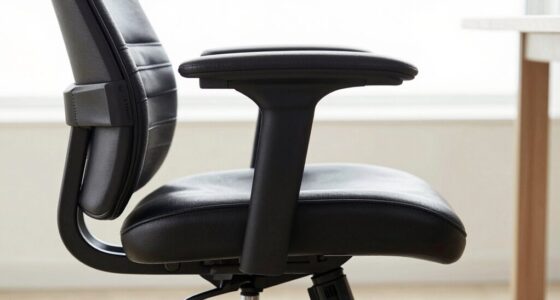
Once your chair is at the right height, focus on lumbar support. As a shorter user, you might find that standard lumbar support is either too high or too low, which can lead to back pain over time. Proper lumbar support should fit the natural curve of your lower back, providing gentle pressure that encourages proper spinal alignment. If your chair doesn’t have adjustable lumbar support, consider adding a small cushion or lumbar roll designed specifically for this purpose. Position it so that it fills the small of your back comfortably, supporting your lumbar curve without pushing too hard or feeling too flat. Maintaining this support throughout the day is crucial for preventing lower back stiffness and strain.
Products Worth Considering

Bowflex SelectTech 840 Adjustable Kettlebell

OMRON Complete 2-in-1 Upper Arm Blood Pressure Monitor with EKG

Withings BPM Connect Blood Pressure Monitor
As an affiliate, we earn on qualifying purchases.
Frequently Asked Questions
What Are the Common Signs My Chair Needs Fixing?
If your chair isn’t providing ergonomic posture or lumbar support, you’ll notice discomfort or pain, especially in your lower back. You might find yourself slouching or struggling to sit upright, leading to fatigue. Wobbly or squeaky parts, uneven height, or difficulty adjusting the chair are additional signs it needs fixing. Addressing these issues guarantees proper support, reduces strain, and keeps you comfortable during long hours of sitting.
How Often Should I Adjust My Chair for Comfort?
You should adjust your chair at least once every hour, like tuning a musical instrument to stay in harmony. As you shift positions, incorporate ergonomic accessories to support your posture improvement, preventing strain and discomfort. Regular adjustments help maintain proper alignment, especially during long periods of sitting. Think of your chair as an extension of your body, and frequent tweaks guarantee it stays in sync with your movements, promoting comfort and health.
Are There Specific Chair Features for Short Users?
Yes, there are specific chair features for short users. Look for ergonomic design elements like adjustable seat height, lumbar support, and armrests. Adjustment tips include setting the chair so your feet rest flat on the floor, knees at a 90-degree angle, and your hips at the same level as your knees. These features help guarantee proper posture and comfort, reducing strain during long periods of sitting.
Can I Modify My Current Chair to Better Fit Me?
Yes, you can modify your current chair to better fit you. Start by adding ergonomic accessories like a lumbar pillow or footrest to improve support. You might also consider DIY modifications, such as adjusting the seat height with cushions or padding. These simple changes can enhance comfort and promote better posture, making your chair more suitable for your stature without needing a complete replacement.
What Safety Precautions Should I Take When Adjusting My Chair?
When adjusting your chair, always prioritize safety by using safety equipment like gloves or eye protection if needed. Perform ergonomic testing to guarantee your adjustments promote proper posture and comfort. Before making any changes, check that the chair’s mechanisms are secure to prevent sudden movements. Take your time, follow manufacturer instructions, and double-check your adjustments. This careful approach minimizes injury risk and ensures your chair supports your health effectively.
Conclusion
Remember, adjusting your chair isn’t just about comfort—it’s about reclaiming control over your workspace. When you fix the seat height first, you’re not just aligning your posture; you’re aligning your confidence and productivity. Like a ship’s captain steering through calm or storm, setting your chair right sets the course for your day. So, take that first step. Your best work begins with a simple fix, waiting to release your full potential.