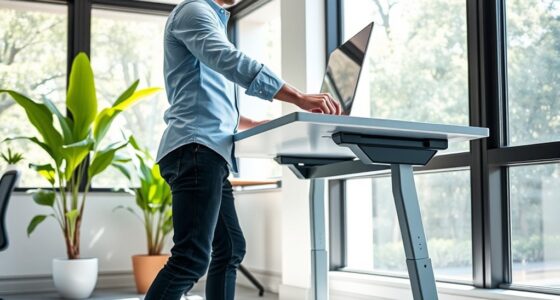
Choosing between standing desk converters and full standing desks depends on your workspace and how often you switch between sitting and standing. Converters are portable, easy to adjust, and ideal for limited spaces or temporary setups. Full desks offer more stability, customization, and smoother height adjustments for long-term comfort. Consider your budget and space constraints to decide which option suits you best; further details can help you make an informed choice.
Key Takeaways
- Standing desk converters are portable, cost-effective solutions ideal for limited spaces, while full standing desks are larger, permanent setups offering more stability.
- Converters are suitable for temporary or shared spaces, whereas full desks are better for dedicated, customizable work environments.
- Full standing desks typically provide smoother, more precise height adjustments compared to converters’ limited range.
- Full desks allow extensive workspace customization with multiple monitor and accessory arrangements, unlike converters’ compact design.
- Choosing depends on budget, workspace size, and how often you need to switch between sitting and standing positions.
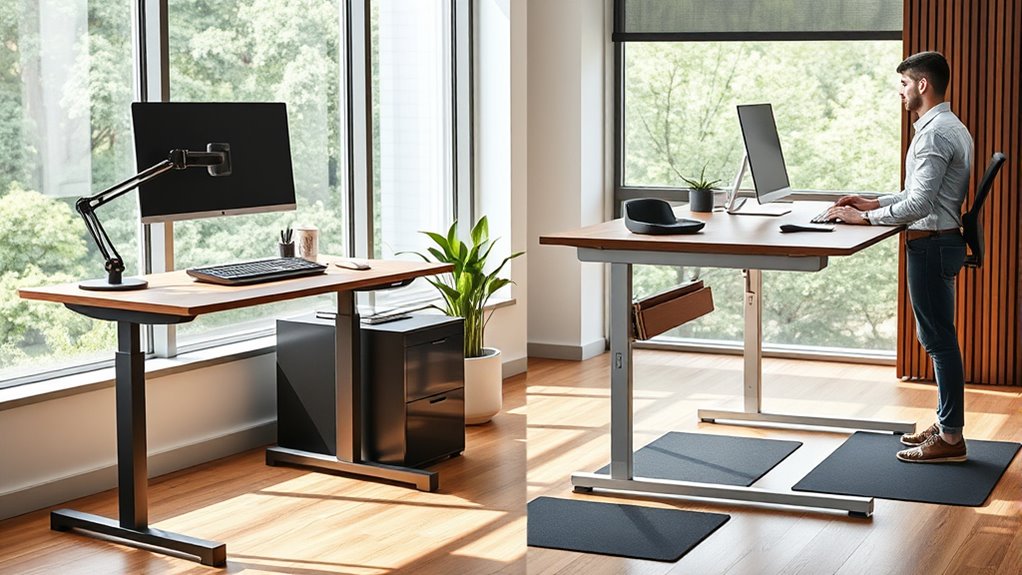
When considering ways to improve your workspace for better health and productivity, you might wonder whether a standing desk converter or a full standing desk is the right choice. Both options aim to promote movement and reduce the health risks associated with prolonged sitting, but they differ markedly in how they fit into your workspace and support ergonomic adjustments. A standing desk converter is a portable, adjustable platform that sits atop your existing desk, allowing you to switch between sitting and standing effortlessly. It offers a flexible form of workspace customization, letting you tailor your setup without committing to a full desk overhaul. A full standing desk, on the other hand, is a dedicated piece of furniture, often larger and more permanent, designed to be entirely adjustable in height. It provides a more integrated solution for ergonomic adjustments, giving you a seamless transition between sitting and standing positions.
Choosing between a standing desk converter and a full standing desk depends on your workspace needs and flexibility preferences.
When choosing between the two, consider your workspace constraints and how much flexibility you need. Standing desk converters are ideal if you already have a comfortable desk setup but want to add the option of standing without replacing your entire workspace. They’re portable, easy to adjust, and can be stored away when not in use, making them a practical choice for temporary or shared workspaces. Full standing desks, however, require more space and investment but can offer better stability and comfort, especially for those who spend most of their workday standing. They also allow for greater workspace customization, enabling you to arrange monitors, keyboards, and accessories exactly how you like them, in an ergonomic manner.
Another factor to contemplate is ergonomic adjustments. Both options support height adjustments, but a full standing desk typically provides a smoother, more precise range of motion, which can be vital for maintaining good posture. Standing desk converters might have some limitations in height range, so it’s important to choose one that aligns with your ergonomic needs. Additionally, workspace customization plays a role in how well you can set up your workstation. With a full desk, you can allocate space for multiple monitors, document holders, and other accessories, creating a more efficient and comfortable environment. Conversely, converters are more limited in size but still allow for essential ergonomic adjustments to your keyboard, mouse, and monitor placement. Understanding the ergonomic benefits of each option can help you make a more informed decision for your health and comfort.
Ultimately, your choice depends on your workspace environment, budget, and how often you want to switch between sitting and standing. Both options can improve your health and productivity when used correctly, but understanding their differences helps you make a decision that best matches your needs for ergonomic adjustments and workspace customization.
Frequently Asked Questions
Can Standing Desk Converters Support Dual Monitors Effectively?
Yes, standing desk converters can support dual monitors effectively if they offer good monitor stability and ample space requirements. Look for converters with sturdy arms and wide platforms to prevent wobbling and accommodate both screens comfortably. Make sure your workspace has enough room for the converter’s footprint, so your monitors stay secure and at the right height. Properly chosen, a converter can provide a flexible, ergonomic setup for dual monitors.
What Is the Typical Lifespan of a Standing Desk Converter?
A standing desk converter typically lasts between 3 to 5 years, depending on its material durability and frequency of use. To maximize its lifespan and ergonomic benefits, choose a converter made from high-quality materials like steel or reinforced aluminum. Regularly inspect and maintain your converter, ensuring smooth adjustments and stability. With proper care, you’ll enjoy ergonomic comfort and durability, making your investment worthwhile over the years.
Are There Insurance or Tax Benefits for Using Standing Desks?
You might qualify for insurance benefits or tax deductions when using a standing desk, especially if your healthcare provider recommends it for health reasons. Many employers offer wellness incentives, and you can often deduct the cost of a standing desk as a medical expense on your taxes. Keep receipts and consult a tax professional to guarantee you’re maximizing these benefits and staying compliant with IRS rules.
How Do I Choose the Right Height Adjustment Range?
You should choose a height adjustment range that easily accommodates your sitting and standing positions for maximum ergonomic benefits. Don’t worry about complex mechanisms—look for smooth adjustment mechanisms that let you change height effortlessly. Make certain the range is wide enough to match your height and workspace setup. A versatile adjustment range helps prevent discomfort and promotes better posture, making your workspace healthier and more comfortable.
Do Standing Desk Converters Require Professional Assembly?
Standing desk converters generally don’t require professional assembly; most have an easy installation process you can handle yourself. This simplicity allows you to quickly enjoy ergonomic benefits like better posture and reduced strain. Just follow the included instructions, and you’ll be set up in minutes. Investing a little time on the installation process guarantees you get the most out of your converter’s adjustable features, promoting comfort and productivity throughout your workday.
Conclusion
Choosing between standing desk converters and full standing desks depends on your workspace and lifestyle. Did you know that standing desks can boost energy and productivity? Remarkably, a study found that users who switch between sitting and standing experience less discomfort and fatigue. Whether you prefer quick adjustments with converters or a dedicated full desk, prioritizing movement can make a big difference. So, pick what fits you best and enjoy the health benefits of staying active at work!