
To optimize your desk placement, position it near a window to maximize natural light while avoiding glare on screens, ideally with light hitting from the side or behind your monitors. Guarantee easy access to electrical outlets for your devices and keep cords organized for safety. Ergonomically, your monitor should be at eye level and arm’s length away, with your chair supporting your lower back. Keep these tips in mind to create a comfortable, productive workspace that’s easy to tweak as needed.

Get comfort and recovery gear delivered free — and shop member deals
- Fast, free delivery on millions of items
- Access to Prime Big Deal Days deals on October 6–7
- Prime Video, Amazon Music and more included
Key Takeaways
- Position the desk near a window for natural light, avoiding glare on screens to enhance comfort and reduce eye strain.
- Ensure easy access to electrical outlets to keep cables organized and support all devices efficiently.
- Place the monitor at eye level and about an arm’s length away for optimal ergonomic posture.
- Use task lighting like desk lamps to supplement natural light during cloudy days or late-night work.
- Arrange the workspace to support ergonomic seating, with feet flat on the floor and minimal distractions for better focus.

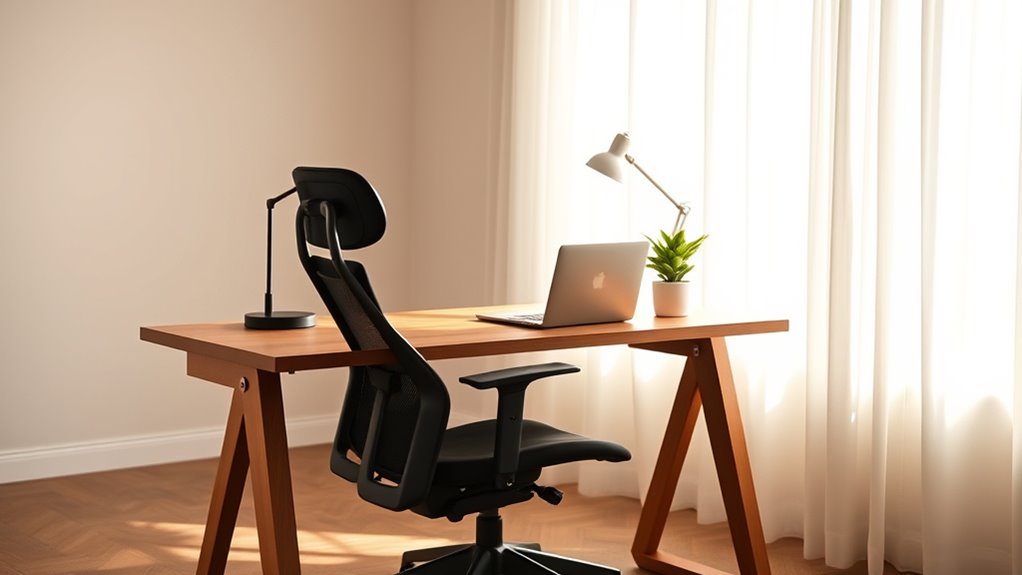
Choosing the right spot for your desk can considerably boost your productivity and comfort. When setting up your workspace, pay close attention to the natural light available in the room. Placing your desk near a window allows sunlight to flood your workspace, which can enhance your mood and reduce eye strain. Natural light not only makes your environment more inviting but also decreases the need for artificial lighting during the day, saving energy and creating a more sustainable setup. However, be mindful of glare that can occur on screens; positioning your desk so that the light hits from the side or behind your monitor helps minimize reflections and discomfort.
Placing your desk near a window boosts mood, reduces eye strain, and saves energy through natural lighting.
Another important consideration is the availability of electrical outlets. Ensure your desk is close enough to power sources to keep your workspace tidy and functional. Having easy access to electrical outlets allows you to connect essential devices like your computer, desk lamp, charging stations, or other electronics without running long, unsightly cords across the room. If outlets are limited, consider using surge protectors or power strips to expand your options effortlessly. Proper placement of your desk in relation to outlets also reduces strain on cords, making your workspace safer and more organized.
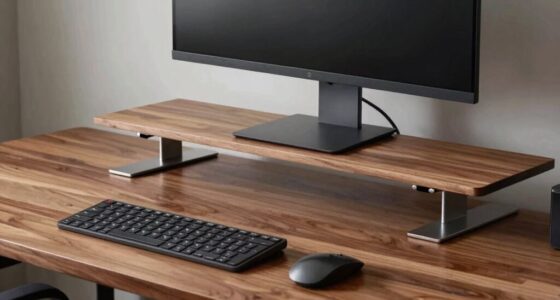
Beyond lighting and outlets, think about how the room’s layout affects your overall ergonomics. Position your desk so that your monitor is at eye level and about an arm’s length away, reducing neck and eye strain. Your chair should support your lower back, and your feet should rest flat on the floor or on a footrest. If possible, avoid placing your desk directly under a ceiling beam or in a drafty spot, as these can distract or cause discomfort over time.
Lighting isn’t just about natural sources; consider adding task lighting like a desk lamp to ensure you’re well-lit during cloudy days or late hours. The key is to create a balanced environment where natural light and artificial lighting complement each other, preventing glare and shadows. Keep cables organized to prevent clutter, which can hinder focus and pose safety hazards.
In addition, choosing appropriate desk placement can also enhance your overall workflow by reducing the need for frequent adjustments and distractions. Ultimately, the placement of your desk influences how well you work and feel throughout the day. Prioritize natural light, proximity to electrical outlets, and ergonomic positioning to craft a workspace that’s both functional and comfortable. When you get these details right, you’ll find yourself more energized, focused, and ready to tackle your tasks efficiently.
Frequently Asked Questions
How Does Desk Placement Affect Room Acoustics?
Your desk placement substantially impacts room acoustics by influencing sound reflection and acoustic dampening. If you position your desk near reflective surfaces like windows or bare walls, sound bounces around, causing echoes and noise distraction. Conversely, placing it away from hard surfaces and closer to soft furnishings or acoustic dampening materials reduces sound reflection, creating a quieter, more focused environment. Proper placement helps control noise levels and improves overall room acoustics.
What Is the Best Height for a Desk in a Room?
The best height for a desk depends on your height, but generally, an ergonomic desk height is around 28 to 30 inches. You want your elbows at a 90-degree angle when typing or writing, reducing strain. Adjust your ergonomic desk so your wrists stay straight and your feet rest flat on the floor. Proper desk height helps prevent discomfort and promotes better posture during work or study sessions.
How Can I Optimize Natural Light for My Desk?
To optimize natural light for your desk, position it near a window where you can benefit from ample sunlight. Avoid direct glare by using light control options like blinds, curtains, or sheer curtains. Adjust the window placement if possible to diffuse harsh light and reduce eye strain. Proper light placement guarantees a well-lit workspace, boosting productivity and comfort throughout your workday.
Does Desk Orientation Influence Productivity?
Yes, desk orientation considerably influences your productivity. When you position your desk considering the room layout, you can reduce distractions and improve focus. Facing natural light or away from busy areas helps maintain concentration. Adjust your desk orientation to suit your workflow, ensuring it aligns with your room’s layout for better ergonomics and efficiency. Proper desk placement keeps you comfortable and motivated throughout your workday.
How to Prevent Glare on Screens From Desk Placement?
Like a master painter avoiding the glare of the midday sun, you can prevent screen glare by carefully adjusting your desk placement. Position your screen perpendicular to windows to minimize glare and use glare reduction accessories like matte screen filters. Proper screen positioning, at eye level, also helps reduce strain. These simple steps make certain your workspace remains comfortable, preventing eye fatigue and boosting your productivity.
Conclusion
By thoughtfully placing your desk, you’re setting the stage for a workspace that feels like a breath of fresh air. Good lighting and ergonomic positioning aren’t just details—they’re the backbone of comfort and productivity. When your desk finds its perfect spot, it becomes a harmonious hub where focus flows effortlessly, like a gentle stream. So take the time to arrange your space wisely—your mind and body will thank you for it.
Fall Picks
fall essentials
As an affiliate, we earn on qualifying purchases.