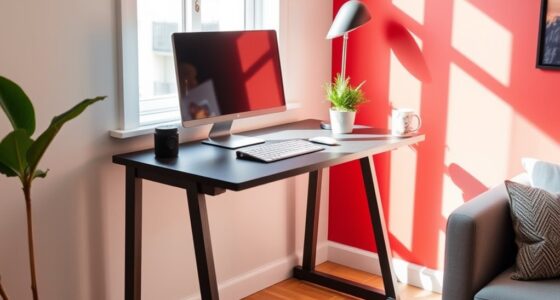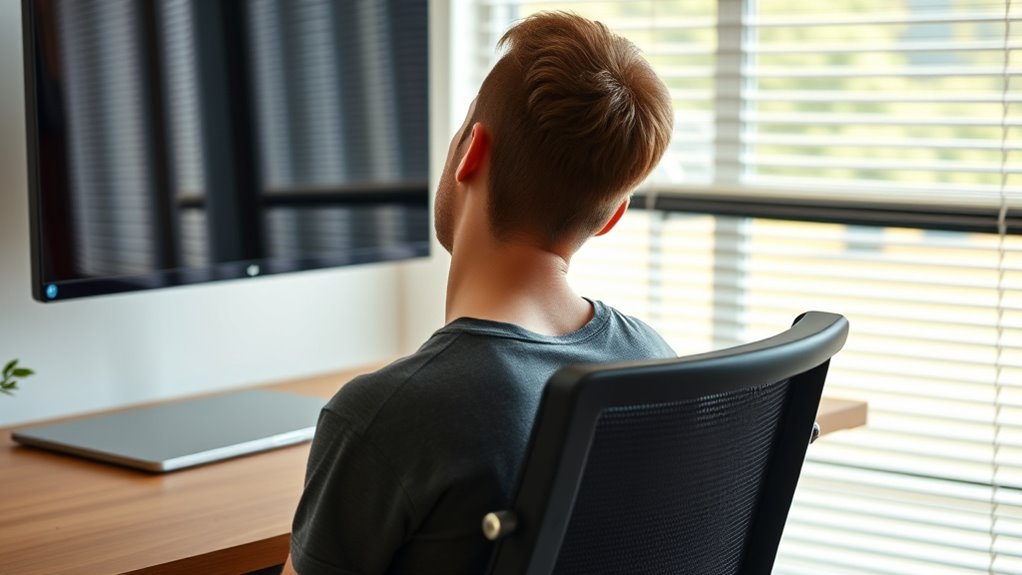

To find the right desk height and reduce neck strain, make sure your chair is adjusted so your feet are flat on the floor and your knees are level with your hips. Position your monitor at eye level to avoid tilting your neck up or down, and keep your keyboard and mouse close to your body with elbows at about 90°. Proper workspace setup supports healthy posture, so you’ll want to explore more tips to stay comfortable all day.

Get comfort and recovery gear delivered free with Prime
- Fast, free delivery on millions of items
- Prime Video, Amazon Music and more included
- Member-only deals all year
Key Takeaways
- Adjust your desk so the top of your monitor is at eye level to prevent neck tilting.
- Ensure your chair height allows your feet to sit flat and knees to be roughly level with hips.
- Maintain a keyboard position that keeps elbows close to your body at about 90° to reduce neck strain.
- Use monitor risers or stands to achieve proper screen height and minimize looking up or down.
- Incorporate ergonomic accessories like footrests or sit-stand desks to fine-tune workspace alignment and support neck health.

Having your desk set at the right height is essential in preventing neck strain, especially if you spend long hours working at a computer. When your workspace isn’t properly aligned, you’re forced to tilt or crane your neck, leading to discomfort and potential long-term issues. To avoid this, focus on making precise workspace adjustments that promote good posture. Ergonomic accessories are your allies here—think adjustable monitor stands, keyboard trays, and footrests—that help you tailor your setup to your body’s needs. These tools allow you to fine-tune your desk height, monitor position, and seating arrangement, ensuring your neck remains in a neutral, relaxed position.
Start by adjusting your chair height so your feet are flat on the floor and your knees are roughly level with your hips. This foundational step helps maintain good spinal alignment. Once your chair is set, focus on your monitor. The top of your screen should be at eye level or just slightly below, so you don’t have to look up or down excessively. If your monitor is too low or high, use ergonomic accessories like monitor risers or stands to position it correctly. Proper monitor placement reduces the need to strain your neck forward or tilt your head back, which can cause tension and fatigue. Additionally, proper ergonomics plays a crucial role in preventing strain and discomfort during prolonged computer use.
Your keyboard and mouse should be positioned so your elbows are close to your body and form about a 90-degree angle. An adjustable keyboard tray can assist in reaching this ideal position without compromising your wrist posture. When your workspace allows for these adjustments, you minimize the risk of neck pain caused by reaching or awkward head positions. If your desk isn’t adjustable, consider using ergonomic accessories such as a sit-stand converter to elevate your workspace or a footrest to maintain proper leg positioning, which indirectly affects your neck comfort.
As an affiliate, we earn on qualifying purchases.
Frequently Asked Questions
How Does Desk Height Influence Overall Posture?
Your desk height directly impacts your posture by influencing your ergonomic seating and monitor alignment. When the desk is at the right level, you can sit comfortably with your feet flat, knees at a 90-degree angle, and your monitor positioned at eye level. This setup reduces neck strain, promotes better spinal alignment, and prevents discomfort. Adjusting your desk height guarantees you maintain a healthy posture and work more efficiently.
Can Adjustable Desks Prevent Neck Strain?
Yes, adjustable desks can prevent neck strain by allowing you to set the perfect height for your ergonomic chair and monitor placement. When your desk is at the right level, you avoid hunching or craning your neck, promoting better posture. Make sure your monitor is eye-level, and your chair supports your back. This combination helps reduce tension and discomfort during long work hours.
What Is the Ideal Desk Height for Standing Desks?
Imagine opening a world of comfort—your ideal standing desk height is where your elbows are at a 90-degree angle. This perfect desk ergonomics setup reduces strain and maximizes standing desk benefits. Typically, the height aligns with your wrist level when your arms hang naturally. Keep your monitor at eye level, and you’ll feel energized and pain-free all day. Adjust until it feels just right—your body will thank you.
How Often Should I Adjust My Desk Height?
You should adjust your desk height at least once every 30 to 60 minutes to maintain proper keyboard ergonomics and prevent strain. Regular desk customization helps you find the ideal position, reducing discomfort and improving posture. Pay attention to how your arms, wrists, and neck feel, and tweak the height accordingly. Staying flexible ensures your workstation stays comfortable and supports your overall health throughout the day.
Are There Ergonomic Accessories to Complement Desk Height?
Yes, ergonomic accessories can substantially enhance your workspace. You might consider keyboard accessories like cushioned wrist rests to reduce strain and monitor risers to elevate your screen to eye level. These tools not only complement your adjustable desk but also keep your posture in check. With the right accessories, you’ll experience less discomfort and work more comfortably—making every hour at your desk feel just a little better.
As an affiliate, we earn on qualifying purchases.
Conclusion
Finding the right desk height is like tuning a musical instrument—you want everything to be perfectly aligned. When your desk matches your body, you’ll notice less neck strain and feel more comfortable throughout the day. Take the time to adjust your workspace, just like you’d fine-tune a guitar string, so you can work effortlessly and avoid unnecessary discomfort. Remember, a well-fitted desk isn’t just furniture; it’s your foundation for a healthier, more comfortable workday.
As an affiliate, we earn on qualifying purchases.
As an affiliate, we earn on qualifying purchases.
Halloween Picks
halloween
As an affiliate, we earn on qualifying purchases.