TL;DR

Get comfort and recovery gear delivered free with Prime
- Fast, free delivery on millions of items
- Prime Video, Amazon Music and more included
- Member-only deals all year
An ergonomic office chair is one that fits your body and desk and lets you adjust seat height, depth, back support, and armrests comfortably. Check the fit before counting features, pair the chair with sensible workstation setup, and change positions through the day; a chair can support comfort but cannot treat or guarantee prevention of back pain.
By midafternoon, a chair that felt fine at 9 a.m. can start to feel like a hard ledge under your thighs. Fit matters more than a long feature list: your feet need support, the seat should fit your legs, and the backrest should feel comfortable rather than push you into a pose.
This guide explains what ergonomic office chairs can do, how to adjust one, and what to check before buying. You’ll also see why a chair is only one piece of an ergonomic office: your desk, screen, keyboard, and movement habits shape the working setup around it.
Think of the chair as a well-made pair of shoes. Extra features cannot make it comfortable if the size is wrong. A chair can support comfortable sitting, but it does not cure back pain or make hours without movement a good plan.
Prioritize a chair that fits your body and desk over one with the most features.
Set seat height so your feet are supported, then check that seat depth does not press behind your knees.
Adjust lumbar support for gentle, comfortable contact rather than a forced arch.
Check the full workstation, including the desk, screen, keyboard, mouse, and lighting.
Change positions and take movement breaks; a chair supports comfort but does not cure or prevent back pain.
What Makes an Office Chair Ergonomic for You?
An ergonomic office chair is a chair you can adjust to fit your body and desk, so it supports comfortable sitting and lets you change position during work. No single shape or feature set works for everyone. A chair is designed to support the person using it, not to hold every person in one supposedly perfect posture.
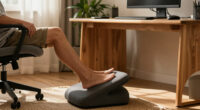
Start with the basics: your feet should rest flat on the floor or a footrest, and your knees should sit roughly level with or a little below your hips. The seat should support your thighs without digging into the backs of your knees. For example, if a tall coworker’s chair leaves your feet dangling, lowering the seat may help; if that makes the desk feel too high, a footrest can bridge the gap.
Fit works like tuning an instrument: each adjustment changes how the whole setup feels. Seat height, seat depth, backrest angle, lumbar support, armrests, and recline tension can all matter, but only if they move into positions that feel comfortable for you. A dozen controls are just decoration if the key ones cannot accommodate your body.
There is no need to hold one posture all day. A comfortable backrest can support you as you work, recline briefly, and return upright for a call. The chair’s job is to make comfortable choices easier, not to police your body.
Products Worth Considering

Levoit Core 300S-P Smart Air Purifier

Garmin Forerunner 570 GPS Running Smartwatch, 42 mm, Raspberry, with P-Bank Bundle

Garmin Forerunner 265S 42 mm GPS Running Watch, Light Pink and Powder Gray
As an affiliate, we earn on qualifying purchases.
Adjust Your Chair in Five Practical Steps
- Set seat height: Sit back and raise or lower the seat until your feet rest on the floor or a footrest, with your shoulders relaxed at the desk.
- Check seat depth: Slide the seat so it supports your thighs without pressing into the backs of your knees. If the chair has no depth adjustment and the edge feels like a firm bar, it may not suit you.
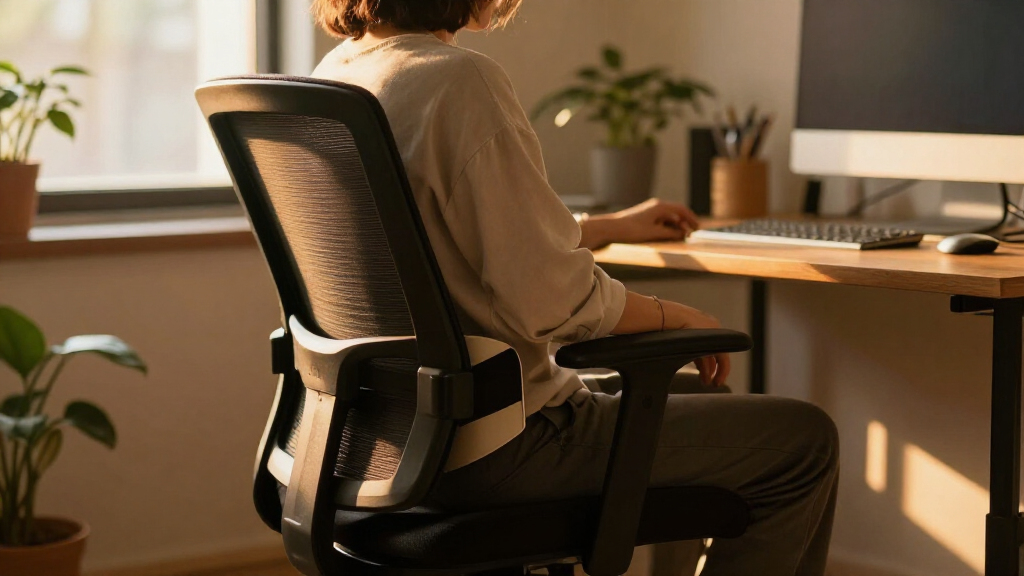
- Position the backrest: Set its angle where you can work comfortably and recline when you want. Adjust the lumbar support until it feels like gentle contact at your lower back, not a shove that forces an exaggerated arch.
- Place the armrests: Let your arms rest with shoulders relaxed. If the armrests lift your shoulders or prevent the chair from getting close to the desk, lower them or move them aside.
- Check the whole setup: Place your screen where you can view it comfortably and keep your keyboard and mouse within easy reach.
Ergonomic office chairs work best after adjustment, because even a good chair can feel wrong when its seat is too high or its armrests fight your desk. Imagine a home worker setting up after moving to a different table: the old chair position may leave their toes brushing the floor and shoulders creeping upward. A footrest, a small seat adjustment, and lower armrests can change how that setup feels.
Make one adjustment at a time, then sit and work for a few minutes before changing another. This helps you tell whether the lumbar pad or seat depth made a real difference. If an adjustment causes pain or a new problem, stop using that position and consider seeking professional guidance.
Choose the Chair Features You’ll Actually Use
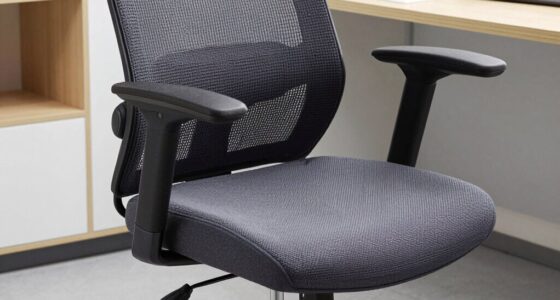
The most useful chair is the one whose adjustments fit you, not the one with the longest specification sheet. Seat-height and seat-depth range, supportive armrests, a comfortable backrest, and usable recline may matter more than an optional headrest or a connected app. An ergonomic office chair should fit your measurements and work with your desk before you pay extra for features.
Materials change the feel of a workday. Mesh often allows more airflow, which can feel pleasant in a warm room; an upholstered cushion may feel softer, though it can retain more warmth. Neither is automatically better. A person working in a sunny attic might prefer a breathable back, while someone who likes a plush seat may prefer upholstery and check how easy it is to clean.
Look at construction and fit details, too: stability, cushioning, upholstery durability, stated size and weight limits, and whether replacement parts are available. Headrests can help if you often recline and want support while leaning back, but many people do not need one for ordinary desk work. App-connected reminders can prompt you to move, but they do not prove a chair is medically effective.
Prices can reflect materials, build quality, warranty, and adjustment options, yet a high price does not guarantee comfort. Before buying, compare the adjustments you will use with the chair’s dimensions and return terms. If you can, test it at a desk of similar height; ten minutes seated there can tell you more than a glossy picture.
Pair Your Chair With the Rest of Your Workstation
Your chair cannot make up for a poorly arranged workstation. Desk height, monitor position, keyboard and mouse placement, and lighting all affect how comfortable work feels. Think of the setup as a small orchestra: if the screen, desk, and chair are out of tune, adjusting one part may not fix the whole performance.
For example, a designer might buy a chair with adjustable armrests but find they bump against a desk apron, forcing the chair too far away. Their shoulders then reach toward the keyboard. Lowering or repositioning the armrests, moving the keyboard closer, or changing the desk setup may help more than shopping for another chair.
Screen height and viewing distance also shape how you sit. If you lean forward to read small text, the chair’s backrest cannot support you while you hover at the edge of the seat. Adjust the screen and text to a comfortable viewing position, and place the mouse near the keyboard so you do not repeatedly reach across the desk.
Lighting matters in a quieter way. Glare can make you crane your neck or lean sideways to see the display. A lamp moved off the screen’s reflection can ease that awkward twist. If your desk is fixed at a height that prevents relaxed shoulders and supported feet at the same time, an adjustable chair or footrest may help, but the desk itself may need attention too.
Use Movement to Keep Sitting Comfortable
Movement belongs in an ergonomic workday, because no chair makes uninterrupted sitting ideal. Change your position, recline when it feels comfortable, stand briefly, or take a short walk between tasks. You do not need to keep a rigid “perfect posture” from morning to evening.
A practical example: after finishing a 30-minute video call, stand to refill your water or stretch while reading a short message. Later, lean back to review a document rather than staying perched at the front edge of the seat. These small changes make movement part of the day without requiring a complicated routine.
Some chairs now offer synchronized recline, flexible backrests, or posture reminders. Treat those as conveniences, not guarantees. A reminder can nudge you to shift, much like a kitchen timer reminds you to check the oven, but it cannot know whether a position feels right for your body or diagnose a health issue.
People differ in what feels comfortable and what their work allows. A receptionist may need to stay near a counter, while a remote worker can take more frequent walking breaks. Choose a realistic rhythm and adjust it as needed; if you have a pre-existing condition or persistent, severe, or worsening pain, ask a healthcare professional for guidance rather than relying on a chair or app.
Check These Details Before You Buy
Before buying, check dimensions, adjustment ranges, size limits, return terms, and warranty. Also look for assembly requirements and whether the seller offers spare parts. These details can determine whether a chair remains useful after the showroom impression wears off.
Suppose you are ordering a chair online for a shared home office. One person is tall and wants more seat depth; another is shorter and needs the seat to lower enough for supported feet. Compare the maker’s stated seat-height and depth ranges with both users’ needs. A chair that fits only one person may not be a useful shared purchase.
Try the chair if possible, ideally at a desk height similar to your own. Sit back, test the seat edge, reach for a keyboard, and use the recline. Ask whether the lumbar support feels natural or pushes your back into an uncomfortable arch. A quick try cannot predict every long workday, but it can reveal obvious fit problems.
Read claims carefully. Marketing about preventing or treating a specific condition is not proof of medical benefit, and product specifications or availability can change. For key facts for your decision, rely on current manufacturer details, your own fit check, and a return policy that gives you time to decide at home.
Frequently Asked Questions
Can an ergonomic office chair prevent or cure back pain?
A well-fitting chair may support comfort for some people, especially when poorly fitting seating contributes to discomfort. It cannot guarantee prevention or cure back pain. Talk with a healthcare professional about pain that persists, worsens, or feels severe.
Is mesh better than a cushioned chair?
Neither material is best for everyone. Mesh often allows more airflow, while an upholstered cushion may feel softer. Try the chair if you can, and consider your room temperature, comfort, durability, and cleaning needs.
Do I need a headrest for desk work?
Many people do not need a headrest for ordinary desk work. It may be useful if you often recline and want support while leaning back. Check that it fits your body and does not push your head forward.
How long can I sit in an ergonomic chair?
A comfortable chair can support a workday, but it does not make uninterrupted sitting ideal. Change positions and take regular movement breaks. A short walk to refill your water can be a simple cue to move.
What should I check before ordering a chair online?
Check seat-height and depth ranges, dimensions, size and weight limits, return terms, warranty, assembly needs, and spare-parts availability. Compare those details with your body and desk, and test the chair at home within the return window if the seller allows it.
Conclusion
Choose your chair by fit, then adjust it to your desk and the way you work. Comfort comes from the whole setup: supported feet, a seat that fits your thighs, a backrest that feels natural, and room to move.
Try the adjustments before you buy, and keep changing position through the day. A good chair should feel less like a command to sit still and more like a steady place to return to between stretches, calls, and the next cup of coffee.