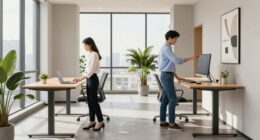
To start shifting to a standing desk, begin by standing for short periods, like 15-30 minutes, and gradually increase as you feel comfortable. Make certain your desk is at the right height so your elbows are at a 90-degree angle, and use ergonomic accessories like monitor risers or anti-fatigue mats to support proper posture. Listen to your body, rest when needed, and adjust your setup if you experience discomfort—continue exploring for more tips to make your switch smoother.
Key Takeaways
- Begin with 15-30 minute standing intervals, gradually increasing as comfort improves.
- Adjust your desk height so elbows are at a 90-degree angle for proper ergonomics.
- Use ergonomic accessories like monitor risers and anti-fatigue mats to support proper posture.
- Listen to your body; sit down when experiencing discomfort and reevaluate your setup as needed.
- Incorporate reminders or timers to maintain a consistent, gradual transition to longer standing periods.
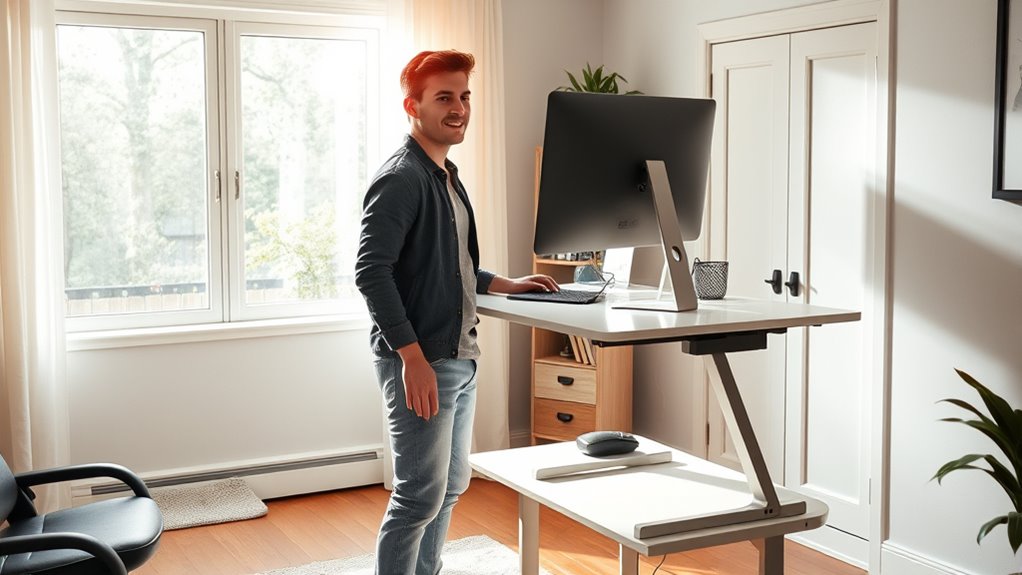
Switching to a standing desk can boost your energy and improve your posture, but it’s important to approach the shift gradually. Jumping straight into long periods of standing can lead to discomfort or fatigue. Instead, start by adjusting your workspace incrementally. One effective way to do this is by focusing on desk height adjustment. Make sure your desk is set so that your elbows are at a 90-degree angle when your hands rest on the keyboard. This position minimizes strain on your shoulders and wrists. Many desks come with adjustable height features, so take advantage of these to find the most comfortable setup. If your desk isn’t adjustable, consider using ergonomic accessories like monitor risers, anti-fatigue mats, or adjustable keyboard stands to fine-tune your workspace.
As you begin your progression, don’t forget that ergonomics play a vital role. Ergonomic accessories are designed to support your body and promote good posture. For example, a monitor stand at eye level reduces neck strain, while an anti-fatigue mat encourages better circulation and reduces pressure on your feet and legs. These accessories can make standing more comfortable, especially during your initial adjustment period. Remember, the goal is to create a workspace that supports your body naturally, so investing in these tools can make a significant difference.
Start by standing for short intervals, maybe 15 to 30 minutes at a time, and gradually increase as you feel more comfortable. Use a timer or reminder app to help you stick to your schedule. During these periods, pay attention to your body’s signals. If you start to feel discomfort or fatigue, sit down and rest. It’s normal to experience some initial soreness, but if pain persists, reevaluate your setup. Adjust the desk height or switch to ergonomic accessories to alleviate pressure points. Over time, as your muscles adapt, you’ll find it easier to stand longer without discomfort. Additionally, understanding the importance of proper ergonomic setup can significantly reduce the risk of strain and enhance your standing desk experience.

ErGear Height Adjustable Electric Standing Desk, 48 x 24 Inches Sit Stand up Desk, Memory Computer Home Office Desk, Black
Electric Height Adjustable Standing Desk for Comfortable Work – Switch effortlessly between sitting and standing with this electric…
As an affiliate, we earn on qualifying purchases.
As an affiliate, we earn on qualifying purchases.
Frequently Asked Questions
How Long Should I Stand Each Day Initially?
Start by standing for about 15 to 30 minutes each hour, gradually increasing as your body adapts. Use ergonomic accessories like anti-fatigue mats and adjustable height desks to guarantee comfort and proper posture. You should listen to your body and avoid overdoing it, as too much standing initially can cause discomfort. Incorporate regular sitting breaks and adjust your desk height to maintain good ergonomics and prevent strain.
Can I Use a Standing Desk With a Treadmill?
Imagine yourself walking smoothly on a treadmill while working at your desk—yes, you can combine both. Just make certain your treadmill has good ergonomics, supporting your posture and preventing strain. Focus on treadmill safety by starting slow and avoiding distractions. Adjust your desk height for comfort, and take regular breaks. This way, you stay productive without compromising your health or safety.
What Are Signs I Should Stop Standing?
You should stop standing if you experience persistent pain, numbness, or tingling, which could indicate strain or poor posture. Pay attention to ergonomic accessories like supportive mats or adjustable monitor stands, and make posture adjustments regularly. If discomfort continues despite these changes, it’s best to take a break, sit down, and reassess your setup to prevent injury and maintain comfort during your standing desk use.
How Do I Prevent Foot and Leg Pain?
To prevent foot and leg pain, choose supportive footwear that cushions your feet and provides stability. Make sure your shoes fit well and are comfortable for extended standing. Incorporate regular leg stretching into your routine to reduce tension and improve circulation. Shift your weight periodically and take short breaks to sit or walk around. These habits help ease discomfort and keep you comfortable while standing at your desk.
Is a Standing Desk Suitable for All Health Conditions?
Every cloud has a silver lining, but a standing desk isn’t suitable for everyone. You should consult your healthcare provider before making the switch, especially if you have health conditions affecting your feet, legs, or back. Ergonomic accessories and workplace adjustments can help, but they may not address all medical concerns. Always listen to your body and prioritize comfort and safety when considering a standing desk.

FEATOL Anti Fatigue Mat for Standing, 9/10 Extra Thick Ergonomic Standing Desk Mat, Comfort Memory Foam Standing Mat at Home,Office All Day (20" x 32", Black, 1PC)
[Anti Fatigue Standing Desk Mat] – This anti fatigue mat standing desk office is effective in reducing stress…
As an affiliate, we earn on qualifying purchases.
As an affiliate, we earn on qualifying purchases.
Conclusion
Now that you’re stepping into the world of standing desks, remember it’s a journey, not a race. Like a gentle river carving its path, ease into your new routine, listening to your body’s whispers. With patience and mindful shifts, you’ll soon find balance—transforming your workspace into a sanctuary of health. Embrace this change, and watch as your posture and energy flow seamlessly, turning your daily work into a dance of comfort and productivity.

BONTEC Dual Monitor Stand Riser, Adjustable Length & Swivel Angle, Ergonomic Wooden Desktop Organizer with Smartphone Holder, Computer Monitor Stand for PC Monitor, Laptop, Printer, Large Storage
DUAL MONITOR STAND WITH ADJUSTABLE LENGTH & ANGLE – Elevate two monitors to an ergonomic height for better…
As an affiliate, we earn on qualifying purchases.
As an affiliate, we earn on qualifying purchases.

Vaydeer Wrist Rest with Keyboard Stand, Computer Wrist Support Pad, Ergonomic Keyboard Riser Holder Lifter Tray with Wrist Pad, Soft Memory Foam Desk Cushion, Palm Hand Typing for Office Home School
【2-in-1 Keyboard Stand with Wrist Rest】Tired of constantly adjusting a misaligned wrist rest that slides out of place?…
As an affiliate, we earn on qualifying purchases.
As an affiliate, we earn on qualifying purchases.