
A wall-mounted workstation helps you save floor space and create a more open environment by using vertical space efficiently. It encourages good posture, as you can adjust the height and keep monitors at eye level, reducing neck and back strain. Plus, it keeps your workspace tidy by minimizing clutter. Want to discover easy setup tips and safety precautions? Keep exploring to make the most of your new ergonomic workspace.
Key Takeaways
- Wall-mounted workstations maximize space by freeing up floor area for movement or additional furniture.
- They promote better posture through adjustable height and monitor positioning, reducing neck and back strain.
- Secure installation on sturdy walls ensures stability for monitors, keyboards, and accessories.
- These setups help prevent clutter, creating a clean, organized, and distraction-free workspace.
- Incorporating storage and proper lighting enhances functionality and supports ergonomic, efficient work environments.
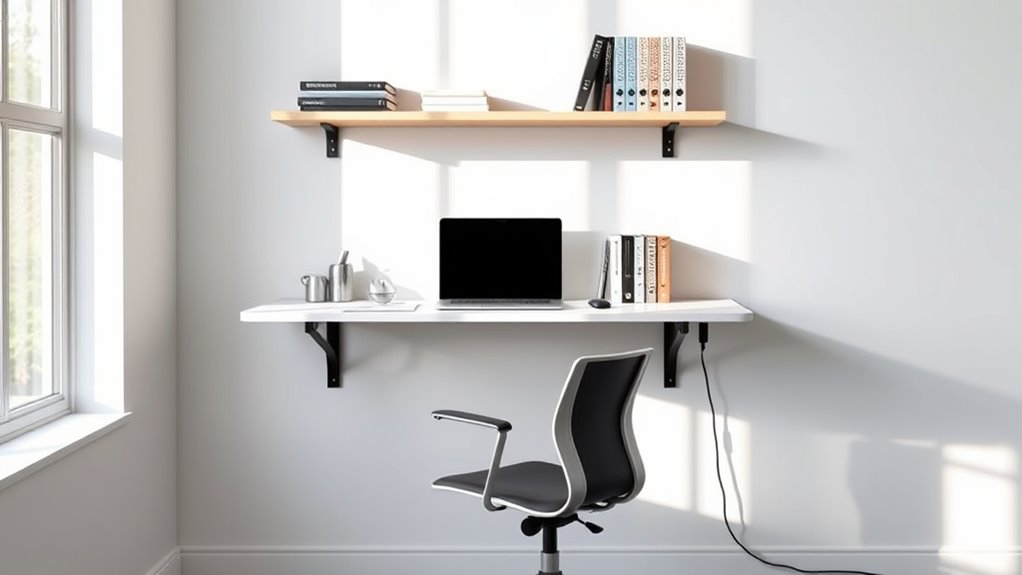
Wall-mounted workstations are an innovative solution for maximizing space and improving workflow in both home and office environments. They provide a sleek, functional setup that frees up valuable floor space, making even the smallest rooms feel more open and organized. Not only do they optimize your area, but they also promote better posture and comfort during work sessions. When you choose a wall-mounted design, you prevent clutter from stacking up on desks or floors, creating a cleaner, more focused environment. Whether you’re working from a home office or a shared workspace, these stations can be tailored to fit your needs perfectly.
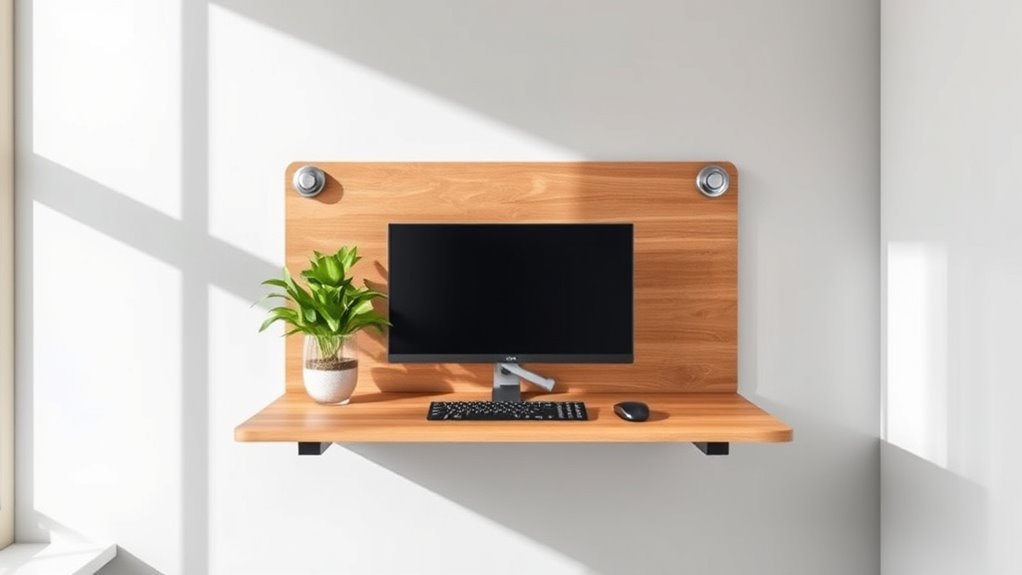
One of the biggest advantages of wall-mounted workstations is their ergonomic benefits. Proper height adjustment is key to maintaining good posture and reducing strain on your neck, shoulders, and back. When installing your workstation, pay close attention to ergonomic principles. Verify the desk surface is at elbow height when seated, and position your monitor at eye level to minimize neck strain. Incorporating adjustable features, like fold-down desks with height options or flexible monitor arms, can make a significant difference. These adjustments help you stay comfortable during long working hours and prevent common musculoskeletal issues linked to poor ergonomics. Additionally, selecting a well-designed wall-mounted workstation can enhance your overall productivity by creating a dedicated, distraction-free zone.
Getting your wall-mounted workstation set up correctly is vital for both safety and usability. Start by choosing a sturdy wall that can support the weight of your equipment, including monitors, keyboards, and any additional accessories. Use a stud finder to locate wall studs, which will serve as the anchor points for your installation. Secure your mounting brackets directly into these studs for maximum stability—avoiding drywall alone is essential for safety and durability. When attaching your desk, double-check that it is level and securely fastened, ensuring it can handle daily use without wobbling or collapsing. Keep in mind that the right placement matters; position your workstation where natural light is abundant and away from distractions to foster focus.
Incorporating these installation tips will help you create a safe, ergonomic, and efficient workspace. Remember to leave enough clearance for your legs and movement, and consider adding wall-mounted storage or shelves to keep essentials within reach. This setup not only saves space but also encourages better posture and comfort, making your workday more productive and less stressful. By thoughtfully selecting and installing your wall-mounted workstation, you transform any small space into a functional hub that supports your productivity and well-being, all while keeping your environment neat and clutter-free. Proper projector setup can further enhance your workspace by providing clear visuals for presentations or remote meetings.

ARROWSTONE SKEENA Wall-Mounted Desk – Floating Folding Desk with Storage, Space-Saving Design for Home Office (31")
3-in-1 Floating Wall Desk: Combines a work desk, storage shelf, and VESA-compatible monitor stand for ultimate functionality in…
As an affiliate, we earn on qualifying purchases.
As an affiliate, we earn on qualifying purchases.
Frequently Asked Questions
What Are the Weight Limits for Wall-Mounted Workstations?
When considering wall-mounted workstations, you want to know the weight capacity and load limits to guarantee safety and functionality. Typically, these workstations support between 20 to 200 pounds, depending on the model and mounting hardware. Always check the manufacturer’s specifications for exact weight limits. Staying within the load limits prevents damage and ensures your workstation remains stable, so you can work comfortably and securely.
How Easy Is It to Install a Wall-Mounted Workstation?
Imagine you’re installing a wall-mounted workstation in your home office. The installation process is straightforward if you follow the manufacturer’s instructions carefully. Many models offer flexible wall mounting options, like adjustable brackets or pre-drilled holes, making setup easier. With the right tools and some basic DIY skills, you can have your workstation mounted securely in no time, saving space and improving your posture without much hassle.
Can Wall-Mounted Workstations Be Adjusted for Ergonomic Comfort?
Yes, wall-mounted workstations can be adjusted for ergonomic comfort. They often feature customizable options like height adjustments, tilt, and swivel, allowing you to tailor the setup to your needs. These ergonomic adjustments help reduce strain and improve posture during long work hours. With user-friendly controls, you can easily modify the workstation to guarantee ideal comfort and support, making your workspace both efficient and healthier.
Are Wall-Mounted Workstations Suitable for Heavy-Duty Tasks?
If you’re considering wall-mounted workstations for heavy-duty tasks, you’ll find they generally have limited heavy duty capacity, making them less suitable for demanding applications. You may face installation challenges since supporting substantial weight requires reinforced mounting and proper anchoring. These workstations excel in saving floor space and enhancing ergonomics but aren’t ideal for intense, heavy-duty work that demands robust, free-standing setups.
What Maintenance Is Required for Wall-Mounted Workstations?
You should perform regular cleaning routines to keep your wall-mounted workstation in top shape. This involves wiping down surfaces and checking for dust buildup. Additionally, component inspections are essential; look for loose screws, damaged parts, or wear that could affect stability or safety. By staying proactive with maintenance, you guarantee your workstation remains functional, safe, and efficient, ultimately extending its lifespan and maintaining a productive workspace.

VIVO Black Sit-Stand Height Adjustable Pneumatic Spring Arm Keyboard, Monitor, CPU Wall Mount for 1 Screen up to 32 inches STAND-SIT1BW
Fits 17" to 32" Screens: We create affordable ergonomic solutions designed with creativity and quality to help transform…
As an affiliate, we earn on qualifying purchases.
As an affiliate, we earn on qualifying purchases.
Conclusion
Wall-mounted workstations are a smart choice to save space and boost your posture. They make your workspace more efficient and comfortable, helping you work better and stay healthier. Remember, a good work environment is like a good foundation—essential for success. By choosing a wall-mounted setup, you’re investing in a smarter, healthier workspace. So, don’t wait—embrace the space-saving benefits today and work smarter, not harder!

FLEXIMOUNTS 2-Pack 2x6ft Garage Shelving 24-inch-by-72-inch Heavy Duty Wall Mounted Shelves Garage Storage Rack Floating Shelves, 1400lbs Load Capacity, Black, Classic Series
1400 lbs Total Capacity: Our garage wall shelving is engineered for superior strength and durability, supporting up to…
As an affiliate, we earn on qualifying purchases.
As an affiliate, we earn on qualifying purchases.
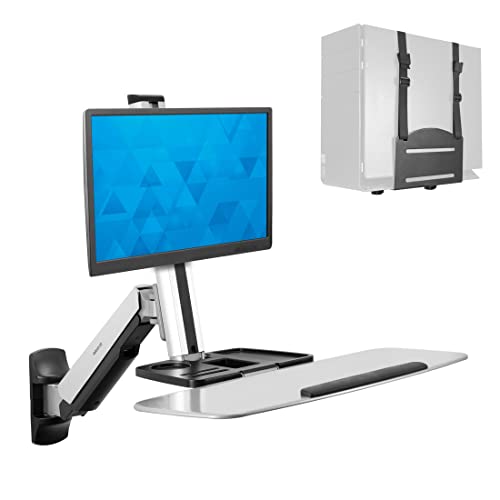
Mount-It! Wall Mounted Sit-Stand Single Monitor Workstation with Gas Spring Arm, Keyboard Tray & CPU Holder, 19.9” Height Adjustment, 41” Extension, VESA 75×75 100×100, MI-7905
WALL MOUNTED SIT-STAND WORKSTATION – Complete wall-mounted computer station designed to transition between sitting and standing using a…
As an affiliate, we earn on qualifying purchases.
As an affiliate, we earn on qualifying purchases.