To create an ergonomic home podcasting setup, position your microphone 6-12 inches from your mouth and slightly to the side to avoid plosives, using a boom arm for stability. Sit in a comfortable, adjustable chair with proper lumbar support, keeping feet flat and hips level. Keep your monitor at eye level and organize your workspace to prevent reaching or twisting. Proper equipment placement combined with good posture helps prevent discomfort and boosts audio quality—learn more for a comfortable, efficient setup.
Key Takeaways
- Position your microphone 6-12 inches from your mouth, slightly below or to the side, to reduce plosives and echoes.
- Use an adjustable chair with lumbar support, ensuring feet are flat and knees at 90° for proper spinal alignment.
- Keep your monitor or laptop at eye level to maintain good posture and prevent neck strain during recording sessions.
- Wear quality, well-fitting headphones to monitor audio accurately and avoid background noise interference.
- Regularly adjust your setup to maintain comfort, supporting long-term health and preventing fatigue during extended recording periods.

Setting up an ergonomic podcasting space at home is essential for both your comfort and your audio quality. The foundation of a good setup begins with understanding how to position your microphone properly and ensuring your chair supports good posture. When it comes to microphone placement, you want to position the mic so it captures your voice clearly without causing strain or distortion. Ideally, your microphone should be about six to twelve inches from your mouth, slightly below or to the side to avoid plosive sounds. Use a boom arm or adjustable stand to keep your microphone steady and at the correct height, reducing the need to lean forward or tilt your head awkwardly. Proper microphone placement minimizes background noise and echoes, giving your recordings a professional sound and preventing you from hunching over, which can cause discomfort over time.
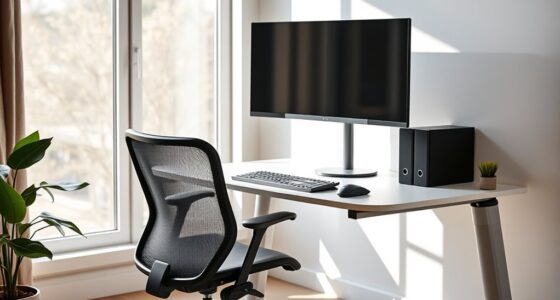
Next, pay attention to chair ergonomics. Your chair should support your lower back and encourage a natural sitting posture. Adjust the height so your feet rest flat on the floor, with knees at a 90-degree angle, and your hips level with your knees. If your chair doesn’t have lumbar support, consider adding a small pillow or lumbar cushion to maintain the curve of your spine. Keep your shoulders relaxed and your elbows close to your sides, forming roughly a 90-degree angle. This positioning helps prevent shoulder tension and wrist strain, especially if you’re editing or managing equipment during your recordings. Your chair should also allow you to sit comfortably without feeling pinched or strained, so take the time to find the right fit. A well-chosen, adjustable chair can make long recording sessions much more comfortable and reduce fatigue.
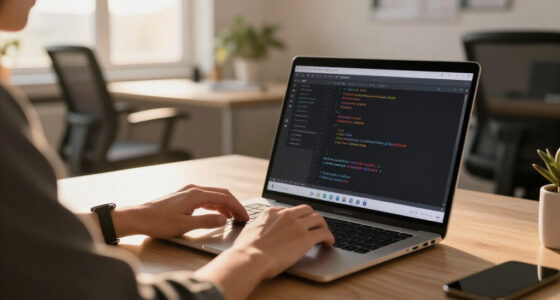
Creating an ergonomic podcasting setup isn’t just about equipment placement; it’s about fostering habits that support your health and productivity. Regularly check your posture during recording sessions, adjusting your chair and mic as needed. Make sure your monitor or laptop is at eye level to prevent neck strain, and keep your workspace organized to avoid unnecessary reaching or twisting. Invest in a comfortable, supportive chair and position your microphone correctly to combine comfort with high-quality sound. Additionally, ensuring your headphones are properly positioned and compatible with your setup can greatly enhance your audio experience and help you monitor recordings accurately. By paying attention to these details, you’ll not only enhance your audio recordings but also protect your physical well-being. Remember, a little effort upfront will pay off in the long run, making your home podcasting space a productive, pain-free environment where your voice can shine.

InnoGear Boom Arm Microphone Mic Stand for Blue Yeti Fifine HyperX, Black
- Fully Adjustable Mic Arm: 360° rotation and multi-directional movement
- Space-saving Design: Foldable and easy to store when not in use
- Enhanced Durability: Upgraded design prolongs spring and stand lifespan
As an affiliate, we earn on qualifying purchases.
As an affiliate, we earn on qualifying purchases.
Frequently Asked Questions
How Can I Soundproof My Home Podcasting Space Effectively?
To soundproof your home podcasting space effectively, start with soundproofing techniques like sealing gaps, adding weatherstripping, and installing acoustic panels. Use acoustic treatment options such as foam tiles or bass traps to absorb sound reflections and reduce echo. You can also add rugs and heavy curtains to minimize noise transfer. Combining these methods helps create a quiet environment, ensuring your recordings sound clear and professional.
What Are the Best Budget-Friendly Ergonomic Office Chairs for Podcasters?
When choosing budget chair recommendations, focus on ergonomic chair features like adjustable height, lumbar support, and breathable fabric. These elements help you stay comfortable during long recording sessions. You don’t need to spend a fortune; many affordable options offer solid support. Look for chairs that prioritize your posture, reduce strain, and keep you energized. With the right budget-friendly ergonomic chair, you’ll enhance your podcasting comfort and productivity effortlessly.
How Do I Manage Cable Clutter in My Home Studio?
They say a tidy workspace is a tidy mind, so managing cable clutter is key. You can use cable management solutions like clips, sleeves, or under-desk trays to keep wires organized and out of sight. Regularly review and reduce clutter by unplugging unused cables. This clutter reduction not only improves your studio’s appearance but also prevents accidents, making your podcasting space more efficient and ergonomic.
What Lighting Options Reduce Eye Strain During Long Recording Sessions?
To reduce eye strain during long recording sessions, you should focus on ambient lighting with adjustable brightness. This allows you to control the light levels, minimizing glare and harsh shadows. Using soft, diffuse light sources like LED panel lights or smart bulbs helps create a comfortable environment. Keep your monitor brightness balanced with ambient lighting, and avoid direct light sources that cause eye fatigue, ensuring a more enjoyable and productive recording experience.
How Can I Improve My Home Wi-Fi for Stable Podcast Streaming?
Did you know that 85% of Wi-Fi issues stem from security settings and interference? To improve your home Wi-Fi for stable podcast streaming, start with strong Wi-Fi security to prevent unauthorized access. Regular network troubleshooting helps identify and fix connectivity problems. Position your router centrally, update firmware, and use a wired connection if possible. These steps guarantee a more reliable connection, keeping your podcasts seamless and professional.

Ergonomic Office Chair with Adjustable Lumbar Support, 3D Arms and Headrest, High Back Wide Desk Computer Chair with Wheels, for Home & Office, Black
- High-Density Foam Cushion: 4.3-inch supportive, shape-retaining foam
- Adjustable Lumbar Support: Customizable for optimal back comfort
- 3D Adjustable Headrest: Adjusts for personalized neck support
As an affiliate, we earn on qualifying purchases.
As an affiliate, we earn on qualifying purchases.
Conclusion
Now that you’ve set up your ergonomic podcasting space, you’re ready to produce quality content comfortably and efficiently. Imagine recording for hours without discomfort or distraction—doesn’t that make your creative process even better? By prioritizing comfort and proper posture, you’ll stay energized and focused. So, why settle for a setup that drains you when a simple, ergonomic upgrade can transform your entire podcasting experience? Your best episodes are just a few adjustments away.

BONTEC Dual Monitor Stand Riser, Adjustable Length & Swivel Angle, White
- Adjustable Monitor Height and Angle: Fits desks from 31.5" to 42.5"
- Ergonomic Eye-Level Viewing: Reduces neck and shoulder strain
- Large Storage Compartments: Holds keyboard, mouse, files, and devices
As an affiliate, we earn on qualifying purchases.
As an affiliate, we earn on qualifying purchases.

OneOdio Wired DJ Hi-Res Over-Ear Headphones for PC, Keyboard Guitar – Black
- Powerful Bass and Clear Sound: 50mm drivers deliver balanced audio
- Comfortable, Noise-Isolating Design: Padded cushions and adjustable headband
- Single-Ear Monitoring: Swiveling ear cups for DJing and mixing
As an affiliate, we earn on qualifying purchases.
As an affiliate, we earn on qualifying purchases.