To shift smoothly between work and gaming, invest in ergonomic accessories like adjustable chairs and sit-stand desks to stay comfortable all day. Use ambient lighting that adapts from bright and alert during work to warm and cozy when gaming. A versatile, organized desk with cable management and quick-access tech makes changes easy. Add personal touches and keep the space tidy to stay motivated. Curious how to perfect your setup? Keep going to discover more tips.

Get comfort and recovery gear delivered free with Prime
- Fast, free delivery on millions of items
- Prime Video, Amazon Music and more included
- Member-only deals all year
Key Takeaways
- Use an ergonomic, adjustable workstation with a sit-stand desk and supportive accessories to switch comfortably between work and gaming.
- Implement ambient lighting with smart controls for bright, natural light during work and cozy, warmer tones for gaming.
- Design a versatile desk with ample space, cable management, and dedicated zones for seamless activity transitions.
- Equip the setup with monitors and peripherals that support quick switching, such as multiple inputs and wireless devices.
- Personalize and organize the space with decor and tidiness to maintain focus during work and relaxation during gaming.
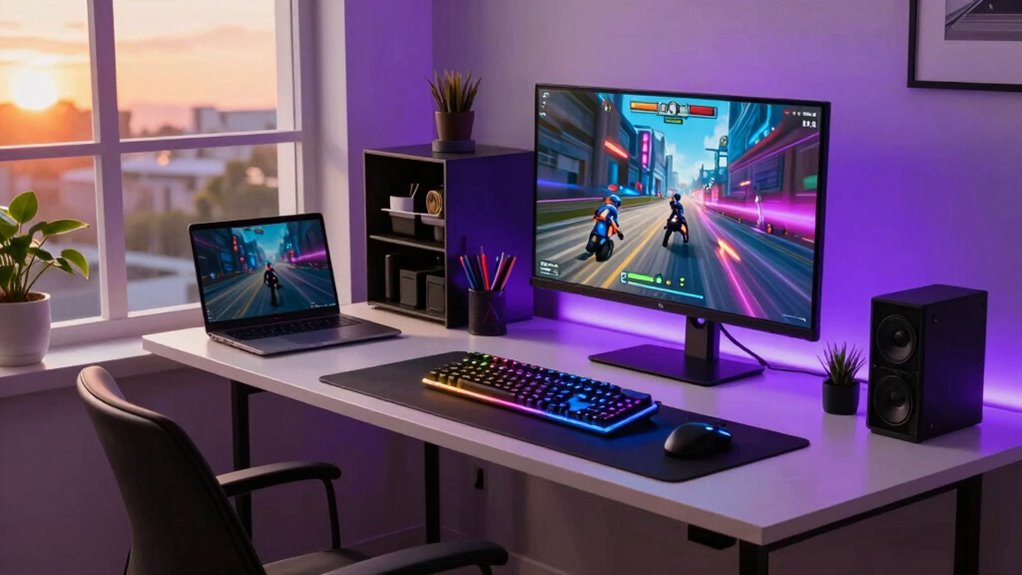
Balancing a productive workday with an immersive gaming night can seem intimidating, but the right setup makes both possible. The key is creating a space that adapts seamlessly from professional focus to gaming excitement. Start with ergonomic accessories—think adjustable chairs, sit-stand desks, and supportive wrist rests. These help you stay comfortable during long work hours, preventing fatigue and strain. When the workday ends, you can easily switch gears without feeling uncomfortable. Good ergonomics also boosts your productivity, keeping you alert and focused during work, so you’re not distracted by discomfort.
Next, consider ambient lighting. During the day, bright, natural-like lighting helps you stay alert and minimizes eye strain while working on your computer. Switch to softer, warmer tones in the evening to create a cozy atmosphere for gaming. Proper ambient lighting not only enhances your gaming experience but also reduces glare on your screen, which can cause eye fatigue. Adjustable smart lights are a smart investment—they let you customize brightness and color temperature based on your activity, making changeover smooth and effortless. Incorporating digital content into your setup can further improve your transition between work and play by providing seamless control over your environment.
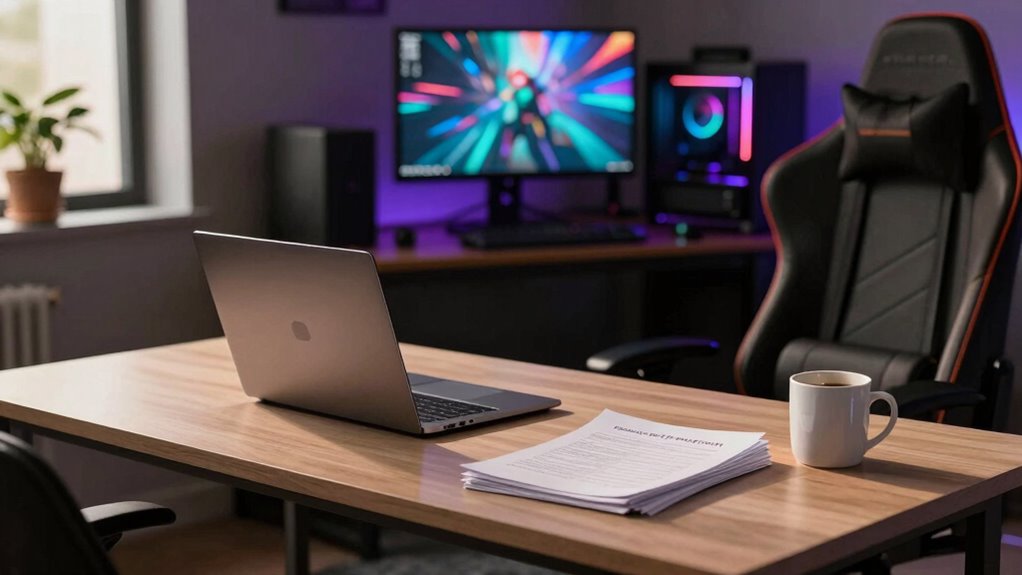
Your desk setup should also be versatile. Use a sturdy, spacious surface that can handle both your professional equipment and gaming gear. Keep your work essentials organized with cable management solutions to avoid clutter, which can disrupt focus during work and hinder quick setup for gaming. When it’s time to switch, simply swap out work materials for gaming accessories—like controllers, headphones, or a high-refresh-rate monitor. Having a dedicated space for each activity ensures you’re not constantly rearranging your setup, saving time and maintaining efficiency.
Investing in technology that supports quick switching also helps. For example, a monitor with multiple inputs allows you to toggle between work and gaming modes easily. Wireless peripherals, like a mouse and keyboard, can be stored away or repositioned quickly, making the switch smooth. A high-quality headset ensures clear communication during work calls and immersive sound during gaming.
Lastly, keep your space tidy and personalized. Adding some decorative elements or gaming posters can motivate you after a long workday, while plants or minimalist decor help keep the environment calming. With the right ergonomic accessories, ambient lighting, and a flexible setup, you’ll find it easier to switch from a focused professional to an avid gamer—making your space truly versatile for both worlds.
Products Worth Considering

BowFlex Results Series 552 SelectTech Adjustable Dumbbell

Oura Ring 5 Smart Ring, Silver, Size 10

LEVOIT Vital 200S-P Smart Air Purifier for Large Rooms up to 1875 ft², Quiet 27 dB Operation, AHAM Verifide, HEPA Sleep Mode, White
As an affiliate, we earn on qualifying purchases.
Frequently Asked Questions
How Do I Balance Work and Gaming Without Sacrificing Productivity?
You can balance work and gaming by setting clear boundaries and creating dedicated spaces with ergonomic furniture and proper lighting solutions. Use your workspace for productivity, and switch to a comfortable gaming zone afterward. Schedule breaks to refresh your mind, and avoid multitasking. This way, you stay focused during work hours and enjoy gaming without sacrificing productivity or comfort, maintaining a healthy balance in your daily routine.
What Equipment Is Essential for a Dual-Purpose Setup?
You’ll want ergonomic accessories like a supportive chair and adjustable desk to keep you comfy through long work hours and intense gaming marathons. Dual monitor configurations are essential for multitasking—one screen for work, the other for play. A quality keyboard and mouse, along with proper lighting, guarantee you stay productive by day and focused by night. Invest wisely; your back and eyes will thank you, even if your social life doesn’t.
How Can I Prevent Gaming From Disturbing My Work Environment?
To prevent gaming from disturbing your work environment, set clear boundaries with your equipment. Use ergonomic accessories designed for work, like a comfortable keyboard and mouse, during office hours. When gaming, switch to a dedicated, visually distinct setup with color-coordinated accessories that signal your leisure time. This helps maintain focus during work and keeps your gaming separate, ensuring both activities stay enjoyable without interfering with each other.
Are There Specific Desk Arrangements for Working and Gaming?
You should opt for a desk with distinct zones for work and gaming, using ergonomic furniture to maintain comfort during long hours. Position your monitor and keyboard for ideal ergonomics, and keep gaming equipment separate to avoid distractions. Good cable management prevents clutter and accidental disconnections. This setup allows you to switch seamlessly between tasks, ensuring productivity during work and an immersive experience when gaming.
How Do I Manage Noise Levels During Work and Gaming Hours?
To manage noise levels during work and gaming hours, you should use soundproofing techniques like acoustic panels or heavy curtains to minimize ambient noise. Consider adding a white noise machine or background music to control ambient noise and drown out distractions. Also, designate a specific, enclosed space for work and gaming to contain sound, ensuring that interruptions are minimized and your focus stays sharp during both activities.
Conclusion
So, as luck would have it, your perfect setup isn’t just a dream—it’s within reach. With a few smart choices, you can seamlessly switch from crushing deadlines to conquering virtual worlds. Suddenly, that cluttered corner becomes your dual-purpose sanctuary, blending productivity and play. Who knew that a little coincidence, like finding that extra monitor or comfy chair, could turn your space into the ultimate work-and-game haven? Now, you’re all set for whatever the day or night throws your way.