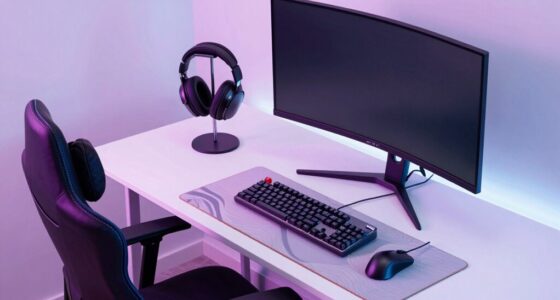
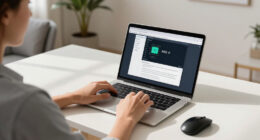
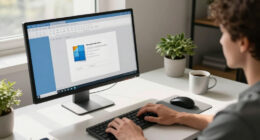
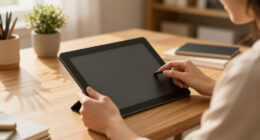
To stay comfortable and prevent strain while teaching remotely, invest in ergonomic essentials like an adjustable chair with lumbar support, a sit-stand desk, and a monitor or laptop stand to keep screens at eye level. Use an ergonomic keyboard and mouse, and take regular breaks to stretch and move around. Position your feet flat and maintain good posture throughout your sessions. Keep exploring these tips to create a healthier, more sustainable workspace.
Key Takeaways
- Use an adjustable ergonomic chair with lumbar support to promote proper spine alignment.
- Incorporate a sit-stand desk or converter to alternate between sitting and standing positions.
- Utilize a laptop stand or external monitor at eye level to reduce neck strain.
- Equip your workspace with ergonomic keyboard and mouse to maintain natural wrist posture.
- Take regular breaks to stretch and move, preventing stiffness and enhancing circulation.

Teaching remotely offers flexibility, but it also means you need to prioritize your comfort and health. Long hours spent at your desk can take a toll on your body if you don’t set up your space properly. Fortunately, integrating the right tech gadgets and following simple posture tips can make a significant difference. The key is creating an ergonomic environment that supports your physical well-being while allowing you to teach effectively.
Start by investing in tech gadgets designed to improve your workspace. A good ergonomic chair is essential; it should support your lower back and promote proper spinal alignment. Look for adjustable features so you can customize the fit. Pair this with a height-adjustable desk or a sturdy sit-stand desk converter, which allows you to alternate between sitting and standing throughout the day. Using a standing desk helps reduce the strain on your neck, shoulders, and back. Additionally, consider using a laptop stand or external monitor to keep your screen at eye level. When your screen is too low or too high, it forces you to crane your neck, leading to discomfort over time. An ergonomic keyboard and mouse are also worth the investment—they help maintain natural wrist positions and prevent repetitive strain injuries.
Invest in ergonomic chairs, sit-stand desks, and monitor stands for a healthier remote teaching setup.
When it comes to posture tips, the focus should be on maintaining proper alignment. Keep your feet flat on the floor or on a footrest, avoiding crossing your legs for extended periods. Sit back in your chair so your lower back is supported, and keep your hips and knees at roughly 90-degree angles. Your shoulders should be relaxed, not hunched, and your elbows should rest close to your sides, forming a comfortable 90- to 120-degree angle. Regularly take breaks to stretch and move around; even a few minutes every hour can help reduce stiffness and improve circulation. Incorporate simple stretches for your neck, shoulders, and back to counteract the effects of prolonged sitting. Be mindful of essential oils and their safety to ensure your workspace remains a healthy environment, especially if you use aromatherapy to boost your focus and relaxation.
Using tech gadgets like ergonomic footrests, document holders, or adjustable monitor arms can further enhance your setup. These tools help you maintain proper posture and reduce strain. Remember, your workspace doesn’t have to be perfect overnight—small adjustments can have a big impact. Prioritize your comfort by paying attention to your body’s signals and making changes as needed. When you combine the right tech gadgets with good posture practices, you’ll find teaching remotely becomes more comfortable, sustainable, and healthy for your body.

Marsail Ergonomic Office Chair: Office Desk Chair with High Back Mesh and Adjustable Lumbar Support Rolling Work Swivel Task Chairs with Wheel 3D Armrests and Headrest
- Fully Adjustable Headrest: 2D adjustable for personalized support
- Reclining Backrest: Adjusts from 90° to 120°
- 3D Adjustable Armrests: Customizable for comfort
As an affiliate, we earn on qualifying purchases.
As an affiliate, we earn on qualifying purchases.
Frequently Asked Questions
How Often Should Remote Teachers Take Ergonomic Breaks?
You should take ergonomic breaks every 30 to 60 minutes when working remotely. During these breaks, incorporate stretching routines to relieve muscle tension and refresh your body. Make sure your ergonomic workspace promotes good posture, reducing strain during long teaching sessions. By regularly stepping away, stretching, and adjusting your setup, you’ll boost comfort and productivity, helping prevent fatigue and injury over time.
What Are the Best Ergonomic Tools for Online Teaching?
You might think ergonomic tools are costly, but investing in the right items saves discomfort and boosts productivity. Focus on keyboard ergonomics to prevent strain and guarantee proper posture. Adjustable monitor placement helps reduce neck and eye fatigue. Consider ergonomic keyboards, monitor stands, and wrist supports. These tools create a healthier workspace, making online teaching more comfortable and effective. Small upgrades can markedly improve your teaching experience.
How Can Remote Teachers Prevent Eye Strain During Lessons?
To prevent eye strain during lessons, you should adjust your screen brightness to match your environment, avoiding glare. Use blue light filters or glasses to reduce eye fatigue from prolonged screen time. Take regular breaks following the 20-20-20 rule—look at something 20 feet away for 20 seconds. These steps help protect your eyes, keeping you comfortable and focused throughout your teaching sessions.
What Posture Adjustments Improve Remote Teaching Comfort?
Imagine feeling effortless during your lessons, your body fully supported. Adjust your chair support so your back is snug and relaxed, preventing strain. Set your desk height so your elbows form a 90-degree angle, reducing shoulder tension. These small posture adjustments make a big difference—by aligning your chair support and desk height, you create a comfortable teaching space that keeps you focused and energized throughout every lesson.
Are Ergonomic Assessments Necessary for Remote Teachers?
You should consider ergonomic assessments vital for your remote workspace setup because they help identify and fix posture issues, reducing discomfort and preventing injury. Regular evaluations ensure your workstation remains supportive as your needs change. By prioritizing ergonomic assessments, you can create a healthier, more comfortable environment that boosts your productivity and well-being, making your remote teaching experience more sustainable and enjoyable.

FITUEYES Height Adjustable Standing Desk 32” Wide Sit to Stand Converter
- Spacious Work Surface: 31.5” x 15.7” tabletop for multiple setups
- Height Adjustment Range: Adjusts from 4.3” to 19.8” high
- Dual Gas Spring Mechanism: Smooth sit-to-stand transitions
As an affiliate, we earn on qualifying purchases.
As an affiliate, we earn on qualifying purchases.
Conclusion
By prioritizing your ergonomic setup, you’re not just caring for your body—you’re nurturing the foundation of your teaching journey. Think of your workspace as a garden; with proper care and attention, it’ll flourish and support you through every lesson. When you create a comfortable environment, you’re planting seeds of well-being that grow into confidence and passion. Remember, a healthy body is the sturdy tree from which your inspiring lessons will always blossom.

WALI Computer Monitor Stand for Desk, Adjustable Laptop Riser, up to 44 lbs
- Large Plastic Shelf: Fits most screens, laptops, printers
- Supports Up to 44 lbs: Heavy-duty, durable construction
- Non-slip Rubber Pads: Prevents slipping and surface damage
As an affiliate, we earn on qualifying purchases.
As an affiliate, we earn on qualifying purchases.

Wireless Keyboard and Mouse Combo, 2.4G Ergonomic Wave Keys(Black)
- Wave Ergonomic Design: Fits fingers and relieves wrist strain
- Adjustable Keyboard Stand: Set to most comfortable height
- Contoured Wireless Mouse: Fits snugly in the palm
As an affiliate, we earn on qualifying purchases.
As an affiliate, we earn on qualifying purchases.