To create a comfortable standing desk with a walking pad, choose a height-adjustable desk that fits your proportions and place your monitor at eye level. Keep elbows at 90 degrees and use a quiet, wide walking pad positioned directly beneath your desk. Incorporate ergonomic accessories like mats and cable organizers, and set reminders to switch between sitting, standing, and walking. With this setup, you’ll stay active and focused; there’s more to discover to optimize your workspace further.

Get comfort and recovery gear delivered free — and shop member deals
- Fast, free delivery on millions of items
- Access to Prime Big Deal Days deals on October 6–7
- Prime Video, Amazon Music and more included
Key Takeaways
- Choose a height-adjustable desk aligned with your standing and walking posture needs.
- Place a quiet, wide walking pad directly under the desk for seamless movement.
- Position your monitor at eye level and keep elbows at a 90-degree angle for ergonomic comfort.
- Use supportive mats and cable organizers to enhance safety and reduce strain.
- Incorporate regular reminders to alternate between sitting, standing, and walking for sustained usability.

Setting up a standing desk with a walking pad can transform your workspace into a healthier environment, but it requires careful planning. To make this setup truly effective, you need to consider how to maximize ergonomic benefits while ensuring your workflow remains smooth. The key is to find a balance where movement enhances your comfort without sacrificing productivity improvements. Start by choosing a height-adjustable standing desk that fits your body. When standing, your elbows should be at a 90-degree angle, and your monitor should be at eye level to prevent neck strain. This alignment promotes good posture and helps reduce fatigue during long work sessions.
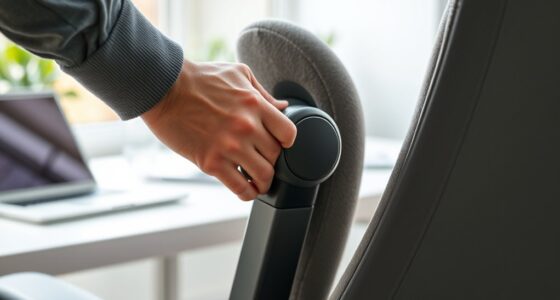
Optimize your workspace with a height-adjustable desk and monitor at eye level for better posture and comfort.
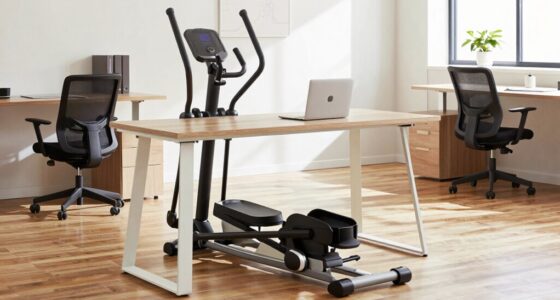
Next, select a walking pad that’s quiet and smooth, so it doesn’t distract you or disrupt your focus. The size of the walking pad matters; it should be wide enough for comfortable walking without feeling cramped. Position it directly beneath your desk, ensuring your stride doesn’t interfere with your workspace. When you begin using the walking pad, start slow—around 1 to 2 miles per hour—and gradually increase as you get used to the movement. This slow pace allows you to maintain concentration and perform tasks efficiently. Incorporating ergonomic principles into your setup can further enhance comfort and prevent strain.
Integrating a walking pad with your standing desk can significantly improve your ergonomic benefits by encouraging constant movement, which reduces the risks associated with prolonged sitting. Moving regularly helps improve circulation, decrease back pain, and boost energy levels, all of which contribute to better overall health. Additionally, this setup can lead to notable productivity improvements. As you walk, your brain stays more alert, and the physical activity can help clear mental fog, making it easier to focus on complex tasks. Some people find that they are more creative and get more ideas flowing when they’re moving, which can be a huge advantage for problem-solving or brainstorming sessions. Incorporating movement into your routine can also help in fostering mindfulness and presence throughout the day. Incorporating proper setup and ergonomics ensures that your workspace remains sustainable and reduces the risk of strain or injury.
To keep everything functioning seamlessly, invest in a desk mat or anti-fatigue mat that cushions your feet and reduces strain. Use cable organizers to keep cords tidy and prevent tripping hazards. It’s also helpful to set reminders to switch between sitting, standing, and walking to avoid overdoing any one position. Remember, the goal is to create a sustainable routine that enhances your comfort without compromising your workflow. With the right setup, you’ll enjoy improved ergonomic benefits and a noticeable boost in productivity, making your workspace healthier and more dynamic.
As an affiliate, we earn on qualifying purchases.
Frequently Asked Questions
How Do I Prevent Slipping on the Walking Pad During Use?
To prevent slipping on your walking pad, you should add non-slip mats underneath it for extra grip and stability. Also, consider using foot grip accessories, like grip socks or shoes with textured soles, to enhance traction. Always guarantee the walking pad’s surface is clean and dry before use. These steps help you stay secure, making your walking experience safer and more comfortable during your standing desk setup.
What Is the Ideal Height Adjustment for a Standing Desk?
You want your setup to hit the sweet spot, so aim for a desk height that promotes ergonomic posture. When standing, your elbows should form roughly a 90-degree angle, and your monitor should be at eye level. Adjust the desk height so that your wrists stay neutral and your shoulders relax. It’s a bit of trial and error, but once dialed in, your body will thank you—just keep your comfort in mind.
Can I Use a Dual-Monitor Setup With This Arrangement?
Yes, you can use a dual-monitor setup with this arrangement. To maintain ergonomic posture, position both monitors at eye level and equidistant from you to avoid neck strain. Use monitor arms if needed to adjust height and angle easily. Keep screens directly in front of you and at a comfortable viewing distance. This setup helps you stay active on the walking pad while ensuring proper monitor placement for productivity and comfort.
How Long Should I Stand or Walk During Typical Work Hours?
You should aim to switch between sitting, standing, and walking every 30 to 60 minutes to keep your workday balanced. During standing or walking, prioritize maintaining an ergonomic posture, and consider supportive footwear to avoid discomfort. Listen to your body’s signals, and don’t forget to stretch occasionally. This approach helps you stay energized, reduce fatigue, and make the most of your setup without risking strain or injury.
Is There a Recommended Weight Limit for the Walking Pad?
Yes, most walking pads have a weight limit between 220 to 265 pounds. To maintain an ergonomic posture and guarantee your desk height remains comfortable, check your specific model’s weight capacity. Exceeding the limit can compromise stability and safety, making it harder to stay aligned while working. Always choose a walking pad that supports your weight comfortably, so you can focus on your tasks without worry.
quiet walking pad for under desk
As an affiliate, we earn on qualifying purchases.
As an affiliate, we earn on qualifying purchases.
Conclusion
By combining a standing desk with a walking pad, you create an efficient workspace that keeps you active without sacrificing productivity. Nearly 60% of office workers report feeling more energized and focused when incorporating movement into their day. This setup not only boosts your physical health but also enhances mental clarity. So, if you’re looking to stay active while working, this practical combination could be a game-changer for your daily routine.
As an affiliate, we earn on qualifying purchases.
As an affiliate, we earn on qualifying purchases.
Fall Picks
fall essentials
As an affiliate, we earn on qualifying purchases.