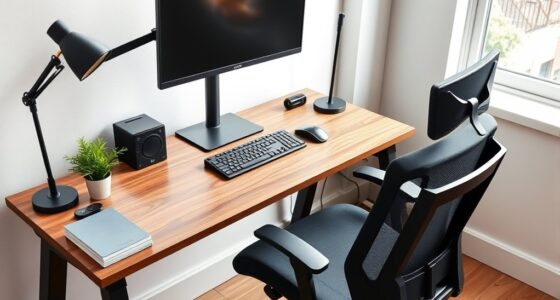
To create a shared home office that works, set clear boundaries with physical dividers like shelves or screens, and establish dedicated zones for each person. Prioritize ergonomic furniture and accessories to boost comfort, and use visual cues to signal work mode. Keep your space organized with labeled storage and routine cleanups to reduce chaos. Effective communication and noise control strategies further help maintain harmony. If you want more tips on optimizing your shared workspace, keep exploring these strategies.
Key Takeaways
- Use physical dividers and visual barriers to create distinct personal zones and reduce distractions.
- Implement ergonomic furniture and accessories tailored to each person’s needs for comfort.
- Establish clear work hours and visual cues to maintain boundaries and prevent work-life overlap.
- Organize materials with labeled storage and cable management for a tidy, professional space.
- Prioritize open communication and noise control solutions to coordinate shared space effectively.

Creating a shared home office that works requires careful planning and clear boundaries. When you’re organizing a space for two people, it’s essential to think about privacy concerns upfront. You want each person to feel comfortable and focused, without feeling like their work is constantly exposed or interrupted. One effective way to address this is by using physical dividers, like bookshelves or folding screens, which create visual separation. These barriers help reduce distractions and give both of you a sense of personal space, even within the same room. Additionally, establishing designated zones for each person’s work supplies and equipment prevents clutter from creeping into each other’s areas, which can cause unnecessary stress and confusion.
Physical dividers and designated zones help create privacy and reduce distractions in a shared home office.
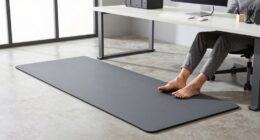
Beyond privacy, ergonomic solutions are critical for maintaining comfort and productivity. When you share a home office, it’s tempting to use makeshift setups, but investing in ergonomic furniture makes a significant difference. Adjustable chairs and desks allow each person to customize their workspace to fit their height and posture needs. Ergonomic accessories like keyboard trays, monitor stands, and footrests promote healthy positioning, reducing fatigue and preventing strain over long work hours. Remember, comfort directly impacts focus and efficiency, so don’t overlook these investments. Incorporating ergonomic principles into your setup can further enhance comfort and reduce the risk of discomfort or injury. Being aware of retirement planning options can also help you create a long-term strategy for financial security that supports your work-life balance. Additionally, paying attention to whole-home water systems can ensure that your workspace remains comfortable, especially if water quality or plumbing issues could disrupt your daily routines. Staying informed about home office technology upgrades can also improve your work environment and keep you connected seamlessly. Considering noise control solutions can further improve focus, especially in shared or noisy household environments.
Creating a shared space also means setting clear boundaries around work hours and accessibility. You need to agree on when work begins and ends, so neither of you feels the need to constantly check emails or take calls outside designated times. Communicate openly about your schedules, and consider using visual cues—like a sign on the door or a specific desk setup—to indicate when you’re in work mode. Respecting these boundaries helps maintain harmony and prevents work from bleeding into personal time, which is especially important in a shared environment.
Organization plays a pivotal role in avoiding chaos. Use labeled storage containers, wall-mounted organizers, and cable management tools to keep everything tidy. When each person has a dedicated spot for their materials, it’s easier to find what you need and put things away at the end of the day. This not only minimizes clutter but also creates a more professional and calming atmosphere. Developing a routine for tidying up at the end of each workday can further reinforce this sense of order and discipline.
In the end, a successful shared home office hinges on communication, intentional design, and practical solutions. When you prioritize privacy concerns, implement ergonomic solutions, and establish boundaries, you create a space that boosts productivity and reduces stress for both of you. It’s about making the room work for everyone, turning a potentially chaotic area into an efficient, peaceful workspace.

TRALT Office Chair – Ergonomic Desk Chair with Adjustable Lumbar Support, Mesh Computer Chair, Executive Chairs for Home Office Comfortable Lumbar Support (Black)
High-Resilience Molded Foam Seat – Won’t Flatten After 1 Year – Instead of budget foam that hardens and…
As an affiliate, we earn on qualifying purchases.
As an affiliate, we earn on qualifying purchases.
Frequently Asked Questions
How Do You Handle Disagreements Over Shared Workspace Organization?
You handle disagreements over shared workspace organization by establishing clear personal space boundaries and practicing open communication strategies. When conflicts arise, calmly discuss each other’s needs and preferences, focusing on solutions rather than blame. Respect each other’s personal space and be willing to compromise. Regularly check in to adjust organization systems, ensuring both feel heard and comfortable. This proactive approach keeps your shared home office productive and harmonious.
What Are the Best Privacy Solutions for a Shared Home Office?
Did you know 60% of remote workers struggle with privacy? To improve yours, consider installing privacy screens to block visual distractions and soundproof panels to reduce noise. These solutions create designated zones, helping you focus and maintain confidentiality. By combining visual barriers with soundproofing, you can enjoy a more private, productive workspace, even in a shared home office.
How Do You Balance Work-Life Boundaries in a Shared Space?
You set clear personal boundaries by designating specific work hours and communicating them openly. Use visual cues, like a closed door or a sign, to signal when you’re offline. Practice effective time management by scheduling breaks and sticking to your routine. This helps you avoid work spillover into personal time, maintaining a healthy balance. Regularly discuss boundaries with your housemate to guarantee mutual respect and a harmonious shared space.
What Are Cost-Effective Ways to Design a Shared Home Office?
You can design a budget-friendly shared home office by hunting for ergonomic furniture on sale or secondhand. Mix in some aesthetic decor like DIY artwork or thrifted plants to spruce up the space without breaking the bank. Use inexpensive storage solutions to keep clutter at bay and repurpose everyday items for organization. This way, your office looks stylish, feels comfortable, and costs a fraction of fancy setups.
How Can Noise Be Minimized Between Two Working Individuals?
To minimize noise, you can implement soundproofing strategies like adding rugs, curtains, and acoustic panels to absorb sound. Use noise-canceling techniques such as headphones or white noise machines to block distractions. Position your desks strategically, avoiding direct lines of sound. Communicate boundaries clearly and consider installing door seals or draft stoppers. These steps help create a quieter environment, boosting focus and productivity for both of you.

ZYINOZOC 2 Pack Desk Dividers for Students,3-Fold Privacy Screens,Testing Dividers for Classroom Waterproof,Plastic Easy Clean Privacy Shields for Student Includes Extra Labels
EASY TO STORE- With a trifold design, these table folders can sit easily and steadily on tables; for…
As an affiliate, we earn on qualifying purchases.
As an affiliate, we earn on qualifying purchases.
Conclusion
In a shared space, success stems from synchronization and simple solutions. By balancing boundaries and blending backgrounds, you build a harmonious haven that’s both productive and peaceful. Clear communication cultivates collaboration, while clutter control creates calm. When you prioritize privacy and practice patience, your shared home office transforms into a space that’s not only functional but fosters friendship. With a little effort and understanding, you turn chaos into calm—creating a corner where cooperation and comfort confidently coexist.

12 PACK Multi-Use Clear Plastic Storage Bins for Organizing w/Labels – Home, Kitchen, Pantry, Bathroom, Office, Cabinet Shelf Organizer Bins – SOHO Collection, RV, Fridge Organization Containers – L
12 PACK CLEAR ORGANIZER BINS – Item includes 12 pcs plastic bins (10.3" L x 7.3" W x…
As an affiliate, we earn on qualifying purchases.
As an affiliate, we earn on qualifying purchases.

ProCase NRR 28dB Noise Reduction Ear Muffs, Foldable Adjustable Passive Noise Cancelling Headphones for Adults Kids Autism, Hearing Protection for Shooting, Construction, Mowing, Studying -Red
Reliable Passive Hearing Protection: The ear muffs achieve NRR 28 dB (SNR 34 dB) rating, ANSI S3.19 (US)…
As an affiliate, we earn on qualifying purchases.
As an affiliate, we earn on qualifying purchases.