
To create an ergonomic workspace as a tall person, start by choosing an adjustable chair with a seat height that keeps your hips slightly higher than your knees and use a footrest if needed. Position your monitor at eye level to avoid neck strain, and make certain your desk provides enough space for comfortable leg movement. Supportive accessories like monitor stands and footrests make a big difference. Keep exploring for tips that will help you customize your setup even further.
Key Takeaways
- Use an adjustable chair with a seat height that allows hips slightly above knees for proper posture.
- Elevate your monitor to eye level to prevent neck strain, using stands or books if necessary.
- Ensure your desk provides enough space for comfortable leg movement and supports your forearms at a 90° angle.
- Incorporate footrests or monitor risers to accommodate maximum chair height and improve ergonomic alignment.
- Make small, targeted adjustments to chair height and monitor position to create a customized, comfortable workspace.

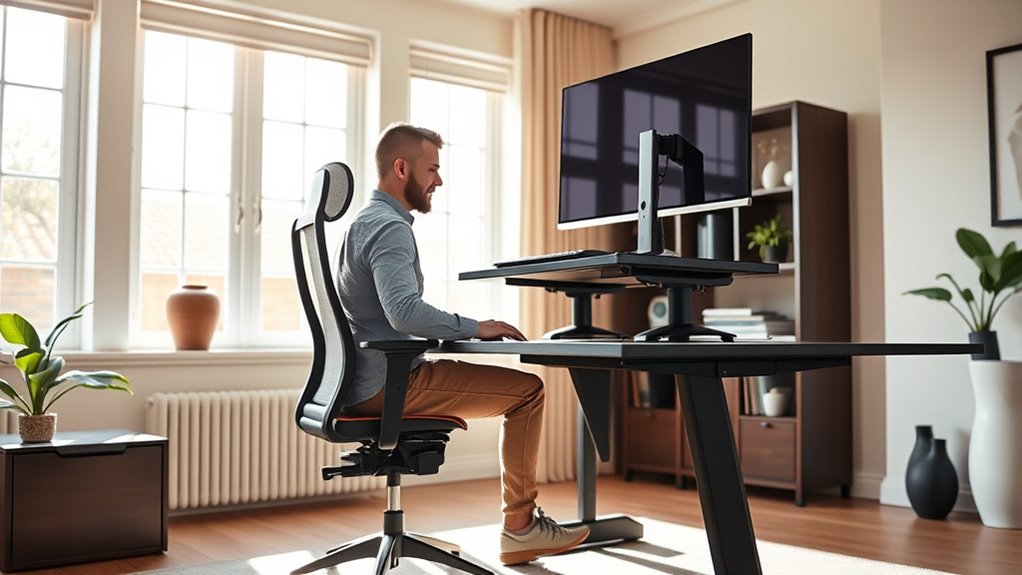
If you’re tall, finding an ergonomic workspace that supports your comfort and productivity can be challenging. One of the first things to consider is your chair height. Standard chairs often aren’t designed for taller individuals, which means you might struggle to sit with your feet flat on the ground and your knees at a comfortable 90-degree angle. To fix this, look for an adjustable chair that lets you raise or lower the seat easily. When you sit, your hips should be slightly higher than your knees, promoting good posture and reducing strain on your lower back. If your current chair doesn’t go high enough, you can add a footrest to support your feet and keep your legs in a comfortable position.
Adjust your chair height and add a footrest for optimal comfort if you’re tall.
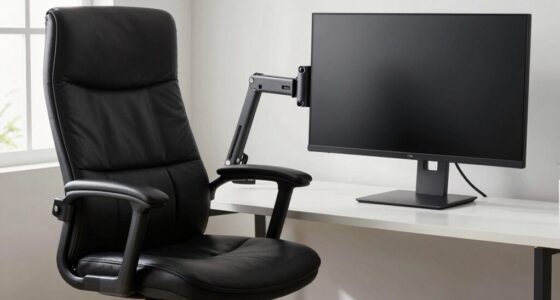
Besides chair height, monitor positioning plays a vital role in creating an ergonomic setup. As a tall person, you need your monitor to be at eye level, so your neck stays relaxed and free from strain. If the monitor is too low, you’ll naturally tilt your head downward, which can lead to neck and shoulder pain over time. To adjust, elevate your monitor using a stand or stack books underneath it until the top of the screen is roughly level with your eyes. Keep the monitor about an arm’s length away from your face to reduce eye fatigue and ensure you’re not leaning forward or backward. Proper monitor positioning helps maintain a neutral head position, decreasing the likelihood of discomfort during long work sessions.
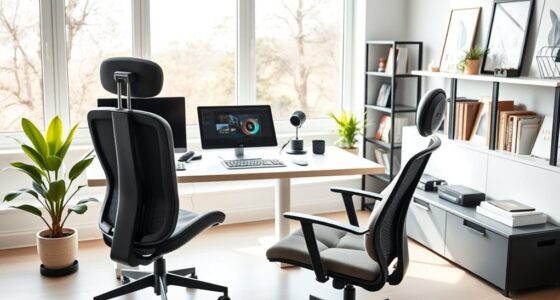
Additionally, consider the depth of your workspace. For tall individuals, having enough space to stretch out your legs and move freely is essential. Make sure your desk isn’t too cramped, which could force you into uncomfortable postures. An adjustable or custom-height desk can be a great investment, allowing you to set the height that’s ideal for your stature. When sitting, your forearms should rest comfortably on the desk with elbows at about a 90-degree angle. This prevents shoulder tension and promotes better circulation. Incorporating a desk setup that accommodates your height can significantly improve your overall comfort and reduce fatigue.
Incorporating these adjustments into your workspace doesn’t have to be complicated. Start with your chair height and monitor positioning, making small changes until you find what feels natural. Remember, ergonomic comfort isn’t just about preventing pain; it’s about creating a space where you can work efficiently and feel good doing it. With a few targeted modifications, you’ll greatly improve your posture, reduce strain, and boost your overall productivity.

500lbs Big and Tall Office Chair Adjustable Lumbar Support for Back Pain, Extra Wide Seat Executive Office Chair Thick Armrest Pad, Heavy Duty Base&Upgraded Wheels, Ergonomic Comfy Computer Desk Chair
- Inflatable Lumbar Support: Customizable back pain relief
- Heavy Duty Capacity: Supports up to 500 lbs
- Ergonomic Design: Comfortable for big and tall users
As an affiliate, we earn on qualifying purchases.
As an affiliate, we earn on qualifying purchases.
Frequently Asked Questions
How Can I Prevent Back Pain With a Tall Ergonomic Setup?
To prevent back pain, focus on posture correction and incorporate stretching routines into your daily habits. Make certain your chair supports your lower back and keeps your feet flat on the floor. Regularly stretch your back, hips, and hamstrings to reduce tension. Maintain an upright posture, avoid slouching, and take breaks often. These practices help alleviate strain and promote a healthier, more comfortable ergonomic setup tailored to your height.
What Chair Features Are Best for Very Tall Individuals?
Ever wonder what chair features suit your height? Look for height-adjustable desks to match your leg length and lumbar support chairs that cradle your lower back. Do you need extra room? Choose chairs with tall backrests and adjustable armrests. These features make certain of comfort and proper posture, reducing strain. Prioritizing these elements helps you stay comfortable and healthy throughout your workday, no matter how tall you are.
Are There Specific Monitor Stands for Tall Users?
Yes, there are specific monitor stand options designed for tall users. You can choose custom height stands that easily elevate your monitor to eye level, reducing neck strain. Look for adjustable monitor stands with extra height or modular options, allowing you to customize the setup. These stands help you maintain proper posture and comfort during long hours at your desk, making your workspace more ergonomic and tailored to your tall stature.
How Do I Adjust Footrests for My Height?
Think of your footrest as the foundation of a sturdy bridge. To adjust it, set the footrest height so your feet rest flat, and your knees are at a 90-degree angle, providing proper leg support. Fine-tune the height by adding or removing cushions or blocks until your legs are comfortably supported without pressure. Proper adjustment keeps your posture aligned and reduces fatigue, much like a well-balanced structure.
Can Custom Furniture Improve Ergonomic Comfort for Tall People?
Yes, custom furniture can substantially improve your ergonomic comfort. With ergonomic customization, you get furniture tailored to your height and body proportions, reducing strain. You can have desks, chairs, or footrests designed specifically for you, ensuring proper posture and support. Investing in custom furniture means your workspace adapts to your needs, helping prevent discomfort and long-term health issues related to poor ergonomics.

Amazon Basics Height Adjustable Monitor Stand Riser with Storage Organizer, 3-Level Stackable Design, Durable ABS Plastic, Supports up to 22lbs, for Monitors & Laptops, Black
- Top Surface Dimensions: 11.6 x 11 inches with tapered edges
- 3-Level Height Adjustment: Adjustable to 2.87, 4.2, 4.8 inches
- Detachable Legs for Custom Height: Easy to customize and stabilize
As an affiliate, we earn on qualifying purchases.
As an affiliate, we earn on qualifying purchases.
Conclusion
By customizing your workspace, you turn your desk into a tailor-made throne that fits you perfectly. Remember, an ergonomic setup isn’t just about comfort — it’s about creating a sanctuary where productivity flows effortlessly. When you adjust your environment to your height, you’ll feel like you’re sailing smoothly on a calm sea rather than battling towering waves. So, take the time to fine-tune your space, and watch your comfort and efficiency soar to new heights.

CasaZenith Foot Rest, Six Heights Adjustable Foot Rest Under Desk at Work
- Six Adjustable Heights: Customizable for ergonomic comfort
- Ergonomic Design: Supports proper sitting posture
- Reduces Back Stress: Relieves back pain and fatigue
As an affiliate, we earn on qualifying purchases.
As an affiliate, we earn on qualifying purchases.

Veken 55 Inch Large Electric Standing Desk, Gaming Table, White
- Electric Height Adjustment – Sit or Stand Any Time: Quiet motor (under 52 dB)…
- Sturdy & Stable – Stays Solid at Full Height: Strong steel frame remains stable…
- Spacious 55" Desktop with Cable Management: Large 55-inch surface fits multiple…
As an affiliate, we earn on qualifying purchases.
As an affiliate, we earn on qualifying purchases.