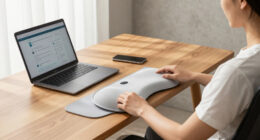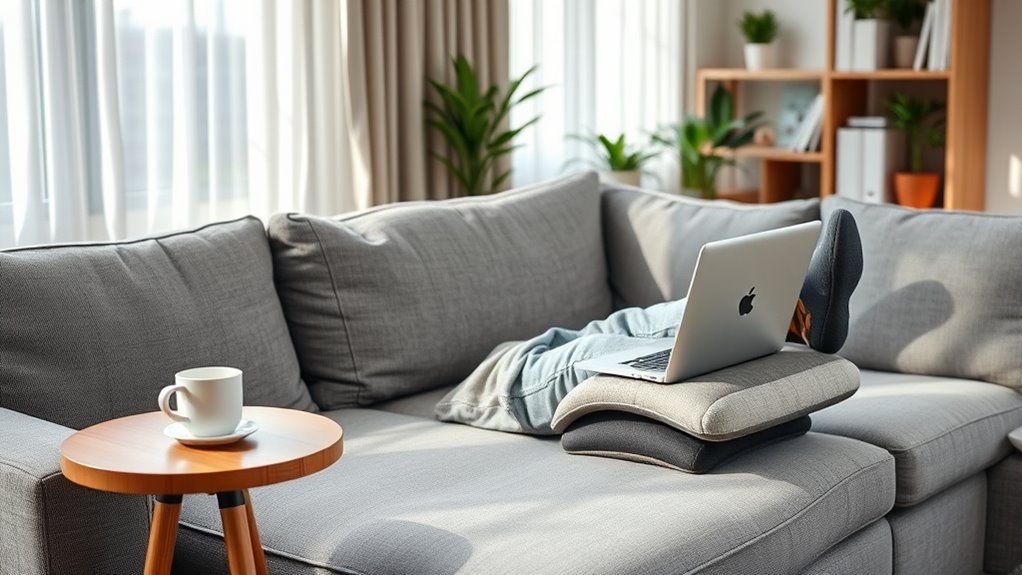

To minimize strain while working from your couch or bed, use ergonomic accessories like lumbar cushions and adjustable laptop stands to support your back and elevate your screen to eye level. Sit fully supported with feet flat and avoid crossing your legs. Take frequent breaks every 20-30 minutes to stretch and shift positions. Incorporating these habits and tools helps maintain proper posture and reduces discomfort, so keep exploring for effective tips tailored to your setup.

Get comfort and recovery gear delivered free — and shop member deals
- Fast, free delivery on millions of items
- Access to Prime Big Deal Days deals on October 6–7
- Prime Video, Amazon Music and more included
Key Takeaways
- Use ergonomic cushions and pillows to support your lower back and maintain a neutral spine position.
- Elevate your laptop with an adjustable stand to keep the screen at eye level and reduce neck strain.
- Keep your feet flat on the floor or a footrest to improve circulation and stabilize your posture.
- Take frequent breaks every 20-30 minutes to stretch, move, and prevent muscle stiffness.
- Prioritize proper alignment by sitting fully back against support cushions and maintaining natural arm and neck angles.

Working from your couch or bed might seem tempting, but it can blur the lines between relaxation and productivity. When you’re working in these comfortable spots, it’s easy to neglect proper posture, leading to discomfort or even long-term strain. To stay comfortable and efficient, you need to focus on ergonomic accessories that support your body and encourage proper posture adjustment. These tools are designed to help you maintain a healthy sitting position, reducing the risk of aches and pains that come from hunching or slouching.
Start by investing in ergonomic accessories like lumbar support cushions, adjustable laptop stands, or ergonomic pillows. A lumbar support cushion can help fill the gap behind your lower back, encouraging a natural curve and preventing slouching. An adjustable laptop stand elevates your screen to eye level, so you’re not constantly looking down, which strains your neck and shoulders. Ergonomic pillows can help you maintain proper alignment while lying or leaning against the back of a couch or bed, making it easier to keep a neutral spine position.
Invest in lumbar cushions, adjustable laptop stands, and ergonomic pillows for healthier, more comfortable remote work.
Posture adjustment is key when working from less traditional setups. Instead of slumping into the cushions or propping your laptop on your lap, take intentional steps to align your body correctly. Sit back fully against your support cushions, ensuring your lower back is supported. Keep your feet flat on the floor or on a footrest, and avoid crossing your legs for extended periods, as this can affect circulation and posture. When using a laptop, position it on a stand so that the screen is at eye level, and use an external keyboard and mouse to keep your arms at a comfortable, natural angle. Incorporating ergonomic accessories can make a significant difference in maintaining proper posture and reducing strain.
Frequent breaks are *essential*, no matter how ergonomically sound your setup is. Every 20 to 30 minutes, stand up, stretch, and shift your position. Small movements like shoulder rolls, neck stretches, and leg stretches can prevent stiffness and improve circulation. Incorporating these habits, along with ergonomic accessories and posture adjustments, makes working from your couch or bed healthier and more sustainable.
ergonomic lumbar support cushion
As an affiliate, we earn on qualifying purchases.
As an affiliate, we earn on qualifying purchases.
Frequently Asked Questions
How Can I Prevent Back Pain While Working From My Couch?
To prevent back pain while working from your couch, focus on cushion support and posture awareness. Use a firm cushion or lumbar pillow to support your lower back and maintain proper alignment. Keep your feet flat on the floor, and sit upright without slouching. Take regular breaks to stretch, and adjust your position often. Staying mindful of your posture and adding support can markedly reduce strain and keep you comfortable.
What Ergonomic Accessories Are Recommended for Couch Work?
Think of your workspace as a ship steering calm waters. Use a cushion support to bring your hips and back to a healthy alignment, preventing strain. An adjustable lap desk acts as the steering wheel, giving you control over your posture and height. These ergonomic accessories help you maintain comfort and reduce fatigue, ensuring your work-from-couch journey stays steady and safe.
How Often Should I Take Breaks When Working in Bed?
You should take a break every 30 to 60 minutes when working in bed. During these breaks, stand up, stretch, and perform posture correction exercises to prevent strain. Use an ergonomic desk setup nearby if possible, and adjust your position to support good posture. Incorporating these short breaks helps reduce discomfort and promotes better ergonomics, keeping you comfortable and focused throughout your work session.
Are There Specific Stretches to Reduce Strain in Relaxed Positions?
To reduce strain in relaxed positions, incorporate simple stretches like neck stretches and shoulder rolls. Gently tilt your head side to side to loosen your neck, and roll your shoulders forward and backward to relieve tension. These stretches help improve circulation and prevent stiffness. Make a habit of doing them every 30 minutes, especially if you’re working from your couch or bed, to stay comfortable and avoid strain.
Can Working From Bed Affect Sleep Quality?
Working from bed can negatively affect your sleep quality because it may cause sleep disruption and interfere with your sleep cycle. When you work in bed, your muscles stay relaxed and engaged, making it harder to wind down at night. This constant muscle relaxation during work hours can blur the lines between wakefulness and sleep, leading to difficulty falling asleep and reduced overall rest. To protect your sleep, keep work and relaxation separate.
adjustable laptop stand for desk
As an affiliate, we earn on qualifying purchases.
As an affiliate, we earn on qualifying purchases.
Conclusion
Working from your couch or bed can feel like slipping into a cozy cloud, but it’s essential to protect your body. Keep your workspace supportive, take regular breaks, and listen to your body’s signals. Think of your body as a finely tuned instrument—if you neglect it, the melody suffers. By making small adjustments, you can stay productive without letting strain weigh you down. Your comfort is the key to working well, wherever you choose to sit.
ergonomic pillows for back support
As an affiliate, we earn on qualifying purchases.
As an affiliate, we earn on qualifying purchases.
As an affiliate, we earn on qualifying purchases.
Fall Picks
fall essentials
As an affiliate, we earn on qualifying purchases.