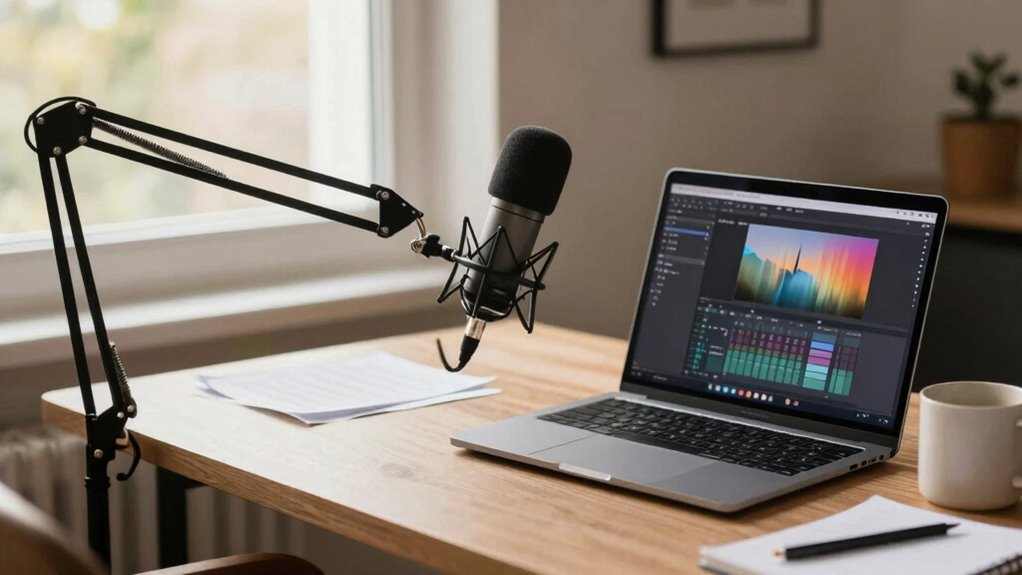
To prevent your mic from pulling you forward during long podcast sessions, secure it with a stable stand or boom arm that’s snug and easy to adjust. Keep the microphone at a comfortable height and distance, so you don’t feel the need to lean in or shift constantly. Maintain a consistent position and manage any cable tension to avoid unwelcome movement. Staying steady will make your recordings clearer. Keep exploring for tips on optimizing your setup for maximum comfort and quality.
Key Takeaways
- Use a stable microphone stand or boom arm to prevent shifting during long recording sessions.
- Position the mic at a consistent distance to avoid being pulled forward by movement or tension.
- Adjust the microphone’s angle and placement to minimize the need for frequent readjustments.
- Incorporate sound treatment to reduce distractions that might cause you to adjust your position.
- Regularly check and maintain your equipment to ensure stable, comfortable recording without unnecessary movement.

Ever wondered how you can start podcasting right from your desk? It’s easier than you think, especially when you focus on the essentials like audio quality and microphone positioning. The key to producing professional-sounding recordings lies in how you set up your space and handle your equipment. You don’t need a fancy studio—just a good microphone and some simple techniques. When you’re sitting at your desk, your goal should be to keep your audio clear and consistent, which starts with understanding how to position your microphone properly.
Poor microphone positioning can lead to muffled sound, unwanted background noise, or volume inconsistencies. To avoid this, place your microphone at an appropriate distance—usually about 6 to 12 inches from your mouth. This distance helps capture your voice clearly without picking up too much ambient noise or causing distortion. Keep the microphone at the same height as your mouth, ideally slightly below or above it, pointing directly at your lips. This ensures your voice remains focused and natural, reducing the chances of muffled audio or harsh plosives. Experiment with angles and distances until you find the sweet spot that delivers the best audio quality. Additionally, understanding how audio quality impacts listener engagement can motivate you to fine-tune your setup for the best results.
Creating a sound-friendly environment around your desk can significantly improve your recordings, so consider adding soft furnishings or acoustic panels. Speaking directly into the mic and maintaining a consistent distance will also help prevent fluctuations in volume, which can be distracting to your listeners. If you tend to shift around during recordings, invest in a good boom arm or mic stand to keep the mic steady. This not only improves audio quality but also helps you maintain a consistent microphone placement, which is crucial for professional-sounding recordings. Proper piercing care and hygiene can also help maintain your equipment in good condition, ensuring your microphone stays free of dust and debris that could affect sound quality. Additionally, managing your sound environment by reducing echo and background noise can make a noticeable difference in recording clarity.

FIFINE Microphone Boom Arm, Low Profile Adjustable Stick Microphone Arm Stand with Desk Mount Clamp, Screw Adapter, Cable Management, for Podcast Streaming Gaming Studio-BM88
[Sturdy Metal] The all metal microphone arm stand provides stability and sturdy protection for your podcast microphone whether…
As an affiliate, we earn on qualifying purchases.
As an affiliate, we earn on qualifying purchases.
Frequently Asked Questions
How Can I Prevent My Microphone From Causing Postural Issues?
To prevent your microphone from causing postural issues, focus on proper microphone placement and posture alignment. Keep the mic at eye level and about a fist’s distance away to avoid leaning forward. Maintain a straight, relaxed spine and keep your shoulders back. Regularly adjust your position to make sure you’re comfortable, and take breaks to stretch. This way, you can podcast without straining your neck or shoulders.
What Ergonomic Accessories Improve Comfort During Long Podcast Sessions?
Imagine sitting in an ergonomic chair that supports your back like a trusted friend, while an adjustable stand keeps your microphone at eye level. These accessories prevent strain, allowing you to focus on your voice without discomfort. An ergonomic chair and adjustable stand work together to maintain proper posture, reducing fatigue during long sessions. They transform your workspace into a comfortable zone, making your podcasting experience both productive and pain-free.
How Often Should I Take Breaks When Podcasting at My Desk?
You should take a break every 30 to 60 minutes to maintain your audio quality and keep your recording setup ideal. Regular breaks help reduce fatigue, improve focus, and prevent strain on your neck and shoulders. During these pauses, stretch and adjust your ergonomic accessories to stay comfortable. This way, you guarantee consistent audio quality and a clear, professional-sounding podcast without sacrificing your health or comfort.
Are There Specific Microphone Types Better for Desk Podcasting?
For desk podcasting, condenser microphones or dynamic mics with cardioid patterns work best, as they capture sound quality and minimize background noise. When placing your microphone, keep it close to your mouth and at an appropriate angle to guarantee clear audio. Proper microphone placement enhances sound quality and reduces echo or ambient noise. Choosing the right microphone type and positioning it well helps you achieve professional-sounding recordings without fatigue.
How Can I Reduce Background Noise in a Home or Office Setting?
To reduce background noise, invest in noise canceling equipment like headphones or microphones with noise suppression. Use soundproofing techniques such as sealing gaps, adding foam panels, or thick curtains to dampen sound reflections. Keep your space organized and minimize movement during recordings. These steps create a controlled environment, ensuring your voice stays clear and professional, free from distracting background noise that can undermine your podcast’s quality.

InnoGear Desktop Microphone Stand, 1 Pack Upgraded Adjustable Table Mic Stand with Mic Clip and 5/8" Male to 3/8" Female Screw for Blue Yeti Snowball Spark & Other Microphone
Larger Base Diameter and Heavier Weight: Enhanced with a sturdy metal base measuring 5.12" in diameter and weighing…
As an affiliate, we earn on qualifying purchases.
As an affiliate, we earn on qualifying purchases.
Conclusion
Don’t let your mic’s pull turn your desk into a battleground. With simple adjustments—like a sturdy arm or proper positioning—you can stay comfortable and focused. If you think comfort means sacrificing sound quality, think again. Investing in the right setup guarantees clear audio without straining your neck or shoulders. Remember, a good podcast starts with a good setup. Keep your workspace ergonomic, and let your voice shine without compromise.

Boseen Universal Microphone Shock Mount, Mic Clip Holder for Diameter 47mm-53mm Mic Anti Vibration Adjustable High Isolation Shock Mount
▲ Universal for many mic types – Our professional suspension shock mount is a nice accessory for condenser…
As an affiliate, we earn on qualifying purchases.
As an affiliate, we earn on qualifying purchases.

XTUGA Recording Microphone Isolation Shield, High Density Absorbent Foam 5 Panels to Filter Vocal,Top Enclosed Foldable Soundproof Cover for Condenser Studio Equipment MIS02
REDUCES NOISE INTERFERENCE– The XTUGA Microphone isolation Shield has three layers that work in tandem to reduce noise…
As an affiliate, we earn on qualifying purchases.
As an affiliate, we earn on qualifying purchases.