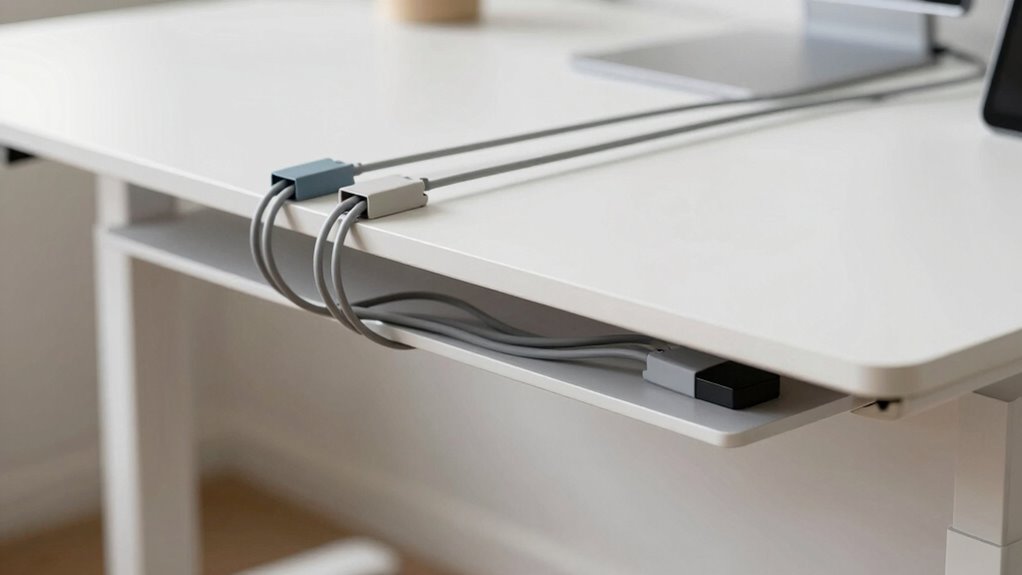

Start cable management at the source by gathering and organizing your cables before they reach the floor. Use cable clips, Velcro straps, or adhesive organizers to secure and route wires along your desk edges or underside. Keep cables off the workspace surface to reduce clutter and prevent accidental pulls. Strategically placing accessories early makes your setup neater, safer, and easier to troubleshoot. To discover more tips, you’ll want to see how proper routing can transform your workspace.
Key Takeaways
- Begin cable management at the desk surface, routing and bundling cables before considering floor-level concealment.
- Use cable clips and organizers along the desk edges to keep cables off the workspace and prevent tangling.
- Group cables logically to facilitate easy access and quick troubleshooting without needing to access the floor.
- Secure cables along planned pathways to avoid accidental disconnections or damage during desk adjustments.
- Focus on visible cable organization first, then use floor management as a secondary step if needed.
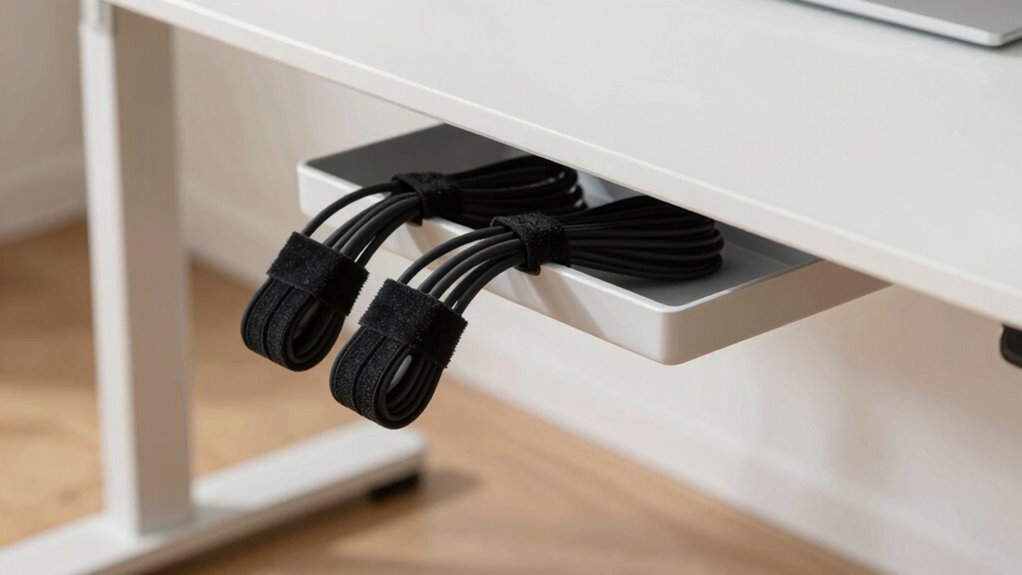
When setting up a standing desk, many people focus on hiding cables beneath the floor or behind furniture, but that approach often misses the real starting point for effective cable management. Before you think about concealing wires or installing floor channels, you should prioritize wire organization. Proper wire organization makes your workspace cleaner, safer, and more efficient. It begins with understanding how your cables run from your devices to your power source and arranging them to prevent tangling or accidental pulls.
Start by gathering all the cables you’ll need—monitor cords, charging cables, keyboard, mouse, and any additional peripherals. Use cable ties, Velcro straps, or reusable cable wraps to bundle similar wires together. These simple desk accessories keep cables neat and prevent them from sprawling across your workspace. When cables are grouped logically, you can identify and troubleshoot issues quickly, and it reduces clutter that can cause accidents or damage. Additionally, considering the color accuracy of your cables can help you quickly identify different types during setup.
Gather and bundle your cables to keep your workspace tidy and easily manageable.
Next, think about the placement of your desk accessories. Adding cable clips or adhesive cable organizers along the edge of your desk or underneath the surface helps route wires along specific paths. This keeps cables off the desk surface itself, giving you a cleaner, more organized workspace. When cables are secured and routed properly, you won’t have to fish around behind your desk or under the floor every time you need to adjust something. Plus, strategically placed accessories prevent cables from hanging loosely and snagging or pulling on devices. Recognizing the importance of wire organization can significantly improve your overall setup.

XHF 120 PCS Adhesive Cable Wire Clips Black, Outdoor Christmas Light Clips, Cable Management Wire Organizer Cord Holder for Under Desk, Car, Wall, TV PC Ethernet Cable
- High-Quality Material: Strong adhesive and PA66 nylon construction
- Versatile Usage: Suitable for USB, Ethernet, lights, and more
- Size Details: Base 5/8" x 5/8", buckle 1/4" x 2/5"
As an affiliate, we earn on qualifying purchases.
As an affiliate, we earn on qualifying purchases.
Frequently Asked Questions
What Are the Best Cable Management Tools for Standing Desks?
The best cable management tools for standing desks are cable clips and cable sleeves. Cable clips help you secure cords neatly along the desk edges or legs, preventing tangles and clutter. Cable sleeves organize multiple cables into a single, tidy bundle, reducing visual chaos and protecting cords from damage. Together, these tools keep your workspace clean, safe, and efficient, making it easier to move freely without tripping over loose wires.
How Often Should I Reorganize My Desk Cables?
You should reorganize your desk cables whenever they start to tangle or become a mess, usually every few months. Keep an eye on cable length and make sure your power strip isn’t overloaded. Think of your cables as a well-tended garden—you don’t want weeds taking over. Regularly check and adjust to maintain a tidy setup, preventing clutter from turning into a nightmare and keeping everything running smoothly.
Can Cable Management Improve Workspace Safety?
Yes, proper cable management can considerably improve your workspace safety. By organizing cables, you reduce tripping hazards and prevent accidental disconnections. With better wireless connectivity, you can minimize cable clutter further, making your area safer and more efficient. Additionally, good cable management supports ergonomic adjustments, allowing you to move freely without tangled cords. Keep cables tidy, and you’ll create a safer, more comfortable, and productive workspace.
What Are Common Cable Management Mistakes to Avoid?
To avoid common cable management mistakes, don’t let wire clutter accumulate around your standing desk, which can cause tripping hazards and damage. Make sure your power strip is properly secured and not overloaded, preventing electrical issues. Avoid running cables haphazardly across the floor or desk surface; instead, use clips or sleeves to keep wires organized. Proper management enhances safety, accessibility, and a professional workspace.
How Do Cable Management Solutions Vary for Different Desk Setups?
Imagine your desk as a symphony—each element needs harmony. For different setups, you’ll want tailored solutions: for a compact desk, use cable clips and wireless accessories to reduce clutter; for an ergonomic workspace, prioritize easy access and neat routing. Adjustable or L-shaped desks may require flexible cable sleeves or under-desk trays. Your goal is smooth, safe, and efficient cable management that complements your desk’s unique layout.

VELCRO Brand Reusable Cable Ties, Cord Management, 6in, Black, 100 Pack
- Instant Cable Organization: Pre-cut ties for quick management
- Ideal Gift for Organizers: Practical gift for men on special occasions
- Reusable and Adjustable: Easily reused for multiple uses
As an affiliate, we earn on qualifying purchases.
As an affiliate, we earn on qualifying purchases.
Conclusion
Remember, effective cable management is the backbone of a tidy workspace, just like a well-laid foundation supports a sturdy house. Don’t wait until chaos takes over under the floor—start at the source. By organizing your cables now, you’re crafting a space that’s both functional and inspiring, like a painter’s clean palette. Take control today, and let your standing desk become a masterpiece of order and efficiency.
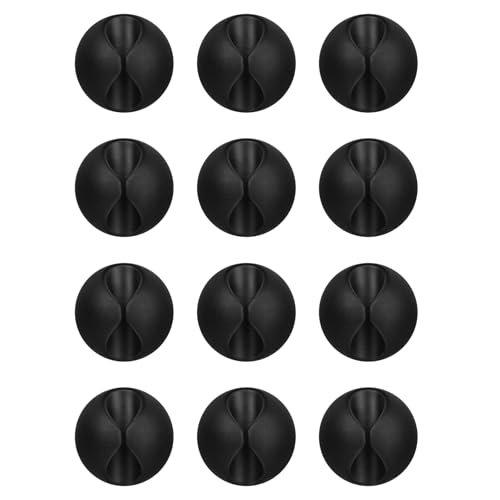
Flezoo 12PCS Black Adhesive Cable Clips Cord Organizer for Wire Management
- Package Includes: 12 black cable clips for organization
- Strong Adhesive: Adheres to wood, plastic, glass, metal, rubber
- Easy Installation: Peel, stick, and twist to remove
As an affiliate, we earn on qualifying purchases.
As an affiliate, we earn on qualifying purchases.

8-Pack Cable Clips, Dorm Room Essentials, Quick-Lock Cord Organizer, Cord Holder for Nightstand, Home Office Desk Accessories for Men Women, College Dorm Decor, Cubicle Accessories, School Supplies
- Secure Cable Locking: Dual-spring clasp keeps cables in place
- Strong Adhesive: 20% stronger grip on various surfaces
- Universal Compatibility: Fits most cables up to 0.3 inches
As an affiliate, we earn on qualifying purchases.
As an affiliate, we earn on qualifying purchases.