
To set up an ergonomic home office on a budget, focus on simple, affordable adjustments like elevating your monitor with books to eye level and using cushions or footrests for proper posture. Opt for budget-friendly accessories like wrist supports, ergonomic keyboards, or mouse combos that promote comfort. Keep your workspace adaptable, regularly trying small changes to improve alignment. If you explore further, you’ll discover easy ways to make your setup more comfortable without breaking the bank.
Key Takeaways
- Elevate your monitor using books or makeshift stands to achieve eye level and prevent neck strain.
- Use affordable cushions or stacks of books to support your back and improve chair comfort.
- Keep your feet flat on the floor or on a DIY footrest for proper posture and reduced leg fatigue.
- Learn and utilize keyboard shortcuts to minimize repetitive movements and enhance productivity.
- Adjust your workspace regularly with inexpensive items like cushions and supports to maintain proper ergonomic alignment.

Creating an ergonomic home office doesn’t have to break the bank. You can set up a comfortable, health-conscious workspace without splurging on expensive furniture or equipment. One of the simplest ways to boost your productivity and reduce discomfort is by mastering keyboard shortcuts. Learning these shortcuts can notably cut down your reliance on constant mouse use, which often leads to repetitive strain injuries over time. By integrating commonly used keyboard commands into your routine, you minimize unnecessary hand and wrist movements, making your work sessions more efficient and less taxing. Alongside this, investing in ergonomic accessories can make a big difference. You don’t need to buy the most costly items; instead, focus on affordable options like wrist rests, adjustable monitor stands, or ergonomic keyboard and mouse combos. These accessories help maintain proper alignment, reducing strain on your wrists, neck, and shoulders.
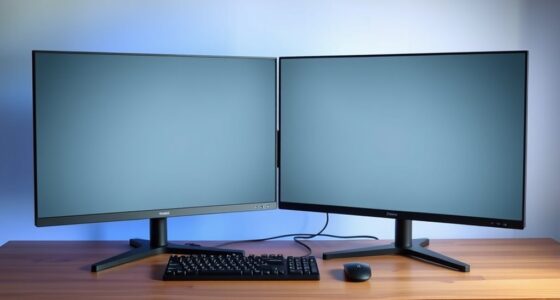
Start by evaluating your current setup. You might find that simply adjusting your monitor to eye level with a stack of books or a makeshift stand can prevent neck strain. This is an inexpensive fix that aligns your screen properly, encouraging better posture. For your keyboard and mouse, look for ergonomic accessories that promote natural hand positioning. Even budget-friendly options like cushioned wrist pads or split keyboards can provide comfort and prevent fatigue during long working hours. When it comes to keyboard shortcuts, take a few minutes to learn the most common ones for your operating system and the applications you use daily. Shortcuts for copying, pasting, undoing, and switching windows can save you time and reduce repetitive motions that contribute to strain. Additionally, understanding performance tuning principles can help optimize your computer’s speed, making your workflow smoother and more efficient.
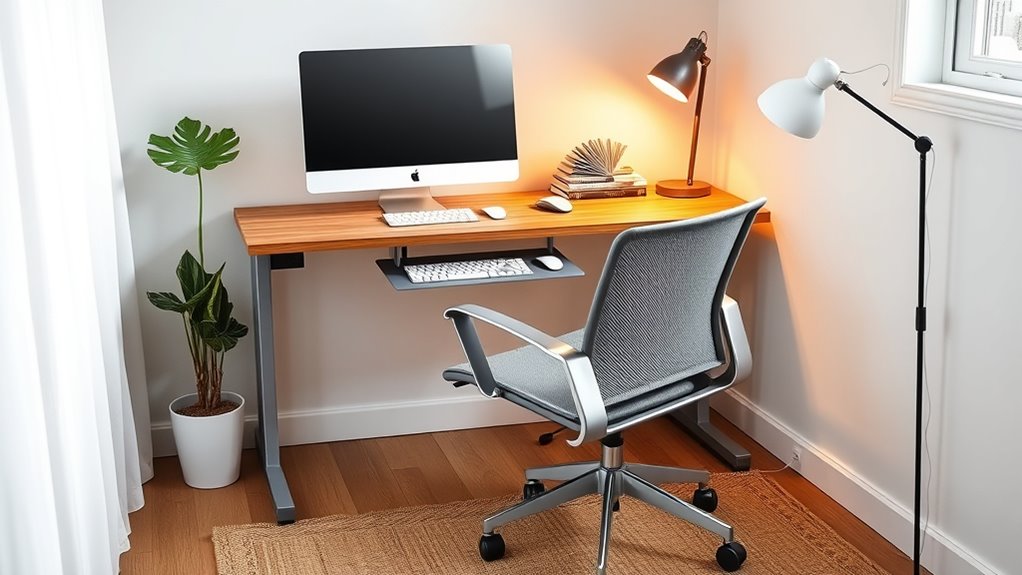
You don’t need to buy a fancy ergonomic chair right away—an affordable cushion or a stack of books to elevate your existing chair can make a noticeable difference. Ensure your feet are flat on the floor or on a footrest, and keep your back supported. Remember, good ergonomics is about maintaining proper alignment, so take the time to adjust your setup as needed. With some minor investments in ergonomic accessories and a focus on keyboard shortcuts, you can create a workspace that supports your health without overspending. Small changes, like adjusting your screen height or using supportive accessories, add up to big improvements in comfort and productivity. The key is to be resourceful, prioritize your comfort, and make incremental adjustments that suit your budget.

BoYata Monitor Stand, Adjustable Height Metal Desktop Riser, Black
- Adjustable Height: Twist knob for height customization
- Ergonomic Design: Promotes comfortable eye and neck level
- High Weight Capacity: Supports up to 33.06 lbs with stability
As an affiliate, we earn on qualifying purchases.
As an affiliate, we earn on qualifying purchases.
Frequently Asked Questions
How Can I Improve My Posture Without Expensive Equipment?
To improve your posture without expensive equipment, focus on simple posture exercises like shoulder rolls and neck stretches daily. Develop ergonomic habits such as sitting with your back straight, feet flat on the floor, and your monitor at eye level. Take regular breaks to stand and stretch, and avoid slouching. These small changes and consistent posture exercises can markedly enhance your posture, all without breaking the bank.
What Are Cost-Effective Ways to Reduce Eye Strain?
Think of your eyes as delicate plants needing protection. To reduce eye strain, you can use affordable blue light filters on your screens and invest in ergonomic accessories like adjustable stands or anti-glare screens. These simple tools act like a shield, preventing harsh light from causing fatigue. By making these small adjustments, you improve comfort without breaking the bank, keeping your eyes refreshed and ready for work.
Are There DIY Solutions for Ergonomic Chair Adjustments?
You can try DIY modifications for chair customization to improve your ergonomic comfort. Adjust the chair height with sturdy cushions or blocks, add lumbar support using pillows or rolled towels, and experiment with DIY armrests using soft materials. These simple chair adjustments help support your posture and reduce discomfort. Just guarantee any modifications are stable and safe, so you can work comfortably without risking injury.
How Can I Organize My Workspace on a Tight Budget?
Imagine your workspace as a tidy garden, where every tool has its place. To organize on a tight budget, use budget-friendly storage solutions like plastic bins or repurposed boxes to keep clutter at bay. Craft DIY desk organizers from everyday items like jars or cardboard to add charm and function. These simple steps transform chaos into order, making your workspace efficient, inspiring, and easy to maintain without breaking the bank.
What Are Quick Tips for Maintaining Comfort During Long Work Hours?
To stay comfortable during long work hours, position your ergonomic keyboard at elbow height and keep your wrists straight. Use an adjustable monitor stand to guarantee your screen is eye level, reducing neck strain. Take regular breaks to stretch and move around. Adjust your chair and desk to support good posture, and consider inexpensive accessories like lumbar cushions. These simple tips help you maintain comfort without breaking the bank.

Wireless Keyboard and Mouse Combo, 2.4G Ergonomic Wave Keys(Black)
- Wave Ergonomic Design: Fits fingers and relieves wrist strain
- Adjustable Keyboard Stand: Set to most comfortable height
- Contoured Wireless Mouse: Fits snugly in the palm
As an affiliate, we earn on qualifying purchases.
As an affiliate, we earn on qualifying purchases.
Conclusion
Now, as you finish your setup, it’s funny how small changes—like adjusting your chair or placing your monitor just right—can make such a difference. Sometimes, the simplest tweaks on a budget unexpectedly boost your comfort and productivity. Remember, creating an ergonomic workspace doesn’t have to break the bank. With a little effort and attention, you’ll find that your home office becomes a place where you actually want to spend time—almost like it was meant to be.

Gimars Upgrade Enlarge Silky and Superfine Fabric Gel Memory Foam Keyboard Wrist Rest Set, Ergonomic Keyboard Mouse Wrist Support for Typing Pain Relief, Comfort for Office, Gaming, Computer, Black
- Ultra Thick Memory Foam: 1.2-inch supportive ergonomic height
- Ergonomic Design: Elevates wrists, relieves pressure
- Durable 3-Layer Construction: Stable rubber base, supportive foam, breathable fabric
As an affiliate, we earn on qualifying purchases.
As an affiliate, we earn on qualifying purchases.

CasaZenith Foot Rest, Six Heights Adjustable Foot Rest Under Desk at Work
- Six Adjustable Heights: Customizable for ergonomic comfort
- Ergonomic Design: Supports proper sitting posture
- Reduces Back Stress: Relieves back pain and fatigue
As an affiliate, we earn on qualifying purchases.
As an affiliate, we earn on qualifying purchases.