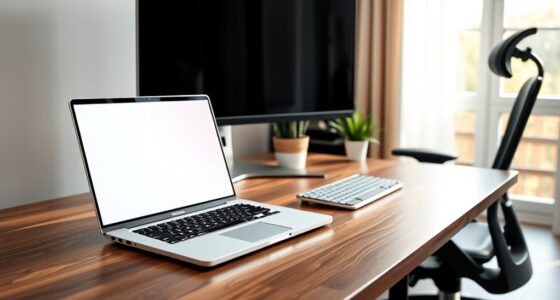
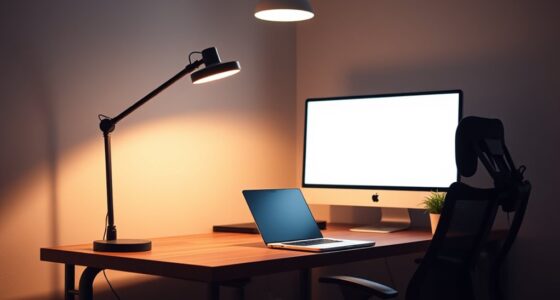
In a shared office, standing desks need their own traffic plan to keep everyone safe and maximize space. You should position them to avoid blocking walkways, keeping paths wide and clear for smooth movement. Clustering similar workstations promotes collaboration without causing congestion. Use signage and organize accessories for quick access and clutter reduction. Applying traffic flow principles helps create an efficient, comfortable workspace for all. Keep exploring to discover more tips for designing an optimized office environment.

Get comfort and recovery gear delivered free — and shop member deals
- Fast, free delivery on millions of items
- Access to Prime Big Deal Days deals on October 6–7
- Prime Video, Amazon Music and more included
Key Takeaways
- Designate specific zones for standing desks to prevent obstruction of main walkways and reduce congestion.
- Position standing desks to facilitate smooth traffic flow and easy access without blocking natural pathways.
- Incorporate clear signage and visual cues to guide movement around standing desk areas.
- Ensure pathways around standing desks are wide enough for mobility aids and efficient navigation.
- Use ergonomic accessories and organized storage to minimize clutter and maintain clear traffic routes.

In shared office spaces, standing desks are becoming increasingly popular, but without a clear traffic plan, they can create chaos rather than productivity. When you introduce standing desks into the mix, you need to think carefully about how people move around. An effective office layout design is essential to ensure smooth flow and prevent congestion. Without it, employees might be bumping into each other or struggling to find space to stand or sit comfortably.
To make the most of standing desks, you should consider how ergonomic accessories fit into your overall plan. Items like adjustable monitor arms, footrests, and anti-fatigue mats not only improve comfort but also influence how space is used. For example, if your ergonomic accessories are arranged thoughtfully, they can help define distinct zones—seating areas, standing stations, and walking paths—making the space more organized and functional. This helps employees transition seamlessly between tasks and encourages movement throughout the day, which is vital for maintaining energy and focus.
When designing your office layout, think about the placement of standing desks relative to other furniture. Keep pathways wide enough for easy navigation, especially considering that some staff may be using mobility aids or carrying equipment. Position standing desks in areas that don’t block natural walkways or create bottlenecks. It’s also helpful to cluster similar workstations together, creating zones that promote collaboration without disrupting traffic flow. Remember, a well-planned layout minimizes the chances of accidental collisions and fosters a more dynamic, collaborative environment. Incorporating traffic flow principles can significantly enhance the efficiency of your space. Additionally, analyzing traffic patterns can offer insights into how to optimize movement and reduce congestion.
You should also incorporate ergonomic accessories into your traffic plan by making them accessible and visible. When accessories are within reach, employees are more likely to adjust their setups for comfort, reducing strain and fatigue. Clear signage or designated storage spots for accessories can keep clutter at bay and make it easier for everyone to find what they need quickly. This not only improves ergonomics but also keeps the workspace tidy and efficient. A well-organized layout with clear signage can facilitate better movement and accessibility for all users.
Furthermore, understanding contrast ratio and how it influences image quality can help in designing visual elements like signage or displays that are clear and easy to read from various distances. Ultimately, the key is balancing standing desk placement with a thoughtful office layout design that considers traffic patterns. By doing so, you create a workspace where movement is natural, ergonomic accessories enhance comfort, and productivity flows smoothly. When your office is organized with these principles in mind, standing desks become a powerful tool for health and efficiency, rather than a source of chaos. Proper planning ensures that your shared office space promotes well-being, collaboration, and productivity for everyone.
adjustable standing desk ergonomic accessories
As an affiliate, we earn on qualifying purchases.
As an affiliate, we earn on qualifying purchases.
Frequently Asked Questions
How Do Standing Desks Impact Overall Office Traffic Flow?
Standing desks can improve office traffic flow by encouraging ergonomic adjustments that promote movement. You should implement floor markings to guide foot traffic around these desks, preventing congestion. When you strategically position standing desks and clearly mark pathways, you create a smoother, more efficient flow. This setup reduces bottlenecks and helps everyone move comfortably, making the office environment more productive and safer for all.
Are There Specific Safety Concerns for Standing Desk Users?
About 60% of ergonomic injuries come from improper desk setups, and standing desks can heighten posture concerns if not used correctly. You should be cautious about potential safety issues like falls or strains, especially when moving around or adjusting the height. To prevent these risks, make sure your standing desk is stable, use anti-slip mats, and take regular breaks to stretch and check your posture.
What Signage Is Recommended for Standing Desk Zones?
You should use clear, visible signage for standing desk zones to guarantee safety. Ergonomic signage, highlighting proper posture and usage instructions, helps prevent strain or injury. Place signs at eye level and near the entrances to these areas for maximum visibility. Consistent signage visibility encourages awareness and safe practices, guiding users to adjust their behavior accordingly. This approach creates a safer, more ergonomic environment for everyone in the shared office.
How Can Noise Be Managed Around Standing Desk Areas?
To manage noise around standing desk areas, you should install soundproof panels to absorb sound and reduce disruptions. Encourage employees to use noise-canceling headphones during focused work, especially in shared spaces. Setting designated quiet zones and establishing clear noise guidelines also helps maintain a peaceful environment. These measures guarantee productivity stays high and distractions stay low, creating a more comfortable workspace for everyone.
What Are Best Practices for Scheduling Standing Desk Usage?
You should schedule standing desk usage during non-peak hours to minimize disruption and allow ergonomic adjustments to be easily made. Encourage users to rotate between sitting and standing, following posture tips like keeping feet flat and shoulders relaxed. Implement a booking system to prevent overcrowding, and remind everyone to take breaks. This approach guarantees safe, comfortable use, promoting better posture and reducing fatigue.
As an affiliate, we earn on qualifying purchases.
Conclusion
Remember, incorporating standing desks into your shared office isn’t just about adding new furniture; it’s about creating a smooth traffic flow. Picture a well-designed layout where everyone can switch between sitting and standing without bumping into each other. By planning separate pathways or designated zones, you prevent chaos and promote comfort. So, think of your office like a busy city street—organized paths keep traffic moving and everyone feeling productive and at ease.
As an affiliate, we earn on qualifying purchases.
desk organization storage solutions
As an affiliate, we earn on qualifying purchases.
As an affiliate, we earn on qualifying purchases.
Fall Picks
fall essentials
As an affiliate, we earn on qualifying purchases.