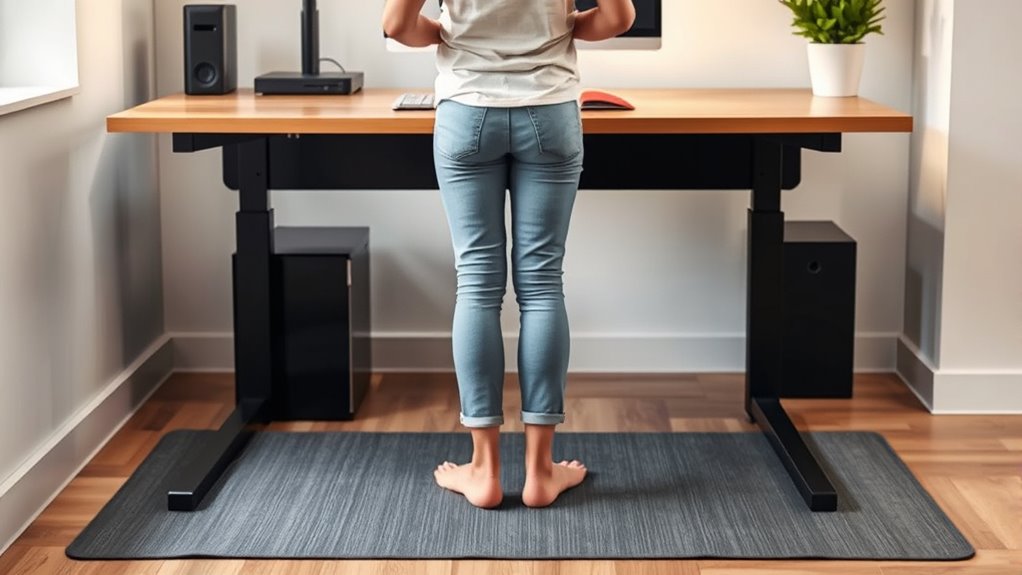

To stand ergonomically at your desk, keep your feet flat on the floor or on a footrest, with knees level with your hips. Maintain a neutral posture by relaxing your shoulders, keeping elbows at 90 degrees, and arms close to your sides. Position your monitor at eye level, directly in front of you, to avoid neck strain. Shift your weight and take breaks often—more tips await to help you stay comfortable and healthy throughout the day.

Get comfort and recovery gear delivered free with Prime
- Fast, free delivery on millions of items
- Prime Video, Amazon Music and more included
- Member-only deals all year
Key Takeaways
- Adjust your desk or monitor height so the top of the screen is at eye level, reducing neck strain.
- Keep your feet flat on the floor or on a footrest, with knees roughly level with hips.
- Maintain a slight bend in your knees and avoid locking them to promote circulation.
- Keep your shoulders relaxed and arms close to your sides, with wrists in a neutral position.
- Shift your weight periodically and take short breaks to stretch and prevent fatigue.
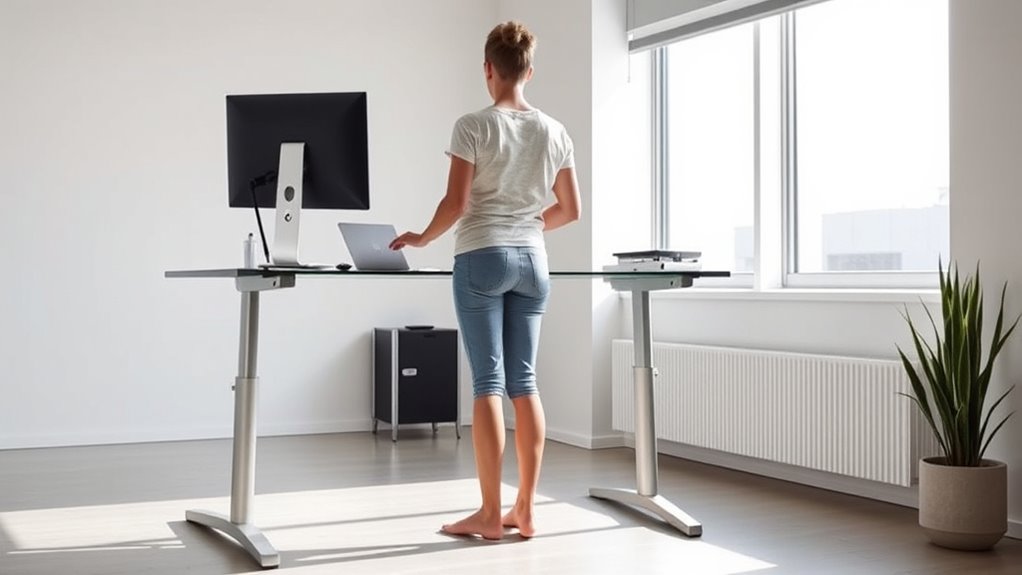
Are you making the most of your standing desk? If you’re not paying attention to your posture, you could be doing more harm than good. One way to optimize your setup is by incorporating ergonomic accessories that support healthy alignment and comfort throughout your workday. These accessories—like footrests, monitor arms, and anti-fatigue mats—help you maintain a natural, comfortable stance and reduce strain on your body. But perhaps most important is ensuring your desk height is properly adjusted. Desk height adjustment is the foundation of ergonomic standing, allowing you to position your workspace so your elbows are at a 90-degree angle while your wrists stay neutral. When your desk is set too high or too low, it forces you into awkward postures that can cause discomfort or long-term injury. Take the time to find the right height so your forearms are parallel to the ground and your monitor is at eye level. If your desk doesn’t have adjustable features, consider adding ergonomic accessories like risers or adjustable monitor stands to fine-tune your setup.
Once your desk is at the correct height, focus on your overall posture. Keep your feet flat on the floor or on a footrest if needed, avoiding crossing your legs or leaning heavily on one side. Your knees should be roughly level with your hips, promoting good circulation and reducing fatigue. Your hips should be open and aligned with your knees, not pushed forward or pinched backward. Keep your shoulders relaxed and your arms close to your sides; your elbows should rest comfortably at your sides with your wrists straight. Position your monitor directly in front of you, about an arm’s length away, with the top of the screen at eye level. This prevents you from craning your neck or tilting your head downward. Using ergonomic accessories like monitor arms can make this easier, giving you the flexibility to adjust height and angle as needed. Maintaining proper posture awareness throughout the day is essential for long-term comfort and health.
Remember to shift your position frequently. Standing for long periods can lead to fatigue, so take short breaks to stretch or walk around. Use anti-fatigue mats to lessen pressure on your legs and feet, which keeps you more comfortable and energized. Regularly check your posture throughout the day, making small adjustments to stay aligned. A combination of proper desk height adjustment, ergonomic accessories, and conscious posture habits ensures you’re standing ergonomically. This not only helps prevent pain and discomfort but also boosts your productivity and overall well-being. Standing at your desk should feel natural and supportive, not strained or awkward. With the right setup, you’ll be able to stand comfortably, stay focused, and work more efficiently.
As an affiliate, we earn on qualifying purchases.
Frequently Asked Questions
How Long Should I Stand at My Desk Each Day?
You should aim to stand at your desk for about 2 to 4 hours daily, breaking it into intervals. Use ergonomic foot positioning to reduce strain, shifting weight or using a footrest. Incorporate standing desk accessories like anti-fatigue mats and monitor risers to stay comfortable and maintain proper posture. Remember to sit for a few minutes every hour to prevent fatigue and promote overall ergonomic health.
What Type of Footwear Is Best for Standing Desks?
Think of your feet as the foundation of a sturdy house. Opt for ergonomic shoes that cradle your arches and cushion your steps, like a gentle hug for your feet. Footwear choices like supportive sneakers or ergonomic shoes keep your posture balanced and reduce fatigue. When you stand at your desk, these shoes act as your loyal allies, helping you stay comfortable and aligned throughout the day.
Can Standing Desks Help Reduce Back Pain Long-Term?
Standing desks can help reduce back pain long-term if you use ergonomic accessories like anti-fatigue mats and adjustable monitor stands. These tools promote proper posture and reduce strain. Additionally, incorporating muscle strengthening exercises into your routine improves core stability, further alleviating back discomfort. By standing with good ergonomics and strengthening your muscles, you create a healthier, more comfortable work environment that minimizes long-term back pain.
How Do I Transition From Sitting to Standing Comfortably?
Think of your shift from sitting to standing like easing into a warm bath—you don’t want to shock your system. Start by adjusting your desk height gradually, maybe in 15-minute intervals, to avoid strain. Make sure your monitor stays at eye level, and keep your weight balanced. This steady, gradual changeover helps your body adapt comfortably without discomfort or fatigue.
Are There Specific Exercises to Improve Standing Ergonomics?
You can improve your standing ergonomics with targeted exercises like stretching routines and core strengthening. Incorporate stretches such as hamstring and hip flexor stretches to reduce tension, and practice core workouts like planks to enhance stability. Regularly doing these exercises helps maintain proper posture, reduces fatigue, and prevents discomfort during long periods of standing. Make these routines part of your daily habits to stand more comfortably and ergonomically.
As an affiliate, we earn on qualifying purchases.
Conclusion
Remember, your standing desk is like a trusted partner—supporting you through busy days. By maintaining proper posture, you keep your body balanced and pain-free, like a well-tuned instrument. Stand tall, keep your shoulders relaxed, and shift your weight regularly to stay in tune. With these simple steps, you’ll turn your workspace into a harmonious space where comfort and productivity work in perfect harmony. Stay mindful, and let your posture be your steady rhythm.
As an affiliate, we earn on qualifying purchases.
As an affiliate, we earn on qualifying purchases.
Halloween Picks
halloween
As an affiliate, we earn on qualifying purchases.