One common mistake is not adjusting your desk height properly, which can cause neck, shoulder, or wrist strain. Many people forget to switch between sitting and standing or neglect dynamic posture changes throughout the day. Supporting your feet with anti-fatigue mats and wearing supportive shoes also gets overlooked, leading to discomfort. Additionally, failing to take regular breaks or consider the overall workspace setup can reduce the benefits of a standing desk. Keep going to discover how to optimize your standing workstation for comfort and health.
Key Takeaways
- Failing to adjust desk height properly, leading to neck, shoulder, or wrist strain.
- Staying in static postures without regularly changing positions or taking breaks.
- Neglecting foot and leg support, causing discomfort or fatigue during prolonged standing.
- Ignoring the importance of dynamic movement and stretching throughout the day.
- Overlooking overall ergonomic workspace setup, resulting in discomfort and reduced productivity.
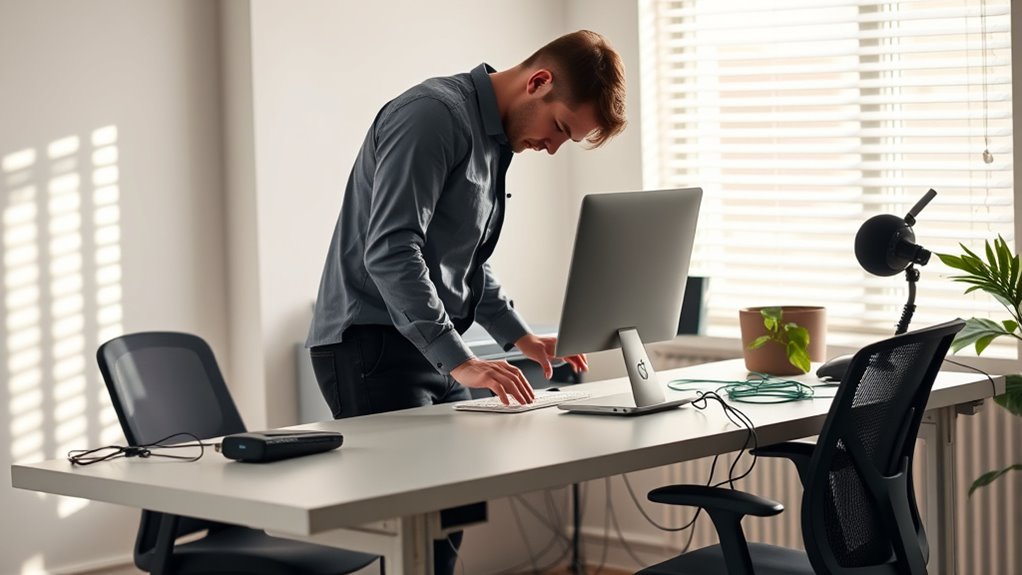
Standing desks can boost your productivity and improve your posture, but if you’re not careful, they can do more harm than good. One common mistake people make is neglecting proper ergonomic adjustments. It’s tempting to set your desk at a height that feels comfortable initially, but without fine-tuning your desk height settings, you risk creating strain on your neck, shoulders, or wrists. To get the most benefit, you need to find the perfect balance where your elbows are bent at about a 90-degree angle and your monitor is at eye level. This means adjusting the height of your standing desk so that your forearms are parallel to the ground and your screen is directly in front of you, not tilted up or down. Failing to do this can lead to discomfort, fatigue, and even long-term musculoskeletal issues.
Proper ergonomic adjustment of your desk and monitor prevents strain and promotes comfort during standing work.
Many people overlook the importance of regularly adjusting their desk height throughout the day. Your body isn’t static, and what feels good in the morning might not be ideal after several hours. It’s essential to be proactive about ergonomic adjustments, switching between standing and sitting or adjusting your desk height as needed. This helps prevent muscle fatigue and promotes better circulation. If your desk isn’t adjustable or you’re using a makeshift setup, you might unknowingly adopt poor posture, which quickly leads to discomfort. Remember, a properly set desk isn’t just about height; it’s about creating an environment that aligns with your ergonomic needs. Additionally, understanding ergonomic principles can help you set up your workspace more effectively for comfort and health.
Another mistake is ignoring proper footwear and mat support. Standing for long periods without supportive shoes or anti-fatigue mats can cause foot pain, which influences your overall comfort and posture. It’s easy to focus solely on desk height but forget that your feet and legs also need support to maintain correct posture. Wearing supportive shoes and using a cushioned mat can reduce strain on your lower limbs, helping you stand comfortably for longer periods.
Lastly, many users forget to take breaks or change positions regularly. Even with the perfect ergonomic setup, standing in one position for hours can lead to stiffness and fatigue. Incorporate short breaks to sit or stretch, and adjust your desk height periodically if possible. This approach not only prevents discomfort but also boosts your focus and energy levels throughout the day. In essence, optimizing your standing desk setup involves mindful ergonomic adjustments and attentive desk height settings, combined with regular movement, to truly reap the health and productivity benefits.

FEZIBO Standing Desk, 48 × 24 Inches Electric Height Adjustable, Sit and Stand Up, Computer Office Desk with Splice Board, White Frame/Maple TOP
- One-Touch Height Adjustment: Easily adjust the FEZIBO electric…
- Outstanding Stability: Built with a reinforced steel…
- Powerful Motor: Uprated lifting performance with reliable…
As an affiliate, we earn on qualifying purchases.
As an affiliate, we earn on qualifying purchases.
Frequently Asked Questions
How Long Should I Stand at My Standing Desk Daily?
You should aim to stand at your desk for about 15-30 minutes every hour, gradually increasing as you get comfortable. Adjust the height to guarantee your monitor is at eye level and your elbows are at a 90-degree angle. Remember to practice posture tips like keeping your shoulders relaxed and feet flat on the ground. Regular breaks and movement help prevent fatigue and promote better overall comfort.
What Are the Best Shoes to Wear With a Standing Desk?
When choosing shoes for your standing desk, opt for ergonomic footwear with cushioned soles to reduce fatigue and improve comfort. You should look for shoes that provide proper arch support, are lightweight, and have a non-slip sole to prevent slips. Avoid high heels or unsupportive shoes, as they can cause discomfort and strain. Comfortable, supportive shoes help you stand longer and maintain good posture throughout your workday.
Can Standing Desks Help Reduce Back Pain?
Did you know standing desks can reduce back pain by up to 32%? By focusing on proper posture correction and adjusting the desk height to align with your elbows, you can ease strain on your spine. Standing encourages better alignment and movement, preventing stiffness. Make sure to switch between sitting and standing to avoid fatigue, and your back will thank you for the support.
How Do I Prevent Fatigue When Using a Standing Desk?
To prevent fatigue when using a standing desk, you should pay attention to your footwear choices—opt for comfortable, supportive shoes that reduce strain. Also, make sure to adjust your desk height so your elbows are at a 90-degree angle and your monitor is at eye level. Remember to take regular breaks, shift your weight, and stretch to keep your muscles energized and avoid fatigue throughout your workday.
Are There Ergonomic Accessories That Improve Standing Desk Use?
Imagine your workspace transformed with ergonomic accessories that elevate comfort and efficiency. You can add a cushioned anti-fatigue mat to soften your stance, or a monitor stand to align your screen eye-level, reducing strain. Desk organization tools like cable clips and drawer dividers keep your space tidy, minimizing clutter and distractions. These accessories make standing more comfortable, encouraging better posture and productivity throughout your workday.

FEATOL Anti Fatigue Mat for Standing, 9/10 Extra Thick Ergonomic Standing Desk Mat, Comfort Memory Foam Standing Mat at Home,Office All Day (20" x 32", Black, 1PC)
- Anti Fatigue Design: Reduces stress on feet, knees, and back
- Ergonomic Thickness: 9/10 inch high-density memory foam for comfort
- Durable & Easy to Clean: PU leather surface resists stains, tears, and deformation
As an affiliate, we earn on qualifying purchases.
As an affiliate, we earn on qualifying purchases.
Conclusion
Remember, over 60% of standing desk users report discomfort or pain, often from incorrect setup. To avoid this, focus on proper ergonomics—adjust your desk height, keep your monitor at eye level, and shift positions regularly. Standing all day isn’t the answer, but using your desk correctly can boost your energy and productivity. Stay mindful of these mistakes, and you’ll enjoy the benefits of a healthier, more comfortable workspace.

STQ Womens Slip on Walking Shoes Breathable Non Slip Work Shoes Comfortable Orthopedic Sneakers with Arch Support All Black 9.5
- Breathable Knit Upper: Comfortable, flexible, and breathable fabric
- Shock-Absorbing Rubber Sole: Provides traction, stability, and cushioning
- Built-in Arch Support: Supports feet and alleviates foot pain
As an affiliate, we earn on qualifying purchases.
As an affiliate, we earn on qualifying purchases.

BONTEC Dual Monitor Stand Riser, Adjustable Length & Swivel Angle, White
- Adjustable Monitor Height and Angle: Fits desks from 31.5" to 42.5"
- Ergonomic Eye-Level Viewing: Reduces neck and shoulder strain
- Large Storage Compartments: Holds keyboard, mouse, files, and devices
As an affiliate, we earn on qualifying purchases.
As an affiliate, we earn on qualifying purchases.