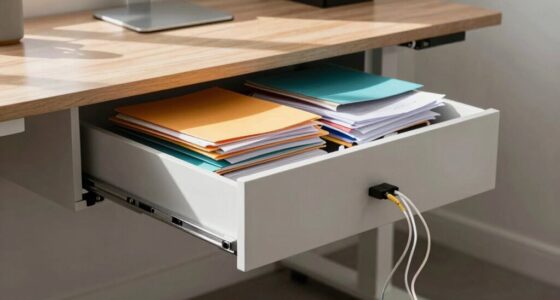

Your desk’s weight capacity depends on its design, materials, and construction quality. Steel frames with thick laminated tops can support hundreds of pounds, while particleboard desks usually support less. Proper weight distribution and avoiding uneven loads help prevent damage or sagging. Signs of wear like cracks or loose joints indicate it’s time to check capacity or reinforce your desk. If you want to learn how to protect your desk’s support and stay safe, keep exploring these tips.

Get comfort and recovery gear delivered free with Prime
- Fast, free delivery on millions of items
- Prime Video, Amazon Music and more included
- Member-only deals all year
Key Takeaways
- Check the manufacturer’s specifications for maximum weight capacity before loading heavy items.
- Steel frames with thick laminated tops typically support hundreds of pounds, unlike particleboard desks.
- Distribute weight evenly across the surface to prevent localized stress and potential damage.
- Regularly inspect for signs of wear, such as sagging or loose joints, to maintain safety and support.
- Proper construction and assembly ensure the desk’s structural integrity and optimal weight capacity.
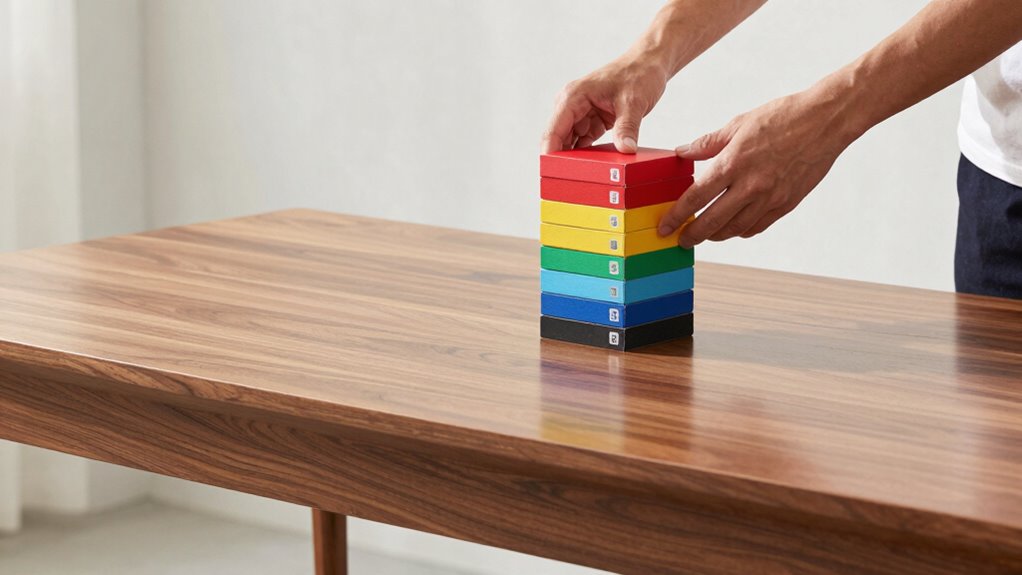
Ever wondered how much weight your desk can actually support? It’s a question many people overlook until they notice a sagging surface or, worse, a sudden collapse. The truth is, the weight capacity of your desk depends on several factors, including its design, materials, and construction quality. For example, a sturdy steel frame with a thick, laminated top can often handle hundreds of pounds, while a lightweight particleboard desk might only support a fraction of that. The durability of materials directly affects the desk’s longevity and safety, especially if you’re planning to hold heavy equipment or multiple monitors. When shopping for a desk, always check the manufacturer’s specifications on maximum weight capacity and material details to guarantee it meets your needs. Material strength plays a crucial role in determining how much weight your desk can safely bear. Additionally, understanding the construction quality of your desk can help you assess its overall strength and resilience over time.
Proper assembly techniques also contribute significantly to the overall stability and capacity of your desk, ensuring that all parts are securely joined. It’s also essential to think about how you distribute weight on your desk. Placing heavy items in the center or spreading them evenly across the surface helps prevent localized stress points that could weaken the structure over time. Avoid stacking too many heavy objects in one corner or on one side, as this can cause warping or bending. Regularly inspecting your desk for signs of sagging, cracks, or loose joints can catch potential issues early. Additionally, understanding the ergonomic design of your desk can help optimize weight distribution and maintain stability during use. Proper weight distribution can significantly extend the lifespan of your desk and ensure safety during everyday use.
As an affiliate, we earn on qualifying purchases.
Frequently Asked Questions
Can Adding Weight Affect My Desk’s Warranty?
Adding weight to your desk can affect your warranty coverage, depending on manufacturer policies. If you exceed the recommended weight limits, the manufacturer might consider it misuse, voiding your warranty. Always check your desk’s specifications and warranty terms before placing heavy items. Staying within the recommended weight guarantees your warranty remains valid, and you avoid potential damage that could lead to costly repairs or replacements.
How Do I Know if My Desk Is Overloaded?
You can tell if your desk is overloaded by checking for signs like sagging, wobbling, or cracks, which indicate stress from material safety issues. To prevent this, make certain load distribution is even across the surface, avoiding concentrated weight on one spot. Regularly inspect your desk’s condition, and if you notice any damage, reduce the weight immediately to avoid further issues or potential safety hazards.
Does the Material of the Desk Change Its Weight Capacity?
Imagine the sturdy top of your desk as a fortress, and its material as the soldiers defending its strength. Desk material definitely influences weight capacity—solid wood or metal can support more than thin particleboard or glass. If your desk’s material is heavy-duty, it can handle more weight without sagging. Conversely, lighter materials might require caution, as they have lower weight capacity, risking damage if overloaded.
Are There Signs That a Desk Is Weakening?
Yes, you can tell if your desk is weakening by observing signs of compromised desk stability. Look for uneven surfaces, creaking sounds, or wobbling when you apply load. Poor load distribution caused by sagging or loose joints signals that the structure isn’t as strong as it used to be. Regularly checking these signs helps you prevent accidents and maintain your desk’s integrity, ensuring it safely supports your workspace needs.
How Often Should I Check My Desk’s Weight Limit?
You should check your desk’s weight limit every six months—because who wouldn’t want an ironic reminder to prevent disaster? Regularly monitoring guarantees your workspace stays safe and ergonomic benefits aren’t compromised. Keep an eye on desk organization, too, as clutter can hide signs of stress. Staying proactive prevents sudden collapses, saving you from awkward moments and costly repairs, all while maintaining a comfortable, productive environment.
As an affiliate, we earn on qualifying purchases.
Conclusion
Knowing your desk’s weight limit is like knowing the capacity of a vessel—you don’t want to overload it and risk sinking your workspace. By understanding its maximum load, you protect your furniture and keep your productivity afloat. So, stay within those boundaries, distribute your weight wisely, and your desk will serve you well without becoming a ticking time bomb. Remember, a well-balanced load keeps your workspace steady and your day on course.
laminated top desk for heavy equipment
As an affiliate, we earn on qualifying purchases.
As an affiliate, we earn on qualifying purchases.
As an affiliate, we earn on qualifying purchases.
Fall Picks
fall essentials
As an affiliate, we earn on qualifying purchases.