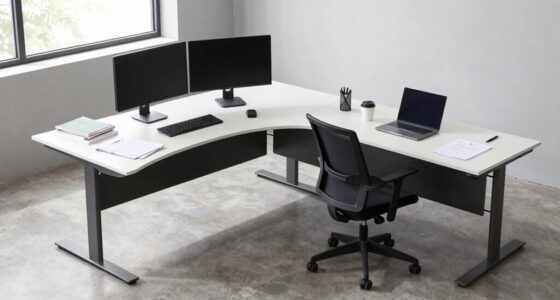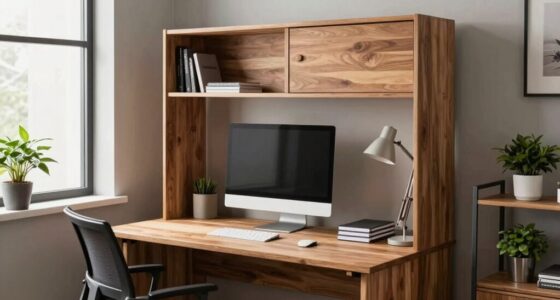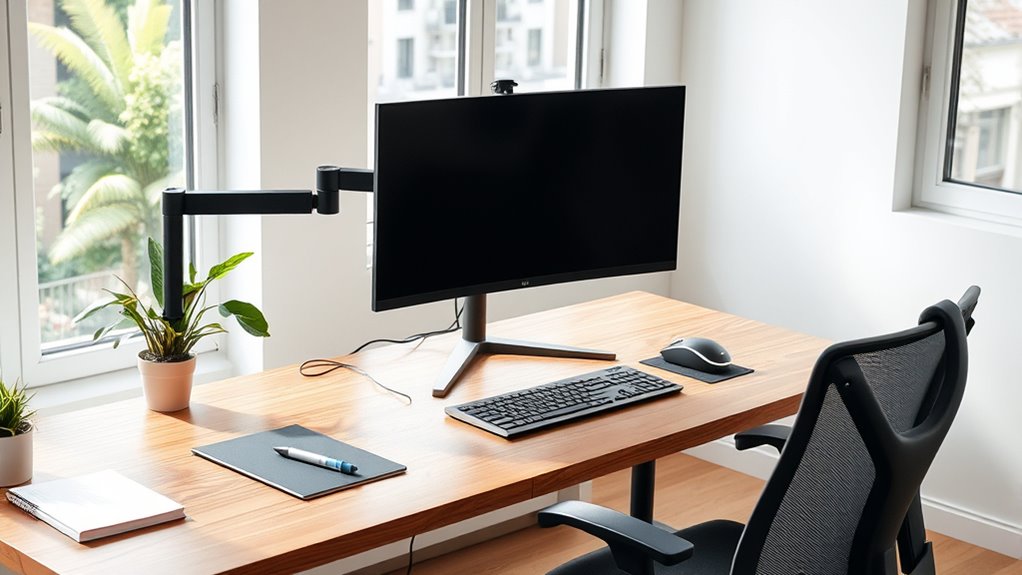

To design an ergonomic desk layout, position your keyboard at elbow height with forearms parallel to the floor, and use adjustable trays if needed. Place your monitor directly in front, about an arm’s length away, with the top at or slightly below eye level. Keep frequently used accessories within easy reach to avoid stretching. Ensuring proper alignment helps reduce strain—learn more ways to optimize your workspace for comfort and efficiency.

Get comfort and recovery gear delivered free with Prime
- Fast, free delivery on millions of items
- Prime Video, Amazon Music and more included
- Member-only deals all year
Key Takeaways
- Position your monitor directly in front at eye level, about an arm’s length away, to maintain neutral neck posture.
- Place the keyboard at elbow height with forearms parallel to the floor to reduce shoulder and wrist strain.
- Keep frequently used items like the mouse, pens, and documents within easy reach to prevent stretching or twisting.
- Use ergonomic accessories such as wrist rests and adjustable trays to support proper alignment and comfort.
- Arrange your workspace to promote movement, regularly reassessing layout for continued ergonomic support.
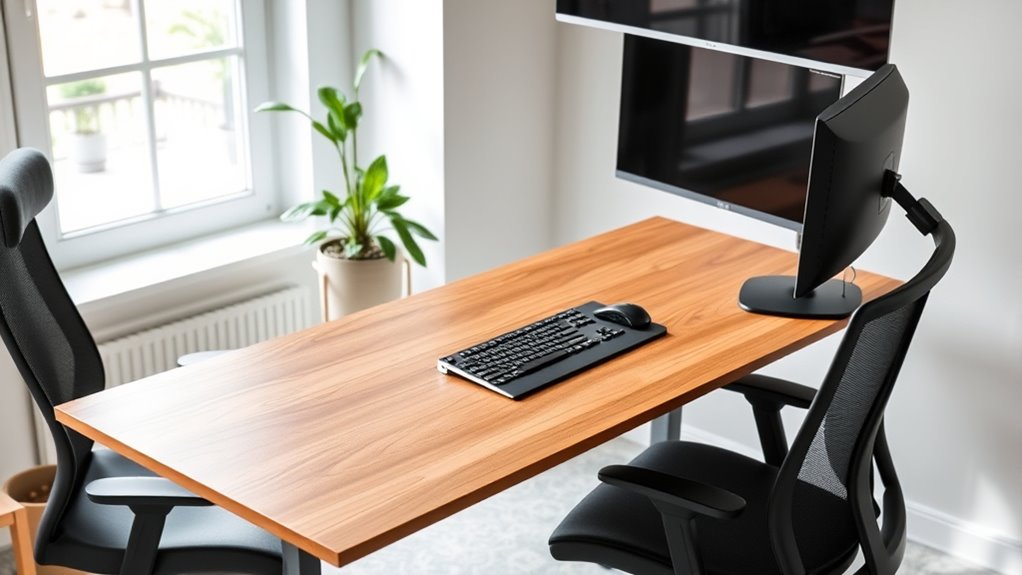
Have you ever wondered how your workspace can impact your comfort and productivity? The way you arrange your desk can make a significant difference in how efficiently you work and how comfortable you feel throughout the day. One of the most important aspects to consider is the placement of your keyboard and monitor, as they directly influence your posture and reduce the risk of strain or injury. Proper keyboard placement ensures your arms remain relaxed and your wrists stay in a neutral position, preventing repetitive strain injuries like carpal tunnel syndrome. Ideally, your keyboard should be positioned at a height where your elbows are bent at about 90 degrees and your forearms are parallel to the floor. This positioning minimizes tension in your shoulders and arms, making typing more comfortable for extended periods. If your desk height doesn’t support this, consider using an adjustable keyboard tray or a desk riser to achieve an ergonomic height. Incorporating ergonomic accessories can further enhance comfort and promote proper alignment.
Monitor positioning is equally vital in designing an ergonomic workspace. Your monitor should be directly in front of you, about an arm’s length away, so you don’t have to lean forward or strain your neck to see the screen clearly. The top of the monitor screen should be level with your eyes or slightly below, allowing you to look straight ahead without tilting your head up or down. This setup helps maintain a neutral neck position, reducing the chances of neck and shoulder pain. When your monitor is positioned correctly, you don’t have to crane your neck or constantly adjust your head, which can cause discomfort over time. If you use multiple screens, arrange them side by side, with the primary monitor directly in front of you and secondary screens within your peripheral vision. This minimizes unnecessary head movement and promotes a natural, relaxed posture.
Beyond placement, think about how your workspace layout encourages movement and easy access to frequently used items. Keep your mouse, pens, and documents within close reach to avoid stretching or twisting your torso. Use ergonomic accessories like wrist rests if needed, but ensure they complement your keyboard placement and don’t elevate your wrists unnaturally. Regularly reassess your setup to maintain these ergonomic principles, especially if you notice discomfort or fatigue. Small adjustments in keyboard placement and monitor positioning can drastically improve your comfort and help you work more efficiently. Remember, an ergonomic desk layout isn’t just about fitting everything onto your desk; it’s about creating a space that supports your body’s natural posture, reduces strain, and promotes productivity throughout your workday.
As an affiliate, we earn on qualifying purchases.
Frequently Asked Questions
How Can I Personalize My Ergonomic Desk Setup?
You can personalize your ergonomic desk setup by adding desk accessories that reflect your style and needs. Arrange items like a favorite mug, photos, or plants to make your personal workspace inviting. Keep essential accessories within easy reach to stay organized and comfortable. Incorporate ergonomic tools like a wrist rest or adjustable monitor stand, ensuring your workspace feels uniquely yours while promoting health and productivity.
What Are the Best Lighting Options for an Ergonomic Workspace?
Think of your workspace as a stage where natural light acts as the spotlight, brightening your focus. Incorporate adjustable task lighting to highlight your work areas without causing glare. Position your desk near windows to maximize natural light, but avoid direct sunlight that causes glare. Use soft, warm bulbs in your task lights for comfort, and consider layered lighting to reduce eye strain and keep your workspace inviting and efficient.
How Often Should I Adjust My Desk Layout?
You should adjust your desk height and monitor placement whenever you notice discomfort or your body shifts. Typically, it’s good to reassess every few months, especially if you experience strain or fatigue. Make certain your monitor stays at eye level and your desk height supports a relaxed posture. Regular adjustments help prevent strain, improve comfort, and maintain ergonomic health, so stay attentive to how your workspace feels and make changes as needed.
What Accessories Improve Ergonomic Comfort?
You can improve your ergonomic comfort by adding accessories like adjustable keyboard stands and monitor risers. Proper keyboard placement ensures your wrists stay straight and reduces strain, while setting your monitor height to eye level prevents neck discomfort. Consider ergonomic accessories such as wrist rests, footrests, and anti-fatigue mats to support your posture and enhance comfort during long hours at your desk.
How Do I Maintain Proper Posture Throughout the Day?
To maintain proper desk posture and sitting ergonomics, sit with your feet flat on the floor and knees at a 90-degree angle. Keep your back straight and supported by your chair’s lumbar curve. Position your monitor at eye level to avoid neck strain, and keep your wrists straight while typing. Take regular breaks to stretch and reset your desk posture, ensuring comfort and reducing fatigue throughout the day.
As an affiliate, we earn on qualifying purchases.
Conclusion
Remember, as if you’re the captain of your own ship, your desk setup guides your daily voyage. By thoughtfully arranging your workspace, you guarantee smooth sailing through tasks and prevent the storms of discomfort. Think of your ergonomic layout as your personal compass—helping you stay balanced, focused, and efficient. Take control now, and craft a workspace that navigates you toward comfort and productivity, just like a seasoned sailor charting a steady course.
As an affiliate, we earn on qualifying purchases.
As an affiliate, we earn on qualifying purchases.
Fall Picks
fall essentials
As an affiliate, we earn on qualifying purchases.