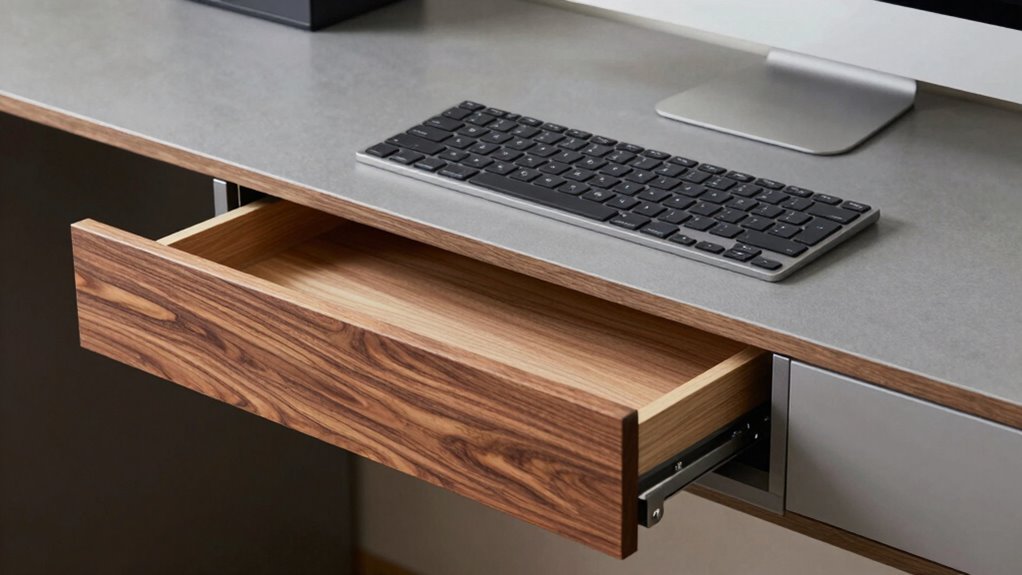
A keyboard drawer is built into the desk and slides out of sight when not in use, offering a minimalist look and saving space, while a keyboard tray is mounted underneath and remains visible for easy access. The drawer hides your keyboard completely, helping keep your workspace tidy, whereas the tray is adjustable for comfort and ergonomic positioning. Understanding these differences can help you choose the right option for your workspace—keep exploring to learn more about each.
Key Takeaways
- A keyboard drawer is built into the desk and slides out, while a tray is mounted underneath and remains visible.
- Drawers offer a hidden, space-saving solution, whereas trays provide quick access and ergonomic adjustability.
- Drawers typically require less installation effort, often integrated into the desk design.
- Trays allow for height and tilt adjustments, enhancing ergonomic comfort.
- The choice impacts workspace aesthetics, organization, and user comfort beyond just terminology.
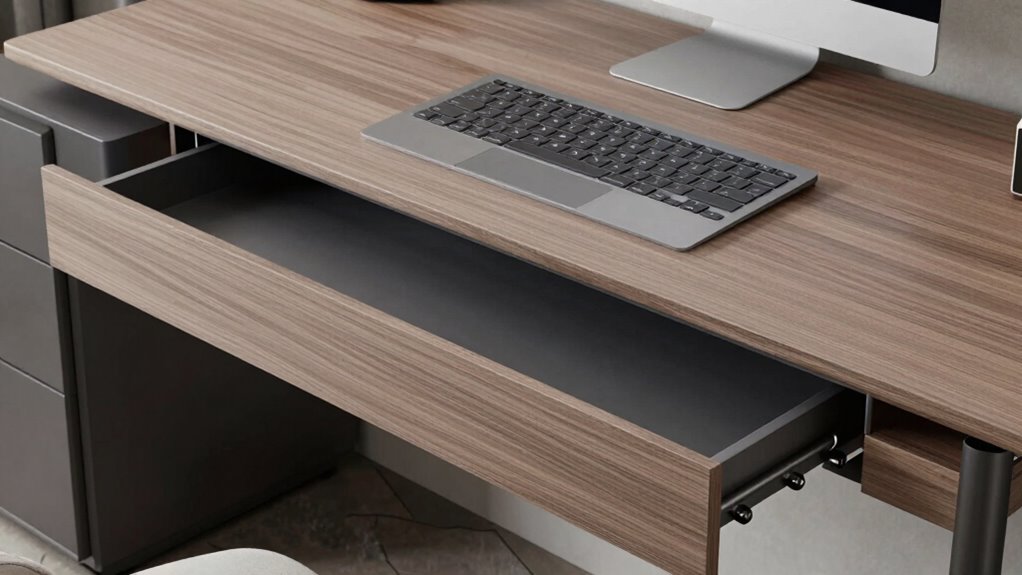
When choosing a way to improve your workstation, understanding the differences between a keyboard drawer and a keyboard tray is essential. These two options might seem similar at first glance, but they serve different purposes and can considerably impact your comfort and workspace organization. Both are designed to improve ergonomics and save space, but they do so in different ways. Knowing which one best suits your needs helps you create a more efficient, comfortable environment.
A keyboard drawer is typically built into your desk, often sliding beneath the surface when not in use. It’s usually a pull-out compartment that keeps your keyboard hidden, giving your workspace a cleaner look. The ergonomic benefits of a keyboard drawer are notable because it allows you to position your keyboard at an ideal height without cluttering your desk surface. When you pull out the drawer, you can adjust the keyboard position to suit your posture, reducing strain on your wrists and shoulders. Additionally, because it tucks away when not in use, it offers a substantial space saving solution. You gain more room on your desk for other tasks, documents, or accessories, which is especially handy if you work in a small or crowded space. Understanding ergonomic principles can help you optimize your workspace setup. Moreover, considering workspace organization can lead to a more comfortable and efficient environment.
In contrast, a keyboard tray is usually mounted underneath your desk, attached to the underside, and can often be adjustable. Unlike a drawer, it remains visible and accessible at all times, providing a dedicated space for your keyboard that can be easily moved or tilted for comfort. A keyboard tray can be positioned at different heights and angles, which enhances ergonomic benefits by allowing you to customize your setup precisely. Because it extends outward, it encourages a more natural typing posture, helping to prevent repetitive strain injuries. Space saving solutions are also a key feature here—by mounting the tray underneath the desk, you free up valuable surface area while keeping your keyboard within easy reach. Considering factors like dust accumulation and maintenance can be important, especially if dust and microplastics are a concern in your workspace. Additionally, the cost and installation process may vary between the two options, influencing your decision based on budget and DIY capabilities.
Both options aim to improve your ergonomic comfort and maximize your workspace, but your choice depends on your priorities. If you prefer a minimalist look and want to hide your keyboard when not in use, a keyboard drawer might be better. If you need quick access to your keyboard and want to customize its position for maximum comfort, a tray offers flexibility. Remember, the right choice can make a difference in your daily comfort and productivity, helping you work longer and more comfortably. Ultimately, understanding these differences ensures you select the best solution for your workspace needs.

VIVO Adjustable Computer Keyboard & Mouse Platform Tray Ergonomic Under Table Desk Mount Drawer Underdesk Shelf (MOUNT-KB03B)
- Ergonomic under-desk keyboard tray: Provides comfortable typing angles
- Compatible with height-adjustable desks: Requires spacer bracket for some setups
- Universal 25×10 inch tray: Fits most keyboards and mice
As an affiliate, we earn on qualifying purchases.
As an affiliate, we earn on qualifying purchases.
Frequently Asked Questions
Which Is More Ergonomic for Long-Term Use?
A keyboard drawer is more ergonomic for long-term use because it allows you to maintain an ergonomic posture and offers better wrist support. You can adjust its height and position to keep your wrists straight, reducing strain and discomfort. In contrast, a tray may limit your positioning options. Prioritizing a keyboard drawer helps you stay comfortable and prevent repetitive strain injuries during extended typing sessions.
Are Keyboard Drawers Suitable for Adjustable Desks?
Yes, keyboard drawers work well with adjustable desks, like fitting a puzzle piece. I once set up a flexible workspace where the drawer slid smoothly under the desk, saving desk space and keeping the aesthetic appeal sleek. This setup allows you to customize your height easily, ensuring ergonomic comfort. If you value clean lines and functionality, a keyboard drawer complements adjustable desks perfectly, making your workspace more adaptable and attractive.
How Do I Install a Keyboard Tray Correctly?
To install a keyboard tray correctly, first clear your desk space and gather tools. Follow the installation process by attaching the tray’s mounting brackets under your desk, making sure they’re aligned properly. Use a level to keep the tray straight, then tighten all screws securely. Adjust the tray if needed for maximum comfort and accessibility. Proper installation ensures a smooth, functional setup that enhances your workspace and prevents unnecessary strain.
Can Both Options Accommodate Ergonomic Accessories?
Yes, both options can accommodate ergonomic accessories like proper mouse placement and wrist support. You can position your mouse on either a keyboard drawer or tray to guarantee it’s within comfortable reach, reducing strain. Look for models with adjustable height and tilt to optimize wrist support. Properly setting your accessories helps maintain good posture, prevents discomfort, and makes typing and mouse use more ergonomic regardless of your choice.
What Is the Typical Lifespan of Each?
You can expect a keyboard drawer, usually made from durable materials like steel or high-quality plastic, to last around 5 to 10 years, depending on usage and drawer dimensions. Keyboard trays, often made from similar materials, may have a slightly shorter lifespan if heavily used. Regularly checking the material integrity and ensuring smooth sliding mechanisms help prolong their lifespan, regardless of whether you choose a drawer or tray.
VIVO Adjustable Computer Keyboard & Mouse Platform Tray Ergonomic Under Table Desk Mount Drawer Underdesk Shelf (MOUNT-KB03B)
- Ergonomic under-desk keyboard tray: Provides comfortable typing angles
- Compatible with height-adjustable desks: Requires spacer bracket for some setups
- Universal 25×10 inch tray: Fits most keyboards and mice
As an affiliate, we earn on qualifying purchases.
As an affiliate, we earn on qualifying purchases.
Conclusion
In the end, understanding the difference between a keyboard drawer and a keyboard tray helps you choose what truly fits your needs. Whether you prefer the hidden elegance of a drawer or the adjustable convenience of a tray, remember that “a penny saved is a penny earned.” Making the right choice can boost your comfort and productivity, proving that sometimes, the smallest details make the biggest difference in your workspace.

HUANUO Under Desk Keyboard Tray, 360 Degree Adjustable Mouse Platform
- Large Size: 25” x 9.84” full-size keyboard tray
- Versatile Fit: Fits all keyboard, mouse, and accessories
- Wrist Rest Included: Enhances wrist comfort during use
As an affiliate, we earn on qualifying purchases.
As an affiliate, we earn on qualifying purchases.

BONTEC Under Desk Keyboard Tray, Pull-Out Keyboard & Mouse Platform
- Compatibility Reminder: Check desk flatness before purchase
- Size Requirements: Requires 31.3" width and 11.8" depth
- Space-Saving Design: Maximizes desk space and organization
As an affiliate, we earn on qualifying purchases.
As an affiliate, we earn on qualifying purchases.