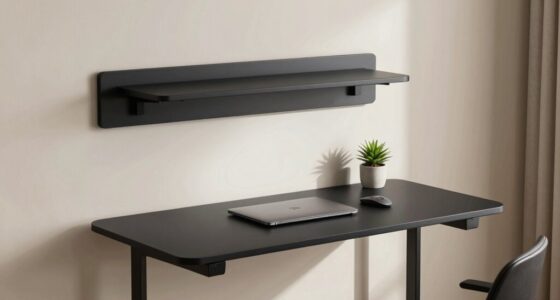
When writing by hand at your desk, adjusting your height is key to avoiding strain. Make sure your chair allows your feet to rest flat and your knees are at a 90-degree angle. Set your desk height so your wrists stay straight and your forearms are parallel to the ground. Keep your monitor or paper at eye level to prevent neck tension. Small tweaks like these can improve comfort and posture—keep going to discover even more tips.

Get comfort and recovery gear delivered free with Prime
- Fast, free delivery on millions of items
- Prime Video, Amazon Music and more included
- Member-only deals all year
Key Takeaways
- Adjust your chair height so feet are flat and knees are at 90 degrees for proper posture.
- Set your desk height to keep wrists straight and elbows close to your body at about 90 degrees.
- Position your paper or writing surface at eye level to avoid tilting your head and neck.
- Use a footrest if your feet don’t reach the ground to maintain correct leg and back alignment.
- Small ergonomic adjustments improve comfort, reduce strain, and support better writing posture over time.

If you find yourself writing by hand at your desk and feeling uncomfortable, it might be time to reconsider your height setup. Your desk and chair height play a crucial role in ensuring ergonomic adjustments that promote comfort and prevent strain. When your workspace isn’t properly aligned, you might notice aches in your neck, shoulders, or back, which are signs that your posture correction efforts need to start with adjusting your height. Sitting too high or too low can cause you to hunch over or stretch awkwardly, leading to fatigue and discomfort over time.
Start by examining the height of your chair. Your feet should rest flat on the floor, with your knees bent at about a 90-degree angle. If your feet don’t reach the ground, consider using a footrest. Your hips should be level with your knees or slightly higher, which helps maintain a natural lumbar curve and supports proper posture. When your chair height is correct, your forearms will comfortably rest on your desk with your elbows close to your body and at roughly a 90-degree angle. This positioning minimizes shoulder tension and encourages better posture correction.
Adjust your chair so your feet are flat, knees at 90 degrees, and hips aligned with your knees for optimal posture.
Next, look at your desk height. The ideal setup has your writing surface at a height that allows you to keep your wrists straight and your forearms parallel to the ground. If your desk is too high, you’ll be forced to elevate your shoulders, increasing tension and fatigue. Conversely, if it’s too low, you’ll tend to hunch forward, putting strain on your neck and upper back. Adjusting your chair height in conjunction with your desk can help you find the perfect balance, fostering ergonomic adjustments that support long-term comfort. Proper workspace ergonomics can significantly reduce the risk of developing repetitive strain injuries. Additionally, maintaining proper body positioning can help prevent long-term musculoskeletal issues. Recognizing the importance of correct workstation setup can further enhance your comfort and productivity.
Pay attention to the position of your head and neck. Your monitor or paper should be positioned directly in front of you, at eye level, to prevent you from tilting your head upward or downward. This alignment helps you avoid neck strain and promotes posture correction. If your workspace doesn’t allow for this, consider adjusting your monitor stand or using a document holder to keep your writing material at eye level. Additionally, understanding ergonomic principles can further enhance your workspace setup for comfort and health.
Ultimately, maintaining a well-adjusted height setup ensures that your body remains in optimal alignment while writing by hand. Small ergonomic adjustments, like changing chair height, desk level, or document position, can make a significant difference in comfort and posture correction. When your workspace is properly tailored to your body, you’ll find yourself able to write longer and more comfortably, reducing the risk of discomfort or injury over time.
adjustable desk height for writing
As an affiliate, we earn on qualifying purchases.
As an affiliate, we earn on qualifying purchases.
Frequently Asked Questions
How Do I Measure the Correct Desk Height for Handwriting?
To measure the correct desk height for handwriting, sit comfortably with your feet flat and your elbows at a 90-degree angle. Your forearms should rest naturally on the desk. Adjust the height so that your paper is angled slightly to match your pen grip, reducing strain. Make sure your wrist stays straight and relaxed to promote smooth writing, and test different heights until you find the most comfortable position.
What Are Signs My Desk Is Too High or Too Low?
If your pen grip feels strained or you notice your writing posture slouching or leaning excessively, your desk might be too high or low. A high desk can cause your shoulders to lift and your arm to tense, while a low desk forces you to hunch. Pay attention to discomfort, fatigue, or difficulty maintaining a natural pen grip, and adjust your desk height accordingly for better comfort and improved handwriting.
Can Adjustable Desks Improve Handwriting Comfort?
Adjustable desks act like a tailor for your workspace, customizing your setup to fit perfectly. They can substantially improve your handwriting posture by allowing you to set the ideal height, reducing strain and discomfort. With better desk ergonomics, you’ll find writing feels more natural and less tiring. So, yes, an adjustable desk can enhance your handwriting comfort, making it easier to write neatly and maintain good posture throughout your creative or work sessions.
How Does Seat Height Affect Hand Positioning?
Your seat height directly affects hand positioning by influencing your wrist angle and hand stability. When your seat is too high or low, you may strain your wrist, making it harder to maintain a steady hand. Proper seat height ensures your elbows are at a comfortable angle, promoting better hand stability and ideal wrist positioning. This helps you write smoothly and reduces fatigue, making your handwriting more consistent and comfortable.
Are Ergonomic Accessories Necessary for Proper Desk Height?
Yes, ergonomic tools are necessary for proper desk height. They help you maintain a comfortable, consistent writing posture, preventing strain and promoting productivity. Adjustable stands, supportive cushions, and ergonomic accessories can customize your workspace, making it more manageable and comfortable. By investing in these items, you guarantee your desk aligns with your height and habits, helping you work well, rest well, and write with ease and efficiency.
ergonomic office chair for proper posture
As an affiliate, we earn on qualifying purchases.
As an affiliate, we earn on qualifying purchases.
Conclusion
Adjusting your desk height is like tuning a musical instrument—you need the perfect pitch for comfort and efficiency. When your posture feels strained or your hand cramps, it’s a sign your setup isn’t right. By making small tweaks, you’ll find that your writing flow becomes smoother, like a gentle stream. Don’t ignore these signs—your comfort and productivity depend on it. Keep your workspace aligned with your body, and writing will feel natural and effortless.
As an affiliate, we earn on qualifying purchases.
As an affiliate, we earn on qualifying purchases.
Halloween Picks
halloween
As an affiliate, we earn on qualifying purchases.