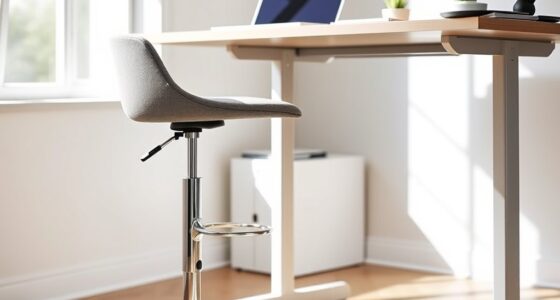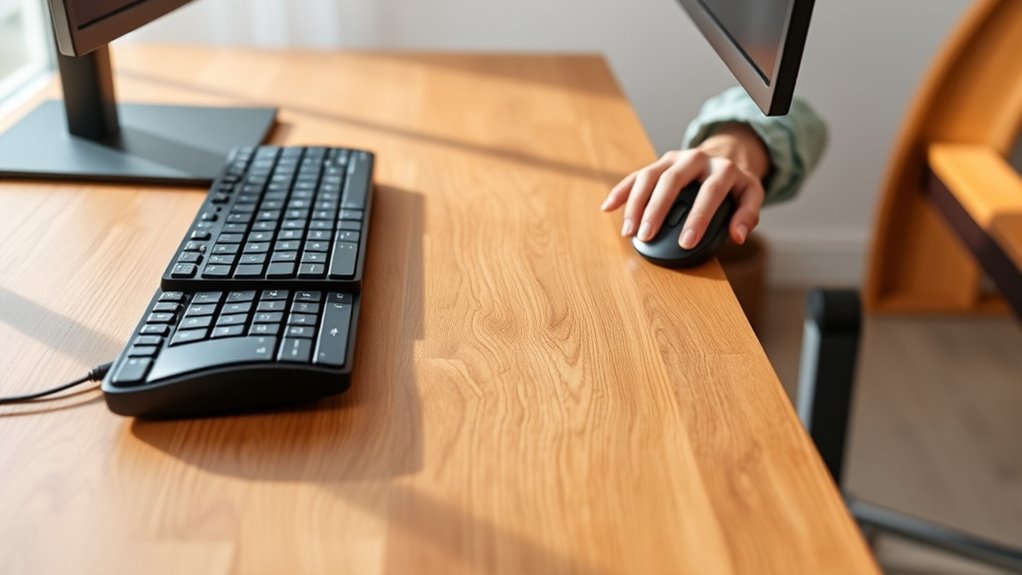

Your desk height directly affects how comfortably and efficiently you type and use your mouse. When your desk is at the right height, your forearms stay parallel or slightly downward, reducing tension in your shoulders, neck, and wrists. Proper height helps you maintain a neutral wrist position, prevent reaching, and avoid strain. If your setup isn’t ideal, it can cause discomfort and long-term issues. Keep going to discover how to set your workspace for ideal comfort.

Get comfort and recovery gear delivered free with Prime
- Fast, free delivery on millions of items
- Prime Video, Amazon Music and more included
- Member-only deals all year
Key Takeaways
- Proper desk height ensures wrists stay in a neutral position, reducing strain during typing and mouse use.
- Correct height keeps elbows close to the body, promoting comfortable, natural movement and preventing tension.
- An optimal desk height maintains forearms parallel or slightly downward, enhancing typing efficiency and reducing fatigue.
- Proper setup prevents awkward reaching for the keyboard and mouse, minimizing upper body discomfort and repetitive stress.
- Maintaining the right desk height supports ergonomic posture, decreasing the risk of musculoskeletal issues over time.

Choosing the right desk height is vital for maintaining comfortable and efficient typing. When your desk is at the proper height, it helps you adopt an ergonomic keyboard positioning that reduces strain and prevents discomfort over long periods. If your desk is too high or too low, you might find yourself reaching awkwardly for your keyboard or mouse, which can lead to tension in your shoulders, neck, and wrists. The goal is to keep your forearms parallel to the ground or slightly angled downward, allowing your hands to rest naturally while typing. This positioning minimizes unnecessary movement and promotes better posture, ultimately enhancing your productivity and reducing fatigue.
Your wrist support strategies play a significant role in maintaining comfort and preventing repetitive strain injuries. When your desk height is correct, you can position your keyboard so that your wrists remain in a neutral position, neither bent upward nor downward. Using ergonomic accessories like wrist rests or padded supports can provide additional comfort, especially if you tend to type for extended periods. These supports help keep your wrists aligned with your forearms, reducing pressure on the carpal tunnel and decreasing the risk of developing conditions such as carpal tunnel syndrome. Remember, your wrists should float above the keyboard rather than rest on it, allowing for better circulation and less strain.
Adjusting your desk height also influences your mouse use, which is often overlooked but equally important. When your desk is set correctly, your mouse should be at a comfortable height, close to your keyboard, so you don’t have to reach or stretch. Keep your elbow close to your body and your wrist in a neutral position as you operate the mouse. If your desk is too high or too low, you might find yourself twisting your torso or elevating your shoulders, leading to discomfort and inefficient movement. Proper ergonomic positioning ensures smooth, natural movements and reduces the risk of repetitive stress injuries. Using a mouse pad with wrist support can further decrease strain, especially during prolonged use. Additionally, maintaining an appropriate desk height can help prevent discomfort and improve overall comfort during extended typing and mouse use sessions.
As an affiliate, we earn on qualifying purchases.
Frequently Asked Questions
How Does Desk Height Influence Posture Over Extended Periods?
Your desk height variations directly influence your posture over extended periods. If your desk is too high or low, you may strain your neck, shoulders, or back, leading to discomfort and fatigue. By making ergonomic adjustments, such as setting your desk to the correct height, you promote better alignment and reduce strain. Proper desk height helps maintain a healthy posture, preventing long-term musculoskeletal issues and enhancing overall comfort during work or study sessions.
What Are Common Signs of Discomfort Caused by Improper Desk Height?
Did you know that over 70% of office workers experience discomfort from improper desk height? You might notice neck strain, shoulder pain, or wrist soreness, especially if your ergonomic cushions and monitor placement aren’t right. These signs indicate your desk isn’t set correctly. Adjust your desk height to keep your monitor at eye level and use ergonomic cushions to support your wrists, reducing discomfort during long work sessions.
Can Adjustable Desks Help Prevent Repetitive Strain Injuries?
Yes, adjustable desks can help prevent repetitive strain injuries. By allowing you to customize your workspace, you can maintain proper ergonomic posture while working. Pairing your adjustable desk with ergonomic accessories like wrist rests or monitor stands enhances comfort. The adjustable desk benefits include reducing strain on your neck, shoulders, and wrists, promoting better circulation, and preventing discomfort during long hours at your keyboard and mouse.
How Does Desk Height Impact Keyboard and Mouse Ergonomics?
You might think desk height doesn’t matter, but it’s actually vital for ergonomic wrist positioning and keyboard tilt adjustment. When your desk is just right, your wrists stay neutral, reducing strain. Too high or low, and you’ll contort your wrists, risking discomfort and injury. Adjusting your desk height ensures your keyboard and mouse align perfectly with your natural posture, making typing and clicking both comfortable and safe—ironic how such a simple change makes a big difference.
Are There Recommended Desk Heights for Different User Heights?
For an ergonomic desk setup, the ideal desk height varies with your height. A custom desk height that allows your elbows to stay at a 90-degree angle when typing and using the mouse helps prevent strain. Generally, for shorter users, a lower desk works, while taller users benefit from a higher setup. Adjust your desk so your forearms are parallel to the floor, ensuring comfort and reducing fatigue.
As an affiliate, we earn on qualifying purchases.
Conclusion
Finding the right desk height is like tuning an instrument—you need it just right to play a smooth, harmonious tune. When your desk is properly adjusted, typing and mouse use feel effortless, reducing strain and boosting productivity. Think of your workspace as a well-fitted glove; it should cradle you comfortably. So, take the time to fine-tune your desk height, and enjoy a more comfortable, efficient workday where everything fits just perfectly.
ergonomic mouse pad with wrist support
As an affiliate, we earn on qualifying purchases.
As an affiliate, we earn on qualifying purchases.
height adjustable desk for standing and sitting
As an affiliate, we earn on qualifying purchases.
As an affiliate, we earn on qualifying purchases.
Halloween Picks
halloween
As an affiliate, we earn on qualifying purchases.