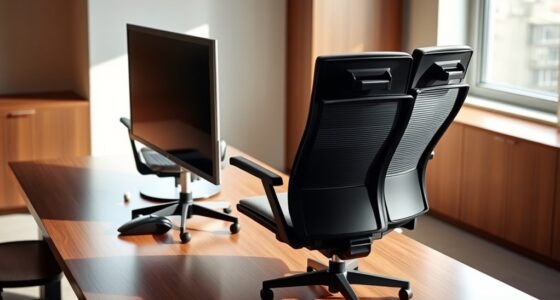
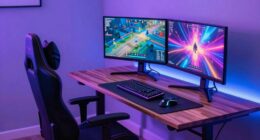
You can definitely have one desk for both work and gaming by choosing a spacious surface that fits dual monitors, a keyboard, and other essentials. Use adjustable monitor arms, ergonomic accessories, and a supportive chair to stay comfortable during long sessions. Keep cables organized with clips and trays, and add soundproofing for better focus. An adaptable, clutter-free setup helps switch seamlessly between tasks. Keep exploring for tips on creating a versatile and efficient workspace you’ll love.
Key Takeaways
- Choose a large, versatile desk with ample surface space for dual monitors, keyboard, and gaming gear.
- Incorporate adjustable monitor arms and ergonomic accessories for comfort during long sessions.
- Implement effective cable management to keep cords organized and easily switch between work and gaming setups.
- Add soundproofing and acoustic treatments to minimize noise distractions and improve sound quality.
- Use adaptable, space-saving furniture to maximize limited space and maintain a tidy, functional environment.

Balancing work and gaming on a single desk might seem challenging, but with the right setup, it’s entirely doable. The key lies in creating a space that’s both functional and comfortable, allowing you to switch seamlessly between productivity and play. Start by choosing a spacious desk that provides enough room for your dual monitors, keyboard, mouse, and work essentials without feeling cluttered. A large surface helps you organize everything efficiently and prevents your workspace from becoming a mess during busy days or intense gaming sessions.
A spacious desk keeps work and gaming gear organized, making switching between tasks seamless and clutter-free.
Next, consider adding ergonomic accessories that support your posture and reduce fatigue. An adjustable monitor stand or arm lets you position screens at eye level, which helps prevent neck strain. An ergonomic keyboard and mouse can make a significant difference, especially if you spend hours typing or gaming. A comfortable, supportive chair is also essential, as it encourages good posture whether you’re working or gaming. Investing in these accessories guarantees you stay comfortable and focused, no matter what activity you’re engaged in.
Cable management is often overlooked but is vital for maintaining a clean, functional setup. Use cable sleeves, clips, and under-desk trays to organize cords and prevent tangles. A tidy desk not only looks better but also minimizes distractions and safety hazards. Proper cable routing allows you to switch between work and gaming modes quickly, without having to untangle or chase after loose wires. Effective cable management** can significantly improve your overall workspace efficiency and reduce stress during setup changes. Additionally, incorporating soundproofing elements can further enhance your environment by reducing noise distractions, especially if you share your space with others. Implementing acoustic treatments can help improve overall sound quality and reduce echo, creating a more immersive experience. Incorporating space-saving furniture** options like wall-mounted desks or foldable accessories can also help you make the most of limited space.
To maximize your space, consider a dual-purpose setup like a foldable or sliding desk surface that can be tucked away when not in use. Keep work essentials like notebooks, pens, and chargers in dedicated drawers or shelves, so your main surface stays clear. When gaming, you can deploy your gaming gear instantly, with everything within arm’s reach. Using a desk that’s adaptable allows you to customize your environment based on your current needs, saving space and reducing clutter. Additionally, incorporating ergonomic principles can further optimize your setup for long-term comfort.
Ultimately, creating a functional one-desk setup for both work and gaming requires thoughtful planning and organization. Prioritize ergonomic accessories for comfort and use effective cable management to keep things tidy. With these elements in place, you’ll find it easier than ever to switch from work mode to gaming mode seamlessly, making the most of your space and time.

VIVO Dual Monitor Desk Mount, Holds 2 Computer Screens up to 30 inches and 22lbs Each, Heavy Duty Fully Adjustable Steel Stand with C-Clamp and Grommet, Black, STAND-V002
Fits 13" to 30" Screens – Dual monitor mount fitting two screens 13” to 30” in size and…
As an affiliate, we earn on qualifying purchases.
As an affiliate, we earn on qualifying purchases.
Frequently Asked Questions
What Materials Are Best for a Durable Multi-Purpose Desk?
For a durable multi-purpose desk, you should choose sturdy materials like solid wood or high-quality metal for the frame, and a thick, scratch-resistant surface like laminated plywood or tempered glass. These materials withstand daily use and support your ergonomic chair comfortably. Remember to include good desk lighting, and guarantee the surface is smooth for keyboard placement and easy cleaning, making your workspace both functional and long-lasting.
How Can I Manage Cable Organization Effectively?
To manage cable organization effectively, you’ll want to prioritize clutter control through cable management solutions. Use cable clips, sleeves, or under-desk trays to keep cords neat and out of sight. Labeling cables helps identify them quickly, while routing cables along edges minimizes tangles. This balance between accessibility and tidiness creates a clean workspace, reducing distractions and making your desk more functional for work and gaming alike.
What Size Desk Is Ideal for Small Spaces?
For small spaces, a compact layout with an ergonomic design is ideal. Choose a desk around 48 inches wide and 24 inches deep to maximize functionality without crowding. Look for features like adjustable height or integrated storage to optimize limited space. This setup lets you work comfortably and game efficiently, while maintaining a clean, organized environment. Prioritize versatility to make the most of your small area.
Are Adjustable Height Desks Suitable for Gaming and Work?
Yes, adjustable height desks are great for gaming and work because they let you customize your setup for comfort and ergonomics. You can easily adjust the height to maintain proper monitor placement and sit in an ergonomic chair, reducing strain during long sessions. This flexibility helps you find the perfect position for both activities, improving posture and comfort while maximizing productivity and gaming performance.
How Do I Prevent Distractions During Work on a Gaming Desk?
Think of your desk as a ship steering through choppy waters; to stay on course, you need calm seas. Use ambient lighting to create a soothing environment and noise reduction tools like headphones or panels to block distractions. Keep your workspace organized, and set clear boundaries for work time. These steps help you stay focused, ensuring your ship reaches its destination smoothly without being tossed by distractions.

GTPLAYER Big and Tall Gaming Chair 400lbs Heavy Duty Office Chair with Foot Rest & Ergonomic Pocket Spring Lumbar Support, High Back 3D Saddle Shaped Cushion for Back Pain Relief, Matte-Black
【400LBS Big and Tall Office Chair】Designed specifically for heavy people, Thicken and enlarged size headrest greatly improves the…
As an affiliate, we earn on qualifying purchases.
As an affiliate, we earn on qualifying purchases.
Conclusion
With careful planning, your desk can seamlessly blend work and gaming needs, like a versatile chameleon adapting to its environment. By choosing the right space, storage, and setup, you create a functional, clutter-free zone that boosts productivity and gaming enjoyment alike. Remember, this setup is like a well-orchestrated symphony—everything working harmoniously together. So, build smart, stay organized, and enjoy your perfect hybrid workspace where both work and play thrive side by side.

WALI Dual Monitor Stand for 13-32 inch Computer Screens, Dual Monitor Arms for 2 Monitors Holds up to 22 lbs, Height Adjustable Dual Monitors Mount, VESA 75×75/100x100mm (GSMP002N), Black
Universal Compatibility: WALI dual monitor stand is expertly engineered to support most flat and curved LCD/LED screens ranging…
As an affiliate, we earn on qualifying purchases.
As an affiliate, we earn on qualifying purchases.

Focusound 52 Pack Acoustic Foam Panels 1" x 12" x 12" Sound Proof Foam Panles Soundproofing Noise Cancelling Wedge Panels for Home Office Recoding Studio with 300PCS Double-Side Adhesive
Soundproofing – Acoustic foam panels triangular grooves structure for better noise absorption, helps to reduce and absorb unwanted…
As an affiliate, we earn on qualifying purchases.
As an affiliate, we earn on qualifying purchases.