

To prevent back pain, balancing sitting and standing is key, rather than just standing more. Prolonged sitting can cause poor posture and spinal issues, while standing too long may lead to fatigue and strain. Using ergonomic tools and shifting positions regularly helps maintain healthy alignment. Focus on proper posture in both positions and incorporate movement throughout your day. If you want to understand how to find the right balance, there’s more helpful advice ahead.

Get comfort and recovery gear delivered free with Prime
- Fast, free delivery on millions of items
- Prime Video, Amazon Music and more included
- Member-only deals all year
Key Takeaways
- Neither prolonged sitting nor standing is ideal; balance and frequent movement are essential for back health.
- Proper ergonomic setup and posture during both sitting and standing reduce strain and prevent pain.
- Alternating between sitting and standing with movement breaks minimizes muscle fatigue and discomfort.
- Supporting accessories like lumbar supports and anti-fatigue mats improve comfort and spinal alignment.
- Awareness and correction of posture during both positions are more effective than simply increasing standing time.
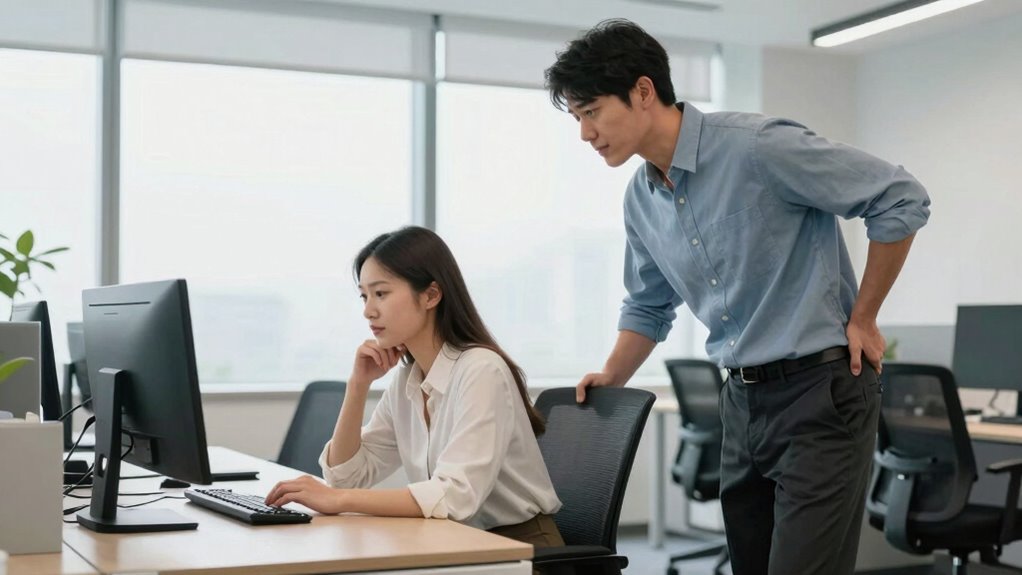
Have you ever wondered whether sitting or standing is better for your back? The truth is, neither is a perfect solution on its own. Both positions have their pros and cons, and the key lies in how you manage your posture during each. When you’re sitting, it’s easy to fall into poor posture habits that strain your spine—slouching or leaning forward can cause discomfort and long-term issues. That’s where posture correction comes into play. By paying attention to how you sit, you can reduce back pain and prevent chronic problems. Using ergonomic accessories, like an adjustable chair, lumbar support, or footrests, helps maintain a healthy spinal alignment. These tools encourage you to sit in a position that supports your natural curves rather than forcing your back into unnatural positions.
Switching between sitting and standing is critical because staying in one position for too long—even if it’s standing—can lead to fatigue and muscle strain. Standing might seem like a healthier alternative, but it’s not a free pass to ignore your posture. Standing for extended periods without proper support can cause back discomfort, especially if your workstation isn’t set up correctly. Here, ergonomic accessories such as anti-fatigue mats or height-adjustable desks can make a significant difference. These tools allow you to shift your stance comfortably and maintain proper alignment, reducing the risk of back pain. Incorporating ergonomic accessories into your routine maximizes comfort and supports spinal health. Additionally, understanding how posture correction influences your musculoskeletal well-being can help you make more informed choices.
The secret isn’t just more standing or more sitting; it’s about how you incorporate movement and support into your routine. Regularly changing positions, stretching, and taking brief breaks are essential. When you do sit, ensure your workstation is set up to promote good posture—your monitor should be at eye level, and your feet should rest flat on the floor. When standing, keep your weight evenly distributed on both feet and avoid locking your knees. Think of ergonomic accessories as your allies—they help you stay aligned and comfortable, whether sitting or standing. By paying close attention to posture correction and using supportive tools, you can reduce back pain and improve your overall comfort throughout the day. Ultimately, the best strategy involves balance, awareness, and smart setup, not just favoring one position over the other.
ergonomic office chair with lumbar support
As an affiliate, we earn on qualifying purchases.
As an affiliate, we earn on qualifying purchases.
Frequently Asked Questions
How Does Posture Influence Back Pain During Sitting or Standing?
Your posture greatly impacts back pain during sitting or standing. When you stay posture-aware, you help maintain proper spinal alignment, reducing strain on your back muscles and discs. Avoid slouching or leaning forward, and keep your shoulders relaxed. Regularly adjusting your posture and being mindful of spinal alignment helps prevent discomfort, whether you’re sitting or standing. Good posture promotes back health and minimizes pain over time.
Are There Specific Exercises to Reduce Back Pain From Sitting or Standing?
Think of your back as a tree; strong roots keep it upright. You can reduce back pain by doing core strengthening exercises and stretching routines. Incorporate planks, bridges, and gentle stretches like hamstring and hip flexor stretches into your routine. These activities help stabilize your spine and improve flexibility, making your back more resilient whether you’re sitting or standing. Regular practice nurtures your back’s strength, preventing future pain.
What Role Does Ergonomic Furniture Play in Back Pain Management?
Ergonomic furniture plays a vital role in managing back pain by supporting proper posture and reducing strain. You should incorporate ergonomic accessories like lumbar supports, adjustable desks, and footrests to customize your workspace for comfort. By personalizing your setup, you prevent aches and promote better spinal health, making your work environment more comfortable and less damaging over time. Proper ergonomic workspace customization is essential for long-term back pain relief.
How Long Should I Stand or Sit to Prevent Back Pain?
You should aim to stand or sit for about 20 to 30 minutes at a time, then switch positions. Incorporate stretching routines during breaks to relieve tension and improve flexibility. Pay attention to your footwear choices; supportive shoes can reduce strain on your back. Remember, alternating between sitting and standing, combined with movement and proper footwear, helps prevent back pain and promotes better posture throughout the day.
Can Alternating Between Sitting and Standing Improve Overall Back Health?
Alternating between sitting and standing can improve your back health by preventing strain from prolonged positions. Make sure your workspace is ergonomic, and wear supportive shoes to reduce discomfort. Incorporate core strengthening exercises into your routine; a strong core stabilizes your spine and reduces pain. By switching positions regularly and focusing on these habits, you’ll promote better posture, reduce fatigue, and support long-term back health effectively.
As an affiliate, we earn on qualifying purchases.
Conclusion
Remember, the key isn’t just choosing between sitting or standing, but finding a balanced approach. Studies show that standing more than 6 hours a day can actually increase back pain risk, so moderation is essential. Instead of fixating on one position, incorporate movement and change your posture regularly. By doing so, you’ll reduce discomfort and protect your back in the long run. Striking this balance is your best bet for lasting relief.
As an affiliate, we earn on qualifying purchases.
As an affiliate, we earn on qualifying purchases.
Halloween Picks
halloween
As an affiliate, we earn on qualifying purchases.