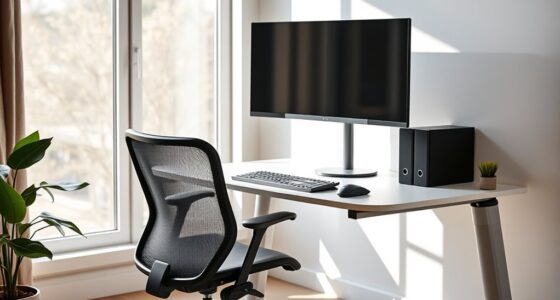
To ergonomically arrange your U-shaped desk, position your keyboard directly in front at elbow height with relaxed wrists, and place your monitor so the top is at or just below eye level, about an arm’s length away. Keep frequently used items within easy reach to minimize stretching, and maintain a clutter-free workspace to support smooth movement. Adjust your setup regularly to stay comfortable and efficient—continue exploring for more tips to perfect your ergonomic layout.
Key Takeaways
- Position the primary monitor directly in front at eye level, using adjustable stands to reduce neck strain.
- Arrange keyboard and mouse within comfortable reach, keeping wrists straight and elbows at ~90° angles.
- Keep frequently used items accessible on the side of your dominant hand to minimize unnecessary stretching.
- Use wall organizers and clear surfaces to maintain an organized workspace and reduce clutter.
- Periodically adjust the setup to accommodate body changes and ensure ongoing ergonomic comfort.
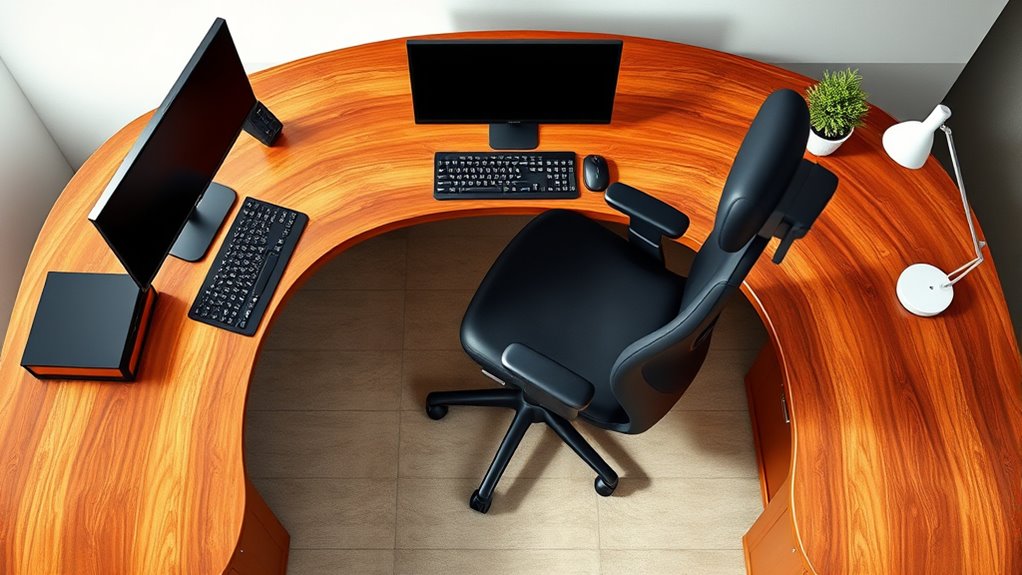
Are you making the most of your U-shaped desk to create an ergonomic workspace? The way you arrange your essential equipment directly influences your comfort, productivity, and long-term health. Start by focusing on your keyboard placement and monitor height, two vital elements that can prevent strain and improve your overall setup. Your keyboard should be positioned so that your elbows stay close to your sides and form roughly a 90-degree angle when typing. This means placing it directly in front of you, on a level surface, avoiding reaching forward or hunching shoulders. If your desk height doesn’t naturally support this position, consider using a keyboard tray or adjustable stand to fine-tune its placement, ensuring your wrists remain straight and relaxed. Proper keyboard placement minimizes the risk of repetitive strain injuries like carpal tunnel syndrome and helps maintain good posture during long work sessions.
Similarly, monitor height is essential for reducing neck and eye strain. Your monitor should be positioned so that the top of the screen is at or just below eye level when you’re sitting upright. This way, you won’t need to tilt your head up or down, which can cause discomfort over time. Use monitor stands or adjustable arms to elevate your screen if necessary. Keep the monitor about an arm’s length away from your eyes to prevent eye fatigue. If you’re using multiple monitors within your U-shaped setup, arrange them so that the primary monitor is directly in front of you, with secondary screens slightly angled inward, maintaining consistent eye level across all displays. Proper monitor height encourages a natural, upright posture, reducing tension in your neck and shoulders. Additionally, incorporating wall organization systems can help keep your workspace tidy and within easy reach, reducing clutter that might otherwise lead to awkward movements or discomfort.
In addition to these key points, consider the flow of your workspace. Position frequently used items like your phone, notepad, or other essentials within easy reach on the side of your dominant hand to avoid unnecessary stretching. Maintain a clear, organized surface to prevent clutter that can force awkward movements. The U-shape provides an excellent layout for ergonomic efficiency, but it’s up to you to optimize each station. Regularly adjust your setup as needed—your body’s needs may change over time, and small tweaks can make a significant difference. Remember, an ergonomic workspace isn’t just about comfort; it’s about creating a sustainable environment that supports your health and boosts your productivity every day.
Top picks for "ergonomic arrangement shap"
Open Amazon search results for this keyword.
As an affiliate, we earn on qualifying purchases.
Frequently Asked Questions
How Do I Adjust Lighting for a U-Shaped Desk?
You should adjust your lighting by first considering desk placement; position your U-shaped desk near natural light sources if possible. Use a combination of lighting types like task lamps, overhead lights, and ambient lighting to reduce glare and shadows. Guarantee your light levels are comfortable and consistent across your workspace. Dim or brighten your lights as needed, and aim your task lighting directly onto your work area for ideal visibility.
What Are the Best Storage Solutions for U-Shaped Desks?
Imagine a mountain of clutter threatening to avalanche—your U-shaped desk needs smart storage solutions! Use vertical file cabinets and under-desk drawers to maximize space, keep your desk organization tight, and prevent chaos. Incorporate stacking trays and modular storage bins for easy access. These storage options help you tame the mess, making your workspace efficient and clutter-free, so you can focus on what truly matters without feeling overwhelmed by the chaos.
How Can I Reduce Noise Around My U-Shaped Workspace?
To reduce noise around your u-shaped workspace, try using soundproofing techniques like adding acoustic panels or rugs to absorb sound. Incorporate noise-canceling solutions such as noise-canceling headphones or white noise machines to block distractions. Keep your workspace organized and consider sealing gaps around windows and doors. These steps help create a quieter environment, allowing you to focus and work efficiently without unwanted noise interruptions.
What Accessories Improve Ergonomics for Multiple Monitors?
Monitor stands and ergonomic keyboards are key accessories to improve your multi-monitor setup. You’ll want monitor stands to elevate screens to eye level, reducing neck strain and creating a seamless visual flow. Pair these with ergonomic keyboards to maintain comfortable wrists and proper posture during long hours. Together, these accessories help balance your workspace, making multitasking easier and more comfortable, so you stay focused and minimize discomfort throughout your workday.
How to Maintain Cable Organization With a U-Shaped Desk?
To maintain cable organization with a U-shaped desk, use cable management tools like clips, sleeves, and under-desk trays to keep cords tidy. Route cables along the edges or through designated channels to prevent clutter. Regularly review and adjust your cables, removing unnecessary ones. Organization tips include labeling cords, using zip ties, and hiding excess lengths. This approach keeps your workspace neat, enhances accessibility, and reduces the risk of cable damage.
Conclusion
Think of your U-shaped desk as a personal compass, guiding you toward balance and comfort. When you arrange your workspace ergonomically, you create a harmonious haven where productivity and well-being align like the stars in a constellation. By paying attention to your setup, you’re not just optimizing your environment—you’re nurturing your overall health and focus. Embrace this arrangement as a symbol of self-care, steering your day with confidence and clarity.