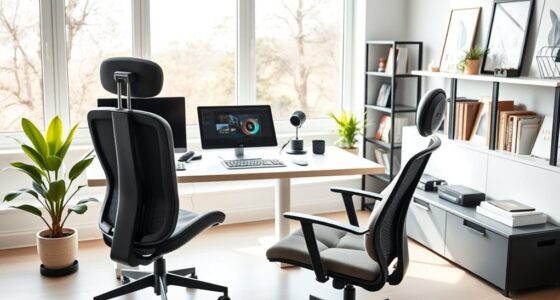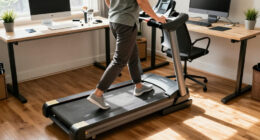
Creating a standing-only workstation can boost your posture, reduce back pain, and promote a more active work routine. However, standing all day may lead to fatigue, leg discomfort, or varicose veins if you’re not careful. To stay comfortable and healthy, incorporate anti-fatigue mats, shift your weight often, and take short breaks to sit or walk. Want to learn how to maximize benefits and prevent issues? Keep exploring for helpful tips and insights.

Get comfort and recovery gear delivered free with Prime
- Fast, free delivery on millions of items
- Prime Video, Amazon Music and more included
- Member-only deals all year
Key Takeaways
- Standing-only workstations promote better posture and reduce musculoskeletal issues but can cause fatigue or leg discomfort without proper support.
- Incorporate anti-fatigue mats, supportive footwear, and regular movement to prevent strain and maintain comfort during prolonged standing.
- Adjust workstation height and monitor placement to ensure ergonomic setup, minimizing neck, back, and wrist strain.
- Balance standing with sitting or movement breaks to avoid fatigue, leg swelling, and joint discomfort.
- Pay attention to body signals and implement ergonomic tools and strategies to sustain health and productivity.
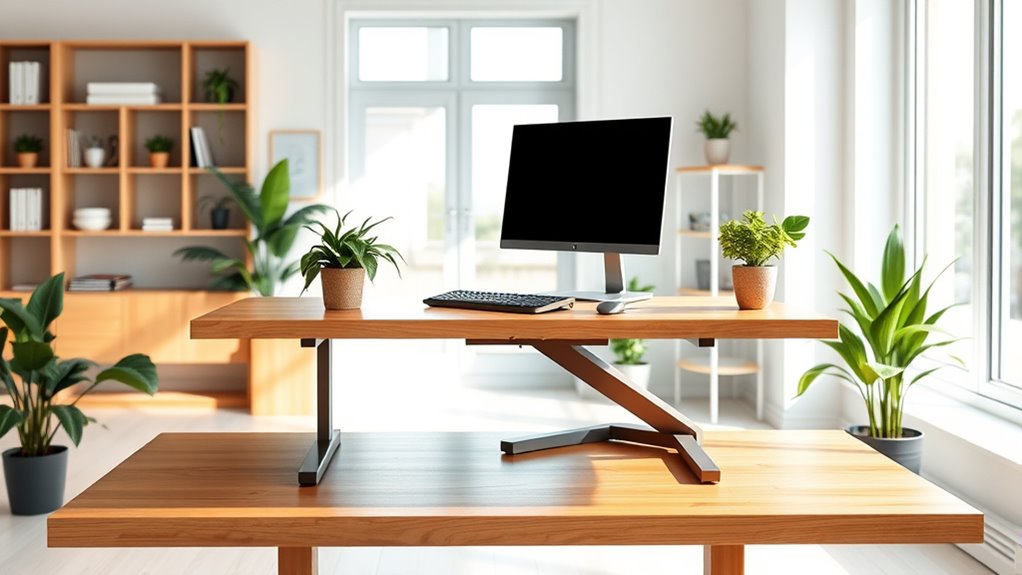
Have you ever wondered if standing all day at your workstation could boost your productivity and improve your health? Switching to a standing-only setup offers numerous ergonomic benefits, but it also comes with important health considerations you need to understand. When you switch to a standing desk, you may notice improved posture, reduced risk of back pain, and better circulation. Standing encourages you to engage your core muscles and maintain a more natural spinal alignment, which can lessen the strain that often builds up from prolonged sitting. Additionally, standing helps minimize the pressure on your lower back and hips, potentially decreasing discomfort and long-term musculoskeletal issues. These ergonomic benefits make standing desks appealing for those seeking a more active, health-conscious workspace.
However, it’s essential to be mindful of health considerations when making this change. Standing all day can lead to fatigue, leg discomfort, or even varicose veins if you don’t take proper precautions. Without breaks or movement, standing for extended periods might cause your legs and feet to ache, and you could develop discomfort in your knees or lower back. To avoid these issues, it’s recommended to incorporate anti-fatigue mats and supportive footwear, which can cushion your feet and reduce strain. Regularly shifting your weight, stretching, and taking short breaks to sit or walk around will also help balance the benefits of standing with your overall health. Remember, standing shouldn’t mean remaining motionless for hours on end; movement is key to maintaining good health.
Furthermore, understanding the importance of ergonomic setup and proper workstation adjustments can significantly enhance comfort and reduce strain during prolonged standing periods. Setting up your workstation correctly is fundamental for maximizing ergonomic benefits. Your monitor should be at eye level to prevent neck strain, and your keyboard and mouse should be within comfortable reach to avoid shoulder tension. Standing desks with adjustable heights are ideal because they allow you to find the right position for your body, making it easier to switch between sitting and standing if needed. While a standing-only workstation can improve posture and reduce sedentary behavior, it’s important to listen to your body and recognize when you need a break. Incorporating movement throughout your day can prevent fatigue and keep your energy levels high.
As an affiliate, we earn on qualifying purchases.
Frequently Asked Questions
How Do I Prevent Fatigue at a Standing-Only Workstation?
To prevent fatigue at a standing-only workstation, focus on footwear choices that provide proper support and cushioning, helping reduce strain. Make sure you adjust your posture regularly by shifting weight, relaxing your shoulders, and avoiding slouching. Taking short breaks to stretch your legs and calves also helps. Incorporate anti-fatigue mats and wear comfortable shoes to keep your energy up and minimize discomfort throughout the day.
Are There Specific Ergonomic Accessories for Standing Desks?
Yes, there are ergonomic accessories designed for standing desks. You can add anti-fatigue mats to reduce foot strain, adjustable keyboard trays for proper wrist positioning, and monitor stands to keep screens at eye level. These desk accessories serve as ergonomic solutions, helping you stay comfortable and maintain good posture. Incorporating these accessories minimizes fatigue, boosts productivity, and creates a more health-conscious workspace tailored to your standing setup.
How Long Should I Stand Each Day?
You should aim to stand for about 4 to 6 hours daily, gradually increasing your time. Use ergonomic mats to reduce fatigue and footrests to support your feet, helping maintain comfort. Break up your standing periods with sitting breaks, ideally every 30 to 60 minutes. Listen to your body, and adjust your standing duration to avoid discomfort or strain, ensuring a sustainable and healthy routine at your standing-only workstation.
Can Standing Workstations Improve Productivity?
Yes, standing workstations can boost your productivity. When you use ergonomic footwear and make desk height adjustments, you stay comfortable and focused longer. Standing encourages better circulation and reduces fatigue, helping you stay alert. Regularly switching between sitting and standing, while ensuring your workspace is properly adjusted, keeps your energy up and enhances your efficiency throughout the day.
What Are the Initial Costs of Setting up a Standing-Only Workspace?
The initial costs of setting up a standing-only workspace typically range from $300 to $1,200, depending on your choices. This cost comparison includes adjustable desks, ergonomic mats, and accessories. About 65% of people find budget planning essential to balance quality and affordability. You’ll want to take these factors carefully to make sure a comfortable, effective setup without overspending, making it a worthwhile investment in your health and productivity.
ergonomic adjustable standing desk
As an affiliate, we earn on qualifying purchases.
As an affiliate, we earn on qualifying purchases.
Conclusion
Building a standing-only workstation can boost your energy and focus, but it’s not without its pitfalls. Think of it as a double-edged sword—you gain vitality but risk discomfort if you don’t listen to your body. By starting slowly and incorporating movement, you’ll keep your productivity flowing without cutting yourself on the sharp edges. Remember, balance is your best friend here; like a tightrope walker, stay steady and adapt as you go.
supportive footwear for standing desks
As an affiliate, we earn on qualifying purchases.
As an affiliate, we earn on qualifying purchases.
monitor riser for ergonomic setup
As an affiliate, we earn on qualifying purchases.
As an affiliate, we earn on qualifying purchases.
Halloween Picks
halloween
As an affiliate, we earn on qualifying purchases.