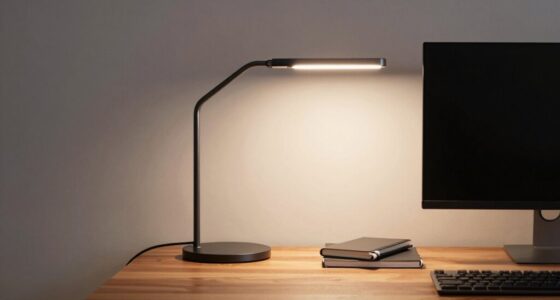

To protect your body while hot desking, do a quick reset routine at the end of each day. Start by tidying your workspace, removing unnecessary items and cables. Adjust your chair and monitor for ergonomic comfort, ensuring your feet are flat, and the monitor is at eye level. Stretch your arms, neck, and shoulders to improve circulation. Maintain awareness of your posture throughout the day. Keep these tips handy, and you’ll find more ways to stay comfortable with every shift.

Get comfort and recovery gear delivered free with Prime
- Fast, free delivery on millions of items
- Prime Video, Amazon Music and more included
- Member-only deals all year
Key Takeaways
- Perform daily workspace tidying to maintain organization and prevent ergonomic hazards.
- Adjust chair, monitor, keyboard, and accessories for optimal ergonomic support before leaving.
- Incorporate quick stretches and mindfulness exercises to reset circulation and reduce stress.
- Be aware of your posture throughout the day, making adjustments to avoid strain.
- Organize and store personal and shared items properly to ensure a safe, clutter-free environment.

If your office employs hot desking, establishing a regular reset routine is essential to keep shared spaces organized and efficient. Without a clear process, desks can quickly become cluttered, and your body might suffer from poor ergonomics. A structured routine helps you maintain good workspace organization, minimizes discomfort, and ensures you’re ready for the next workday. Start by dedicating a few minutes at the end of each day to tidy your area. Clear away any personal items, documents, or supplies that aren’t needed. Keep your workspace organized so you don’t waste time searching for essentials later. This habit not only keeps the area neat but also prevents buildup of clutter that could lead to ergonomic issues or distractions.
End each day by tidying your workspace to stay organized and prevent clutter.
Next, focus on adjusting your ergonomic accessories before leaving. Check your chair height, monitor position, and keyboard placement to make sure they support good posture. Proper ergonomic accessories are key to reducing strain on your neck, back, and wrists, especially when you’re sharing a desk with others. If your chair has adjustable features, set it to a height where your feet rest flat on the floor and your knees are at a 90-degree angle. Position your monitor at eye level to avoid neck strain, and keep your keyboard and mouse close enough to prevent reaching or awkward wrist angles. Taking a moment to reset these elements helps you leave the workspace in a state that promotes comfort and reduces the risk of repetitive strain injuries. Additionally, being aware of ergonomic concepts can help you make informed adjustments that support your long-term health.
In addition to physical adjustments, consider mental and physical reset techniques. Stand up and stretch your legs, arms, neck, and shoulders. Incorporate simple movements like shoulder rolls, spinal twists, or wrist stretches to loosen tight muscles. These quick exercises improve circulation and prevent stiffness caused by prolonged sitting or poor posture. Research indicates that mindfulness practices can also enhance focus and reduce stress during work transitions. If available, use ergonomic accessories like sit-stand desks, footrests, or lumbar supports to further optimize your workspace. These tools can be easily adjusted and stored, making workspace organization more efficient while supporting your health. Incorporating ergonomic principles into your routine can also enhance comfort and prevent fatigue throughout your workday. Being mindful of body posture and proper positioning helps maintain comfort and reduces the risk of discomfort or injury over time. Furthermore, paying attention to body awareness can help you identify early signs of strain and address them promptly.
Finally, before leaving, review your workspace organization. Ensure personal items are stored properly, cables are managed neatly, and any unused accessories are packed away. This habit keeps the shared space ready for the next person and reduces clutter that might lead to ergonomic problems or inefficiencies. Establishing this routine daily will help prevent discomfort, improve your overall productivity, and contribute to a healthier, more organized hot desking environment. With consistent effort, your body stays protected, and your shared workspace remains a place where you can work comfortably and efficiently.
Products Worth Considering

Therabody SleepMask Blackout Eye Mask with Vibration

BowFlex Results Series SelectTech Adjustable Dumbbells (Pair)

Withings BPM Connect Wi-Fi and Bluetooth Blood Pressure Monitor
As an affiliate, we earn on qualifying purchases.
Frequently Asked Questions
How Often Should I Perform This Reset Routine During the Workday?
You should perform this reset routine every hour during your workday. Regular mindful breaks help you maintain good desk ergonomics, reducing strain and fatigue. Sitting for too long can cause discomfort, so taking these short resets refreshes your body and mind. Incorporate these routines into your schedule to stay comfortable, focused, and healthy throughout your workday. Remember, consistency is key to preventing long-term posture issues.
Are There Specific Stretches Recommended for Different Body Types?
Yes, specific stretches can be tailored to your body type for better relief. For example, if you have a more sedentary body type, focus on hip and lower back stretches to improve flexibility and reduce stiffness. If you’re more active, prioritize stretches that target tight muscles, like hamstrings and shoulders. Customize your stretch routine based on your body type to maximize comfort, prevent injuries, and enhance overall well-being during your workday.
Can This Routine Help With Long-Term Posture Issues?
Think of this routine as a gentle sculptor for your posture. It can help with long-term posture issues by gradually rewiring your body’s alignment. Pair it with posture correction techniques and ergonomic tips to reinforce healthy habits. Consistency is key, like watering a plant; over time, your muscles will strengthen and hold better posture, reducing strain. Stick with it, and you’ll transform your workspace into a sanctuary for better alignment.
What Should I Do if I Experience Pain During the Routine?
If you experience pain during the routine, stop immediately. Focus on pain management by gently stretching or applying ice if needed. Don’t push through sharp or persistent pain, as it could lead to injury. Always listen to your body, and consider consulting a healthcare professional if pain continues. This approach helps with injury prevention and guarantees you safely benefit from the reset routine without risking further discomfort.
Is This Routine Suitable for All Ages and Fitness Levels?
Think of this routine as a adaptable dance—suitable for all ages and fitness levels. It’s designed with age appropriateness and fitness customization in mind, so you can tweak movements to match your body’s rhythm. Whether you’re just starting or a seasoned mover, you can adjust intensity and duration, making sure the routine feels comfortable and effective. This way, everyone can join the dance and enjoy its benefits safely.
Conclusion
Remember, over 60% of remote workers report physical discomfort from irregular work setups. But with this simple reset routine, you can protect your body and stay comfortable, no matter where you work. Incorporate these quick stretches and posture tips into your day to prevent aches and boost your focus. Don’t let hot desking take a toll on your health—take control and feel your best, wherever your workspace is. Your body will thank you!