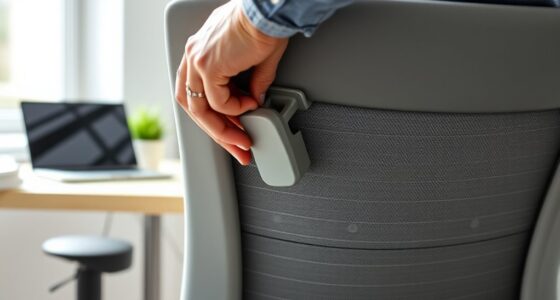
To stay comfortable while working long hours as an engineer or CAD user, you need more than just a big desk. Ergonomic accessories like adjustable chairs, monitor stands, and wrist supports help maintain proper alignment and reduce strain. Regular breaks, stretching, and mental health practices keep you focused and resilient. Continually adjusting your workspace to your body’s signals guarantees long-term health and productivity. Keep exploring, and you’ll discover how a thoughtful setup can make a real difference.
Key Takeaways
- Ergonomic accessories like adjustable chairs and monitor stands improve posture and reduce physical strain during long CAD sessions.
- Regular breaks, stretching, and mindfulness practices help maintain mental clarity and prevent fatigue.
- Proper workspace setup tailored to individual needs enhances comfort and supports sustained productivity.
- Continuous adjustments based on body signals are essential to avoid discomfort and long-term injuries.
- Combining physical ergonomics with mental health strategies promotes overall well-being and work efficiency.

While having a spacious desk might seem like the key to productivity, engineers and CAD users need more than just ample workspace to excel. Comfort and efficiency come from a combination of ergonomic accessories and mindful mental health strategies. No matter how large your desk is, if your posture suffers or your mental well-being declines, your work quality will suffer. That’s why investing in ergonomic accessories—such as adjustable chairs, monitor stands, and wrist supports—is essential. These tools help maintain proper alignment, reduce strain, and prevent long-term injuries like carpal tunnel or back pain. Proper ergonomics isn’t just about comfort; it’s about supporting sustained focus and minimizing fatigue during those marathon design sessions.
Beyond physical adjustments, mental health strategies play a vital role in maintaining productivity and creativity. As an engineer or CAD user, you likely face tight deadlines, complex problems, and constant technical demands. These pressures can lead to stress, burnout, and diminished concentration. Establishing routines like regular breaks, mindfulness exercises, or even quick stretching can considerably boost your mental resilience. Taking a few moments to step away from your screen refreshes your mind and helps prevent eye strain and mental fatigue. Remember, your brain needs downtime to process information effectively and foster innovative thinking. Additionally, understanding ergonomic principles can help you optimize your workspace setup for both comfort and efficiency. Incorporating mental health practices such as deep breathing or journaling can help manage stress and promote emotional stability. These simple practices can improve your overall focus and emotional stability, making your work sessions more productive and less exhausting. Furthermore, exploring market research on ergonomic accessories can assist you in selecting the most suitable tools for your specific needs.
A well-designed ergonomic setup can also serve as a foundation for long-term health benefits, reducing the risk of chronic injuries that might otherwise interfere with your career longevity. Creating a workspace that balances physical comfort with mental clarity isn’t a one-time setup. It’s an ongoing process that involves adjusting ergonomic accessories as you learn what works best for your body and mind. Stay attuned to your body’s signals. If you notice persistent discomfort or fatigue, reassess your ergonomic setup and mental health routines. The combination of proper ergonomic accessories and proactive mental health strategies ensures you’ll stay comfortable, engaged, and at your best—no matter how demanding your CAD projects become. Ultimately, a thoughtful approach to your workspace supports your long-term success and well-being.

TRALT Office Chair – Ergonomic Desk Chair with Adjustable Lumbar Support, Mesh Computer Chair, Executive Chairs for Home Office Comfortable Lumbar Support (Black)
High-Resilience Molded Foam Seat – Won’t Flatten After 1 Year – Instead of budget foam that hardens and…
As an affiliate, we earn on qualifying purchases.
As an affiliate, we earn on qualifying purchases.
Frequently Asked Questions
How Can Ergonomic Design Improve Long-Term Health for Engineers?
Ergonomic design improves your long-term health by applying ergonomic principles that promote proper posture and reduce strain. When your workspace is customized to fit your body and work habits, you lower the risk of musculoskeletal issues, fatigue, and discomfort. By adjusting chair height, monitor position, and keyboard placement, you create a healthier environment that supports your well-being, boosts productivity, and prevents long-term injuries.
What Are the Best Accessories for a Comfortable CAD Workstation?
Did you know that proper workspace organization can boost productivity by up to 20%? To create a comfortable CAD workstation, invest in ergonomic accessories like adjustable monitor arms, wrist supports, and ergonomic keyboards. These accessories enhance comfort and prevent strain. Make sure your accessories are compatible with your workspace setup to maximize efficiency. With the right accessories, you’ll improve posture, reduce fatigue, and stay comfortable during long design sessions.
How Does Proper Lighting Affect Engineer Productivity?
Proper lighting considerably boosts your productivity by enhancing lighting optimization and ensuring visual clarity. When your workspace is well-lit, you reduce eye strain and fatigue, allowing you to focus longer on complex CAD tasks. Good lighting creates a comfortable environment, helping you work more efficiently and accurately. Ultimately, optimizing your lighting setup makes your work smoother, improves precision, and keeps you more alert throughout your engineering projects.
What Are Common Posture Mistakes to Avoid During Long Work Hours?
Did you know that poor posture can decrease productivity by up to 25%? To avoid common mistakes, keep your wrist positioning neutral and avoid bending or twisting excessively. Make sure your neck aligns with your spine, preventing strain from looking down or up too long. Regularly adjust your chair and monitor height, and take short breaks to stretch. Staying mindful of these posture tips helps prevent discomfort and keeps you focused on your work.
How Can Software Tools Enhance User Comfort in CAD Applications?
Software tools can considerably boost your comfort in CAD applications by integrating features like virtual reality, which helps you visualize designs in a more natural, immersive way, reducing strain. Ergonomic keyboards also improve your posture and decrease fatigue during long sessions. These tools encourage better ergonomics, enabling you to work more efficiently and comfortably, preventing common aches and injuries associated with prolonged CAD use.

gianotter Dual Monitor Stand Riser With Drawer and 2 Pen Holders
【Ample Storage Space】The dual monitor stand features two magnetic pen holders and a drawer, allowing you to easily…
As an affiliate, we earn on qualifying purchases.
As an affiliate, we earn on qualifying purchases.
Conclusion
Ultimately, creating a workspace that truly supports engineers and CAD users means more than just expanding the physical footprint. It’s about cultivating an environment where comfort and efficiency naturally coexist, gently encouraging productivity without the harshness of compromise. When you pay attention to the subtle nuances of ergonomic design and thoughtful organization, you nurture a space that feels both refined and inviting. In doing so, you invite your best work to flourish, quietly elevating your entire experience.

KTRIO Keyboard Wrist Rest & Mouse Pad with Wrist Rest, Black
Ergonomic Design: Ergonomically designed to keep wrists aligned with the keyboard and mouse, helping reduce wrist pain, fatigue,…
As an affiliate, we earn on qualifying purchases.
As an affiliate, we earn on qualifying purchases.

MOSISO Wrist Rest Support for Mouse Pad&Keyboard Set, Antique Green
Dimension of keyboard wrist rest: 17.32 x 3.15 inch, that of circle curved mousepad wrist support: 9.65 x…
As an affiliate, we earn on qualifying purchases.
As an affiliate, we earn on qualifying purchases.