

Relying only on telling yourself to “sit straight” won’t cut it during long work sessions. To stay comfortable and avoid strain, you need a smart setup that includes ergonomic accessories like adjustable chairs, sit-stand desks, and monitors at eye level. Take regular breaks to stretch and move around, keeping circulation flowing. Proper workspace design and body awareness are key. Keep going to discover how a holistic approach can truly improve your ergonomic health.

Get comfort and recovery gear delivered free with Prime
- Fast, free delivery on millions of items
- Prime Video, Amazon Music and more included
- Member-only deals all year
Key Takeaways
- Incorporate ergonomic accessories like adjustable chairs and sit-stand desks to support proper posture during long sessions.
- Schedule regular breaks every 30-60 minutes to stretch, walk, and promote circulation, reducing muscle stiffness.
- Ensure monitor and keyboard are positioned at eye level and within easy reach to minimize strain.
- Design the workspace to encourage natural posture, keeping frequently used items within comfortable reach.
- Combine ergonomic setup with active movement, hydration, and awareness to sustain comfort and productivity over extended periods.
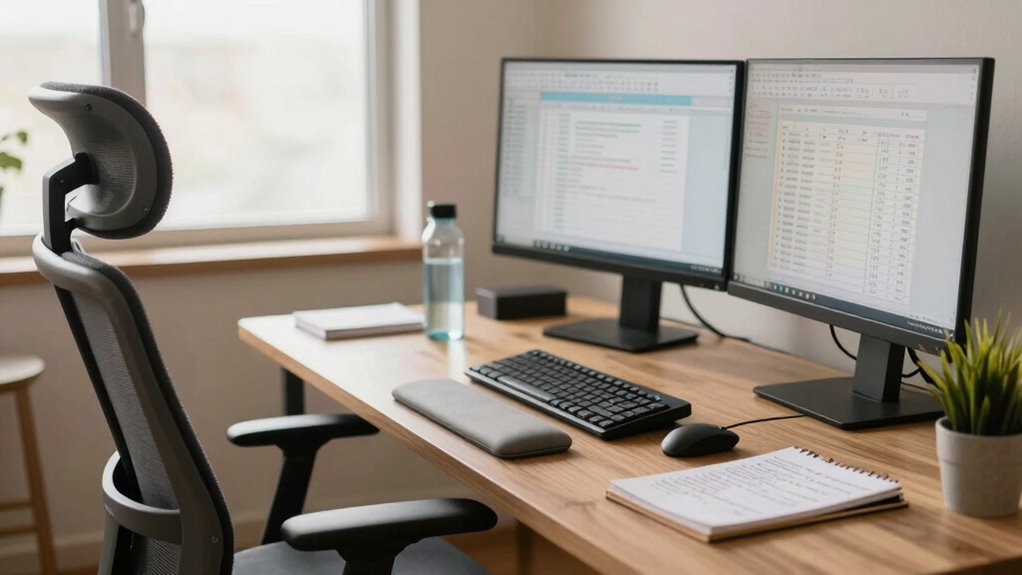
Long work sessions can take a toll on your body and mind, but simply telling yourself to “sit straight” isn’t enough to prevent discomfort or fatigue. Sitting upright without proper support or movement can lead to aches, strain, and decreased productivity. To truly improve your setup, you need more than just good posture intentions—you need ergonomic accessories that support your body’s natural alignment and reduce strain. Invest in an adjustable chair with lumbar support, a sit-stand desk, or ergonomic keyboard and mouse. These tools help maintain proper posture throughout your workday, preventing slouching and reducing pressure on your neck, back, and wrists. Keep your monitor at eye level to avoid craning your neck, and use supportive accessories like footrests or wrist rests to promote comfort and proper positioning.
Prioritize ergonomic accessories like lumbar support, sit-stand desks, and proper monitor placement to prevent strain and boost comfort.
But ergonomic accessories alone won’t suffice. You also need to incorporate scheduled breaks into your routine. Sitting for hours without interruption causes muscle stiffness, poor circulation, and mental fatigue. Set a timer or use productivity apps that remind you to stand, stretch, or walk around every 30 to 60 minutes. During these breaks, step away from your workspace, stretch your legs, roll your shoulders, or do simple neck exercises. Moving regularly helps improve blood flow, relieves tension, and sharpens focus. Additionally, proper workspace setup** plays a crucial role in maintaining ergonomic health, ensuring your environment supports good posture naturally. Incorporating ergonomic principles into your workspace design can make a significant difference in comfort and efficiency. Being mindful of your body positioning helps prevent strain and encourages healthier habits during long work sessions. Incorporating active movement strategies such as quick stretching routines or brief walks can significantly boost circulation and reduce fatigue. Recognizing the importance of ergonomic awareness** can help you develop better habits that sustain comfort over time.
Creating a healthy work environment involves more than just the right accessories and breaks. Pay attention to your workspace setup: ensure your chair, desk, and screen are positioned to encourage good posture naturally. Keep frequently used items within easy reach to avoid unnecessary twisting or reaching, which can strain your muscles. Additionally, stay hydrated and practice deep breathing during your breaks to boost circulation and reduce stress.
In essence, long work sessions require a holistic setup that prioritizes ergonomic support and regular movement. Relying solely on the mantra of sitting straight isn’t enough; you need to actively support your body with ergonomic accessories and commit to scheduled breaks. This dual approach not only minimizes physical discomfort but also enhances your focus and productivity. Over time, these habits become second nature, transforming your work routine from one of discomfort to one of comfort and efficiency.
Products Worth Considering

Withings BPM Connect Wi-Fi and Bluetooth Blood Pressure Monitor

Therabody SmartGoggles 2nd Gen Heated Eye and Temple Massager

Bowflex SelectTech 840 Adjustable Kettlebell
As an affiliate, we earn on qualifying purchases.
Frequently Asked Questions
How Can I Prevent Back Pain During Long Work Sessions?
To prevent back pain during long work sessions, focus on posture correction by maintaining a neutral spine and avoiding slouching. Use desk accessories like ergonomic chairs, lumbar supports, and adjustable desks to support proper alignment. Take regular breaks to stretch and move around, which reduces strain. Incorporating these strategies helps you stay comfortable and reduces back pain, even during extended periods of sitting.
What Are Ergonomic Desk Setup Tips for Extended Work Hours?
Did you know poor ergonomics can increase discomfort by 60% during long work hours? To improve your desk setup, focus on desk chair ergonomics by adjusting height so your feet rest flat and knees are at 90 degrees. Keep your keyboard positioning close to your body, at elbow height, to prevent strain. Regularly shift positions and take breaks to maintain comfort and reduce fatigue during extended work sessions.
How Often Should I Take Breaks During Long Work Periods?
You should take a break every 60 to 90 minutes during long work periods. Use this time for stretching routines to loosen up your muscles and improve circulation. Don’t forget to hydrate regularly—drink water often to stay alert and prevent fatigue. Short breaks help refresh your mind and body, reducing strain and boosting productivity. Incorporate these habits into your routine for a healthier, more comfortable work experience.
Are There Recommended Exercises to Reduce Workstation Fatigue?
To reduce workstation fatigue, you should do ergonomic chair adjustments regularly and incorporate wrist stretching routines. Adjust your chair height so your feet rest flat on the ground and your knees are at a 90-degree angle. Use wrist stretches, like gentle flexion and extension, to relieve tension. Take short breaks to change positions and stretch, which helps prevent strain and keeps you comfortable during long work sessions.
What Lighting Conditions Improve Focus During Lengthy Work Sessions?
Lighting for focus is like a lighthouse guiding ships—clear and steady. You should aim for balanced ambient illumination that reduces eye strain without causing glare. Add adjustable task lighting to highlight your workspace precisely where needed, preventing shadows and distractions. Proper lighting helps maintain alertness during long sessions, so tweak your environment to create a bright yet comfortable setting that keeps you energized and focused.
Conclusion
Remember, your routine and relaxation are just as vital as your posture. By blending balance with boundaries, you build a better workspace and a healthier work habit. Don’t just sit straight—set smart standards, stay spirited, and sustain your stamina. Small shifts in setup and self-care can greatly strengthen your stamina and satisfaction. So, steer your space, stay savvy, and sculpt a sustainable, satisfying schedule that keeps your spirit and productivity soaring.