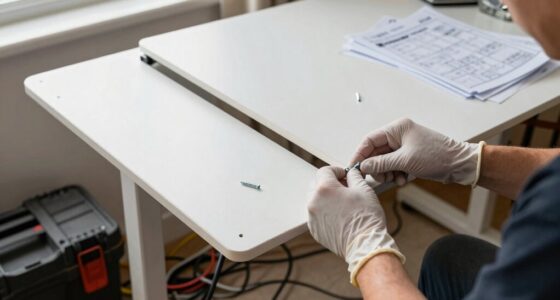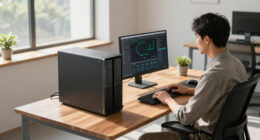
To set up your standing desk correctly, adjust its height so your elbows are bent at about 90 degrees and keep your wrists straight while typing. Position your monitor so the top is at or slightly below eye level to reduce neck strain. Use ergonomic accessories like anti-fatigue mats and footrests to stay comfortable during long periods. Make small adjustments and stay mindful of your posture; exploring more tips will help you maintain a healthy, ergonomic workspace.
Key Takeaways
- Adjust the desk height so your elbows are bent at about 90 degrees, with wrists straight while typing.
- Position the monitor so the top is at or slightly below eye level for optimal neck alignment.
- Use ergonomic accessories like footrests and anti-fatigue mats to enhance comfort during extended standing.
- Keep your shoulders relaxed and avoid reaching forward or hunching to maintain good posture.
- Periodically reassess and fine-tune your setup to ensure ongoing comfort and ergonomic alignment.
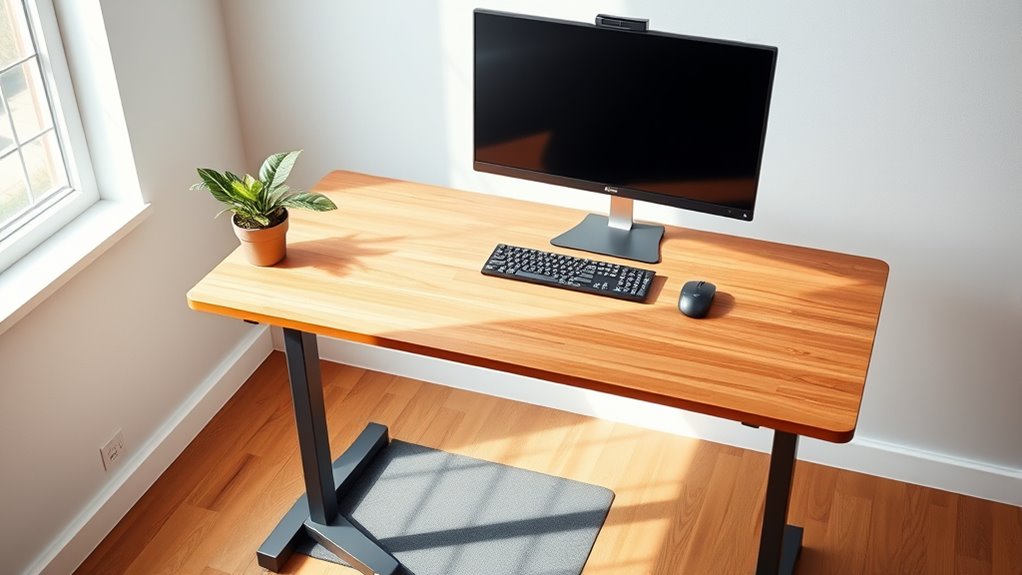
If you’re considering a standing desk, the first step is to select the right height to guarantee comfort and proper ergonomics. Achieving the correct desk height is essential because it helps prevent strain and promotes better posture throughout your workday. To do this effectively, you should use ergonomic accessories like adjustable monitor arms and footrests, which allow you to fine-tune your setup easily. When adjusting your desk height, aim for your elbows to be bent at roughly 90 degrees and your wrists to stay straight while typing. Your monitor should be positioned so that the top of the screen is at or slightly below eye level, reducing neck strain. These details will help you create a workspace that supports your body’s natural alignment.
Most standing desks come with built-in desk height adjustments, making it simple to find your perfect position. If yours doesn’t have this feature, consider adding risers or a height-adjustable keyboard tray. This flexibility allows you to switch between sitting and standing as needed, which is vital for reducing fatigue. When setting the desk height, stand upright with your shoulders relaxed, and position your hands on the keyboard and mouse comfortably at your sides. The goal is to eliminate reaching or hunching forward, which can lead to discomfort over time. Take your time to make small adjustments and test your comfort level before settling into your ideal height.
Incorporate ergonomic accessories like anti-fatigue mats to cushion your feet, especially if you plan to stand for extended periods. These mats help distribute your weight evenly and reduce pressure on your legs and lower back. You might also consider adjustable monitor stands or arm mounts, which make it easier to align your screen correctly regardless of your desk height. Remember that proper desk setup isn’t a one-time task; it’s an ongoing process. Regularly reassess your workspace to guarantee it remains ergonomic as your needs change or as you become more accustomed to standing while working. Additionally, understanding ergonomic principles can greatly enhance your comfort and prevent injury over time.

ErGear 48 X 24 Inch Height Adjustable Electric Standing Desk, Black
- Electric Height Adjustable Standing Desk for Comfortable Work…
- Powerful Motor with Memory Presets – Equipped with…
- Exceptional Stability Steel Frame – Built with a…
As an affiliate, we earn on qualifying purchases.
As an affiliate, we earn on qualifying purchases.
Frequently Asked Questions
How Do I Prevent My Feet From Getting Sore?
To prevent sore feet, you should prioritize good footwear choices with supportive, cushioned shoes that absorb impact. Consider using a footrest to shift your weight and reduce pressure on your feet. Also, take regular breaks to stretch and change positions. Wearing comfortable, supportive shoes and incorporating footrests can make standing more comfortable, helping you avoid soreness and fatigue during long periods at your standing desk.
What’s the Ideal Height for My Monitor?
They say “measure twice, cut once,” and that’s true for your monitor height. You should position your monitor so the top is at or just below eye level, ensuring your neck stays relaxed. Use ergonomic accessories like monitor risers or adjustable arms for perfect monitor placement. This setup reduces strain, keeps you comfortable, and boosts productivity, making your standing desk experience both healthy and efficient.
How Often Should I Switch Between Sitting and Standing?
You should switch between sitting and standing every 30 to 60 minutes to avoid fatigue. Make sure your desk height adjustment is comfortable, and wear ergonomic footwear to support your feet during standing periods. Regularly alternating helps reduce strain on your back and legs. Listen to your body—if you feel discomfort, adjust your position or take a break. Staying active and mindful of your posture improves overall comfort and productivity.
Are Anti-Fatigue Mats Necessary for Standing Desks?
Anti-fatigue mats aren’t strictly necessary for standing desks, but they can substantially boost your comfort. They work well with ergonomic accessories like desk footrests, helping reduce foot and leg strain during long periods of standing. If you notice discomfort or fatigue, investing in an anti-fatigue mat is a smart move. It encourages better posture, minimizes fatigue, and keeps you comfortable, making your standing desk experience much more sustainable.
How Can I Improve Circulation During Long Standing Periods?
Did you know that prolonged standing can reduce circulation by up to 50%? To improve circulation, wear ergonomic footwear that supports your feet and reduces fatigue. Incorporate simple circulation exercises like calf raises or ankle rotations every 30 minutes. Also, shift your weight from one foot to the other regularly, and take short breaks to sit and stretch. These habits keep blood flowing and help prevent discomfort during long standing periods.

ErGear Single Monitor Arm, Fully Adjustable Monitor Mount for 13–34 Inch Screens, Fast Install Computer Monitor Stand with Tool-Free VESA Mount, Cable Management, Holds 19.8 lbs, Max VESA 100x100mm
- Compatibility: Fits 13–34 inch monitors up to 19.8 lbs
- VESA Compatibility: Supports 75x75mm and 100x100mm patterns
- Durable Construction: Tested over 20,000 cycles for longevity
As an affiliate, we earn on qualifying purchases.
As an affiliate, we earn on qualifying purchases.
Conclusion
Now that you know how to set up your standing desk properly, you’re ready to enjoy a healthier, more productive workspace. Remember, “A stitch in time saves nine,” so take the time to get your setup right from the start. Small adjustments can make a big difference in your comfort and posture. Stay mindful, listen to your body, and you’ll turn your workspace into a place where you can thrive—one well-placed desk at a time.

FEATOL Anti Fatigue Mat for Standing, 9/10 Extra Thick Ergonomic Standing Desk Mat, Comfort Memory Foam Standing Mat at Home,Office All Day (20" x 32", Black, 1PC)
- Anti Fatigue Design: Reduces stress on feet, knees, and back
- Ergonomic Thickness: 9/10 inch high-density memory foam for comfort
- Durable & Easy to Clean: PU leather surface resists stains, tears, and deformation
As an affiliate, we earn on qualifying purchases.
As an affiliate, we earn on qualifying purchases.

VIVO Large Height Adjustable Under Desk Keyboard Tray, C-clamp Mount System, 27(33 Including Clamps) x 11 inch Slide-Out Platform for Typing, Black, MOUNT-KB05HB
- Large Under Desk Space: 27 x 11 inches for keyboard and accessories
- Adjustable Height: 2.4-inch range with 5 set points
- Clamps for Secure Mounting: C-clamp system fits desks up to 3.4 inches thick
As an affiliate, we earn on qualifying purchases.
As an affiliate, we earn on qualifying purchases.