Poor assembly of your standing desk can lead to more pain and discomfort than any bad marketing claim. Small mistakes, like overlooking ergonomic adjustments or using the wrong tools, can cause strain, back pain, and instability. Rushing through assembly or skipping connection checks increases the risk of future issues. Paying attention to proper setup, tools, and verification can prevent these problems. Keep going to discover essential tips that help you assemble your desk safely and comfortably.
Key Takeaways
- Improper assembly can lead to ergonomic misalignments, causing discomfort and long-term pain.
- Overlooking cable management increases hazards and restricts movement, contributing to strain.
- Rushing assembly steps increases the risk of misaligned parts, resulting in unstable, uncomfortable desks.
- Using incorrect tools or skipping verification causes loose connections and wobbling, leading to ergonomic issues.
- Neglecting ergonomic adjustments during assembly can result in persistent discomfort and musculoskeletal problems.
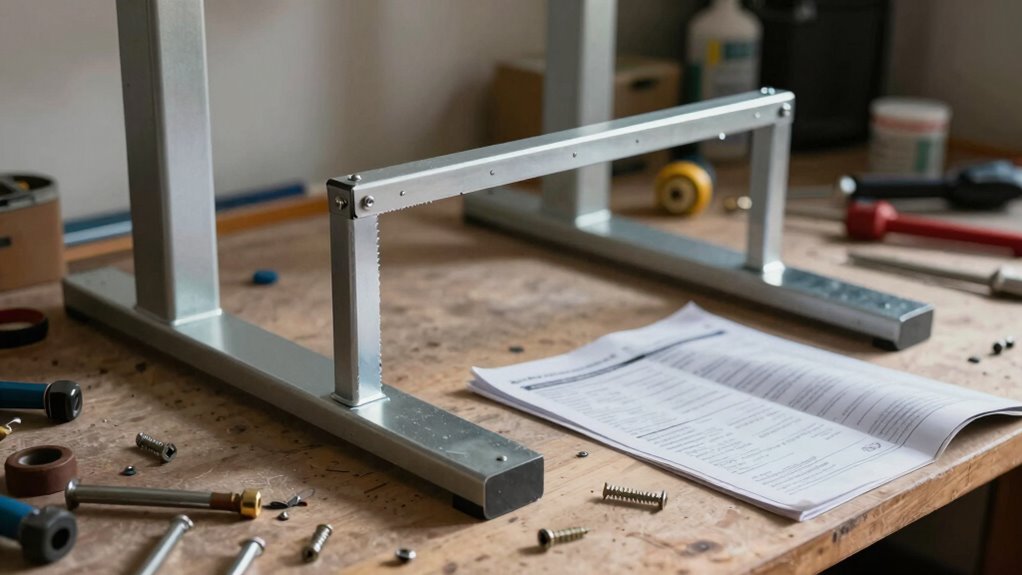
Assembling a standing desk might seem straightforward, but even small mistakes can lead to frustration or improper setup. You might think that following the instructions carefully is enough, but overlooking details like ergonomic adjustments can cause issues down the line. You might also forget that cable failures or improper cable management can create hazards or interfere with the desk’s movement. Making sure you get these right from the start is essential for comfort and health. When you’re setting up your desk, pay close attention to how the height is adjusted—making sure it’s at the right level for your elbows and wrists. If you ignore ergonomic adjustments during assembly, you risk ending up with a workspace that causes strain or discomfort, defeating the purpose of a sit-stand desk.
Proper ergonomic setup during assembly prevents discomfort and ensures your standing desk supports your health.
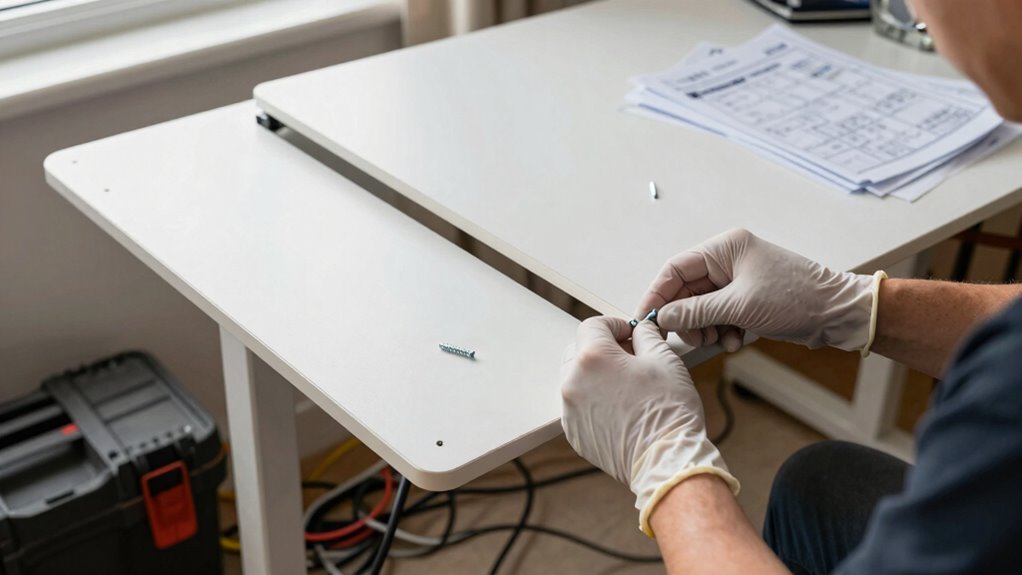
Using the proper assembly tools is another critical step that many overlook or underestimate. You might think you can make do with whatever’s in your toolbox, but specialized tools can make the job easier and safer. For example, a hex key or Allen wrench often comes with the desk, and if you don’t use it, you might strip screws or tighten components unevenly. This can make your desk unstable or difficult to adjust later. Rushing through assembly without the right tools can lead to uneven surfaces, misaligned parts, or loose connections, all of which compromise the desk’s stability and your safety.
Many people underestimate how essential it is to double-check each connection as they assemble. Small errors like tightening screws unevenly or missing a step can cause the entire frame to wobble or shift. These issues may seem minor initially, but over time, they can lead to discomfort, back pain, or even injury. Proper ergonomic adjustments, like setting the correct height and ensuring the desk’s surface is level, are fundamental for preventing strain. If you neglect these during assembly, you might find yourself constantly readjusting or suffering discomfort after just a few hours of work.
Another common mistake is rushing through the process without pausing to verify each step. This can cause misalignments that are hard to fix later. Take your time, follow instructions carefully, and ensure each bolt and screw is securely tightened. Remember, your aim is to create a stable, ergonomic workspace that supports your health. Proper assembly tools and ergonomic adjustments aren’t just formalities—they’re the foundation of a functional, pain-free standing desk. Ignoring these details can turn your investment into a source of discomfort, proving that bad assembly can cause more pain than any misleading marketing ever will.

HUANUO 32'' Small Standing Desk with Wheels,28.7"-46.1" Heigh Adjustable Portable Rolling Desks,Mobile Stand Up Desk for Walking Pad and Treadmill,Sit to Stand Computer Workstation for Bedroom,Walnut
Adjustable Height Rolling Desk: Adjustable height 28"-46", easily find your perfect ergonomic position for both sitting and standing….
As an affiliate, we earn on qualifying purchases.
As an affiliate, we earn on qualifying purchases.
Frequently Asked Questions
How Long Does It Typically Take to Assemble a Standing Desk?
It typically takes about 30 to 60 minutes to assemble a standing desk, depending on your experience and the desk’s complexity. During assembly, you can customize your workspace to maximize ergonomic benefits, like adjusting height and monitor placement. Taking your time guarantees proper setup, reducing discomfort and preventing assembly errors that could cause pain. Remember, a well-assembled desk supports better posture and productivity, making the effort worthwhile.
Are There Tools Required for Assembly That I Might Not Have?
You might think assembly tools just magically appear when you need them, but surprise—some tools are essential! Check if you have an Allen wrench, screwdriver, or other specific tools listed in the instructions. Tool availability varies, so gather everything beforehand to avoid mid-assembly panic. Skipping this step could turn a simple setup into a quest for missing bits. Better to be prepared and avoid unnecessary pain, right?
Can I Assemble a Standing Desk Alone or Do I Need Help?
You can assemble a standing desk alone, but be cautious of assembly mistakes that could affect your ergonomic setup. Take your time, follow instructions carefully, and double-check each step to avoid misalignments. If the desk is heavy or complex, having someone help guarantees safety and accuracy. Proper assembly is key to a comfortable, pain-free ergonomic setup, so don’t rush—your body will thank you later.
What Safety Precautions Should I Follow During Assembly?
Think of assembly as steering a tightrope—you need balance and safety. Wear proper safety gear like gloves and eye protection to prevent injuries. Before starting, follow the instructions carefully, making ergonomic adjustments at each step to avoid strain. Keep your workspace clear of clutter, and use tools properly. Take your time, and don’t rush; safety is the net that keeps you secure as you assemble your standing desk.
How Do I Troubleshoot if the Desk Wobbles After Assembly?
If your desk wobbles after assembly, start by checking for stability issues. Tighten all screws and bolts, especially around the legs and joints. Use adjustment techniques like leveling the feet or adjusting the height settings to improve balance. Confirm the desk is on a flat surface and redistribute weight evenly. If wobbling persists, revisit the assembly instructions or contact customer support for further guidance.
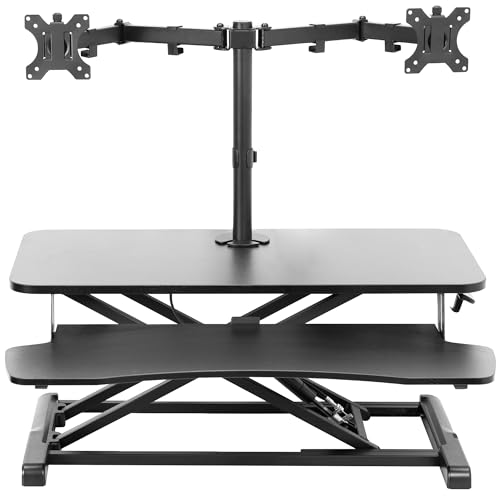
VIVO Height Adjustable 32 inch Standing Desk Converter with Dual 13 to 30 inch Monitor Stand, Sit Stand Monitor Mount and Desk Riser, Black, DESK-V000K-M2
32" Desk Riser with Dual Monitor Mount: Elevate your productivity and comfortable viewing angles with this desktop riser…
As an affiliate, we earn on qualifying purchases.
As an affiliate, we earn on qualifying purchases.
Conclusion
So, next time you assemble your standing desk, will you double-check those instructions? Avoiding simple errors can save you from unnecessary pain and frustration. Remember, a poorly assembled desk isn’t just an inconvenience—it can affect your health. Don’t let a mistake turn your ergonomic upgrade into a pain point. Are you ready to assemble it correctly and enjoy the full benefits of standing? Your body will thank you for paying attention to those details.

Ultimate Setup Under Desk Cable Management Vertebrae – Perfect for Sit Stand Desk – Wire Management – Adjustable Length – Flexible Cable Spine – Black, 133 cm
Maximum flexibility: the cable management under desk vertebrae can be shortened and moved silently as desired
As an affiliate, we earn on qualifying purchases.
As an affiliate, we earn on qualifying purchases.

Onucha Standing Desk Anti Wobble Stabilizer Clamp 2 Pack, Helps Reduce Standing Desk Wobble, No-Drill Desktop Clamp with Rubber Roller for 1 Inch Desk Tops (Fits 0.5"–1.2")
Reduce Desk Wobble: Helps stabilize your standing desk against a smooth wall for a steadier work surface while…
As an affiliate, we earn on qualifying purchases.
As an affiliate, we earn on qualifying purchases.