

Choosing the right desk depth and width is essential for an ergonomic setup that keeps you comfortable and productive. A properly sized desk allows your keyboard and monitor to be positioned at the right height and distance, reducing strain on your neck, shoulders, and eyes. If your desk is too small or too large, you’ll likely experience discomfort or awkward postures. Understanding how size impacts your workspace helps create a healthier, more efficient work environment—continue exploring to learn more.

Get comfort and recovery gear delivered free with Prime
- Fast, free delivery on millions of items
- Prime Video, Amazon Music and more included
- Member-only deals all year
Key Takeaways
- Proper desk width ensures comfortable keyboard placement, allowing elbows to stay close to the sides at ~90° angles.
- Adequate desk depth provides space to position monitors at eye level, reducing neck and eye strain.
- Sufficient surface area helps organize essentials, minimizing clutter and unnecessary reaching that causes fatigue.
- An appropriately sized desk supports ergonomic posture, preventing awkward stretches and promoting overall comfort.
- Balancing desk size with workspace organization enhances productivity and reduces physical strain during work.
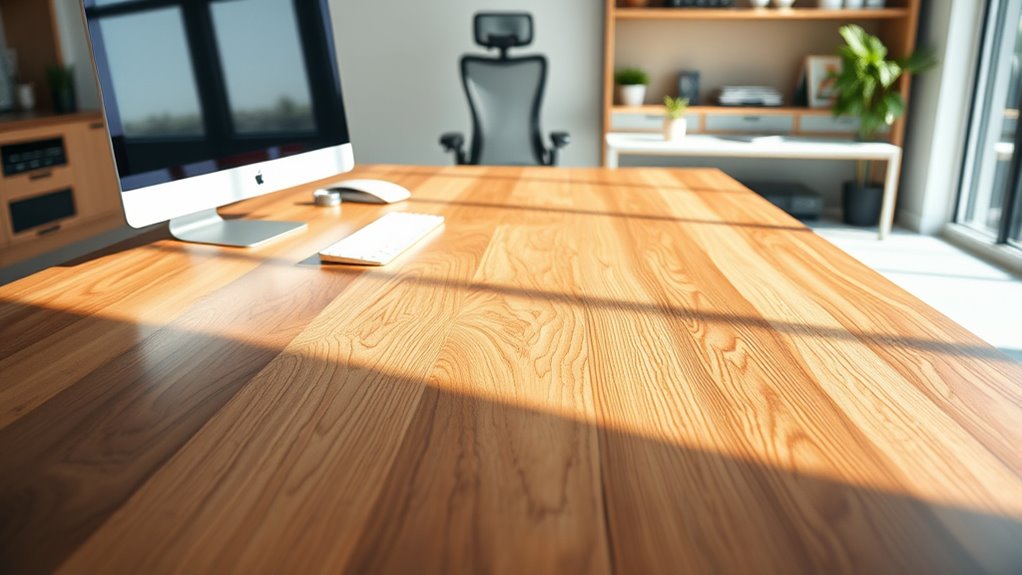
Have you ever wondered how the size of your desk impacts your comfort and productivity? The answer lies in understanding how desk depth and width influence your ergonomic setup. When your desk is appropriately sized, it allows you to position your keyboard, monitor, and other essentials in ways that reduce strain and boost efficiency. Conversely, a poorly sized desk can lead to awkward postures, discomfort, and even long-term health issues.
Start with keyboard placement. The right desk size ensures your keyboard is at a comfortable height and distance. Ideally, your keyboard should be positioned so that your elbows stay close to your sides and form roughly a 90-degree angle. If your desk is too narrow, you might find yourself reaching forward or sideways to access your keyboard, which strains your shoulders and wrists. On the other hand, a desk that’s too deep might cause you to lean forward to see your monitor clearly, leading to neck and eye strain. Proper keyboard placement depends heavily on having enough width to keep your keyboard within easy reach, while still allowing space for your mouse and other accessories.
Proper keyboard placement requires enough desk width for comfort and easy access.
Monitor height is another critical factor influenced by desk size. Your monitor should be at eye level to prevent neck strain, which means your desk needs to be deep enough to allow you to position your monitor correctly without compromising your workspace. If your desk is too shallow, you may have to place your monitor too close to your eyes or elevate it on a stand, which can cause glare or awkward viewing angles. Conversely, if your desk is too large, it may encourage you to place your monitor too far back, forcing you to lean forward. A well-sized desk provides enough surface area to position your monitor directly in front of you at the right height, maintaining neutral neck posture while still accommodating other work tools.
In addition to comfort, the size of your desk affects your overall workflow. Adequate width gives you space to organize documents, gadgets, and personal items without cluttering your workspace. A cramped desk can lead to frequent shifts in posture, increasing fatigue and decreasing productivity. On the flip side, an overly large desk might encourage disorganization or make you stretch unnecessarily to reach items. Striking the right balance ensures your workspace is functional, comfortable, and ergonomically sound. Additionally, incorporating vertical storage solutions can maximize space and keep your desktop clear, further enhancing your ergonomic setup.
As an affiliate, we earn on qualifying purchases.
Frequently Asked Questions
How Can I Measure My Ideal Desk Size Accurately?
To gauge your ideal desk size accurately, use measuring techniques with ergonomic tools like a tape measure or a ruler. Sit comfortably at your current workspace, noting your arm’s natural bend and reach. Measure from your elbow to your fingertips for width, and from your seated position to your preferred arm extension for depth. Adjust your desk size based on these measurements to ensure comfort and proper ergonomics.
What Materials Are Best for Ergonomic Desk Surfaces?
You might think all desk surface materials are the same, but choosing the right ergonomic surface options truly improves comfort and health. Opt for materials like bamboo, laminate, or tempered glass—they’re durable, smooth, and easy to clean. These ergonomic surface options reduce strain, prevent splinters, and promote better posture. Avoid cheap plastics or rough surfaces that can cause discomfort or injury. Prioritize quality materials to make your workspace healthier and more enjoyable.
How Does Desk Size Affect Long-Term Posture?
Your desk size directly impacts your ergonomic footprint and posture alignment. A larger desk gives you ample space to position your monitor, keyboard, and mouse correctly, reducing strain. Conversely, a small desk can force you into awkward postures, leading to long-term discomfort. Ensuring your workspace accommodates proper placement helps you maintain good posture, prevent musculoskeletal issues, and support your overall ergonomic health over time.
Are Adjustable Desks Better Than Fixed Size Ones?
Adjustable desks are better than fixed-size ones because they let you customize your workspace for ideal ergonomic chair use and keyboard placement. With an adjustable desk, you can set the height to maintain proper posture, reducing strain on your neck and back. This flexibility helps you find the most comfortable position, supporting long-term health and productivity, unlike fixed desks that may force you into uncomfortable postures.
What Are Common Mistakes When Choosing Desk Dimensions?
You might overlook ergonomic principles, aesthetic considerations, and your personal workspace needs when choosing desk dimensions. Common mistakes include selecting a desk that’s too small, which causes discomfort and clutter, or too large, which overwhelms your space. Ignoring adjustable features, neglecting proper height, and prioritizing aesthetics over functionality can lead to strain. Always prioritize ergonomic principles, balance aesthetics with practicality, and measure carefully to find a desk that supports your comfort and productivity.
As an affiliate, we earn on qualifying purchases.
Conclusion
Just like Goldilocks found the perfect fit, your desk should feel just right—neither too deep nor too narrow. When your workspace matches your needs, you’ll work comfortably, avoiding the pitfalls of strain or clutter. Remember, the right size isn’t just about space; it’s about creating a sanctuary where your productivity can flourish. So, choose your desk wisely, and let it be the sturdy foundation for your daily adventures—just like a trusted friend in the story of your workday.
ergonomic keyboard and mouse set
As an affiliate, we earn on qualifying purchases.
As an affiliate, we earn on qualifying purchases.
As an affiliate, we earn on qualifying purchases.
Fall Picks
fall essentials
As an affiliate, we earn on qualifying purchases.