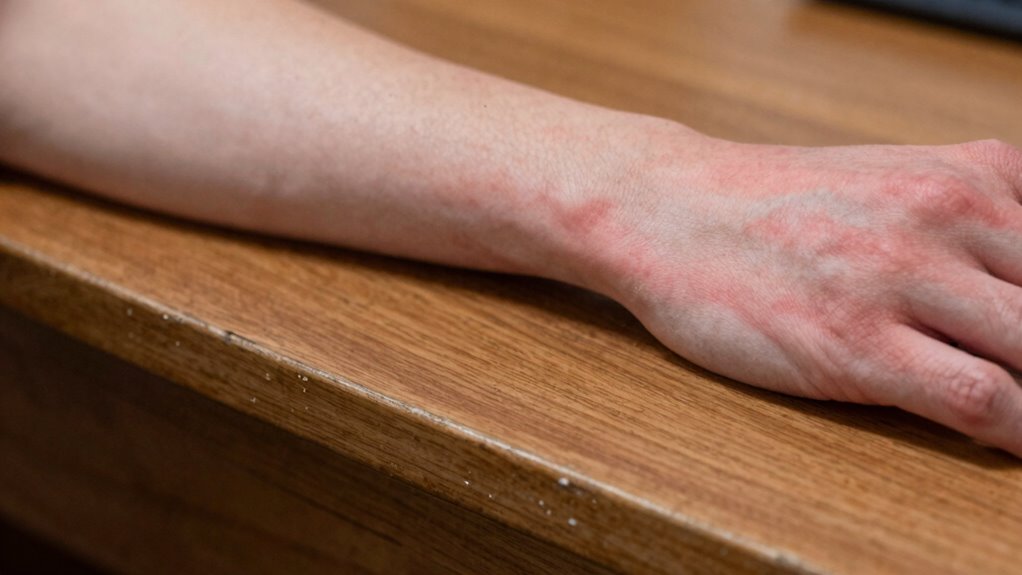

If you rest your forearms on a sharp or thick desk edge all day, it can cause pain from constant pressure and strain. Poor ergonomic setup, such as leaning or improper height adjustments, makes this worse. To prevent this, check if your desk edges are soft or padded, and adjust your workspace so your forearms stay supported without pressure. Want to find out how to improve your setup and stop the pain? Keep going to learn more tips.

Get comfort and recovery gear delivered free with Prime
- Fast, free delivery on millions of items
- Prime Video, Amazon Music and more included
- Member-only deals all year
Key Takeaways
- Sharp or thick desk edges can exert pressure on forearms, leading to discomfort and pain over time.
- Poor ergonomic setup, such as improper desk or chair height, increases pressure on forearms resting on the edge.
- Resting forearms on the desk edge for extended periods causes strain and muscle fatigue.
- Using padding or cushioned armrests can reduce pressure and prevent forearm pain.
- Regular workspace adjustments and breaks help minimize pressure and promote better forearm health.

If you spend long hours at your desk, you might notice aching or numbness in your forearms, and often, the culprit is the edge of your desk pressing against your arms. This uncomfortable sensation isn’t just annoying—it can lead to more serious issues like repetitive strain injuries if left unaddressed. The problem often stems from poor ergonomic adjustments, which can cause your workspace to put undue pressure on your forearms and wrists. By making simple changes, you can reduce the strain and improve your comfort throughout the day.
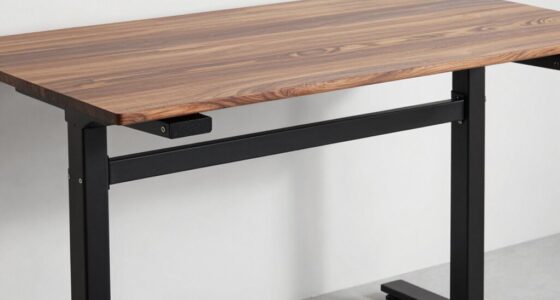
The first step is to evaluate your desk’s edge and your overall setup. If the edge is sharp or too thick, it can dig into your forearms, especially if you lean on it for support. Using a soft pad or a cushioned armrest can help distribute pressure more evenly, preventing the edge from digging into your skin and muscles. Additionally, adjusting the height of your chair and desk can make a big difference. Your forearms should be parallel to the floor when typing or using a mouse, with your elbows close to your sides. When your workspace is properly aligned, you’re less likely to lean on the desk edge or put unnecessary weight on your forearms.
Use padding and proper height adjustments to prevent desk edge pressure and improve ergonomic comfort.
It’s also important to remember that repetitive strain isn’t just about how you sit but how often you switch positions. Sitting in one posture for extended periods increases tension in your muscles and tendons. Incorporating ergonomic tools like an ergonomic keyboard or mouse can also reduce strain on your forearms. These tools help keep your wrists in a neutral position, decreasing the pressure on the muscles that run along your forearms and reducing the risk of developing pain. Additionally, understanding the importance of proper ergonomic adjustments can help you prevent issues related to improper desk setup. Regular breaks and stretching are equally crucial to preventing muscle fatigue and maintaining comfort throughout your workday. Moreover, paying attention to ergonomics principles can help you identify and correct subtle misalignments that might cause discomfort over time.
Pay attention to your body’s signals. If you notice numbness or tingling, it’s a sign that your current setup isn’t supporting your body properly. Small changes to your workspace—like repositioning your monitor, adjusting your chair height, or adding padding—can make a significant difference. Incorporating landscaping principles into your workspace arrangement, such as arranging your equipment to promote natural support, can also contribute to better ergonomics. Remember, the key to preventing forearm pain is to create an environment that promotes good posture and minimizes repetitive strain. By taking these ergonomic steps, you can work comfortably for longer periods and avoid the discomfort caused by your desk’s edge pressing against your arms.
Products Worth Considering

Bowflex SelectTech 840 Adjustable Kettlebell

BowFlex Results Series 552 SelectTech Adjustable Dumbbell

BowFlex SelectTech 552 Adjustable Dumbbells (Pair)
As an affiliate, we earn on qualifying purchases.
Frequently Asked Questions
Can Adjusting My Chair Height Prevent Forearm Pain?
Adjusting your chair height can definitely help prevent forearm pain. When you set your chair at the right height, your elbows stay close to a 90-degree angle, reducing strain. Using ergonomic accessories like wrist rests can also support proper positioning. Make sure your desk height complements your chair adjustment, so your forearms rest comfortably without needing to elevate or lower your shoulders. Proper setup minimizes discomfort and promotes better ergonomics.
Are There Specific Desk Edge Materials That Reduce Discomfort?
Think of your workspace as a hero’s shield—selecting the right desk edge materials can make all the difference. Opt for soft, rounded, or cushioned edges, which are common in ergonomic desk designs, to minimize forearm discomfort. Materials like rubber, foam, or padded vinyl absorb pressure and reduce friction, helping you stay comfortable throughout your workday. Choosing wisely can turn your desk from a villain into a trusty sidekick.
How Long Does It Typically Take for Desk Edge-Related Pain to Develop?
It can take anywhere from a few days to several weeks for desk edge-related pain to develop, depending on your workplace ergonomics and how long you rest on the edge daily. If you don’t use ergonomic accessories to cushion or adjust your workspace, the discomfort may appear sooner. To prevent this, regularly evaluate your setup and incorporate ergonomic solutions, reducing strain on your forearms and promoting better workplace ergonomics.
Is Forearm Pain From Desk Edges Reversible With Proper Ergonomics?
Yes, forearm pain from desk edges is often reversible if you improve your ergonomics. By adjusting your workspace, using ergonomic accessories like cushioned wrist rests, and avoiding prolonged pressure on the forearm, you can reduce wrist strain and allow healing. Consistent proper posture and taking regular breaks help restore comfort. With patience and proper ergonomic setup, your forearm pain should markedly improve or disappear over time.
Should I See a Doctor if Pain Persists Despite Ergonomic Adjustments?
Coincidences happen, and if your forearm pain persists despite ergonomic tweaks, you should see a doctor. Poor workstation posture and repetitive strain can cause ongoing discomfort that might signal underlying issues. Ignoring persistent pain risks worsening conditions. A healthcare professional can evaluate your symptoms, recommend treatment, and help prevent future problems. Don’t delay—your health is worth professional advice to address the root cause effectively.
Conclusion
If you’ve been experiencing forearm pain, it might be time to check your desk edge. Studies show that over 60% of office workers suffer discomfort from poor workstation setups, often unknowingly. Adjusting your desk edge or using a cushion can make a big difference. Don’t ignore the pain—it’s your body’s way of telling you something’s off. Small changes can lead to big relief, so take a moment to optimize your workspace today!