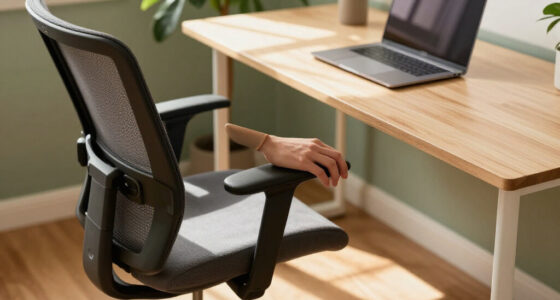

TL;DR
Lumbar support is the part of an office chair that meets the lower back’s inward curve. A good fit feels comfortably supportive without creating a hard pressure point, and it works alongside the seat, desk, screen, and your ability to change position. Adjust the chair to your body, move throughout the day, and seek professional advice for persistent or worsening pain.
By mid-afternoon, a chair can feel like it has developed a sharp opinion about your back. Maybe the support presses into your ribs, or maybe your lower back floats away from the backrest every time you lean back. The label says “ergonomic,” but the fit still feels wrong.

Get comfort and recovery gear delivered free with Prime
- Fast, free delivery on millions of items
- Prime Video, Amazon Music and more included
- Member-only deals all year
Lumbar support is the part of a chair that meets the lower back’s natural inward curve. When it fits, it may help you feel supported while you work; it does not guarantee that you’ll avoid or cure back pain. Your body, the chair’s dimensions, and the rest of your workstation all shape the experience.
This guide shows you how to find a comfortable position, which chair adjustments matter, and what to check before you buy. You’ll also see why movement and a well-set desk deserve a place in the conversation. The useful goal is simple: a chair that supports you without making you hold still or brace against a hard spot.
Set the lumbar support to meet your lower-back curve without a sharp pressure point.
Adjust seat height, seat depth, backrest, and arms along with the lumbar mechanism.
Choose adjustable support when its range helps your fit; judge fixed support by how it feels in person.
Use a cushion only if it stays put and does not push you too far forward.
Pair a comfortable chair with an accessible desk setup and regular changes of position.
What lumbar support does for your lower back
Lumbar support is the area of an office chair backrest that supports the lower back’s inward curve. A comfortable fit may help you feel supported and make slouching less tempting, but it cannot promise to prevent or cure back pain. Think of it as a contact point, not a treatment.
That distinction matters when you compare a chair’s claims with how it feels after an hour of real work. You might sit at a kitchen table for a video call, then move to your desk to write; the support you notice can change with the task, your posture, and how the chair fits your torso. The goal is a natural, comfortable position, not a rigid pose imposed by the backrest.
People sometimes assume that more pressure means better support. In practice, a firm ridge pressing into one spot can distract you all day, while gentler contact may feel more comfortable. If you keep shifting to escape a sharp edge, the feature is probably poorly placed or too forceful for you.
Comfortable support is the target. Maximum pressure is not a measure of a better fit.
Back discomfort has many possible causes, and chair design is only one part of your working conditions. If pain persists, worsens, or feels severe, ask a qualified health professional for guidance rather than relying on a chair adjustment alone.
Products Worth Considering

Therabody SmartGoggles 2nd Generation Heated Eye and Temple Massager

Therabody JetBoots Prime Wireless Compression Boots, Short (Under 29-inch Inseam)

Levoit Vital 100S-P Air Purifier with Washable Pre-Filter
As an affiliate, we earn on qualifying purchases.
Set the support where your back actually curves
Ergonomic office chair lumbar support should meet your lower-back curve comfortably, without pushing into your ribs or sitting so low that it misses the curve. The right position varies with your torso and the chair, so use how it feels during ordinary work as your guide.
- Sit back against the chair. Place your feet on the floor or on a footrest, then let your back rest against the backrest.
- Move the support slowly. If the chair adjusts in height, raise or lower it until it meets the lower-back area rather than the ribs or hips.
- Check the pressure. It should feel like broad, comfortable contact, not a hard point pressing into the spine.
- Work in that position. Type or read for a few minutes. If you brace, hunch, or keep wriggling away from the support, adjust again.
For example, if you are tall with a long torso, a fixed support may sit too low even when the chair fits your legs. A shorter coworker might find that same ridge lands exactly where it feels comfortable. That difference is why a chair feature’s name cannot tell you whether it fits your body.
Check the fit again after adjusting seat height or seat depth. Those changes alter where your back meets the chair. Take your time: a small adjustment can change a nagging pressure point into a steady, unobtrusive feeling of support.
Match the chair’s adjustments to your desk and body
Adjustable lumbar support can help you fine-tune a chair’s fit, but the seat, backrest, arms, and desk also need to work together. A backrest cannot fix a setup that leaves your feet unsupported or your hands reaching forward all day.
Start with the seat. Set its height so your feet have support, and check that the front edge does not crowd the backs of your legs. If the chair has seat-depth adjustment, use it to find a position that lets you sit back without feeling wedged in. Then set the backrest angle and armrests so they feel comfortable while you use your keyboard and mouse.
Imagine a shared office where you switch between a tall colleague’s chair setting and your own. A few quick changes to seat height and lumbar height may make the difference between leaning toward your laptop and settling against the backrest. If a chair offers depth or firmness adjustment, treat those settings as options to try, not features you must max out.
Check the rest of the workstation too. Keep the screen at a comfortable viewing height and place the keyboard and mouse within easy reach. If you need to lean forward to read or stretch your arms to type, the chair’s support may stop meeting your back as intended.
Features such as adjustable height, depth, or tension offer more ways to personalize the fit, especially in a shared chair. But adjustment range alone does not tell you whether the chair’s dimensions suit you. Fit still comes down to whether you can use the chair comfortably at your desk.
Compare adjustable support with fixed support before you buy
An adjustable support gives you more ways to change its position or feel; a fixed support offers fewer settings and can work well when its shape already fits you. The useful choice depends on your body, desk, budget, and chance to try the chair.
| What to check | Adjustable support | Fixed support |
|---|---|---|
| Position | May move up or down to match different torso lengths | Stays in one place, so its shape must suit you |
| Pressure or depth | Some designs let you change firmness or how far the support comes forward | Contact and firmness are set by the chair’s design |
| Shared use | Can make it easier for several people to personalize the chair | May need readjustment elsewhere, or may not fit every user |
| Buying check | Try each adjustment and see whether it improves comfort | Sit in it long enough to assess how the fixed shape feels |
Say you are choosing a chair for a home office where two people take turns. Adjustable height may make everyday handoffs easier. But if the support has a small adjustment range that never reaches either person’s comfortable position, the feature list adds little value.
When shopping, check seat dimensions, backrest behavior, build quality, and return or trial terms alongside the lumbar mechanism. A high price or a long list of controls does not guarantee a good fit. If you can, sit in the chair and try the controls at the desk you plan to use.
Some chairs pair lumbar adjustment with reclining designs intended to keep the support in contact as you lean back. That may feel helpful during a call or a reading break, but a marketing label such as “dynamic” does not prove a health benefit. Judge the chair by fit, comfort, and usable adjustment.
Use movement and desk changes to make support work better
Ergonomic office chair lumbar support works as one part of a workstation, and it cannot make uninterrupted sitting ideal. A supportive chair should let you change position naturally rather than locking you into one posture for hours.
For instance, you might sit closer to the backrest while writing, then recline a little during a phone call. Later, you can stand to refill your water or walk down the hall before returning. Those small changes break up a long stretch at the desk and give you more than one way to feel comfortable.
- Reach the tools easily: Keep your keyboard and mouse close enough that you can use them without persistent leaning.
- Set your screen comfortably: Place it where you can read without repeatedly craning forward.
- Change position: Shift your posture or recline if the chair allows it and the position feels comfortable.
- Take movement breaks: Stand, walk, or stretch briefly when it fits your workday.
A chair can feel wrong when the desk sits too high or the screen is too far away, even if the backrest itself is well designed. Look at the whole setup before blaming a single feature. Moving the monitor closer or bringing the mouse within reach may let you sit back more naturally.
There is no one perfect sitting posture for every task and every person. A flexible chair that supports several comfortable positions may suit you better than one that encourages you to hold an upright pose from morning to evening.
Choose a cushion only when it improves the fit
A separate lumbar cushion may help if your chair’s backrest does not meet your lower-back curve, but it needs to stay in place and leave you enough room on the seat. A cushion that pushes you too far forward can create a new comfort problem.
Picture a dining chair borrowed for a full day of remote work. Its back is flat, so a small cushion may provide a more comfortable point of contact. But if that cushion slides down whenever you stand, or forces you to perch near the seat’s edge, it may not be a useful fix.
Before keeping a cushion, test it during your usual work: sit back, type, and lean naturally. Notice whether it feels supportive across the lower-back area or presses into one spot. Check that you can still use the seat comfortably and reach your desk without leaning forward.
If it feels awkward, reposition it or remove it; you do not need to make a cushion work just because you bought it. The same common-sense check applies to built-in support. The best choice is the one that fits your body and workspace comfortably, whether it comes from the chair itself or an add-on.
A support label, special shape, or firm feel does not establish a medical benefit. If you have a health condition or persistent discomfort, a qualified health professional can offer advice that is specific to you.
Frequently Asked Questions
Where should lumbar support sit?
It should meet the lower-back curve without pressing into your ribs or creating a painful pressure point. Adjust it while sitting back in your usual working position; the comfortable spot varies from person to person.
Is adjustable lumbar support worth it?
It can be useful if you need to fine-tune the chair or share it with someone whose body fits differently. Check that the available adjustments actually reach a comfortable position for you.
Can lumbar support prevent or relieve back pain?
It may help some people feel more comfortable while sitting, but it is not a guaranteed way to prevent or treat back pain. Persistent, severe, or worsening pain warrants advice from a qualified health professional.
Is more lumbar support better?
No. A support that presses too hard or sits in the wrong place can feel uncomfortable. Aim for comfortable contact rather than maximum firmness.
Can a lumbar cushion help with a flat-backed chair?
Possibly, if it stays in place and supports your lower back without pushing you too far forward or reducing usable seat depth. Test it while typing and sitting back in your usual position.
Should I sit upright all day?
No single posture suits every person or task. Use a chair that lets you change position comfortably, and break up long stretches of sitting with standing or walking when you can.
Can lumbar support compensate for a poorly set-up desk?
No. Your chair, desk, screen, keyboard, and mouse work together. If you have to lean forward to see the screen or reach your mouse, adjust the workstation as well as the chair.
Conclusion
Choose support by how comfortably it meets your lower-back curve during real work, not by how firm it feels or how many controls the chair advertises. Adjust the chair and desk as a set, and give yourself room to shift, recline, stand, and walk.
Remember the afternoon chair that seemed to have an opinion? A good fit should fade into the background, leaving you free to focus on the work in front of you.