
If your webcam is too low or high, it can cause you to tilt your head, leading to neck strain and fatigue. Poor positioning forces your eyes to constantly adjust, causing eye strain and visual fatigue over time. It also encourages poor posture, which can lead to discomfort during long calls. Ensuring your webcam is at eye level helps maintain a natural, relaxed posture and reduces fatigue. Keep exploring to discover more tips on improving your video call comfort.
Key Takeaways
- Poor webcam height causes awkward head tilting, leading to neck strain and fatigue during long calls.
- Improper placement forces frequent eye adjustments, increasing visual fatigue and eye strain.
- Misaligned webcams contribute to poor posture, resulting in musculoskeletal discomfort over time.
- Glare and reflections from incorrect positioning worsen eye discomfort and visual fatigue.
- Proper webcam height promotes natural posture and reduces physical and visual tiredness during video calls.

If you’ve spent hours on video calls, you’ve probably noticed how uncomfortable or tiring it can become, and surprisingly, your webcam height plays a big role in that. When your webcam isn’t positioned correctly, it can lead to significant ergonomics discomfort and eye strain, making your conversations less productive and more exhausting. The ideal webcam height ensures that you maintain a natural, relaxed posture, but many people overlook this detail, leading to unnecessary fatigue.
When your webcam is too low, you tend to tilt your head downward to stay in frame, causing neck and shoulder strain over time. This position can also force you to crane your neck in awkward ways, contributing to musculoskeletal discomfort. Conversely, if the webcam is too high, you might find yourself tilting your head upward or leaning forward, which isn’t natural and can cause additional strain on your neck and upper back. Maintaining a proper webcam height helps keep your head and neck in a neutral position, reducing the risk of long-term discomfort.
Proper webcam height keeps your head and neck in a neutral position, preventing discomfort during long video calls.
Eye strain is another common issue related to improper webcam placement. When your webcam is positioned too high or too low, you often find yourself squinting or adjusting your gaze constantly. This can lead to fatigue in your eyes, especially if you’re staring at the screen for extended periods. The angle at which you view your screen matters; if it’s not aligned properly with your line of sight, your eyes have to work harder to focus, leading to tiredness and discomfort. Keeping the webcam at eye level helps you look straight into the camera, reducing the need for awkward eye movements and minimizing eye strain.
Additionally, poor webcam positioning can cause glare or reflections that worsen eye discomfort. For example, if the camera is placed below a bright light or window, it can reflect light into your eyes or cause unwanted shadows, making it harder to see comfortably. Adjusting your webcam to a level where your eyes are aligned with the camera lens helps to mitigate these issues, creating a more comfortable viewing experience. Proper camera placement also enhances your overall presence on video calls, making interactions feel more natural and engaging. Proper ergonomic setup can further improve comfort during long meetings, preventing fatigue and maintaining productivity. Ensuring your work environment is optimized can make a significant difference in reducing physical discomfort during extended video sessions.

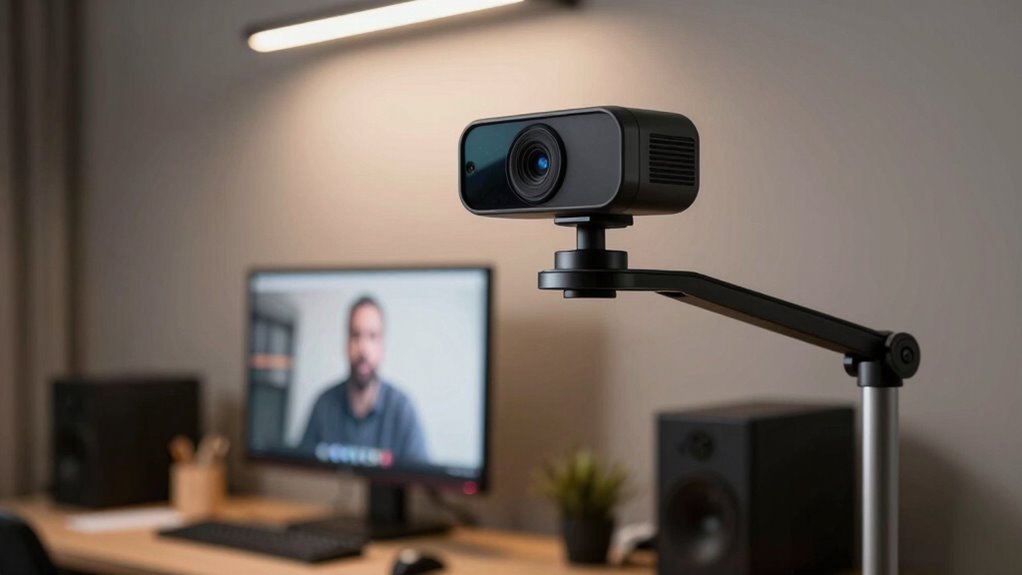
30 Inch Webcam Stand Camera Mount, Upgraded Thick Base Flexible Gooseneck Camera Stand Desk Webcam Mount Clamp for Logitech Webcams C930e C930 C920 C922x C922 Brio 4K C925e C615, Gopro Hero 8 7 6 5 4
- Upgraded Thick Clamping Base: Durable and easy to secure
- Adjustable Height and Flexibility: Up to 30 inches with 360-degree rotation
- Universal Compatibility: Fits all devices with 1/4'' screw hole
As an affiliate, we earn on qualifying purchases.
As an affiliate, we earn on qualifying purchases.
Frequently Asked Questions
How Can I Adjust My Webcam Height Easily at Home?
You can easily adjust your webcam height at home by stacking books or using a DIY stand to align it with your eye level. Make certain to do lighting adjustments so your face is well-lit, reducing eye strain. Also, check background visibility to avoid distractions. These simple tweaks ensure you stay comfortable during calls, reducing fatigue and making your video presence more natural and engaging.
Does Webcam Height Affect Eye Contact During Calls?
Think of your webcam as a window to your soul—its height directly shapes your eye contact and visual engagement. When the camera’s too high or low, it feels like you’re looking down or up, breaking natural eye contact. Proper webcam height guarantees you’re face-to-face with others, fostering genuine connection. Adjust it to keep your eyes level with the lens, making your interactions more authentic and less fatiguing.
Are There Ergonomic Benefits to Changing Webcam Position?
Yes, adjusting your webcam position offers ergonomic benefits by improving your camera angle and visual comfort. When you elevate your webcam to eye level, you reduce neck strain and prevent awkward postures. This also results in a more natural line of sight, making interactions feel more engaging. Prioritizing the right camera angle helps you stay comfortable during long calls and minimizes fatigue caused by poor ergonomics.
Can Webcam Height Influence Overall Video Call Productivity?
Yes, webcam height can influence your overall video call productivity. A proper camera angle ensures your face is well-framed, which improves visual clarity and makes communication more natural. When your webcam is at eye level, you avoid awkward angles that cause discomfort or misinterpretation. This setup helps you stay engaged, reduces fatigue, and makes it easier to focus, ultimately enhancing your effectiveness during video calls.
What Tools or Accessories Help Optimize Webcam Placement?
To optimize your webcam placement, use tools like adjustable tripod mounts or monitor risers to set the right height. Incorporate a good lighting setup, such as ring lights or softboxes, to reduce shadows and improve visibility. Consider a background visibility enhancer, like a portable backdrop or curtain, to keep your background clean. These accessories help guarantee your face is well-lit and clearly visible, making your video calls more comfortable and professional.
30 Inch Webcam Stand Camera Mount, Upgraded Thick Base Flexible Gooseneck Camera Stand Desk Webcam Mount Clamp for Logitech Webcams C930e C930 C920 C922x C922 Brio 4K C925e C615, Gopro Hero 8 7 6 5 4
- Upgraded Thick Clamping Base: Durable and easy to secure
- Adjustable Height and Flexibility: Up to 30 inches with 360-degree rotation
- Universal Compatibility: Fits all devices with 1/4'' screw hole
As an affiliate, we earn on qualifying purchases.
As an affiliate, we earn on qualifying purchases.
Conclusion
Adjusting your webcam height can make a big difference in reducing video call fatigue—you might not realize how much strain poor positioning causes. Studies show that people who position their webcams at eye level experience less discomfort and feel more engaged. So, take a moment to tweak your setup; it’s a simple change that could boost your comfort and energy during calls. Small adjustments like this can lead to a more enjoyable and productive virtual experience.

Acouto Camera Riser Plate 1/4" Screw Camera Height Riser Camera Stabilizer Quick Release Base 1.5cm Height Riser Adapter for Crane for Ronin-S DSLR Stabilizer
- Material: Aluminum alloy construction
- Screw Compatibility: 1/4'' screw holes and thread
- Application: Mounts between quick plate and camera for stabilizers
As an affiliate, we earn on qualifying purchases.
As an affiliate, we earn on qualifying purchases.