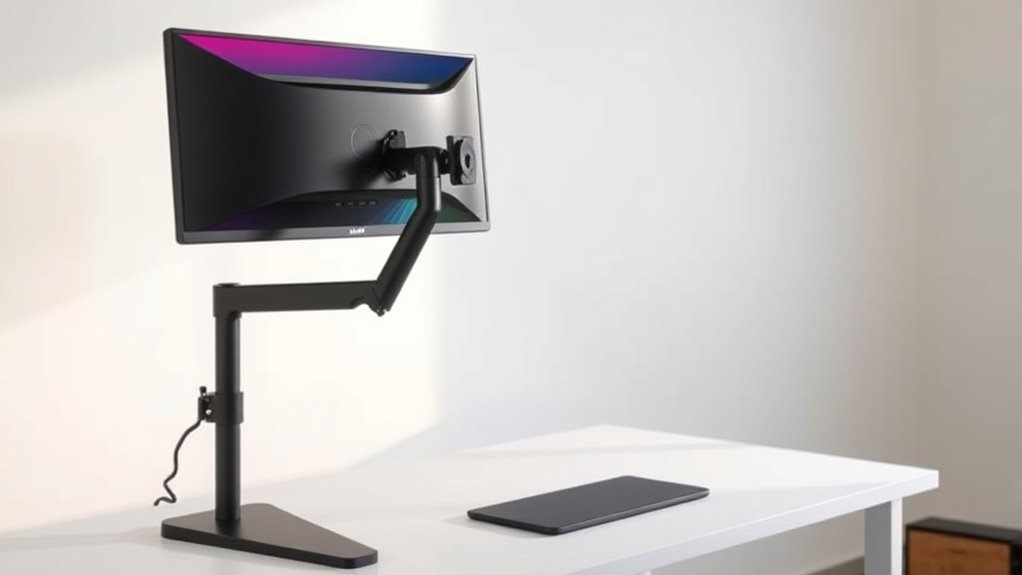

Investing in a monitor arm improves your workspace by offering better ergonomic support, allowing you to easily adjust your monitor’s height, tilt, and angle. This helps reduce neck, shoulder, and eye strain, making long work sessions more comfortable. Additionally, monitor arms save space, helping you organize your desk and keep cords tidy. The flexibility they provide can boost your focus and productivity. To discover how they can transform your setup, keep exploring the benefits.
Key Takeaways
- Improve ergonomic health by enabling adjustable monitor positioning, reducing neck, shoulder, and eye strain.
- Maximize desk space and organization through better monitor placement and cable management.
- Enhance productivity with quick, precise adjustments and a clutter-free workspace.
- Support long-term comfort and flexibility with easy transitions between sitting and standing.
- Offer versatile compatibility for various setups, making them a practical investment for health and efficiency.

Monitor arms are essential accessories that allow you to customize your workspace for ideal comfort and efficiency. When you choose a monitor arm, you’re taking a step toward improving your overall posture and reducing the strain that comes with long hours at your desk. These arms enable you to easily adjust your monitor’s height, tilt, and angle, providing ergonomic benefits that help prevent neck, shoulder, and eye discomfort. By positioning your screen at eye level, you avoid awkward angles that cause strain, making your work sessions more comfortable and less fatiguing. This flexibility promotes better posture habits, which can lead to fewer health issues over time.
Beyond ergonomic advantages, monitor arms notably contribute to space optimization. If your workspace is limited, a monitor arm frees up valuable desk real estate that would otherwise be occupied by a traditional stand. You can tuck your monitor closer to the wall or into a corner, leaving more room for other essentials like a keyboard, documents, or personal items. This streamlined setup creates a cleaner, more organized environment that’s easier to work in and reduces clutter. Plus, with multiple monitors, a monitor arm makes it simpler to arrange screens in a way that maximizes productivity without sacrificing space or comfort.
Adjustability is one of the main reasons monitor arms are worth the investment. Unlike fixed stands, they give you the freedom to switch between sitting and standing positions easily. This flexibility encourages movement and helps break up long periods of sedentary work. You can elevate your monitor for standing desks or lower it when you want to sit comfortably. The ability to make quick, precise adjustments means you’re always working in the most ergonomically sound position, which can enhance focus and reduce fatigue throughout your workday.
Investing in a monitor arm also benefits your workflow. With a well-positioned monitor, you can reduce eye strain and minimize the need to constantly adjust your view. Many monitor arms feature cable management options, keeping cords out of sight and preventing tangles. This not only keeps your workspace tidy but also reduces distractions, allowing you to focus solely on your tasks. Over time, the comfort and organization provided by a quality monitor arm can improve your productivity, making it a smart addition to any workspace.
Additionally, choosing a monitor arm that is compatible with Lesser-known camping spots and unique environments can add an element of versatility to your setup, similar to discovering hidden camping gems. In short, monitor arms offer ergonomic benefits and space optimization that can transform the way you work. They help create a more comfortable, organized environment where you can perform at your best. Whether you’re working from home or in an office, these accessories are a practical investment that enhances both your health and your productivity.
Frequently Asked Questions
How Do Monitor Arms Affect Workspace Ergonomics?
Monitor arms considerably enhance your workspace ergonomics by allowing you to easily adjust your monitor’s height, angle, and position. This flexibility promotes ergonomic benefits like reducing neck and eye strain and encourages better posture. You can set your monitor at eye level and maintain a comfortable viewing distance, which helps prevent discomfort and long-term health issues. Overall, monitor arms empower you to create a more ergonomic and adaptable workspace.
Are Monitor Arms Compatible With All Monitor Sizes?
Imagine your monitor as a ship steering through your workspace; a sturdy monitor arm acts as its steady anchor. Most monitor arms are adaptable, offering broad monitor size compatibility, but you should check weight capacity considerations to guarantee a perfect fit. Larger monitors may require arms with higher weight capacity, so always verify specifications to keep your setup balanced and secure without threatening your workspace’s harmony.
What Is the Typical Lifespan of a Monitor Arm?
The typical lifespan of a monitor arm depends on its durability and how well you maintain it. High-quality monitor arms can last five to ten years with proper maintenance. To extend their lifespan, regularly check for loose bolts, keep moving parts clean, and avoid overloading them. Proper maintenance tips guarantee your monitor arm remains functional and stable, providing reliable support for your monitor over the years.
Can Monitor Arms Improve Productivity?
Think of a monitor arm as the steering wheel of your workspace—steadying and guiding your efficiency. By improving ergonomic benefits, it reduces strain and fatigue, allowing you to focus better. Studies show that adjustable setups can boost productivity by up to 20%. With ergonomic benefits and greater comfort, a monitor arm helps you work smarter, not harder, turning your desk into a well-tuned engine of productivity.
Are There Safety Concerns With Adjustable Monitor Arms?
You might wonder if adjustable monitor arms pose safety concerns. Generally, if you guarantee monitor stability and proper installation, risks are minimal. Look for sturdy mounts and secure fastenings to prevent accidents. Cable management is also vital; neatly organized cables reduce tripping hazards and keep the workspace safe. Always follow manufacturer instructions and regularly check that the arm remains stable to maintain a safe, ergonomic setup.
Conclusion
Investing in monitor arms transforms your workspace, boosting comfort and productivity. Imagine a graphic designer who switches to adjustable arms—no more neck strain, and they find their workflow more flexible. Just like them, you’ll enjoy better ergonomics, saving you from long-term health issues. Don’t settle for static screens; upgrade to monitor arms and experience a smarter, healthier workspace today. Your back and eyes will thank you for it.