
The ideal recline angle for office chairs typically ranges between 100 to 110 degrees for most tasks, providing good support and reducing lower back pressure. For activities like reading or brainstorming, a more relaxed angle of 110 to 130 degrees works best, helping you stay comfortable without losing focus. Adjusting your chair’s recline can improve posture and comfort throughout the day. Keep exploring to discover how to optimize your setup further.

Get comfort and recovery gear delivered free with Prime
- Fast, free delivery on millions of items
- Prime Video, Amazon Music and more included
- Member-only deals all year
Key Takeaways
- An angle between 100° and 110° provides optimal support and reduces lower back pressure during extended sitting.
- For reading or brainstorming, a recline of 110° to 130° enhances comfort and promotes relaxed posture.
- Slightly more reclined positions help relax muscles without compromising focus or productivity.
- Adjustable recline features allow users to customize angles based on activity and personal preference.
- Proper recline angles support spinal alignment, improve circulation, and minimize musculoskeletal discomfort.
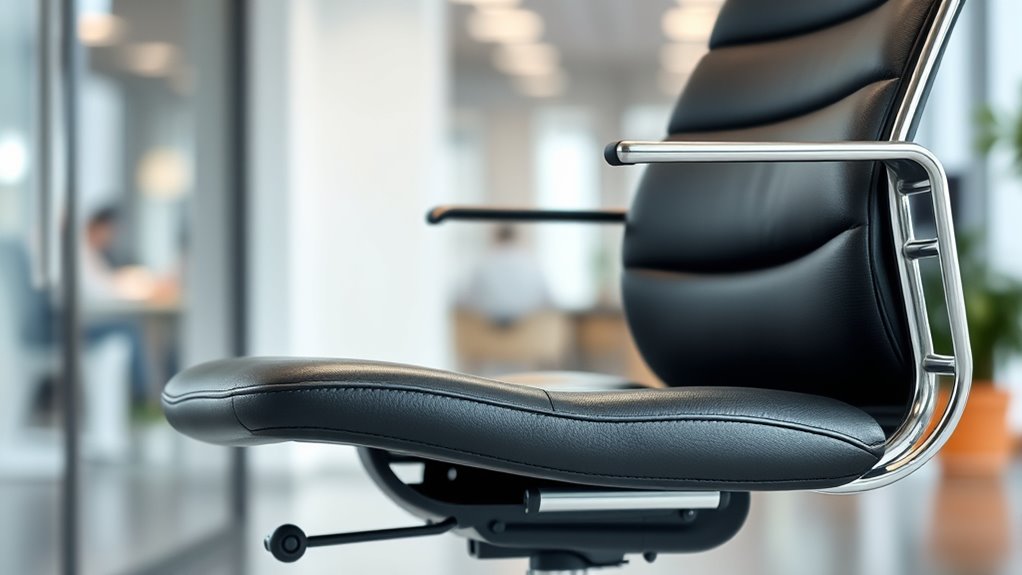
Have you ever wondered how to make long hours at your desk more comfortable? One of the key factors is finding the right recline angle for your office chair. When you choose a chair with adjustable features, you can customize the position to support your body properly, which offers significant ergonomic benefits. An ideal recline angle isn’t a fixed number; instead, it varies based on your activity, posture, and personal comfort. Typically, a slight recline of around 100 to 110 degrees provides enough support to reduce pressure on your lower back while keeping you engaged and alert. For tasks like reading or brainstorming, a slightly more reclined position—somewhere between 110 and 130 degrees—can help you relax without sacrificing focus or productivity. When you’re leaning back, your spine maintains better alignment, preventing strain and fatigue over extended periods. Using a properly adjusted chair can further enhance these benefits by ensuring your support aligns with your unique body shape and needs. Adjustable features in modern recliners are designed with your comfort in mind. Many chairs allow you to fine-tune the recline angle with a simple lever or knob, giving you control over your posture throughout the day. This flexibility is essential because your body’s needs change depending on the task at hand. For example, if you’re typing intensely, an upright or slightly reclined position keeps your wrists and shoulders aligned, reducing discomfort. Conversely, for quick breaks or mental shifts, leaning back can relieve tension, especially in your neck and shoulders. Using a chair with adjustable tilt tension lets you set the resistance according to your weight, making it easier to find a natural, effortless recline. This not only enhances comfort but also minimizes the effort required to change positions frequently. The right recline angle also contributes to better circulation and reduces pressure points, which is critical during long work sessions. When you lean back to an ideal angle, your weight distributes more evenly across your seat and backrest, alleviating stress on your lower spine. This promotes better blood flow and lessens the likelihood of developing discomfort or musculoskeletal issues. Keep in mind that the ergonomic benefits of a well-adjusted recline aren’t just about comfort—they directly support your health and productivity. It’s worth investing time to find that perfect tilt that feels natural and supportive. With the right chair featuring adjustable features, you can effortlessly switch between angles, ensuring your posture remains superior, no matter how long you’re at your desk.
adjustable office chair with recline
As an affiliate, we earn on qualifying purchases.
As an affiliate, we earn on qualifying purchases.
Frequently Asked Questions
How Does Recline Angle Affect Spinal Health?
A proper recline angle enhances your spinal health by reducing pressure on your lumbar support and promoting better posture. When you adjust your chair to an ergonomic design, it encourages a natural curve in your spine, preventing discomfort and long-term issues. Keep your recline angle comfortable, usually between 100-110 degrees, to maintain lumbar support and support your overall spinal health while working.
What Is the Best Recline Angle for Long-Term Comfort?
You’d think sitting upright all day is best, but a recline angle of about 100-110 degrees actually offers long-term comfort. It enhances ergonomic benefits by reducing pressure on your spine and muscles, while still looking sleek with its aesthetic design. Ironically, leaning back might save your back more than sitting straight, proving that a slight recline balances style with support for all-day ease.
Can the Ideal Recline Vary by Desk Setup?
Yes, your ideal recline can vary based on your desk setup. When you use ergonomic accessories and make desk height adjustments, you can optimize your chair’s recline for comfort and support. Adjusting your desk height ensures your monitor and keyboard are at ideal levels, allowing you to find a recline angle that minimizes strain. So, customizing your setup helps you stay comfortable and productive throughout long work hours.
Does Frequent Reclining Impact Productivity?
Frequent reclining might seem like a rebellion against productivity, but in reality, it can actually boost your ergonomic posture by reducing fatigue. When you recline thoughtfully, you’re less tense and more focused. Sure, overdoing it might seem lazy, but moderate reclining encourages comfort and clarity. So, go ahead—lean back a little. Your productivity may just thank you for the ergonomic break from the constant grind.
Are There Specific Recline Features for Different Body Types?
Yes, there are specific recline features designed for different body types. You should look for ergonomic design elements that offer adjustable features, such as recline tension and angle locks. These options guarantee you can customize your chair to support your unique body shape and posture needs. By choosing a chair with versatile recline adjustments, you promote comfort and reduce strain, helping you stay productive throughout your workday.
ergonomic office chair for back support
As an affiliate, we earn on qualifying purchases.
As an affiliate, we earn on qualifying purchases.
Conclusion
Ultimately, finding the perfect recline angle is about comfort and staying productive—think of it like your own personal throne, fit for a modern-day squire. Don’t be afraid to tinker until you find that sweet spot, even if it means channeling a bit of your inner Renaissance noble. Remember, a good recline can turn your workstation into a haven, making work feel less like a chore and more like a leisurely afternoon in your castle.
reclining desk chair for long hours
As an affiliate, we earn on qualifying purchases.
As an affiliate, we earn on qualifying purchases.
office chair with tilt tension control
As an affiliate, we earn on qualifying purchases.
As an affiliate, we earn on qualifying purchases.
Halloween Picks
halloween
As an affiliate, we earn on qualifying purchases.