
Using a separate numpad with a modular keyboard setup can considerably boost your comfort and ergonomics. By positioning the numpad where it feels most natural, you reduce wrist and shoulder strain, making long sessions more comfortable. Customizable options like size, layout, and switches allow you to tailor your workspace and optimize productivity. Plus, upgrading parts over time keeps your setup fresh and durable. Keep exploring to discover detailed tips on creating the ideal ergonomic, personalized workspace.
Key Takeaways
- Separating the numpad reduces wrist and shoulder strain, promoting a more natural typing posture.
- Modular design allows easy customization of layout, switches, and keycaps for personalized comfort.
- Positioning the numpad independently helps align workspace ergonomically, minimizing reaching and discomfort.
- Upgradable components extend the lifespan and adaptability of your keyboard setup over time.
- Tailoring the workspace with a separate numpad improves efficiency and reduces fatigue during long sessions.

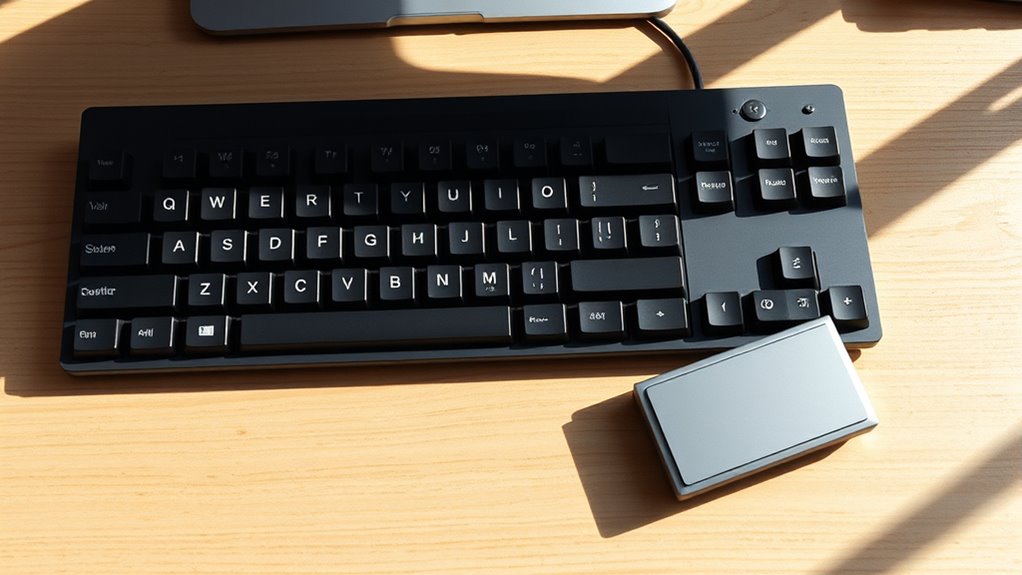
Modular keyboards are transforming how you customize your typing setup by allowing you to easily swap out individual components like key switches, keycaps, and even the layout itself. This flexibility means you can tailor your keyboard to fit your specific needs, making your workspace more comfortable and efficient. One of the most significant advantages is the ability to add a separate numpad, which offers notable ergonomic benefits and enhances your overall comfort during long typing sessions. Instead of being forced to use a compact keyboard with a cramped numpad or none at all, you can position the numpad separately, reducing strain on your wrists and shoulders. This separation allows you to keep your mouse closer to your body, minimizing reaching and promoting a more natural posture.
The customization options extend beyond just placement. You can choose a numpad that matches your preferred key layout, switch types, and even incorporate different keycaps for better tactile feedback. When you opt for a separate numpad, you gain the freedom to position it at an angle or distance that feels most comfortable, which can dramatically cut down on wrist fatigue. This setup also helps prevent repetitive strain injuries, especially if you’re typing or entering data for hours. Plus, by customizing the size and shape of your numpad, you can optimize your workspace, making it more organized and efficient. Additionally, understanding the components involved in a modular keyboard system can help you make better upgrade choices over time.
Customize your numpad’s layout, size, and placement for optimal comfort and workspace organization.
With modular keyboards, you’re not limited to a one-size-fits-all approach. You can select a numpad with programmable keys that suit your workflow, whether you’re gaming, programming, or doing data entry. The ability to swap out components means you can experiment with different configurations until you find what works best for your comfort and productivity. Furthermore, the aesthetic options are vast; you can match the numpad’s design with your main keyboard or choose contrasting colors to create a personalized look. The durability of these components also means your investment lasts longer, as you can upgrade or replace parts rather than replacing the entire keyboard.
In the end, using a separate numpad with a modular keyboard system offers more than just aesthetic appeal. It fundamentally improves ergonomics by allowing you to set up your workspace in a way that minimizes strain and maximizes comfort. With endless customization options, you’re empowered to create a typing environment that’s tailored specifically to your needs, making your work or gaming experience more enjoyable and sustainable over time.

Kisnt KN17 Mechanical Numpad for Excel Financial Data Entry
- Wired 17-Key Numeric Keypad: USB C to USB A connection for seamless use
- Universal Compatibility: Works with Windows, Mac, and Android devices
- Compact and Portable Design: Small size (4.41*3.39*1.38in) for minimal desk space
As an affiliate, we earn on qualifying purchases.
As an affiliate, we earn on qualifying purchases.
Frequently Asked Questions
Can a Separate Numpad Improve Typing Speed?
Yes, a separate numpad can improve your typing speed by providing ergonomic benefits and enhancing comfort. When you customize your workspace with a separate numpad, you can position it for ideal hand placement, reducing strain. This setup allows you to tailor your ergonomic setup and choose a numpad that suits your preferences, ultimately making your typing more efficient and comfortable over long periods.
Are Modular Keyboards Compatible With All Operating Systems?
Yes, modular keyboards are compatible with most operating systems, thanks to their wide range of customization options. You can easily configure key functions and layouts to suit Windows, macOS, or Linux. Plus, using a separate numpad enhances ergonomic benefits by reducing strain during long typing sessions. Just make certain the keyboard’s software supports your OS, and you’ll enjoy seamless integration, improved comfort, and personalized setup tailored to your workflow.
How Do I Connect a Detachable Numpad?
Did you know that 75% of users find detachable numpads improve ergonomic comfort? To connect your detachable numpad, first make sure it supports wireless connectivity like Bluetooth. Turn on the numpad and put it in pairing mode, then activate Bluetooth on your keyboard or computer. Select the numpad from available devices, and once paired, enjoy a more flexible, ergonomic setup. This simple step enhances comfort and productivity in your workspace.
What Are the Best Materials for Modular Keyboard Construction?
For your modular keyboard, choose custom keycap materials like PBT or ABS for durability and a comfortable feel. PBT offers better resistance to wear and a matte finish, while ABS is more affordable and allows for vibrant colors. Prioritize switch durability by selecting high-quality switches with a rated lifespan of at least 50 million keystrokes. These materials guarantee your setup stays reliable, comfortable, and personalized over time.
Do Modular Keyboards Require Special Maintenance or Cleaning?
You don’t need special maintenance for modular keyboards, but regular cleaning is essential. You should create custom cleaning routines to keep your keyboard and modular components in top shape. Gently remove keycaps and clean with compressed air or a soft brush. For the modular component maintenance, check connections and make sure everything fits snugly. Avoid harsh chemicals and keep liquids away to prevent damage, ensuring your setup stays comfortable and functional.

RK ROYAL KLUDGE M20 Wireless Number Pad, Mechanical Numpad with LCD Display, PC Numpad & Calculator Modes, Programmable Numeric Keypad, Bluetooth/2.4G/Wired, RGB Hot-Swappable for Win/Mac
- 2-in-1 Mechanical Numpad & Calculator: Switches between numpad and calculator modes
- LCD Display & Mode Knob: Displays calculations and switches modes easily
- Tri-Mode Wireless Connectivity: Supports Bluetooth, 2.4G, and wired connections
As an affiliate, we earn on qualifying purchases.
As an affiliate, we earn on qualifying purchases.
Conclusion
By choosing a modular keyboard with a separate numpad, you’re gently tailoring your workspace for comfort and efficiency. It’s like giving yourself a little upgrade that feels natural and unobtrusive, making long typing sessions more enjoyable. Embrace the flexibility, and you’ll find your setup adapts seamlessly to your needs. Sometimes, small changes like this can quietly enhance your daily routine, turning a good workspace into a truly comfortable one without much fuss.
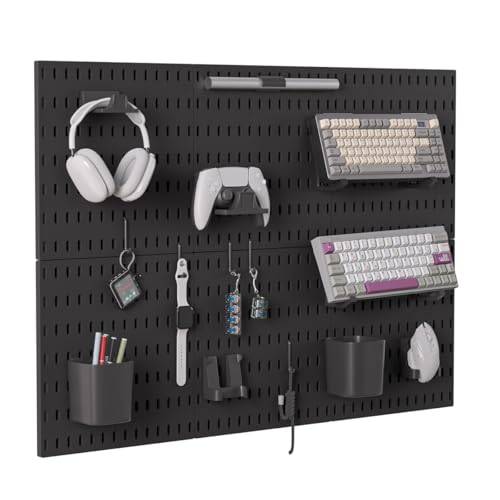
Gliging Controller and Keyboard Holder Wall Mount, Modular Gaming Pegboard with Accessories, Wall Organizer Peg Board for Keyboard Xbox PS5 PS4 Switch, Video Game Storage(33″×22″)
- Modular Storage Design: Customizable pegboard for organization
- Accessory Kit Included: Keyboard, controller, headphone, cable holders
- Universal Compatibility: Fits PS5, PS4, Xbox, Switch controllers
As an affiliate, we earn on qualifying purchases.
As an affiliate, we earn on qualifying purchases.

BOYI TD31Pro Mechanical Numpad,Mini Keyboard with Screen&Knob,Bluetooth5.0/2.4G/Type-C Wireless Numeric Keypad,Gasket HotSwap RGB Number Pad,PBT Keycaps Rechargeable Number keypad for PC(Black-Grey)
- Multi-function 30-key Numeric Keypad: Includes essential shortcuts and calculator
- Tri-mode Wireless Connectivity: Bluetooth 5.0, 2.4GHz, Type-C wired
- Multi-device Support: Connects up to 3 devices simultaneously
As an affiliate, we earn on qualifying purchases.
As an affiliate, we earn on qualifying purchases.