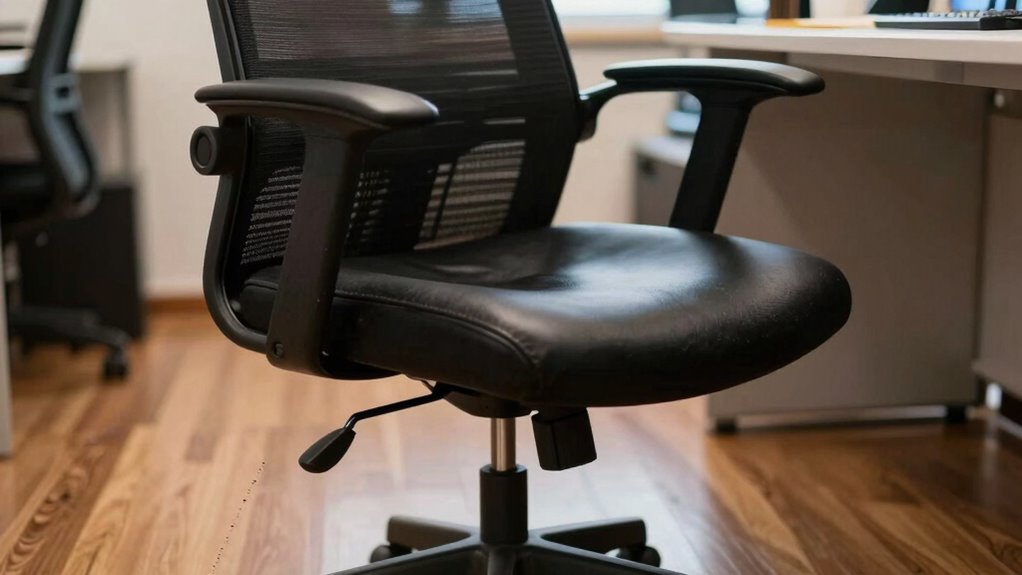
If you keep sliding forward in your chair, it’s likely because your lumbar support is inadequate, or your seat isn’t adjusted properly. Poor support causes your body to shift to find comfort, and incorrect chair height or seat depth can worsen the issue. Additionally, long hours at your desk make it harder to stay in alignment. Keep watching for more tips to help you stay comfortably seated and prevent sliding forward.

Get comfort and recovery gear delivered free with Prime
- Fast, free delivery on millions of items
- Prime Video, Amazon Music and more included
- Member-only deals all year
Key Takeaways
- Poor lumbar support causes the body to shift forward for comfort.
- Incorrect seat height leads to uneven weight distribution, prompting forward sliding.
- Lack of proper seat depth support leaves thighs unsupported, encouraging movement.
- Long hours at a desk increase the tendency to slide forward due to fatigue.
- Not maintaining proper posture or workspace setup can contribute to forward sliding.
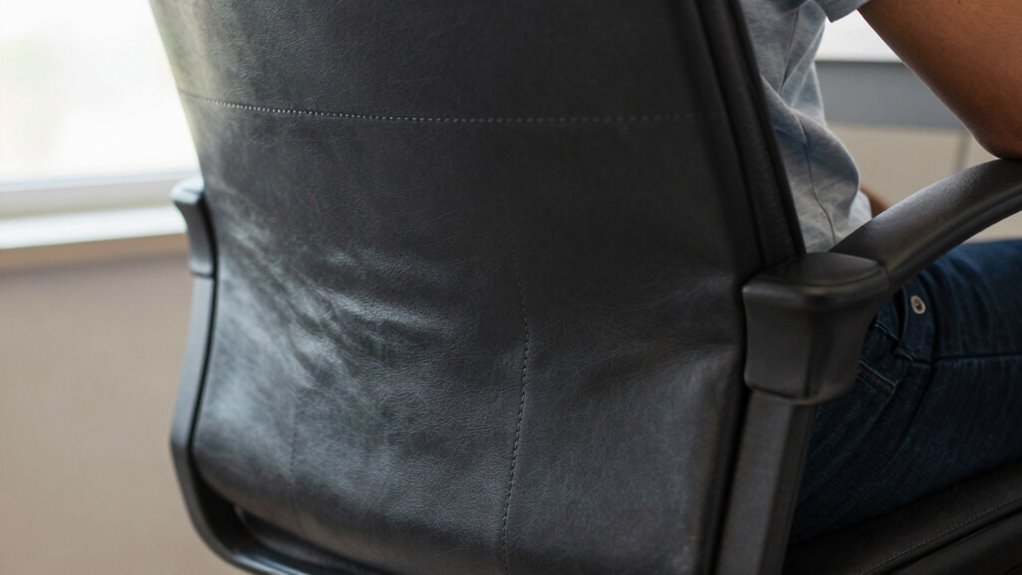
If you find yourself constantly sliding forward in your chair, you’re not alone—this common issue can be frustrating and distracting. It’s something many people experience, especially after long hours at a desk. The good news is that most of the time, the root cause can be addressed with simple ergonomic adjustments and posture correction. When your chair doesn’t support your body properly, you tend to shift forward to find a more comfortable position, which leads to sliding. Poor lumbar support, an improperly adjusted seat height, or a lack of seat depth adjustment can make you feel like you’re constantly fighting to stay in place.
To fix this, start by evaluating your chair’s settings. Adjust the height so your feet rest flat on the floor and your knees are at a 90-degree angle. This helps distribute your weight evenly and reduces the urge to lean forward. Next, focus on the lumbar support. If your chair doesn’t have good lower back support, consider adding a cushion or investing in one that encourages proper posture correction. When your lower back is supported, you’re less likely to slump or slide forward because your spine stays aligned naturally.
Beyond adjusting the chair itself, think about your overall posture. Sit back fully in the chair, keeping your back supported against the backrest. Engage your core muscles gently to maintain stability, which can prevent you from feeling the need to lean forward. Remember, a position aligned with ergonomic principles not only minimizes sliding but also reduces strain on your neck, shoulders, and back. Maintaining good posture habits is essential for long-term comfort and avoiding repetitive strain. Additionally, practicing ergonomic principles regularly can help reinforce proper sitting habits and prevent recurring issues. Using ergonomic accessories designed to support your posture can also make a significant difference in maintaining proper alignment throughout the day. Incorporating proper ergonomic setup tips into your workspace can further help prevent this common problem.
Moreover, paying attention to your desk setup can make a difference. If your monitor is too low or too far away, you might lean forward to see better, inadvertently causing sliding. Elevate your monitor to eye level and keep essential items within easy reach to promote better posture. When your workspace is ergonomically optimized, you’re less likely to unconsciously compensate by shifting forward. Additionally, using proper ergonomic accessories can help support your posture and prevent sliding.
Lastly, consistency is key. Incorporate regular posture checks and adjust your seating setup as needed. Small tweaks, like using a footrest or adding cushions, can greatly improve comfort and support. Over time, these ergonomic adjustments and attention to posture correction will help you stay seated comfortably without sliding forward, boosting both your focus and well-being during work or leisure.
ergonomic lumbar support cushion
As an affiliate, we earn on qualifying purchases.
As an affiliate, we earn on qualifying purchases.
Frequently Asked Questions
Can Chair Height Affect Sliding Forward?
Yes, chair height can affect sliding forward. When your chair is too high, your feet may not rest flat on the ground, causing you to shift forward for stability. To fix this, consider ergonomic accessories like adjustable chair cushions or footrests, which can improve comfort and posture. Proper chair height guarantees your hips stay supported, reducing the tendency to slide forward and promoting better spinal alignment.
Does Desk Setup Influence Chair Sliding?
Your desk setup can definitely influence chair sliding. If your desk surface is too smooth or slippery, it’s like trying to stay on a greased skateboard, making sliding inevitable. Using ergonomic accessories, like anti-slip mats or textured desk pads, can considerably reduce this movement. Adjusting your chair height and ensuring proper alignment with your desk also helps keep you grounded, preventing that frustrating forward slide every time you lean in.
Are There Specific Chair Features to Prevent Sliding?
Yes, specific chair features can prevent sliding. Look for ergonomic designs with adjustable lumbar support and a high backrest to keep you in place. Chairs made from non-slip materials like rubberized bases or textured fabrics help grip the floor, reducing movement. Features like locking tilt mechanisms or adjustable height also keep your chair stable. Choosing a chair with these features guarantees comfort and stability during long work hours.
How Does Posture Impact Sliding Tendency?
Your posture greatly impacts your tendency to slide forward. Poor posture, like slouching or leaning too far forward, can cause instability, making you slide. Maintaining an ergonomic posture — sitting back with your back fully supported and feet flat — promotes better posture correction and offers ergonomic benefits. When you sit correctly, your muscles stay engaged, reducing sliding and increasing comfort and productivity during long periods at your desk.
Can Foot Position Reduce Sliding?
Yes, your foot position can reduce sliding. Opt for footwear choices with better grip, like shoes with rubber soles, to prevent slipping. Additionally, choosing the right floor mat, such as one with a textured surface or non-slip backing, can anchor your feet securely. Proper foot placement and supportive footwear work together to keep your feet steady, helping you stay balanced and preventing you from sliding forward in your chair.
adjustable office chair with seat depth
As an affiliate, we earn on qualifying purchases.
As an affiliate, we earn on qualifying purchases.
Conclusion
So, next time you find yourself sliding forward, remember it’s likely due to your chair’s design or your posture. It’s easy to dismiss it as a minor annoyance, but imagine the discomfort of constantly adjusting your position, or worse, straining your back after hours. Fixing this isn’t complicated—just check your chair’s settings or sit up straighter. Small changes make a big difference, helping you stay comfortable and focused all day long.
ergonomic seat height adjustable chair
As an affiliate, we earn on qualifying purchases.
As an affiliate, we earn on qualifying purchases.
monitor riser for ergonomic setup
As an affiliate, we earn on qualifying purchases.
As an affiliate, we earn on qualifying purchases.
Halloween Picks
halloween
As an affiliate, we earn on qualifying purchases.