To prevent carpal tunnel at your desk, focus on maintaining proper ergonomics and wrist positioning. Keep your keyboard at a height that allows your forearms to stay parallel to the ground and your wrists in a neutral position. Take regular breaks and do wrist stretches like flexion, extension, and circles to boost flexibility. Using ergonomic tools and being mindful of your wrist angles can make a big difference. Continue exploring these tips to protect your wrist health and avoid discomfort.
Key Takeaways
- Use an ergonomic keyboard to promote natural wrist positioning and reduce median nerve pressure.
- Maintain wrists in a neutral position, keeping them straight and avoiding bends while typing.
- Incorporate regular wrist stretches, such as wrist circles and flexion/extension, into your daily routine.
- Adjust your desk setup so your forearms are parallel to the ground and elbows are at 90 degrees.
- Take frequent breaks and avoid prolonged repetitive movements to minimize strain and prevent symptoms.
Carpal tunnel syndrome can develop quickly if you don’t take steps to prevent it, especially if you spend long hours typing or performing repetitive hand movements. The good news is that small adjustments to your workspace and habits can make a meaningful difference. One of the most effective ways to reduce strain is by using an ergonomic keyboard. Unlike traditional models, ergonomic keyboards are designed to promote a more natural hand and wrist position, reducing pressure on the median nerve that runs through the carpal tunnel. When you switch to one, you’ll find that your wrists aren’t forced into awkward angles, which can help prevent numbness, tingling, and pain over time.
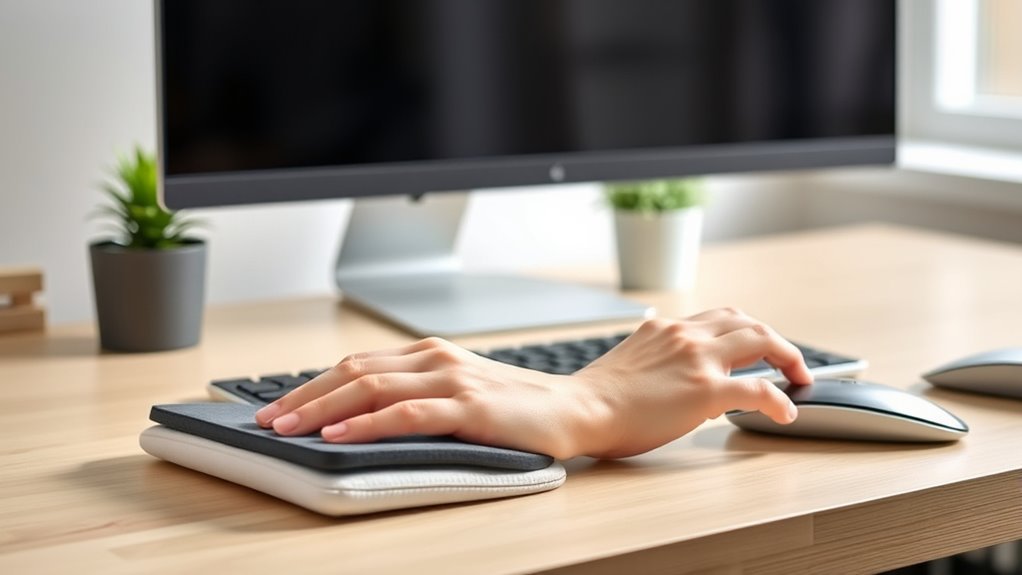
Using an ergonomic keyboard can help prevent carpal tunnel symptoms and promote natural wrist positioning.
In addition to choosing the right equipment, incorporating wrist stretches into your daily routine can help keep your wrists flexible and reduce tension. Regular stretching encourages blood flow and relieves muscle tightness, which is vital during long work sessions. For example, you might try wrist circles—gently rotating your wrists clockwise and counterclockwise—or wrist flexion and extension stretches. To do these, extend your arm in front of you, palm facing down, and gently pull your fingers back with your other hand to stretch the underside of your wrist. Hold these stretches for about 15 to 30 seconds and repeat a few times throughout the day to maintain mobility. Maintaining proper ergonomics can further support your wrist health and prevent strain.
Proper ergonomics also involves adjusting your desk setup to keep your wrists in a neutral position. Your keyboard should be positioned at a height where your forearms are parallel to the ground, and your wrists are not bent up or down while typing. Keep your elbows close to your sides and at a roughly 90-degree angle. Using a wrist rest can offer additional support, but avoid resting your wrists on it while typing, as this can put unnecessary pressure on your carpal tunnel. Instead, use it to support your wrists when you’re taking breaks or pausing between typing sessions.
Making these simple changes can greatly lower your risk of developing carpal tunnel syndrome. Stay conscious of your wrist position, take frequent breaks, and incorporate wrist stretches into your routine. Over time, these habits will not only protect your wrists but also help you work more comfortably and efficiently. Remember, prevention starts with awareness and consistent effort, so prioritize ergonomic tools and mindful movement during your workday.
Top picks for "prevent carpal tunnel"
Open Amazon search results for this keyword.
As an affiliate, we earn on qualifying purchases.
Frequently Asked Questions
Are Ergonomic Keyboards More Effective Than Standard Ones?
Ergonomic keyboards are more effective than standard ones because they reduce strain and promote better wrist positioning. The ergonomic keyboard benefits include decreased risk of repetitive strain injuries and improved comfort during long typing sessions. In contrast, standard keyboards often have drawbacks like awkward angles that can cause discomfort and increase the risk of conditions like carpal tunnel syndrome. Switching to an ergonomic keyboard helps you type more comfortably and safely.
How Often Should I Take Breaks During Desk Work?
You should take breaks every 30 to 60 minutes during desk work to prevent strain. Investigate the common belief that longer work intervals cause more discomfort—it’s true! During breaks, adjust your workstation setup and keyboard positioning to reduce tension. Stand, stretch, or walk around to give your hands and wrists a rest. Regular breaks promote better ergonomics, keeping your hands healthy and reducing the risk of developing issues like carpal tunnel syndrome.
Can Certain Desk Accessories Reduce Carpal Tunnel Risk?
Using ergonomic accessories like an ergonomic mouse and an adjustable monitor can notably reduce your risk of developing carpal tunnel syndrome. An ergonomic mouse promotes a natural hand position, decreasing strain on your wrists, while an adjustable monitor helps you maintain proper posture, preventing unnecessary wrist and arm stress. Incorporate these tools into your workspace, and you’ll support better wrist health during long hours at your desk.
Are There Specific Stretches to Prevent Carpal Tunnel?
Think of your wrists as delicate garden plants that need regular watering. You should do wrist stretches and hand exercises daily to keep them healthy. Simple moves like wrist circles, finger stretches, and gentle hand presses can help prevent carpal tunnel. These stretches loosen tight muscles and improve circulation, acting as a shield to keep your wrists pain-free and functioning smoothly, even during long hours at your desk.
Does Wrist Size Affect Susceptibility to Carpal Tunnel Syndrome?
Wrist size can influence your risk for carpal tunnel syndrome, especially if you have a smaller wrist circumference, which might increase pressure on your median nerve. Genetic predisposition also plays a role, as some people inherit narrower carpal tunnels. While wrist size isn’t the only factor, paying attention to your wrist health and ergonomics can help reduce your susceptibility. Consider exercises and stretches to keep your wrists flexible and comfortable.
Conclusion
By taking these simple steps, you can keep carpal tunnel at bay and work comfortably. Remember to stretch, adjust your keyboard, and take breaks—think of it as your modern-day knight’s armor against discomfort. Don’t wait for the warning signs to turn your office into a medieval joust; act now, and your wrists will thank you. Stay proactive, and you’ll keep your workday smooth and pain-free—no need to summon Merlin for a remedy!