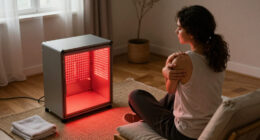
To relieve eye strain from computer use, make sure your workspace is ergonomically set up—position your monitor at eye level about an arm’s length away, and reduce glare with anti-glare covers or proper lighting. Follow the 20-20-20 rule by looking at something 20 feet away for 20 seconds every 20 minutes. You can also lower blue light exposure through filters or software. Keep exploring for more effective tips to keep your eyes comfortable.

Get comfort and recovery gear delivered free with Prime
- Fast, free delivery on millions of items
- Prime Video, Amazon Music and more included
- Member-only deals all year
Key Takeaways
- Follow the 20-20-20 rule: look 20 feet away for 20 seconds every 20 minutes.
- Adjust monitor position so it is at eye level and about an arm’s length away.
- Use blue light filters or screen protectors to reduce digital eye strain.
- Ensure proper lighting and minimize glare with anti-glare screens or matte covers.
- Take regular breaks and perform eye exercises to relax eye muscles and prevent fatigue.

If you spend long hours staring at screens, eye strain can quickly become a frustrating problem. The constant glare, flickering images, and prolonged focus on digital devices can lead to discomfort, headaches, and even vision issues over time. Luckily, there are practical steps you can take to reduce this strain and protect your eyes during extended computer use. One effective approach is to incorporate blue light filters into your daily routine. These filters, available as screen protectors or software settings, help block the blue light emitted by screens, which is known to cause digital eye strain and disrupt sleep patterns. By reducing blue light exposure, you can lessen eye fatigue and improve your overall comfort, especially during long work sessions or late-night browsing.
Another vital factor in minimizing eye strain is setting up an ergonomic workspace. An ergonomic setup ensures your computer, monitor, and seating are positioned to promote good posture and reduce physical stress on your eyes, neck, and shoulders. Position your monitor about an arm’s length away, with the top of the screen at or just below eye level. This way, you won’t have to tilt your head or strain your neck to see clearly, which can contribute to eye fatigue. Adjust the monitor’s brightness and contrast to match your ambient lighting, avoiding glare and reflections that can cause additional eye strain. Proper lighting is essential; avoid harsh overhead lights or direct sunlight hitting your screen, as this increases glare and makes focusing more difficult. Incorporating screen settings that adapt to your environment can further improve visual comfort.
Investing in an adjustable chair and desk can further enhance your ergonomic setup, allowing you to maintain good posture and reduce physical discomfort that might lead to eye strain. Also, consider using anti-glare screens or matte monitor covers to diffuse reflections and minimize unwanted light bouncing off your display. These small adjustments can make a significant difference in your visual comfort over time. Remember to take frequent breaks—every 20 minutes, look away from the screen and focus on something about 20 feet away for at least 20 seconds. This simple practice, known as the 20-20-20 rule, relaxes your eye muscles and prevents fatigue from prolonged focusing.
blue light screen protector for computers
As an affiliate, we earn on qualifying purchases.
As an affiliate, we earn on qualifying purchases.
Frequently Asked Questions
Can Eye Strain Lead to Long-Term Vision Problems?
Eye strain can contribute to long-term vision problems if you don’t address it. While it may not directly cause vision deterioration, persistent eye strain can worsen eye health concerns and lead to discomfort or headaches. Over time, ignoring eye strain might make underlying issues worse, affecting your vision. To protect your eye health, take regular breaks, adjust your screen, and see an eye specialist if problems persist.
Are There Specific Eye Exercises to Prevent Strain?
Think of eye exercises as the key to unlocking comfort. You can prevent strain by doing pencil exercises, where you follow a pencil as it moves closer and farther away, and blinking techniques, which keep your eyes moist and refreshed. Regularly practicing these simple movements helps reduce fatigue, keeps your eyes flexible, and minimizes discomfort during long hours at your screen. Make these exercises part of your daily routine for clearer, more comfortable vision.
How Does Lighting Affect Eye Comfort During Screen Use?
Lighting plays a vital role in your eye comfort during screen use. You should aim for balanced ambient illumination that matches your screen brightness, reducing eye strain. Using soft, indirect lighting helps prevent glare, which can cause discomfort and fatigue. Avoid harsh overhead lights or bright windows behind your screen. Proper lighting and glare reduction keep your eyes relaxed, making screen time more comfortable and less tiring.
What Are the Best Ergonomic Setups for Reducing Eye Fatigue?
Think of your workspace as a symphony; every element must be in harmony. Position your monitor directly in front of you, about an arm’s length away, with the top at or slightly below eye level. Use an ergonomic desk that promotes good posture, and adjust the monitor placement to reduce neck and eye strain. This setup helps minimize fatigue, keeping your eyes comfortable and your focus sharp.
Do Blue Light Filters Effectively Prevent Eye Strain?
Blue light filters can help reduce eye strain by limiting blue light exposure from screens. Using screen filters or glasses with blue light blocking lenses minimizes glare and digital eye fatigue, especially during long screen sessions. While they aren’t a complete solution, incorporating blue light filters into your routine supports better eye comfort and sleep quality. Remember to follow the 20-20-20 rule and take regular breaks for maximum relief.
ergonomic monitor stand adjustable
As an affiliate, we earn on qualifying purchases.
As an affiliate, we earn on qualifying purchases.
Conclusion
Taking a moment to care for your eyes isn’t just about comfort; it’s about nurturing your well-being. By incorporating simple techniques like the 20-20-20 rule and adjusting your workspace, you gently remind yourself that your vision deserves kindness. Remember, small acts of self-care can brighten your days and keep your eyes happy for years to come. Prioritize these gentle habits, and you’ll find your world stays clearer and more vibrant with each passing day.
As an affiliate, we earn on qualifying purchases.
computer eye strain relief glasses
As an affiliate, we earn on qualifying purchases.
As an affiliate, we earn on qualifying purchases.
Fall Picks
fall essentials
As an affiliate, we earn on qualifying purchases.