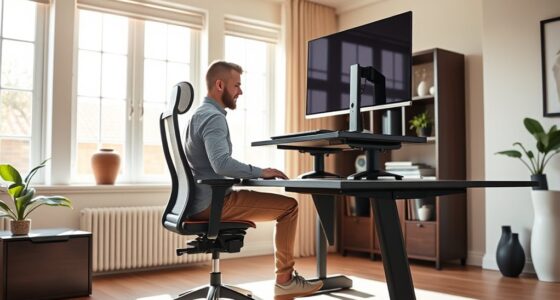
An ergonomic crafting station is designed to boost your comfort and productivity by allowing you to customize your workspace. You can easily adjust the height to switch between sitting and standing, reducing strain on your neck, shoulders, and back. Adding supportive accessories like wrist supports, cushioned mats, and proper lighting helps maintain good posture and prevents fatigue. Creating a workspace that promotes natural movements and offers easy adjustments can make your crafting sessions more enjoyable—explore more tips to optimize your setup.
Key Takeaways
- Use adjustable-height work surfaces to customize your workspace for optimal ergonomic positioning.
- Incorporate supportive accessories like wrist rests and cushioned mats to reduce strain during detailed tasks.
- Arrange tools and lighting at eye level and within easy reach to prevent awkward postures and eye fatigue.
- Maintain proper posture by keeping your back straight, shoulders relaxed, and elbows close to the body.
- Choose stable, easily adjustable furniture and accessories to promote natural movements and long-term comfort.
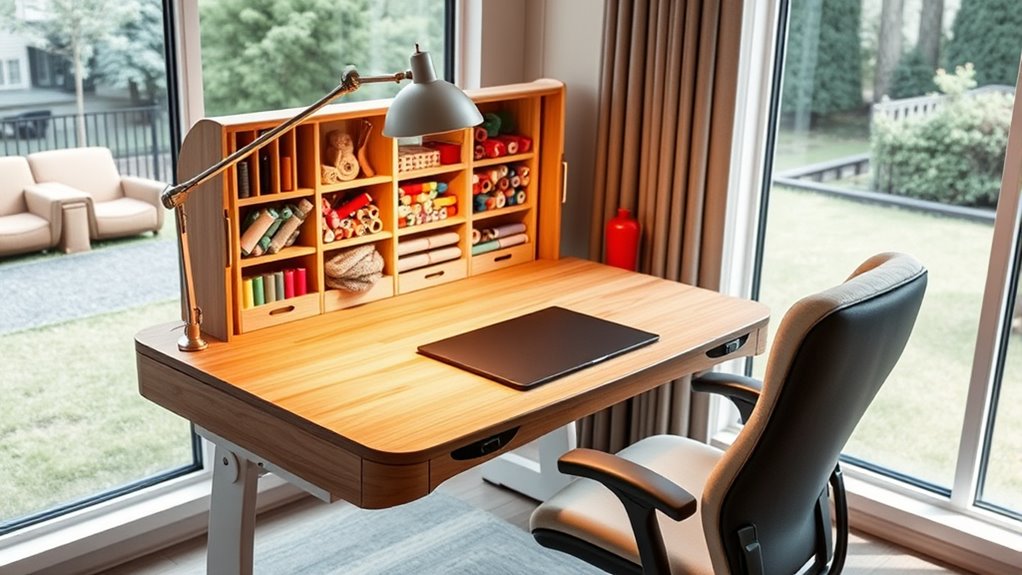
Creating an ergonomic crafting station can substantially boost your comfort and productivity during long projects. When you design your space with adjustable height features, you can customize your work surface to fit your body perfectly, reducing strain on your neck, shoulders, and back. An adjustable height table allows you to switch between sitting and standing positions effortlessly, helping you stay comfortable and focused as you work on intricate hobbies like sewing, jewelry making, or model building. This flexibility ensures you won’t develop discomfort or fatigue, which can seriously hamper your creativity and efficiency over extended periods.
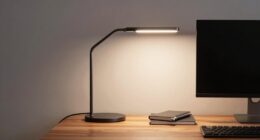
In addition to adjustable height, incorporating ergonomic accessories into your setup makes a significant difference. Items like wrist supports, cushioned mats, and properly placed task lighting can alleviate stress on your hands and eyes, preventing repetitive strain injuries. For example, a wrist rest can support your wrists during detailed cutting or sewing tasks, reducing the risk of carpal tunnel syndrome. An ergonomic lamp that provides adjustable brightness and direction helps you see your work clearly without straining your eyes or adopting awkward postures. When you choose accessories that promote proper alignment, you’re effectively creating an environment that encourages healthy habits and minimizes discomfort.
Your choice of furniture and accessories should prioritize stability and ease of use. A sturdy, adjustable worktable ensures that your workspace remains steady, even when you’re applying force or working on larger pieces. When shopping for ergonomic accessories, look for items that are easy to adjust and reposition, so you can quickly adapt your environment as your project demands change. This adaptability keeps your body in a neutral position, which is essential for maintaining comfort over long crafting sessions.
Beyond furniture and accessories, pay attention to your overall posture. Keep your back straight, shoulders relaxed, and elbows close to your body while working. Your screen or magnifier should be positioned at eye level to prevent neck strain. Remember, the goal is to create a workspace that encourages natural, comfortable movements, so you can stay engaged without discomfort. When your crafting station is thoughtfully arranged with adjustable features and ergonomic accessories, you’ll find yourself able to focus more on your craft and less on managing pain or fatigue.

DUMOS 40 Inch Electric Standing Desk Height Adjustable, Sit to Stand Up Computer Workstations Work PC Table Home Office Study Writing Gaming Desks with Memory Presets for Walking Pad, Bedroom, White
Spacious Desktop for Productivity: Maximize your workflow with our 40" x 24" dual-panel desktop. This electric standing desk…
As an affiliate, we earn on qualifying purchases.
As an affiliate, we earn on qualifying purchases.
Frequently Asked Questions
What Are the Best Materials for an Ergonomic Crafting Surface?
You should choose crafting surface materials that are durable, smooth, and easy to clean, like high-quality wood, tempered glass, or PVC. These materials support ergonomic workspace design by providing a stable, comfortable surface for prolonged work. Avoid rough or uneven surfaces that can cause strain. By selecting the right crafting surface materials, you create an ergonomic crafting station that promotes comfort, reduces fatigue, and enhances your overall hobby experience.
How Can I Customize My Crafting Station for Different Hobbies?
To customize your crafting station for different hobbies, incorporate adjustable height features so you can switch between sitting and standing. Use multi-purpose storage to keep tools and supplies organized for each activity, making shifts seamless. Add modular surfaces or removable sections tailored to specific hobbies, and guarantee your setup is flexible enough to adapt as your interests change. This way, your station remains ergonomic, efficient, and perfect for all your creative pursuits.
What Accessories Improve Ergonomic Comfort During Long Crafting Sessions?
Think of your workspace as a sanctuary where comfort reigns. You’ll want an ergonomic chair that supports good posture and wrist supports to reduce strain during long sessions. Adjustable lighting and a cushioned mat can also make a big difference. These accessories act like loyal companions, helping you stay focused and pain-free, so you can craft your masterpieces without the distraction of discomfort.
How Often Should I Adjust My Ergonomic Crafting Station?
You should adjust your ergonomic crafting station at least every 30 minutes to maintain good posture tips and prevent discomfort. Regular adjustments guarantee your workspace stays aligned with your body’s needs. Use ergonomic accessories like adjustable chairs, footrests, and monitor stands to support proper posture. Pay attention to how you feel—if you notice strain or discomfort, make immediate adjustments. Staying proactive helps you craft comfortably for longer periods.
Are There Specific Lighting Recommendations for Ergonomic Crafting?
You should aim for ideal lighting by combining natural light with well-placed LED lights. Position your LEDs to minimize shadows and glare, ideally facing towards your work area without causing reflections. Incorporate natural light during the day to reduce eye strain, but guarantee it’s complemented with adjustable LED placement for consistent illumination. Proper lighting reduces fatigue, enhances precision, and keeps you comfortable during long crafting sessions.

Gimars Upgrade Enlarge Silky and Superfine Fabric Gel Memory Foam Keyboard Wrist Rest Set, Ergonomic Keyboard Mouse Wrist Support for Typing Pain Relief, Comfort for Office, Gaming, Computer, Black
【1.2"ULTRA THICK MEMORY FOAM】 Upgraded memory foam is softer, more comfortable, and supportive, with a slow rebound. The…
As an affiliate, we earn on qualifying purchases.
As an affiliate, we earn on qualifying purchases.
Conclusion
By setting up an ergonomic crafting station, you’ll boost comfort and reduce fatigue. Imagine spending hours on your projects without the usual aches—statistics show that ergonomic workspaces can decrease strain-related injuries by up to 60%. That means more creative hours and less downtime. So, invest in your comfort today and turn your hobby into a truly enjoyable experience. Your body will thank you, and your masterpieces will benefit from the care you give them.

24W/2600LM LED Floor Lamp, Bright Reading Floor Lamps with Dual Head Adjustable Gooseneck, Dimmable Standing Task Lamp for Office Living Room Bedroom, Modern Eye Caring Light for Puzzle Craft Sewing
Dual Head Design: Our LED floor lamp features a dual-head design that extends horizontally up to 180°, giving…
As an affiliate, we earn on qualifying purchases.
As an affiliate, we earn on qualifying purchases.

FEATOL Anti Fatigue Mat for Standing, 9/10 Extra Thick Ergonomic Standing Desk Mat, Comfort Memory Foam Standing Mat at Home,Office All Day (20" x 32", Black, 1PC)
[Anti Fatigue Standing Desk Mat] – This anti fatigue mat standing desk office is effective in reducing stress…
As an affiliate, we earn on qualifying purchases.
As an affiliate, we earn on qualifying purchases.