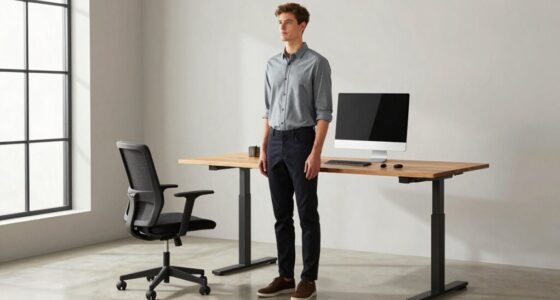
Finding the right balance between sitting and standing at work is key to preventing discomfort and health issues. You should alternate positions regularly, using ergonomic accessories like adjustable chairs, footrests, or standing desks to support proper posture. Incorporate movement and adjust your setup to stay comfortable and energized. By paying attention to your body’s signals and making small changes, you’ll create a healthier, more productive routine—if you keep exploring, you’ll discover how to optimize your workspace even further.

Get comfort and recovery gear delivered free with Prime
- Fast, free delivery on millions of items
- Prime Video, Amazon Music and more included
- Member-only deals all year
Key Takeaways
- Alternating between sitting and standing reduces muscle fatigue and prevents stiffness.
- Use ergonomic accessories like adjustable desks and supportive mats to promote proper posture.
- Listen to your body’s cues and make frequent position changes throughout the day.
- Incorporate movement and stretching to enhance circulation and overall comfort.
- Strive for a balanced routine to support musculoskeletal health and maintain focus.
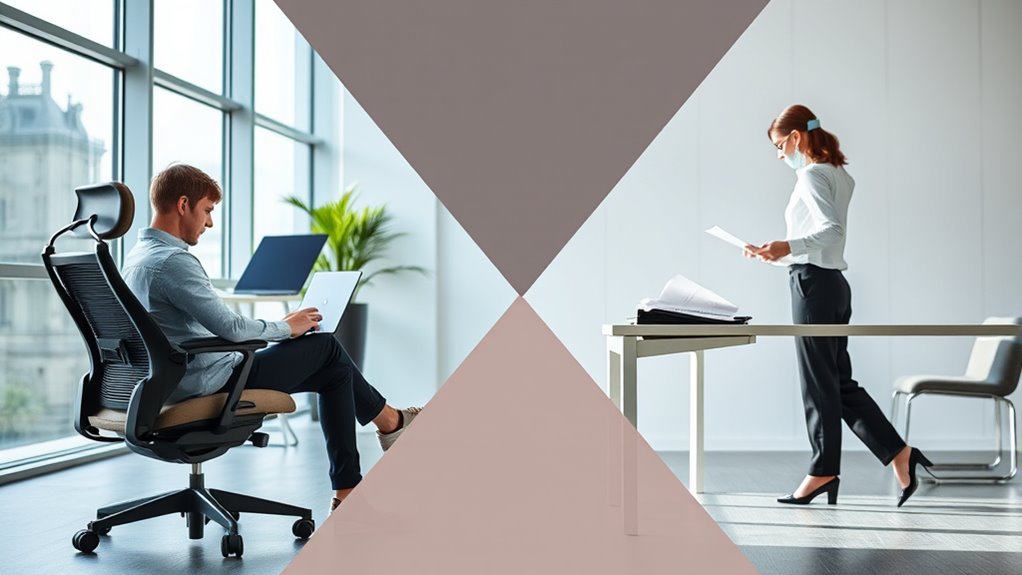
Have you ever wondered whether sitting or standing at work is better for your health? It’s a common question, especially as more workplaces recognize the importance of movement and comfort. The truth is, neither extreme is ideal on its own. Instead, finding a balance is key. Incorporating ergonomic accessories can make a significant difference, helping you maintain better posture and reduce strain, regardless of whether you’re sitting or standing. These accessories, such as adjustable desks, supportive mats, and ergonomic chairs, are designed to support your body’s natural alignment and minimize discomfort. They’re essential tools for posture correction, which is *crucial* whether you’re seated or standing for long periods.
Balancing sitting and standing with ergonomic accessories supports better posture and overall comfort.
When you sit, it’s tempting to slouch or lean forward, which can lead to chronic back and neck pain over time. Ergonomic accessories can help you counteract these tendencies. For example, an ergonomic chair with adjustable height and lumbar support encourages proper spine alignment and keeps your hips and knees at comfortable angles. Using a footrest can prevent your legs from dangling and promote better circulation. These adjustments help you maintain good posture and avoid the common pitfalls of prolonged sitting, such as muscle fatigue and joint strain.
On the other hand, standing desks and anti-fatigue mats are great tools if you prefer to stand while working. Standing for too long without proper support can cause leg fatigue, lower back pain, and even varicose veins. Ergonomic accessories like footrests or under-desk mats encourage subtle movements and shift your weight, alleviating pressure on your lower limbs and spine. Additionally, adjustable standing desks allow you to switch between sitting and standing easily, which is *vital* for posture correction. Alternating positions prevents stiffness and helps you stay more active throughout the day.
The key to successfully balancing sitting and standing lies in listening to your body and making small adjustments. Regularly changing your position, leveraging ergonomic accessories, and practicing good posture can prevent long-term health issues. Remember, posture correction isn’t just about sitting upright; it’s about creating an environment where your body can move naturally and comfortably. When you integrate these strategies into your routine, you’re not just protecting your back and neck—you’re also boosting your focus and energy levels. Finding your perfect balance might take some experimentation, but with the right tools and awareness, you’ll work smarter and healthier every day.
As an affiliate, we earn on qualifying purchases.
Frequently Asked Questions
How Often Should I Switch Between Sitting and Standing During the Day?
You should switch between sitting and standing every 30 to 60 minutes to maintain good posture and prevent fatigue. Incorporate ergonomic routines by adjusting your workstation and making posture adjustments regularly. This helps reduce strain on your muscles and joints. Listen to your body—if you feel discomfort, take a break sooner. Consistent movement and mindful posture adjustments are key to staying comfortable and healthy throughout your workday.
Are There Specific Ergonomic Accessories That Facilitate a Sit-Stand Work Environment?
You can enhance your sit-stand setup with ergonomic accessories like anti-fatigue mats and monitor stands, which make switching easier and more comfortable. An adjustable desk is essential, allowing you to effortlessly change between sitting and standing positions. These ergonomic accessories support proper posture, reduce strain, and boost productivity, making your workspace more flexible and healthier. Don’t overlook the power of a well-designed setup to keep you comfortable all day.
Can Standing Desks Help Reduce Long-Term Health Issues Caused by Sitting?
Standing desks can help reduce long-term health issues caused by sitting by promoting better posture correction and enhancing circulatory health. When you alternate between sitting and standing, you decrease the strain on your spine and improve blood flow. This dynamic approach encourages movement, which is essential for avoiding problems like back pain and poor circulation. Incorporating a sit-stand desk into your routine supports your overall well-being and productivity at work.
What Are Signs I’m Overdoing Standing or Sitting Too Much?
You might notice muscle fatigue or posture strain when you’re overdoing it, whether sitting or standing. If your legs or back ache constantly or your shoulders feel tense, it’s a sign you’re pushing too hard. Ironically, trying to avoid health issues can lead to discomfort, so listen to your body. Take breaks, switch positions, and guarantee your workspace supports healthy posture to prevent overdoing either position.
How Does Movement Influence Productivity and Focus at Work?
Movement boosts your productivity and focus by improving your posture and increasing circulation. When you incorporate movement variety into your day, you prevent stiffness and mental fatigue, helping you stay alert. Regularly shifting between sitting and standing, stretching, or walking encourages better posture, reducing discomfort and distractions. This active approach keeps your mind sharp, energizes your body, and enhances your overall work performance.
ergonomic office chair with lumbar support
As an affiliate, we earn on qualifying purchases.
As an affiliate, we earn on qualifying purchases.
Conclusion
Remember, striking a balance between sitting and standing sustains your strength and staves off strain. By blending brief breaks with mindful movement, you boost your body’s balance and banish boredom. Don’t forget—purposeful postures promote productivity and prevent pain. So, stay savvy, switch smoothly, and keep your workday balanced. Your body will thank you for the balance, bringing both comfort and clarity to your constantly busy, creative, and essential career.
As an affiliate, we earn on qualifying purchases.
As an affiliate, we earn on qualifying purchases.
Halloween Picks
halloween
As an affiliate, we earn on qualifying purchases.