
Many gamers assume sitting correctly is simple, but overlooking key ergonomic adjustments is a common mistake. You might think sitting upright is enough, but ignoring lumbar support or improper chair height can cause long-term discomfort. Ensuring your seat supports your lower back, feet are flat, and knees are at 90 degrees makes a big difference. Staying aware of these details can drastically improve your posture and comfort. Keep going, and you’ll discover how to set up your gaming space for lasting health.
Key Takeaways
- Many gamers assume sitting upright is enough, ignoring the importance of ergonomic adjustments like lumbar support.
- Incorrect chair height or seat depth can cause strain on legs and lower back, compromising posture.
- Neglecting to properly position lumbar support leads to poor spinal alignment and long-term discomfort.
- Failing to regularly check and fine-tune ergonomic features during gaming sessions can worsen posture issues.
- Overlooking overall gaming environment safety and setup can contribute to posture-related fatigue and injuries.
Many gamers assume that maintaining good posture while sitting in a gaming chair is simple, but a common mistake can undermine your comfort and health without you realizing it. That mistake often involves neglecting proper ergonomic adjustments and overlooking the importance of lumbar support. When you sit down, you might think that just sitting upright is enough, but if your chair isn’t properly adjusted, you’re setting yourself up for discomfort and potential long-term issues.
Neglecting ergonomic adjustments and lumbar support can lead to discomfort and long-term health issues.
The key to a healthy gaming setup lies in fine-tuning your chair’s ergonomic adjustments. Many people overlook the importance of adjusting the height so that your feet rest flat on the ground, with knees bent at roughly a 90-degree angle. If your chair is too high or too low, it can cause unnecessary strain on your legs and lower back. Similarly, adjusting the seat depth is essential; you want to sit back comfortably against the backrest while leaving a small gap between the edge of the seat and the backs of your knees. This prevents pressure buildup and promotes better circulation. Incorporating proper ergonomic principles can help optimize your setup and prevent long-term discomfort.
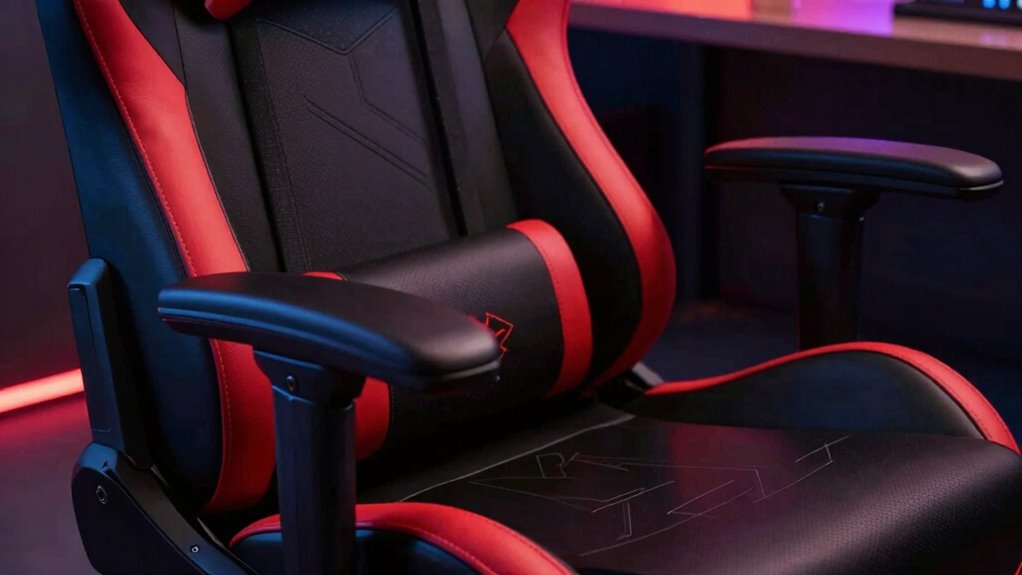
Lumbar support is often the most overlooked yet most critical aspect of maintaining proper posture. An ergonomic gaming chair should have adjustable lumbar support that fits the natural curve of your lower back. Many gamers neglect this feature, resulting in a slouched or strained posture over time. When lumbar support is correctly positioned, it encourages you to sit upright without hunching forward. It maintains the natural inward curve of your spine, reducing the risk of back pain and fatigue after long gaming sessions. Additionally, understanding water damage and rug cleaning can help you maintain your gaming space, ensuring it stays safe and comfortable. Being aware of how ergonomic adjustments can impact your overall comfort can make a significant difference in your gaming experience.
Even if your chair has all these adjustable features, it’s easy to forget to use them properly. You might sit with your back unsupported or with your lumbar pillow shifted out of place, defeating the purpose of these adjustments. Keep checking and readjusting your settings as you play to guarantee your posture stays aligned. Recognizing the importance of ergonomic design is fundamental to creating a sustainable and healthy gaming routine. Paying attention to household safety tips can also help you create a healthier gaming environment, including proper placement of cords and avoiding hazards that could cause injury. Remember, the goal isn’t just to look comfortable but to support your body’s natural structure.
In the end, good posture in a gaming chair isn’t a matter of instinct; it’s about actively managing ergonomic adjustments and making sure your lumbar support is correctly positioned. Taking a few moments to fine-tune your setup can prevent discomfort, improve your focus, and keep you gaming longer without risking your health. Don’t fall into the trap of assuming posture looks right without making these essential adjustments—your body will thank you.
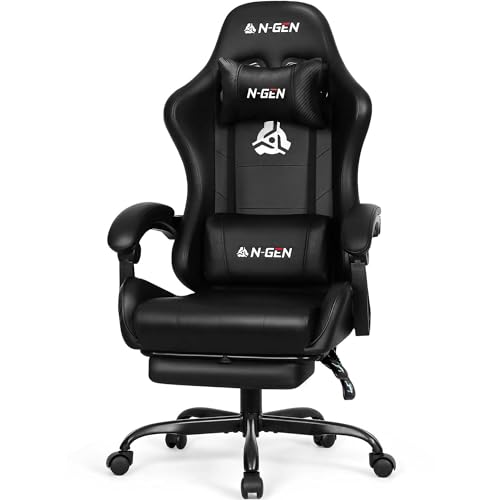
N-GEN GAMING Video Gaming Chair with Footrest Lumbar Support for Home Office High Back Recliner Height Adjustable Ergonomic Comfy Leather Computer Desk Chair (Carbon Black)
Racing Style for Long Sessions – High-back gaming chair with ergonomic racing design, ideal for long hours at…
As an affiliate, we earn on qualifying purchases.
As an affiliate, we earn on qualifying purchases.
Frequently Asked Questions
How Often Should I Adjust My Gaming Chair Posture?
You should adjust your gaming chair posture every 30 to 60 minutes to prevent strain. Incorporate ergonomic accessories like lumbar supports or footrests for better posture correction. Regular adjustments help maintain proper spinal alignment and reduce discomfort. Pay attention to how you sit and make small changes often, ensuring you’re not staying in the same position too long. This habit keeps your posture healthy and minimizes fatigue during long gaming sessions.
What Are Signs of Poor Posture While Gaming?
You might notice signs of poor posture while gaming, like neck strain, back pain, or tingling in your arms. If your ergonomic accessories aren’t supporting proper alignment, it’s time for posture correction. Pay attention to how you sit—slouching or leaning forward are common mistakes. Regularly adjusting your chair and using ergonomic accessories can help prevent discomfort and promote better posture during long gaming sessions.
Can Incorrect Posture Cause Long-Term Health Issues?
Yes, incorrect posture can cause long-term health issues like back pain, neck strain, and repetitive stress injuries. Using ergonomic accessories, such as lumbar supports and adjustable armrests, helps maintain proper alignment. Incorporate posture correction techniques by frequently adjusting your position and taking breaks. These habits reduce strain and prevent chronic problems, ensuring you stay comfortable and healthy during long gaming sessions. Prioritize your posture to protect your long-term well-being.
Are There Specific Gaming Chairs Better for Posture?
Yes, some gaming chairs are better for posture because they offer ergonomic features and chair customization. Look for chairs with adjustable lumbar support, headrests, and armrests to fit your body perfectly. These features help maintain proper alignment and reduce strain during long gaming sessions. Prioritize chairs that allow you to customize your position, ensuring comfort and promoting good posture for your long-term health.
How Do I Know if My Setup Promotes Good Posture?
Ever wonder if your setup promotes good posture? You can tell by checking if your gaming chair height is adjusted so your feet rest flat on the ground and your knees are at a 90-degree angle. Make sure your back is supported properly with ergonomic accessories like lumbar pillows. If you’re slouching or feeling discomfort, your setup isn’t ideal. Adjust your chair and accessories until your posture feels natural and comfortable.

GTPLAYER Gaming Chair, Computer Chair with Footrest and Lumbar Support, Height Adjustable Game Chair with 360°-Swivel Seat and Headrest and for Office or Gaming (Pearl White)
Most Comfortable And Relaxing: Equipped with headrest and lumbar pillow. When your neck feels sore from gaming or…
As an affiliate, we earn on qualifying purchases.
As an affiliate, we earn on qualifying purchases.
Conclusion
So, next time you settle into your gaming chair, ask yourself: Are you truly sitting correctly? That small mistake you might be overlooking could be the difference between comfort and long-term discomfort. It’s easy to think good posture is simple, but paying attention to those details makes all the difference. Don’t let that common slip-up ruin your gaming experience — stay mindful and keep your posture in check for hours of comfortable play!

Vonesse Ergonomic Office Chair with Footrest, Desk Chairs with Adjustable 3D Headrest and Armrests, Computer Gaming Chair with Dynamic Lumbar Support & Adjustable Depth Breathable Mesh Seat (Black)
【Precision Lumbar & Seat Depth Adjustment】 Designed for spinal health and personalized comfort, the chair’s core adjustments ensure…
As an affiliate, we earn on qualifying purchases.
As an affiliate, we earn on qualifying purchases.

GTPLAYER Big and Tall Gaming Chair 400lbs Heavy Duty Office Chair with Foot Rest & Ergonomic Pocket Spring Lumbar Support, High Back 3D Saddle Shaped Cushion for Back Pain Relief, Matte-Black
【400LBS Big and Tall Office Chair】Designed specifically for heavy people, Thicken and enlarged size headrest greatly improves the…
As an affiliate, we earn on qualifying purchases.
As an affiliate, we earn on qualifying purchases.