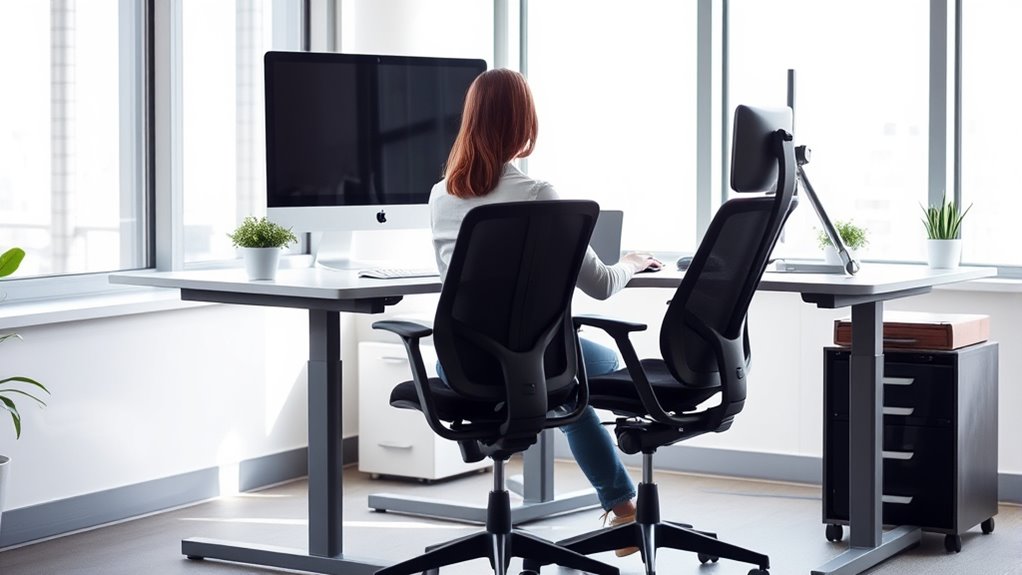

To improve your sitting and standing habits, focus on maintaining good posture consistently. Keep your back straight, shoulders relaxed, and feet flat on the floor with knees at a comfortable angle. Use ergonomic accessories like lumbar support and monitor stands to support natural alignment. Shift your weight regularly and take breaks to stretch or walk. By developing these habits, you’ll reduce discomfort and promote long-term musculoskeletal health—you can discover more tips to perfect your posture as you continue learning.
Key Takeaways
- Practice maintaining a straight back and relaxed shoulders while sitting and standing regularly.
- Use ergonomic accessories like lumbar support and monitor stands to promote proper alignment.
- Distribute weight evenly on both feet, avoid locking knees, and shift positions periodically when standing.
- Take frequent breaks to stretch, move, and reset your posture throughout the day.
- Consistently check and adjust your workspace to support natural spinal curves and reduce strain.

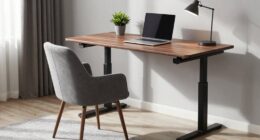
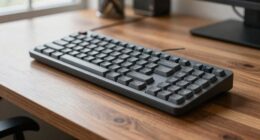
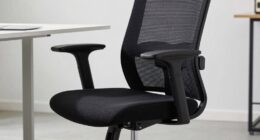
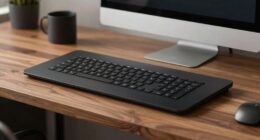
Practicing ergonomic habits is essential for maintaining your overall well-being and preventing work-related injuries. One of the most important aspects of good ergonomics is posture correction. When you sit or stand improperly, you put unnecessary strain on your muscles, joints, and spine, increasing the risk of discomfort and long-term issues. To improve your posture, start by paying close attention to how you position your body throughout the day. Keep your back straight and shoulders relaxed, avoiding slouching or leaning forward. Your feet should rest flat on the floor, with knees bent at approximately 90 degrees. Ensuring proper alignment helps reduce tension in your neck, shoulders, and lower back, making it easier to stay comfortable and focused. Incorporating ergonomic accessories can substantially support your posture correction efforts. Adjustable chairs with lumbar support help maintain the natural curve of your spine, preventing slouching and reducing pressure on your lower back. An ergonomic keyboard and mouse can also promote better wrist and arm positioning, minimizing strain during long periods of typing or mouse use. Additionally, a monitor stand or adjustable arm can position your screen at eye level, so you don’t have to tilt your head up or down, which can lead to neck pain. Incorporating these accessories into your workspace creates a more supportive environment that encourages healthy habits. When it comes to standing, the same principles apply. Keep your weight evenly distributed on both feet, and avoid locking your knees. If you stand for extended periods, consider using anti-fatigue mats to lessen pressure on your feet and legs. Shift your weight periodically and take breaks to sit or walk around, preventing stiffness and fatigue. Proper standing posture involves keeping your hips aligned with your shoulders and your head balanced over your spine. This reduces strain on your lower back and improves circulation. Developing ergonomic habits through consistent practice can significantly enhance your comfort and reduce the risk of injury. Training yourself to sit and stand better doesn’t happen overnight, but consistent effort pays off. Regularly remind yourself to check your posture and adjust your workspace as needed. Incorporate ergonomic accessories that support your body’s natural alignment, and don’t forget to take frequent breaks. Stretching and movement are also crucial; they help relieve muscle tension and promote circulation. By actively practicing these ergonomic habits, you’ll minimize discomfort, boost productivity, and protect yourself from future musculoskeletal problems. Your body will thank you for the effort you put into creating a healthier, more comfortable work environment.

Lumbar Support Pillow for Office Chair, Office Home Essentials,Gifts for Mom,Dad, Back Support Pillow for Car, Chair Cushions,Back Pain Relief Improve Posture,Mesh Cover Double Adjustable Straps
For convenience and durability, we upgraded and lengthened the straps to fit more chairs instead of adding extra…
As an affiliate, we earn on qualifying purchases.
As an affiliate, we earn on qualifying purchases.
Frequently Asked Questions
How Often Should I Take Ergonomic Breaks During Work?
You should take ergonomic breaks every 30 to 60 minutes during work. Use this time for quick stretching routines to relieve tension and improve circulation. Refer to ergonomic checklists to make certain your workspace remains supportive and comfortable. These short breaks help prevent strain and maintain productivity, so don’t skip them. Incorporating regular breaks keeps your posture correct and reduces fatigue, making your workday healthier and more comfortable.
Are There Specific Exercises to Improve Sitting Posture?
Think of your posture as a house built on a strong foundation. To strengthen it, focus on core strengthening exercises like planks and bridges, which stabilize your spine. Incorporate flexibility exercises such as shoulder rolls and chest stretches to loosen tight muscles. These targeted movements help you sit better, reduce discomfort, and promote good ergonomic habits daily. Keep building that solid foundation for healthier sitting!
What Ergonomic Accessories Can I Use at My Desk?
You can improve your desk setup with ergonomic accessories like an adjustable keyboard tray, a supportive ergonomic chair, and a monitor riser to align your screen at eye level. Consider using a footrest and wrist supports to reduce strain. These desk setup tips help you maintain proper posture, prevent discomfort, and boost productivity. Incorporate these accessories into your workspace for a healthier, more comfortable working environment.
How Can I Adjust My Workspace for Better Ergonomics?
You might think adjusting your workspace is complicated, but it’s simple with a good desk setup and chair adjustment. Start by raising or lowering your chair so your feet are flat on the floor and your knees are at a 90-degree angle. Position your monitor at eye level, and keep your keyboard and mouse close to avoid reaching. Small tweaks make a big difference in comfort and posture throughout your day.
What Are Signs of Poor Ergonomic Habits?
You might notice poor ergonomic habits through posture awareness issues like slouching, leaning forward, or craning your neck. Ergonomic red flags include persistent neck, shoulder, or back pain, frequent headaches, or numbness and tingling in your limbs. If you often feel fatigued or discomfort during work, it’s a sign you need to improve your posture and workspace setup. Addressing these signals helps prevent long-term musculoskeletal problems.

WALI Computer Monitor Stand for Desk, Adjustable Laptop Riser, Desk Monitor Stand Underneath Storage for Office, Home, School Supplies (STT003), 1 Pack, Black
Design: The monitor stand for the desk has a large 14.6 x 9.3 inches metal shelf that fits…
As an affiliate, we earn on qualifying purchases.
As an affiliate, we earn on qualifying purchases.
Conclusion
Think of your body as a delicate tree, bending with the wind but rooted firmly in good habits. When you sit and stand with mindful ergonomics, you’re nurturing strong branches that reach upward, resilient and balanced. Each small adjustment is like watering your roots, ensuring growth and strength over time. By cultivating these habits, you become the gardener of your own well-being—standing tall and sitting comfortably, no matter what storms come your way.

Wireless Keyboard and Mouse Combo, 2.4G Full Size Wave Keys Ergonomic Keyboard with Wrist Rest and 3-Level DPI Adjustable Wireless Ergonomic Mouse for Windows, Mac OS Desktop/Laptop/PC(Black)
【Wave Ergonomic Wireless Keyboard and Mouse Combo】The wireless keyboard features a wave key and wrist rest design that…
As an affiliate, we earn on qualifying purchases.
As an affiliate, we earn on qualifying purchases.

FEATOL Anti Fatigue Mat for Standing, 9/10 Extra Thick Ergonomic Standing Desk Mat, Comfort Memory Foam Standing Mat at Home,Office All Day (20" x 32", Black, 1PC)
[Anti Fatigue Standing Desk Mat] – This anti fatigue mat standing desk office is effective in reducing stress…
As an affiliate, we earn on qualifying purchases.
As an affiliate, we earn on qualifying purchases.