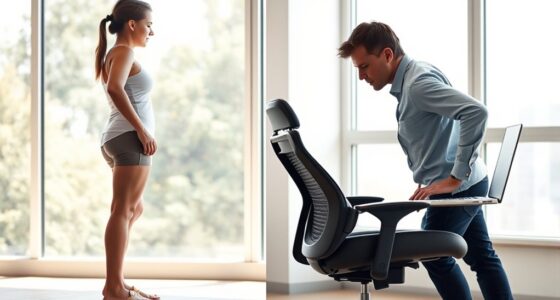
To cope with fatigue at a new standing desk, make certain you incorporate ergonomic accessories like anti-fatigue mats and adjustable footrests to support proper posture. Take regular movement breaks every 30 to 60 minutes to stretch or shift positions, helping circulation and reducing stiffness. Listen to your body and switch between standing and sitting as needed. Developing these habits will make your changeover smoother; continue exploring tips to stay comfortable and energized throughout your workday.

Get comfort and recovery gear delivered free with Prime
- Fast, free delivery on millions of items
- Prime Video, Amazon Music and more included
- Member-only deals all year
Key Takeaways
- Incorporate ergonomic accessories like anti-fatigue mats and footrests to support proper posture and reduce fatigue.
- Take short movement breaks every 30-60 minutes to stretch, walk, or shift weight.
- Adjust your standing desk height and switch between standing and sitting to prevent muscle strain.
- Maintain good posture and use ergonomic tools to create a comfortable, supportive workspace.
- Develop habits of regular position changes and movement breaks for sustained comfort and productivity.

Fatigue can hit unexpectedly, leaving you feeling drained and unable to focus. When you’re new to using a standing desk, this fatigue can be even more pronounced, especially if you’re not used to standing for long periods. To combat this, consider incorporating ergonomic accessories into your workspace. Items like anti-fatigue mats can make a significant difference, providing cushioning and reducing strain on your legs and feet. Adjustable footrests can also help shift your weight and reduce lower back discomfort, making it easier to stand comfortably for extended periods. These accessories support proper posture, helping you avoid unnecessary fatigue caused by poor alignment or muscle strain. Remember, the goal is to create a setup that encourages comfort and minimizes physical stress, so you can stay productive without feeling overwhelmed.
In addition to investing in ergonomic accessories, it’s *essential* to integrate movement breaks into your routine. Sitting for long stretches is often associated with fatigue, but standing in one position for too long can be just as exhausting. Every 30 to 60 minutes, take a quick break to walk around, stretch, or shift your weight between your feet. These movement breaks stimulate circulation, reduce muscle stiffness, and help prevent fatigue from setting in. Even simple stretches or occasional heel-to-toe shifts can work wonders in keeping your energy levels up. By actively moving, you signal your body that it’s okay to relax certain muscles and activate others, which can alleviate the fatigue caused by static postures. Incorporating proper ergonomic setup can also make a significant difference in reducing discomfort and fatigue.
It’s also helpful to listen to your body’s signals. If you start feeling tired or sore, don’t push through it. Instead, switch to a seated position temporarily or adjust your standing height to find a more comfortable position. Proper ergonomic accessories can assist with this transition, making it easier to switch between standing and sitting. Remember, the key is consistency and awareness. Regularly changing your position and taking movement breaks not only reduces fatigue but also boosts your overall comfort and focus. Over time, these habits will become second nature, helping you sustain a more energized and productive workday. Adjustments might seem small, but they add up, making your experience with a standing desk more enjoyable and less fatiguing.
Frequently Asked Questions
How Long Should I Initially Stand Each Day at My Desk?
When starting to stand at your desk, aim for 15 to 30 minutes each hour, gradually increasing as your body adapts. Use ergonomic accessories like anti-fatigue mats and monitor stands to support proper posture adjustment. Pay attention to how your body feels, and don’t rush the progression. Consistency helps, so slowly extending standing periods will make the shift more comfortable and sustainable over time.
Are There Specific Exercises to Reduce Fatigue From Standing?
Did you know that incorporating ergonomic stretches can reduce fatigue by up to 30%? To stay comfortable, try simple exercises like calf raises, ankle circles, and hamstring stretches. Also, don’t forget seated recovery; sitting for a few minutes helps reset your muscles and prevents strain. Regularly switching between standing and seated positions, combined with these exercises, keeps fatigue at bay and boosts your productivity.
Can Standing Desks Worsen Existing Back Problems?
Standing desks can worsen existing back problems if you don’t focus on proper desk ergonomics and posture correction. Poor setup may strain your back muscles and worsen pain. To prevent this, make sure your desk height supports a neutral spine, use an anti-fatigue mat, and take regular breaks to stretch. Adjust your monitor and keyboard to avoid hunching or leaning forward, which helps protect your back while standing.
What’s the Ideal Footwear for Standing Desks?
Imagine the comfort of stepping into your favorite sneakers, feeling the cushioned sole benefits soften every step. For standing desks, choose ergonomic shoe options that support your arches and promote proper posture. Look for footwear with cushioned soles, as they absorb shock and reduce fatigue. Your ideal shoes keep you energized and comfortable throughout your workday, making standing a pleasure rather than a strain.
How Do I Know if I’m Overexerting Myself While Standing?
You’ll know you’re overexerting yourself if you feel persistent pain, tingling, or numbness, especially in your legs or lower back. Pay attention to your posture awareness—if you notice slouching or uneven weight distribution, it’s a sign to make ergonomic adjustments. Take regular breaks, shift your stance, and ensure your desk setup supports comfortable standing. Listening to your body helps prevent overexertion and promotes healthier standing habits.
Conclusion
Remember, adjusting to a standing desk is a gentle journey. While you might feel a bit more worn initially, it’s simply your body’s way of easing into something new. With patience and small changes, you’ll find your rhythm again. Embrace these moments as a quiet invitation to listen to your body’s whispers. Soon, standing will feel natural, and you’ll be reaping the quiet rewards of this fresh, energizing habit.
Halloween Picks
halloween
As an affiliate, we earn on qualifying purchases.